Physician credentialing checklist
A physician credentialing checklist lists every license, certificate, verificati...

Last Updated: Oct 23, 2026
A personal trainer intake form is the document every new client completes before their first session. It captures health history, PAR-Q+ answers, fitness goals and emergency contacts, so you can set safe starting loads instead of guessing at them. This page gives you a free template to download, plus what each section is for and how to run it.
The template is built for independent trainers, small studios and fitness businesses that onboard clients one at a time. It’s a starting point rather than legal advice, so adapt it to your qualifications, insurance and local rules.
A printable PDF with sections for personal details and emergency contacts, health history, fitness goals, exercise history, lifestyle, and preferences and concerns. It closes with an informed consent and liability waiver section for the client to sign and date.
Download template
A personal trainer intake form is a pre-session document that records health history, goals and emergency contacts.
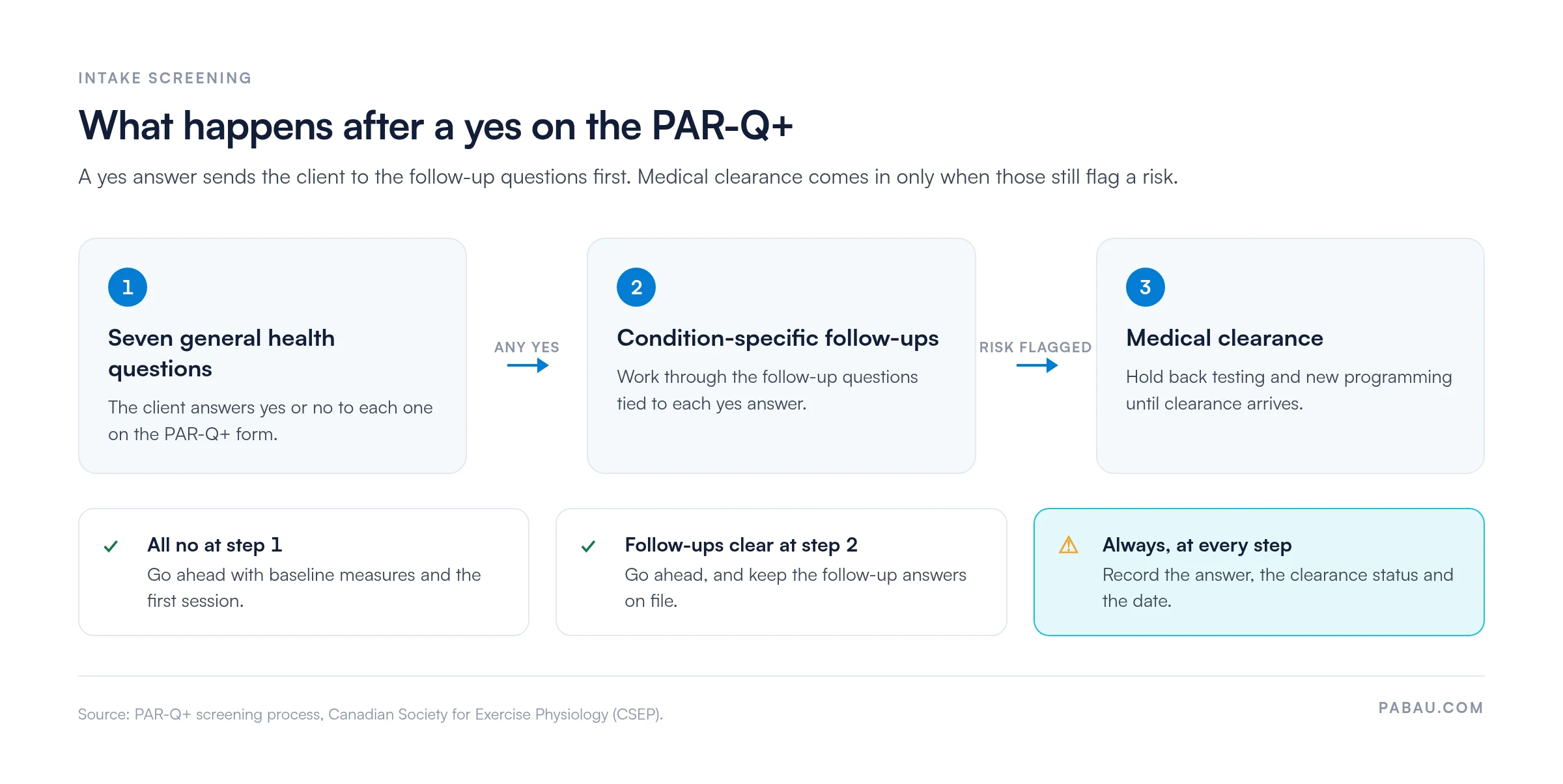
A yes answer on PAR-Q+ screening means working through the follow-up questions, and medical clearance is needed only if those still flag a risk.
The liability waiver and informed consent sit alongside the intake form but do different jobs.
An intake answer earns its place only when it changes the first session, such as a lighter first week for a client sleeping five hours.
Keeping intake records in one client profile avoids re-entry errors and keeps health data organized.
A personal trainer intake form is a structured questionnaire that captures what a trainer needs to know before designing a safe program. It usually covers the client’s health history, current activity level, goals, preferences and emergency contacts.
A waiver and a training contract sit beside the form, and each one does a separate job. The intake form gathers information, the waiver records the client’s acknowledgment of risk, and the agreement sets out fees and cancellation terms. Many trainers use all three, and the intake form is the one that drives programming decisions.
The template above is a printable PDF you can hand over in person or email to clients before their first session. Its sections run in the order you’d cover them face to face. Personal details come first, then health history, goals and lifestyle, and the consent and waiver section closes it.
The PDF doesn’t include the PAR-Q+ itself, so pair it with our standalone PAR-Q template for the readiness screen. Fees and cancellation terms belong in a separate training agreement, covered further down.
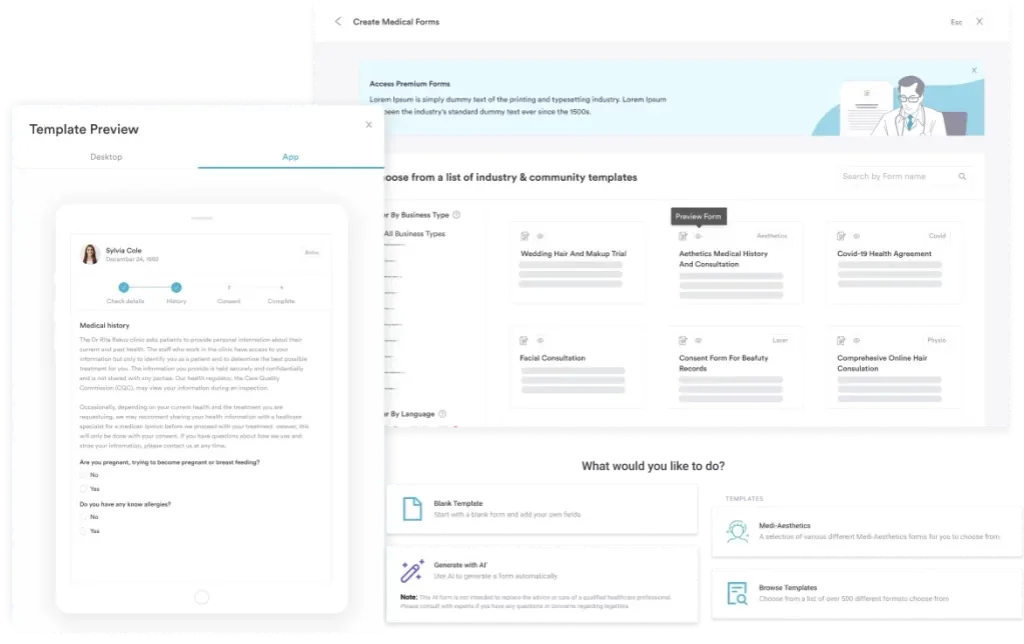
Pabau, the client management software we build, takes the same questions online. Its digital forms let clients answer on their phone before they arrive, which removes the manual data entry.
A complete personal training intake covers five areas. Each one answers a different question you need settled before you write a program.
The PAR-Q+ is the version to use today. CSEP updated the original questionnaire, and the CSEP PAR-Q+ guidance sets out how to use it.
A yes answer means completing the PAR-Q+ follow-up questions. If those still flag a risk, the client needs medical clearance before starting or adjusting the program. Record the answer, the clearance status and the date. The flow below shows where each answer sends the client.
Clients coming off rehab may already have a record in a physical therapy EMR. Ask for their discharge summary and attach it to the intake, so the first program picks up where treatment ended.
Goals give the program a direction. Ask for one primary goal and two supporting goals, then record baseline measures such as weight, resting heart rate and a simple movement screen. Once intake is done, the personal trainer assessment template takes you through a structured first assessment.
Sleep, stress and nutrition shape how a client recovers between sessions. A client sleeping five hours a night needs a different weekly volume from one sleeping eight, so ask about both.
Informed consent confirms that the client understands the risks of exercise and agrees to take part. A liability waiver is a separate document that attempts to limit the trainer’s liability, and it is often confused with consent.
A waiver does not fully protect a trainer from negligence claims. How far it holds depends on the jurisdiction and the wording, so check its enforceability with a qualified local lawyer or your insurer.
Client health data is special category data under UK and EU GDPR. The ICO’s guidance for organizations explains the duties that apply when you collect and store it.
The training agreement sets out what the client is paying for and when. It’s the document that protects both sides when a session is missed or a package expires. Our personal training contract template covers these terms:
A digital intake workflow changes how clients complete the form and where the answers live. It also changes how you chase missing information.
Automated reminders help here. An automated workflow can send the form once a booking is made and chase it if it is still outstanding after 24 hours.
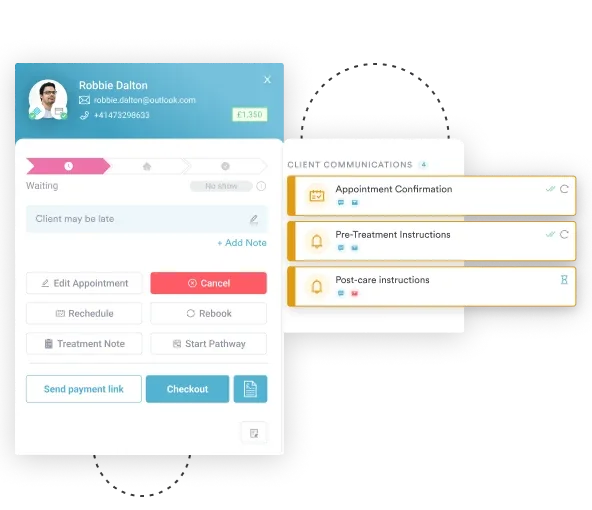
On paper, intake answers sit in a folder away from your bookings and session notes. A trainer covering a session then has to ask the client the same questions again.
Pabau’s digital intake forms feed straight into the client record. The PAR-Q+ answers and health history sit beside bookings and session notes, so nobody re-types them into a second system.
Pabau’s client record also keeps signed waivers and agreements together. A trainer picking up a client sees the history, the clearance status and the consent before the first rep.

Pabau lets you send digital intake forms, store results in each client record and link them to bookings and billing.

An intake form only protects you when its answers change what happens in the first session. A PAR-Q+ yes that survives the follow-up questions should hold back testing until clearance arrives. A five-hour sleeper should get a lighter first week. A form that is filed and never reread does neither.
Download the template, then check that every answer has a clear route into your programming. When you are ready to move intake online, Pabau keeps the form, waiver and bookings in one client record. Book a demo to see how it fits your training business.

Need to put fees and cancellations in writing? Personal training contract gives you a free template and the 10 clauses it should cover.
Want the full PAR-Q screen as its own document? Physical activity readiness questionnaire (PAR-Q) template lets you run the readiness check separately from the rest of intake.
Planning the first assessment session? Personal trainer assessment walks through a seven-section assessment you can run after intake.
Looking for a quick goals and preferences questionnaire? Personal training questionnaire helps you capture what a client wants from training in a few minutes.
Need to record baseline fitness scores? Fitness assessment form gives you one place to log the measurements you will retest later.
A personal trainer intake form is a questionnaire completed by a new client before training starts. It records health history, goals, lifestyle and emergency contacts so the trainer can plan a safe program.
No, the PAR-Q+ is a screening tool and doesn’t count as medical clearance. A yes answer means the client completes the follow-up questions. If those still flag a risk, they should get medical clearance before starting or changing their program.
No, the intake form gathers information while a waiver records acknowledgment of risk. Trainers usually need both, and the waiver’s enforceability depends on jurisdiction.
Yes, the same questions work for remote clients. Send the form digitally and confirm the client’s identity before storing their health information.
Ask clients to update the form at least once a year. Ask for an update sooner when their health, medication or injury status changes. Review the PAR-Q+ answers again before you raise training intensity.
Work through the PAR-Q+ follow-up questions for that answer first. If they still flag a risk, ask the client to get medical clearance before training starts. Record the clearance status and the date in the client’s file.
No single retention period applies everywhere. Keep forms for as long as your insurer and local law require, and no longer than you need them. Under GDPR, set a retention period and delete health data once it ends.
Both work, but digital forms are easier to manage. Clients complete them on their phone before the session, and missing answers are easy to spot. Paper forms need scanning or locked storage to keep health data secure.