Anja Dodevska
7 HIPAA compliant texting apps, ranked by what they can safely send
The best HIPAA compliant texting apps sign a business associate agreement (BAA),...

Last Updated: Oct 16, 2026
Free PDF 1 page, print-ready Clinician-reviewed
A patient feedback form template is a structured document that captures satisfaction, treatment outcomes, and appointment experience in a standardized format. It asks every patient the same questions in the same order, so the answers can be compared rather than read one at a time.
The strongest forms pair a rating scale with one or two open questions. Ratings give you a number to track over time. The open answers tell you what sits behind that number. Download the form below. The rest of this page covers which fields to keep, which form type suits each stage, and how to send it automatically.
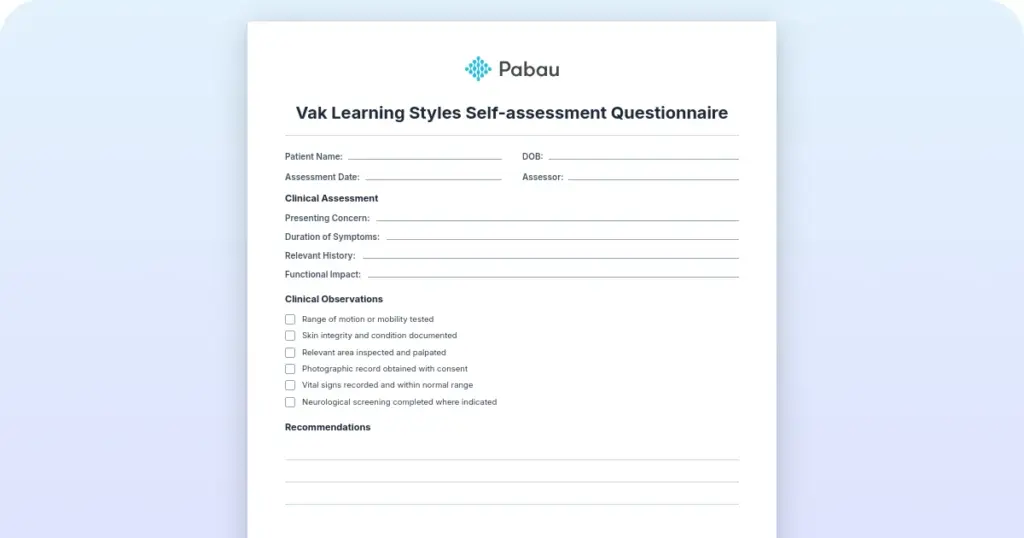
A ready-to-use form covering patient details, the service received, a 1 to 5 rating scale, an open comment box, and consent for data use. Customize it, then print it or send it digitally.
Start from scratch, or upload this PDF or any form you already use, and Pabau's AI Form rebuilds it with tick boxes, text fields and a signature. Attach it to the treatment once, and every patient gets it on time.
AI Form rebuilds the consent, history and aftercare forms you already use. You review each one, then publish.
Patients complete forms on their phone before they arrive, so the front desk stops retyping paper.
Every signed form is versioned and attached to the treatment record, ready when you need it.
Set how long a consent stays valid. Returning patients skip forms they have already signed.
Supports HIPAA and GDPR compliance AES-256 encryption 4.8 on G2 4.7 on Capterra Trusted by 4,000+ practices worldwide

A patient feedback form template asks every patient the same questions, so the answers can be compared instead of read one at a time.
The core fields are patient name, appointment date, service received, a 1 to 5 rating, an open comment box, and consent for data use.
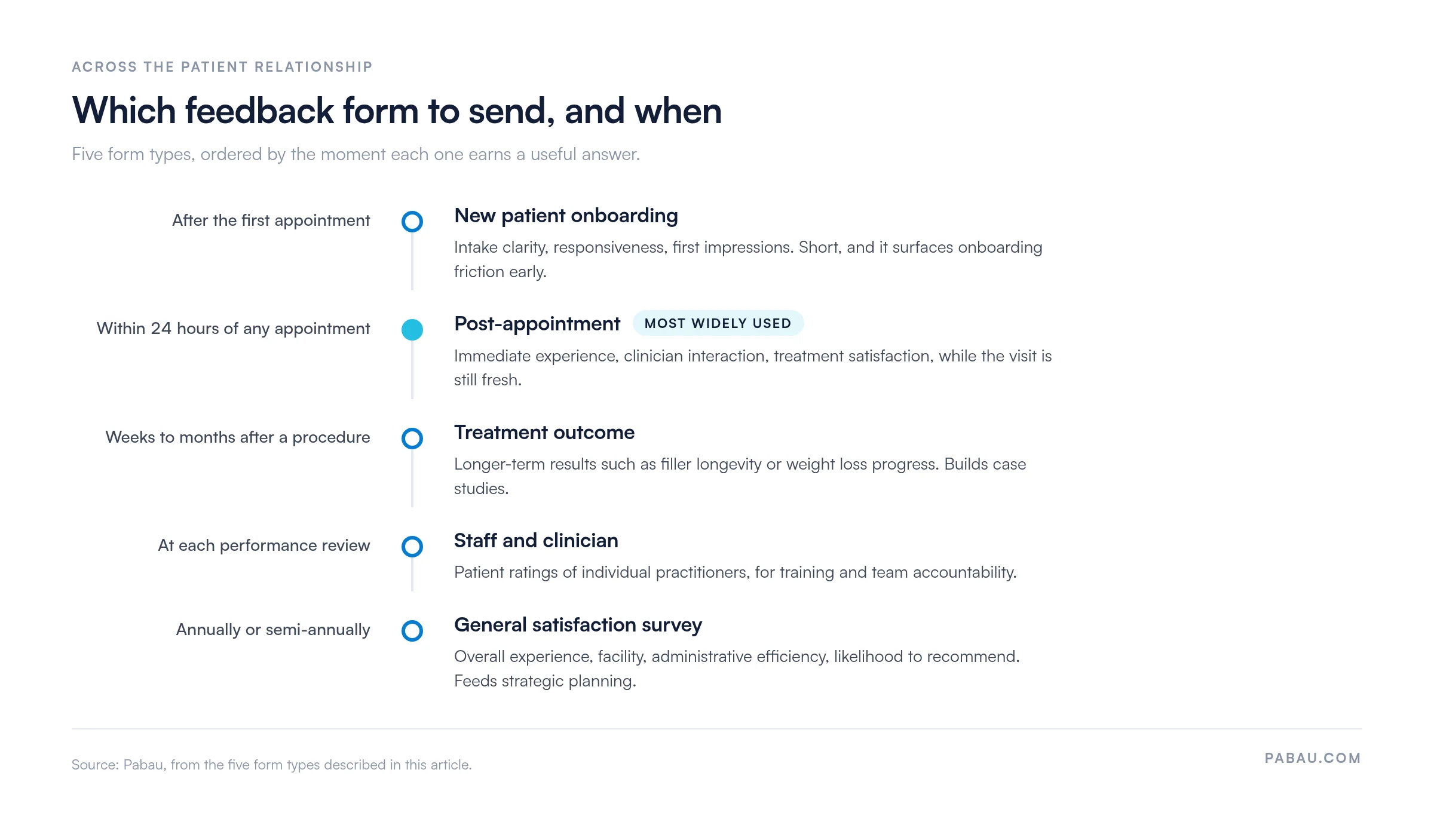
Five form types cover the patient relationship, and each one is sent at a different moment, from the first appointment to the annual survey.
Post-appointment feedback sent within 24 hours draws the highest response rates, and a workflow rule can send it for you.
Pabau stores each response against the patient record and groups results by treatment and practitioner, so you can see which services are slipping.
A patient feedback form template is a pre-built, reusable document that standardizes how a practice collects input on experience, treatment satisfaction, and clinical outcomes. Every patient answers the same questions in the same order. That consistency is what makes the responses comparable from one month to the next.
Feedback forms do several jobs at once. They document satisfaction for regulators such as the Care Quality Commission (CQC) in England and Healthcare Improvement Scotland (HIS). They also inform quality improvement, guide staff training and service redesign, and evidence patient-centered care for accrediting bodies and insurers.
The template itself saves design time. Rather than writing a fresh form for every use case, you adapt one that already works. When the form lives inside practice management software like Pabau, it can go out on its own once an appointment is marked complete.
A good feedback form balances brevity against depth. Keep it short enough that patients finish it, and specific enough that the answers tell you what to change. The five sections below do both.
Capturing patient feedback works best when the form takes under two minutes, which usually means five to seven questions. Past that, completion rates fall away. Add a net promoter score (NPS) question asking whether the patient would recommend you. It tracks loyalty and flags detractors early.
Different moments in the patient relationship call for different questions. Five form types cover most practices, and each one has a point at which it earns a useful answer.
Laid out against the patient relationship, the five types stop competing with each other. Each one sits at the moment it can actually answer something.
Measuring patient satisfaction gets far more actionable once you segment by service. A dermatology practice sending one form after botox, laser hair removal, and skincare consultations learns more by splitting those into service-specific versions. For the broader annual review, our patient satisfaction survey covers wider ground.
Five steps take you from a blank page to a form that is collecting answers.
A form that runs past two minutes loses responses. Prioritize brevity over coverage, and add a question only once you know what you would do with the answer.
Sending the form is the easy part. These habits are what turn the responses into changes patients notice.
Med spas often see the fastest return on this, because the patient journey is outcome-focused. Patients rebook only when they are happy with the result. Systematic feedback shows you where they stop returning sooner than watching the schedule does.
Put the net promoter score on every form. Ask whether the patient would recommend you to a friend, scored 0 to 10. Answers of 9 or 10 are promoters, 7 or 8 are passives, and 0 to 6 are detractors. Work on the passives and the detractors before they post a public review.
Collecting feedback by hand means printing forms, emailing them one at a time, and chasing the patients who never replied. It is slow, it is easy to skip on a busy day, and most practices quietly drop it within a few months.
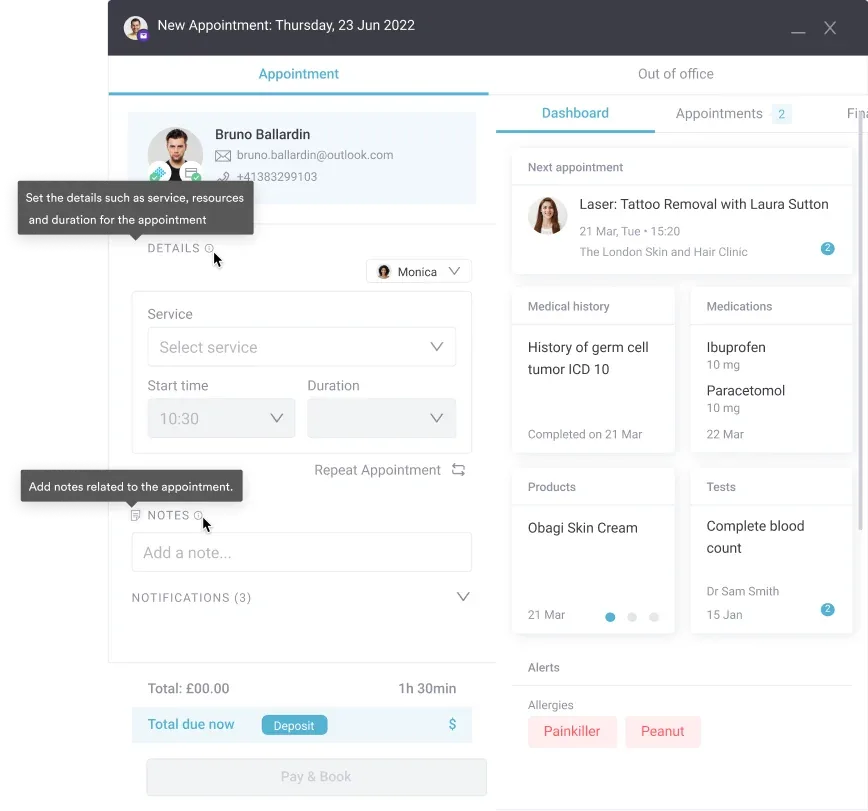
Pabau sends the form for you. A workflow rule watches for an appointment status of completed, then emails or texts the patient their feedback form. Because self-service online booking already captured their contact details, nobody has to retype an email address.
Responses land on the patient’s record, and the dashboard groups them by service, practitioner, and period. You can see a treatment whose rating has slipped, or a clinician whose scores run ahead of the rest of the team. That is what tells you where to spend your next improvement effort.
Patients who score you highly can then be invited to post a public review through Pabau’s review tools, on Google or whichever platform you use. Private feedback becomes visible proof for the next patient deciding whether to book.

Pabau sends your feedback form automatically once an appointment is completed. Every response is stored on the patient record and grouped by treatment and practitioner, so you can see which services need attention.

Feedback only pays for itself when someone acts on it. Pick the two form types that match how your practice actually runs. Send them on a trigger rather than by hand, and read the results on a fixed monthly date.
The trade-off worth remembering is length. Every extra question costs you responses, so a five-question form answered by half your patients beats a twenty-question form answered by six. Start short, and add a question only once you have something to do with the answer.
Download the template above, adapt it to the services you offer, and set the trigger. Book a demo to see how Pabau sends feedback forms automatically and groups the answers by treatment and practitioner.

Want to understand what drives patient loyalty? Patient compliance and engagement strategies show how to turn feedback into behavioral change.
Looking for a complete patient management system? Patient management software features that pull scheduling, records, and feedback into one platform.
Need to build trust with prospective patients? Benefits of patient portals for the two-way communication that heads complaints off early.
Ready to compare the tools that send these forms? Patient satisfaction survey software weighs the platforms that collect, store, and report on responses.
Need something broader than one appointment? Our patient survey template covers the wider annual review of your practice.
The essential fields are patient name, appointment date, and service received. Add a 1 to 5 rating scale, an open comment box, and explicit consent for data use. Keep the form to five to seven questions so completion rates hold up.
Start by deciding what you want to learn: overall satisfaction, service quality, or clinician performance. Then choose a digital or paper format, write plain-language questions, and set a trigger that sends it within 24 hours of the appointment. Test it with 10 to 20 patients before you roll it out.
Yes. Practice management software like Pabau uses workflow rules to send the form by email or SMS as soon as an appointment is marked complete. That removes the manual send, and each response is filed against the patient record automatically.
Pair rating scales, either 1 to 5 or an NPS question, with one or two open-ended questions. The scales give you measurable trends, and the open answers explain the reasoning behind patient sentiment.
Only when they carry explicit consent language and a privacy notice. Under GDPR in the UK, patients tick a consent box before their feedback is used. Under HIPAA in the US, any health data in the response is stored securely and access is logged.