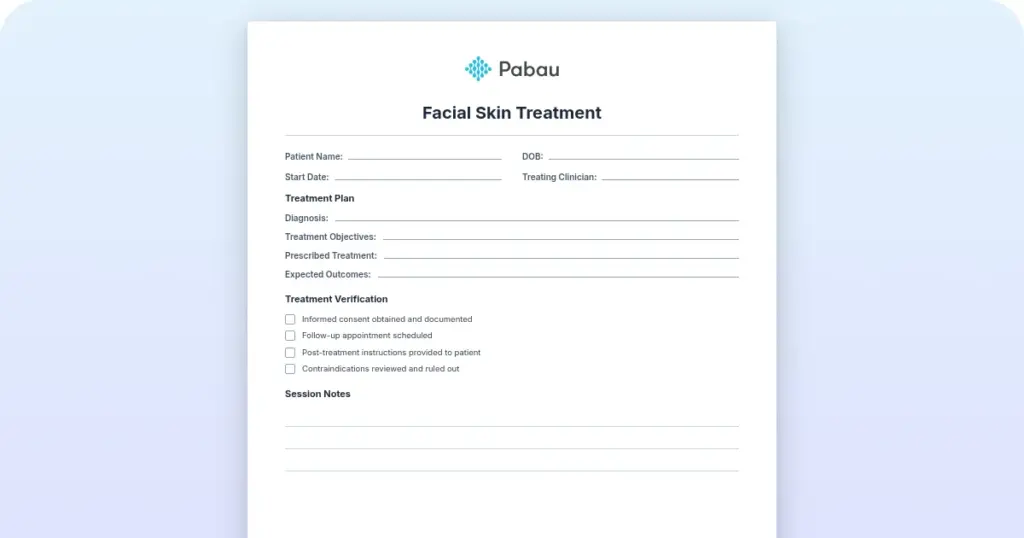
Facial skin treatment consent form template: Microneedling and phi-ion
A facial skin treatment consent form is the signed proof that a patient was scre...

2
Last Updated: Oct 21, 2026

An esthetician consultation form collects personal details, health history, skin type, current products, goals, and consent before treatment.
Professional forms reduce liability, improve treatment safety, and prevent complications by screening for contraindications.
Digital forms save time vs paper, auto-populate client records, and enable secure e-signature capture.
Practice management software like Pabau sends this form automatically before appointments and stores responses directly in client records.
A ready-to-use consultation form covering client contact details, skin type assessment, and medical and allergy screening. It also covers current skincare products, treatment goals, and informed consent with signature blocks.
Download templateMost estheticians run their first consultation from memory. Then they jot down whatever they remember once the client is already on the treatment bed. That’s where problems start: a missed allergy, a contraindication nobody screened for, or a client who later insists no one asked.
A structured esthetician consultation form fixes this by capturing everything before treatment begins.
That means contact details, medical history, skin type, current products, treatment goals, and signed consent, all gathered upfront. It protects the client through proper screening, protects you through documented consent, and protects the practice through a clear paper trail.
Get the details right, and the form becomes the backbone of every consultation you run.
An esthetician consultation form is a structured intake document that licensed estheticians use with every new client. It’s completed before facial treatments, peels, waxing, microdermabrasion, or other skin services.
The form gathers personal details, medical history, skin assessment, and treatment goals, and it captures the client’s signed consent to proceed.
The form serves three key functions:
In most US states, the state cosmetology board licenses estheticians, and they must maintain client records. Many states don’t legally require a signed consent form for cosmetic skin treatments, unlike medical procedures. Still, best practice and insurance guidance both treat the consultation form as essential risk management.
Compliance matters too. If a client’s health information is stored digitally, HIPAA, the US health data privacy law, may apply. Whether it does depends on if the esthetician bills through a health plan or works cash-only.
Data protection rules, like GDPR in the UK and EU, also govern how client information is stored. A clear, professional form shows clients that the practice takes privacy and consent seriously.
A thorough consultation form covers six core sections, each handling a different part of client safety and treatment planning. Some practices split this into a separate intake form for health history, but this template keeps both jobs in one document.
Start with the basics: full name, date of birth, phone number, email, and an emergency contact. These details let you reach the client to reschedule or follow up after treatment. They also keep the client record clearly identified.
This is the safety-critical section. Ask about current health conditions, medications, surgeries, and allergies. Many skin treatments are contraindicated in specific conditions. For example:
Document what the client reports, so you can make informed service decisions.
Ask the client to identify their skin type and list their main concerns. Offer checkboxes for common types, like oily, dry, combination, or sensitive, and common concerns, like acne, hyperpigmentation, rosacea, fine lines, texture, or dryness. This information guides product selection and treatment intensity.
What the client already uses at home matters just as much as what happens in the treatment room. If they use prescription retinoids, active acids, or vitamin C serums, adjust the in-clinic treatment to avoid over-exfoliation or irritation. Ask about their daily routine, active ingredients, and any recent product changes.
Ask open-ended questions: what does the client hope to achieve, and what worries them most? This frames the consultation around their goals and sets realistic expectations. Some clients want anti-aging results. Others want acne control or smoother texture. Writing goals down prevents misunderstandings later and sets the tone for recommendations that fit the client, not a generic routine.
The final section holds the informed consent statement. Use clear, plain language, something like:
“I understand that esthetic treatments may carry risks, including redness, sensitivity, or allergic reaction. I have disclosed all relevant medical history and allergies. I consent to proceed.”
Add a signature line, date, and printed name. Some practices also add checkboxes for specific service consent, such as “I consent to a chemical peel.” They add a separate line for photography or before-and-after consent too.
A consultation form only helps if someone fills it out and reviews it before treatment. Here are five steps for making that happen every time.
Update the form at each visit if anything changes, like new medications, pregnancy, or a recent treatment. A consent form signed at the first appointment doesn’t last forever. Health status changes, so re-screen the client at regular intervals.
Paper forms work, but they create friction. You have to print them, file them in a cabinet or binder, and scan them by hand if you want a digital backup. Digital forms skip all of that.
Digital forms bring a few concrete advantages:
Digital forms also improve compliance. A digital system logs who completed the form, when, from which device, and from what IP address. That’s a stronger audit trail than a paper signature if questions come up later.
For HIPAA-covered practices, digital forms with encrypted storage and access controls meet compliance requirements better than paper files.
The switch is simple. Export your current paper form into a digital form builder, whether that’s practice management software like Pabau, or a dedicated tool like Jotform or Typeform.
Customize it as needed, then send the link by email, text, or client portal before the appointment. Within weeks, you’ll have a full digital library of consultation forms linked to client records.
Different esthetic services carry different risks, so form questions should shift with them. A basic facial consultation differs from a waxing consent or a chemical peel intake.
Facial treatments: Use the standard consultation form above. Focus on current active ingredients (retinoids, acids, vitamin C) and sensitivity history.
Waxing: Ask about recent sun exposure, since sunburned skin is a contraindication, along with recent retinoid use, which can thin skin, and general pain tolerance. Add consent language covering the risk of minor burns or irritation. For a hair-removal-specific version.
Chemical peels: Take a detailed medication history, since some drugs increase sun sensitivity, and screen for pregnancy, since certain peels aren’t safe during it. Set realistic expectations too: deeper peels mean longer healing. Many practices use a separate consent form that names the specific peel strength and expected downtime.
Microdermabrasion: Screen for recent steroid use, active infections, or very sensitive skin, since all three are contraindications. Add consent language about the healing timeline, since slight redness or dryness is normal for 24 to 48 hours.
Practices offering several of these services can simplify the process with skin clinic software, which routes the right form to the right service automatically.
This template works across several types of practices. Medical spas and aesthetic practices rely on consultation forms to document consent before treatment.
Dermatology practices often have medical assistants or physician extenders perform facials, and the form makes sure medical history gets captured per practice protocol.
Skin care practices offering specialized services, like laser, peels, or microdermabrasion, use it to screen for contraindications and manage liability.
Spa and wellness centers use a simplified version to gather basic skin type and preference information before a relaxation facial.
If you’re an independent esthetician renting a chair at a salon or spa, you still need a consultation process for your regular clients. Even a simple one works.
Many independent estheticians run on spa software to keep bookings, forms, and client records in one place. If you own a multi-location esthetic business, a standardized form keeps things consistent across every location.
Whether you use the template on paper, print-and-scan, or a digital system, the core content stays the same.
Review completed forms 5 minutes before the appointment, not during the consultation. This gives you time to ask clarifying questions and mentally prepare your treatment approach. You’ll already know the client’s medical history and goals, instead of discovering a new medication or allergy once they’re already on the treatment bed.
Most practices juggle a mix of paper forms, email attachments, and sticky notes to keep consultation records straight. That works until a client claims they were never asked about an allergy, or a form goes missing right before a follow-up appointment.
Pabau’s digital forms tool sends the consultation form to the client before their appointment, so it’s already complete by the time they arrive.
Once submitted, the response saves straight into the client’s record, with a timestamped e-signature attached. That gives the practice one searchable file per client instead of a drawer of loose paperwork. The signed consent is always there when an insurer, auditor, or client asks for it.

Pabau’s digital forms send your esthetician consultation form before the appointment, capture a timestamped e-signature, and save the response straight into the client’s record.

A consultation form only protects you if you use it every time, not just for new clients or complicated cases. The temptation is to skip it for a quick, familiar face on a busy day. That’s exactly when a missed allergy or a forgotten medication slips through.
Paper works fine until a form goes missing or a signature is hard to read months later. Digital forms cost a little setup time upfront, but they remove that risk for good. They also save your front desk from re-typing the same information at every visit.
Pick one version, paper or digital, and use it with every client, every time. That consistency is worth more than any single feature on the form itself. Book a demo to see how Pabau can send, store, and e-sign your esthetician consultation forms automatically.

Deciding how to structure your salon business? booth rental vs commission guide compares booth rental and commission models for structuring a salon or spa business.
Booking a lot of waxing appointments? Eyebrow waxing aftercare gives clients clear guidance that heads off repeat questions and irritation.
Considering breathwork as another wellness offering? holotropic breathwork clinical guide covers the science, therapeutic benefits, and best practices for offering breathwork sessions.
Struggling to reconcile payments across channels? payment reconciliation integrations compares three integrations that match deposits, card payments, and gift cards automatically.
Want more bookings from social media? social media marketing tips for spas shares eight tips for turning a spa’s social media page into bookings.
The terms are often used interchangeably. A consultation form usually asks about skin type and treatment goals. An intake form leans more on health and background history. Many practices combine both into one document.
Yes. The template at the top of this article is free to download as a PDF, and you can edit it in Word format too. You can also convert it into a digital form using an online form builder.
There’s no single legal rule for cosmetic-only treatments. Many liability insurers recommend keeping records for several years after a client’s last visit. Keep them longer if the client was a minor at the time of treatment. When in doubt, check with your insurer and your state’s cosmetology board.
The signed form still works in your favor. It shows you asked the right questions, even if the client’s answer turned out to be incomplete or inaccurate. Document any follow-up questions and answers in the client’s record too, in case the details come up again later.
Yes, in most cases. If the client is under 18, a parent or legal guardian should review and sign the consent section. Some practices also ask the guardian to stay for the appointment. Certain treatments, like waxing or peels, may also have a minimum age set by your state’s cosmetology board.