Despina Petrushevska
Values exploration worksheet
Download your free values exploration worksheet A two-page printable form that o...

2
Last Updated: Nov 6, 2026
Free PDF 2 pages, print-ready Clinician-reviewed
A diagnosis form records what you found, what you concluded, and who signed off on it. The template above is a one-page PDF you can print or complete on screen.
It runs in seven sections, from patient details through to the signature block. There is no dedicated box for the ICD-10 code, so write it beside the primary and secondary diagnosis.
A one-page form with sections for patient information, clinical history, physical examination, diagnostic testing, the primary and secondary diagnosis, referrals, and clinician sign-off. Print it, or fill it in on screen.
Start from scratch, or upload this PDF or any form you already use, and Pabau's AI Form rebuilds it with tick boxes, text fields and a signature. Attach it to the treatment once, and every patient gets it on time.
AI Form rebuilds the consent, history and aftercare forms you already use. You review each one, then publish.
Patients complete forms on their phone before they arrive, so the front desk stops retyping paper.
Every signed form is versioned and attached to the treatment record, ready when you need it.
Set how long a consent stays valid. Returning patients skip forms they have already signed.
Supports HIPAA and GDPR compliance AES-256 encryption 4.8 on G2 4.7 on Capterra Trusted by 4,000+ practices worldwide

A diagnosis form records the confirmed diagnosis, the findings behind it, and the clinician who signed it off.
This template runs in seven sections, from patient information through to the signature block.
There is no separate box for the ICD-10 code, so write it beside the primary and secondary diagnosis.
Only a licensed clinician can complete and sign the form, and an unsigned form is not valid.
Pabau’s digital forms keep the completed diagnosis in the patient record, so the code is there when you prepare the claim.
A diagnosis form is a structured document that records a patient’s confirmed diagnosis, presenting symptoms, clinical findings, and treatment recommendations. It anchors the patient record and feeds medical billing workflows downstream.
The form connects the appointment to what happens next. It shapes the treatment plan, prompts prescriptions, and carries the clinical justification an insurer needs. Where it runs as one of your digital forms, it updates the record as you complete it.
A licensed clinician has to sign it. Without that signature the document is a set of notes, not a diagnosis anyone else can rely on.
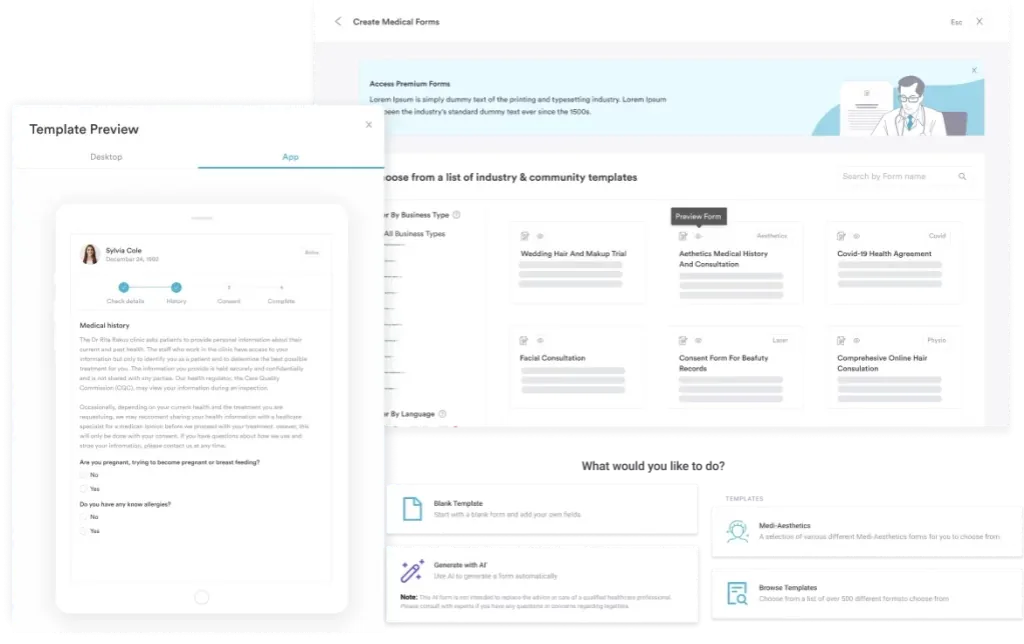
Intake forms and diagnosis forms do different jobs. Intake captures the patient’s background and history before the visit. The diagnosis form records your conclusion after the assessment.
Every diagnosis form carries the same core data, whatever the specialty. Clinical, legal, and billing standards all draw on the same handful of fields. The template groups them into seven sections, in the order you meet them on the page.
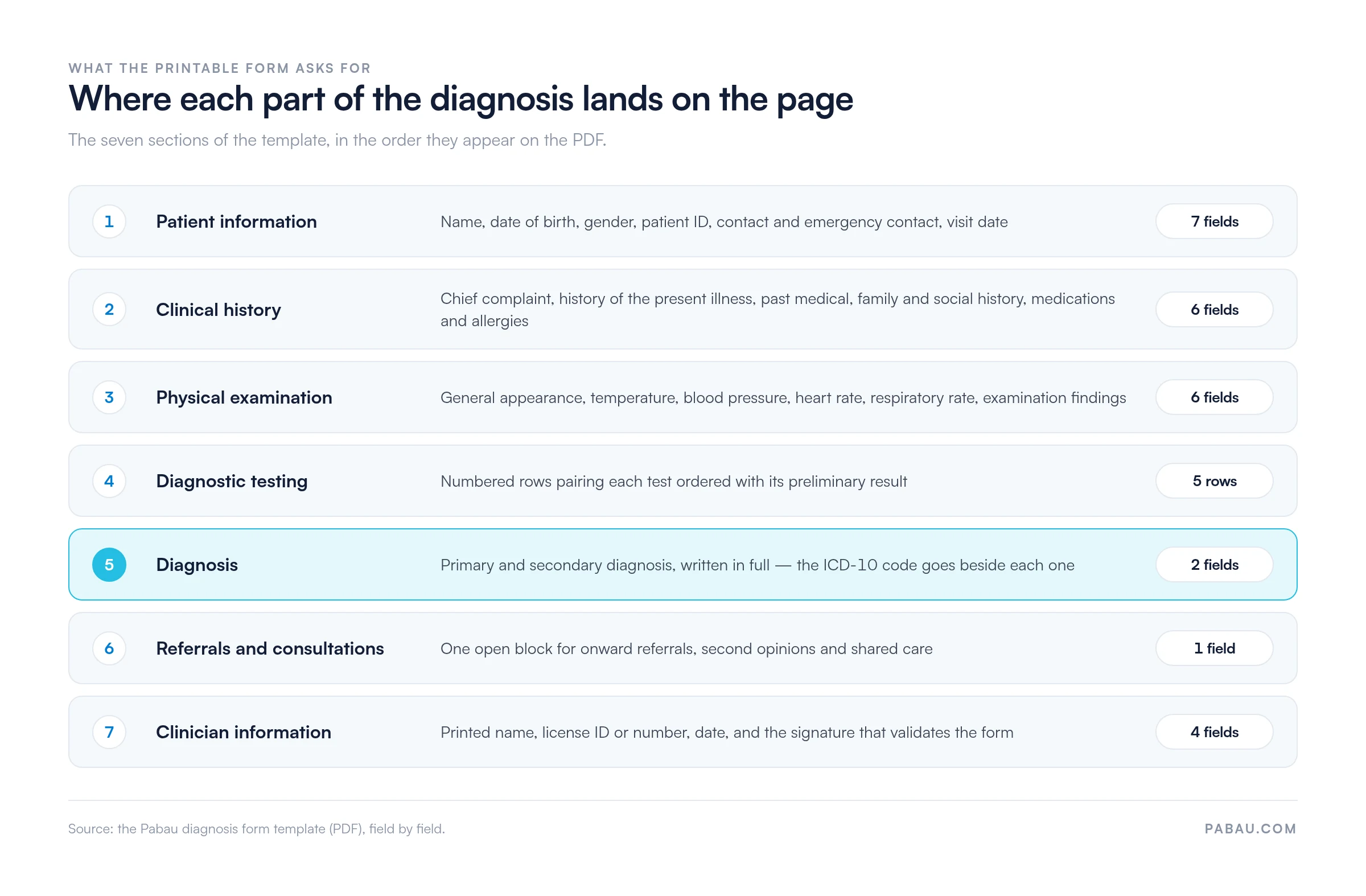
Start with demographics, so the form links to the right person and the right visit:
Then document what brought the patient in and what you observed:
This section carries the confirmed diagnosis and its billing code. Once written, it is protected health information under the HIPAA Privacy Rule, so it has to be precise and it has to be secure.
The code is what an insurer prices the claim against, so it drives revenue cycle management further down the line. Missing or imprecise codes come back as denials and delayed payment.
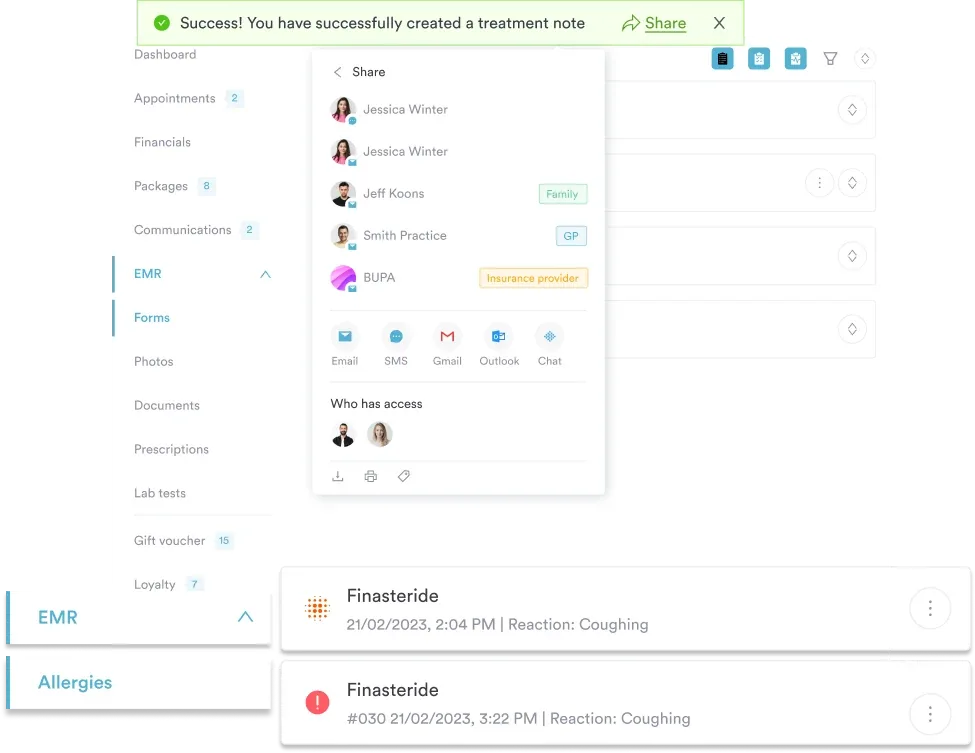
Practice management software like Pabau keeps the completed form in the patient record system. The code you assigned stays with the visit it belongs to.
The form closes with your plan and your authentication:
A set order keeps the form complete, and it cuts the number of times you have to go back to one.
Digitally that runs three to five minutes per patient. On paper it also costs a trip to the filing cabinet, and billing waits on the copy.
The core structure holds everywhere. What changes is which section carries the weight.
A paper form has to be filed by hand, pulled again for billing, and stored somewhere dry. Each of those steps is a chance for it to go missing. Forms held in the patient record remove all three, and Pabau Scribe, our AI scribe, can draft the note from the consult itself.
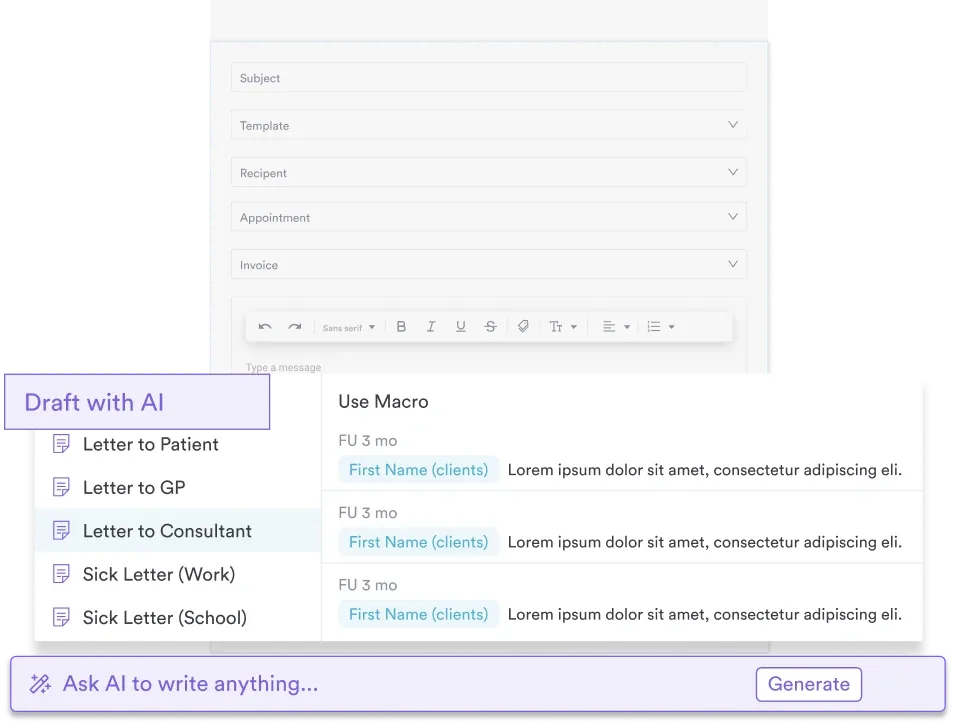
Completed inside the record, the form feeds the rest of the visit. The code sits with the appointment for billing, the follow-up goes straight into the calendar, and the letter writes from the notes you already made. Specialty forms follow the same pattern, including our psychiatric evaluation template.
Compliance gets easier too. A digital audit trail shows which clinician completed the form and when, which paper cannot. That record is what the HIPAA Security Rule expects a practice to be able to produce.
Vague diagnosis language: “pain” instead of “acute lower back pain, lumbar region” holds up billing and leaves the next clinician guessing. Use specific, anatomically correct wording.
Missing ICD-10 codes: payers reject claims that arrive without one. Check the code is on the form before the patient leaves.
Unsigned forms: an unsigned diagnosis form is not valid. If you catch it later, sign and date it on the day you sign, and note which visit it covers. Never backdate a signature.
Incomplete patient information: a missing insurance ID or MRN stalls billing. Check every patient field is filled before you close the form.
A diagnosis form is a medicolegal document. It has to be completed by a licensed clinician: a physician, nurse practitioner, physician assistant, or another regulated professional, depending on your state and specialty. Administrative staff cannot diagnose or sign it.
Retention is set locally, so check the rules that apply to you. The US has no single federal period, and state law decides, with seven years a common minimum. The UK standard for adult hospital records is at least eight years after the last treatment, and longer for a minor.
Records held in HIPAA-compliant practice software stay retrievable for that whole period, and nobody has to go looking for the box.
Diagnosis forms also hold protected health information, known as PHI. Restrict access to staff with a clinical reason to see it. Mental health practices in particular should treat anything shared outside the practice as needing de-identification or a signed patient authorization.
Pabau’s digital forms feature lets you complete the diagnosis form inside the patient’s file, during the appointment or straight after it. The demographics you would otherwise copy across are already on the record.
What you record then feeds the rest of the visit. The note stays with the appointment, and follow-ups get booked in the same calendar. The diagnosis is there when you raise the invoice or prepare a claim, and no one retypes it into a second system.
Forms are customizable too. You can add a screening questionnaire for mental health, or a contraindication checklist for aesthetics, without changing how the rest of the form works. Customizable medical forms covers how practices build their own.

Pabau’s digital forms hold the diagnosis, the code, and the signature against the appointment they belong to. Billing and referrals then draw on one record instead of a paper copy.

Print the template, or rebuild it as a digital form. Either way the test is the same: the diagnosis, the code, and the signature are all on the page before the patient leaves.
Paper holds up until you need the form back. The moment billing, a referral, or an audit asks for it, the digital copy is the one that answers in seconds. Book a demo to see how the diagnosis form sits inside the patient record in Pabau.

Need to structure clinical notes for legal compliance? SOAP notes guide walks through the evidence-based note format that supports diagnosis documentation.
Looking for a mental health-specific evaluation template? Psychiatric evaluation template includes structured diagnosis sections with screening tools pre-built.
Want to automate clinical documentation with AI? Pabau’s AI medical scribe transcribes consults and structures notes automatically, reducing clinician documentation time.
An intake form is completed before the appointment and captures history, medications, and symptoms. The diagnosis form is completed after the assessment and records your conclusion and plan. Both are needed, at different points in the visit.
Yes. Payers need a diagnosis with an ICD-10 code before they will process the claim. A claim that arrives without one is denied, and you resubmit it with the code added.
Only a licensed clinician: a physician, nurse practitioner, physician assistant, or another regulated professional, depending on your state and specialty. Administrative staff cannot diagnose or sign the form.
Yes, in most jurisdictions. Your e-signature platform has to meet local rules, such as the ESIGN Act in the US or eIDAS in the EU. Check the rules where you practice before you switch.
Retention is set locally, so check your own rules. Seven years is a common US minimum, and the UK standard for adult hospital records is at least eight years after the last treatment. For a minor, the clock generally starts at the age of majority.
Digital storage in HIPAA-compliant or GDPR-compliant practice management software beats paper. You get audit trails, access controls, and automatic backups. A form is far less likely to be lost, damaged, or seen by the wrong person.