Anja Dodevska
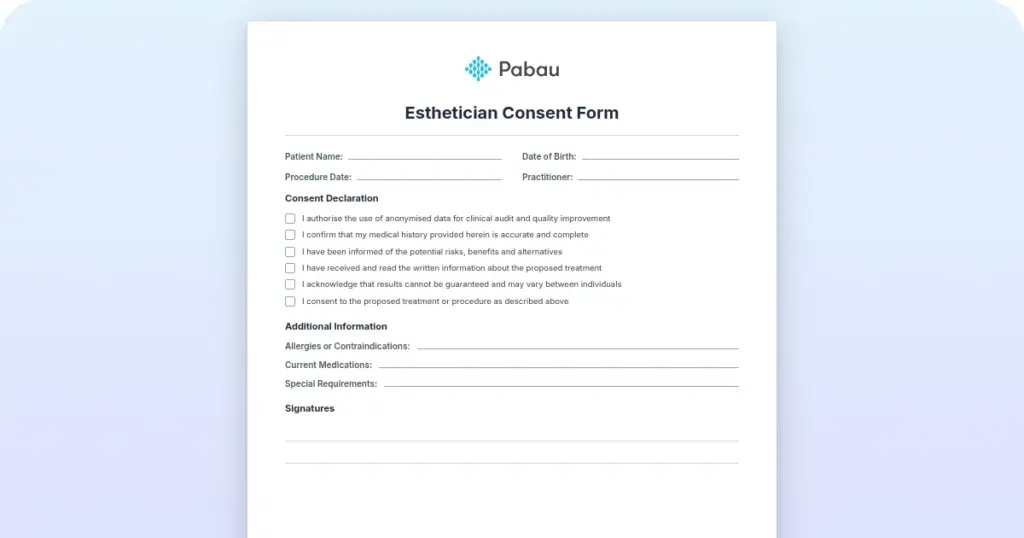
Cytocare consent form
Cytocare is a hyaluronic acid-based mesotherapy skin booster from Revitacare, in...

1
Last Updated: Oct 27, 2026
Free PDF 3 pages, print-ready Clinician-reviewed
A client questionnaire is the intake form a new patient completes before a first appointment. It covers contact details, medical and family history, medications, allergies, the reason for the visit, and lifestyle habits. This free template gives your team that structure in a printable PDF, with an optional feedback page for after the visit. Adapt the questions to your specialty, then send the form digitally so answers arrive before the patient does. This guide covers what to include, how to adapt the form, how to send it, and what data protection law asks of you.
An intake form covering contact details, medical and family history, medications, allergies, the reason for the visit, symptom severity, and lifestyle habits. It ends with a clinician notes box and an optional post-visit feedback section with a signature line.
Start from scratch, or upload this PDF or any form you already use, and Pabau's AI Form rebuilds it with tick boxes, text fields and a signature. Attach it to the treatment once, and every patient gets it on time.
AI Form rebuilds the consent, history and aftercare forms you already use. You review each one, then publish.
Patients complete forms on their phone before they arrive, so the front desk stops retyping paper.
Every signed form is versioned and attached to the treatment record, ready when you need it.
Set how long a consent stays valid. Returning patients skip forms they have already signed.
Supports HIPAA and GDPR compliance AES-256 encryption 4.8 on G2 4.7 on Capterra Trusted by 4,000+ practices worldwide

A client questionnaire gives every new patient the same core intake questions before the first appointment.
The template covers contact details, medical and family history, medications, allergies, the reason for the visit, and lifestyle habits.
Its last page is an optional post-visit feedback section, so decide whether to keep it, split it off, or delete it.
Health data is special category data under UK GDPR, so add a privacy notice and limit who can see the answers.
Sending the form digitally at booking means clinicians read the answers before the patient arrives.
A client questionnaire is an intake form that collects the information a practice needs before a patient’s first consultation.
A general business questionnaire asks about preferences. A healthcare or aesthetic version also asks about medication, allergies, and contraindications, so the answers carry clinical weight.
Common mistake: Sending one generic form to every patient. A med spa and a primary care practice need different questions, so adapt the template before you send it.
Any practice that books new patients for a consultation or treatment can use it, but the questions should shift by setting.
A complete form covers five areas. The table below shows what each one captures and why it matters.
The template’s family history question is brief, so practices that need more detail can add a family medical history form. Aesthetic practices usually add sun exposure and skincare questions to the lifestyle section.
Record consent separately, with a signed medical consent form for each treatment. For more on the paperwork healthcare teams use, see medical forms in healthcare practices.
Five steps turn the template into a working part of your intake process.
Build your edits around the template’s sections: personal details, medical history, the reason for the visit, and lifestyle habits. Clinicians make the final call on what to ask and how to read the answers.
The main benefit is consistency. Every new patient receives the same core questions, so intake doesn’t depend on who is on reception that day.
Clinicians start each consultation with context, so the appointment can focus on the patient’s concerns instead of basic history.
Audit the form once a year against the services you offer. Pull a sample of recent completed forms and remove questions nobody reads or acts on. Shorter forms tend to get finished, and clinicians read the answers that remain.
Paper forms slow check-in and make answers hard to search. A digital form fixes both, because patients complete it at home and the answers arrive already typed.
Health information is special category data under UK GDPR (Article 9). It needs an additional legal condition and tighter handling than ordinary contact details. The ICO’s UK GDPR guidance sets out the detail.
What to do: Add a clear privacy notice to the form, such as this questionnaire privacy statement. Then use a consent checkbox that explains what the patient agrees to, and set a retention period for records.
If you’re regulated by the Care Quality Commission (CQC) in England, its record-keeping expectations apply alongside data protection law. US practices should check their HIPAA obligations instead.
The template ends with a page marked for use after the appointment. It asks the patient to rate their care from 1 to 10 and add other feedback. It also asks whether they saw another provider for the same problem. A name, signature, and license number line closes the document.
That page measures how the patient felt after treatment, which is a different question from what they told you before it. The breakdown below shows which parts belong to each stage of the visit.
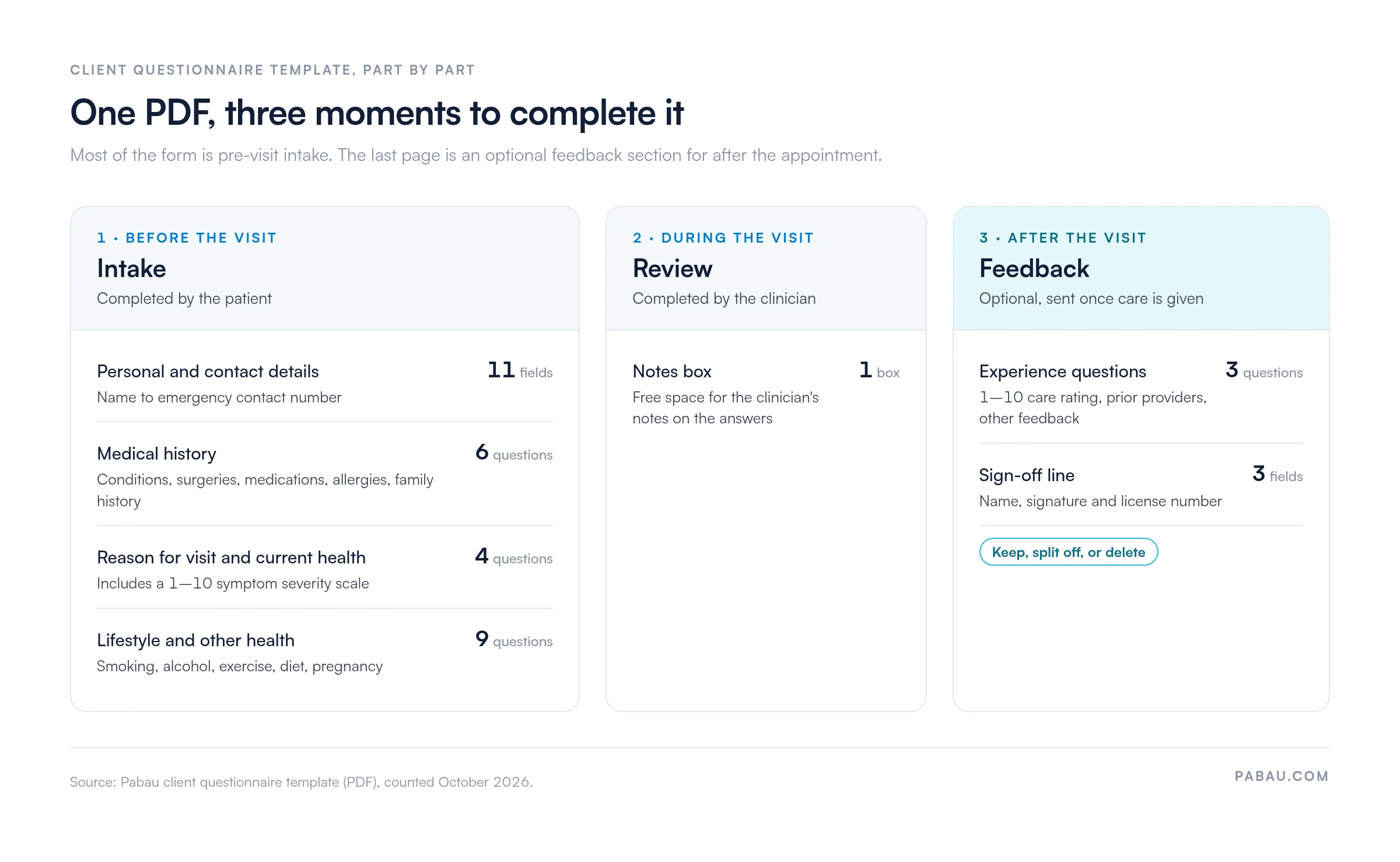
Send only the intake pages before the appointment, and hand over the feedback page once care is given. If you’d rather keep intake records clean, delete the page and run a separate satisfaction survey.
The CSQ-8 (Client Satisfaction Questionnaire, 8 items) is a validated instrument used in mental health and health services research, and it can inform that survey.
On paper, the questionnaire arrives at check-in, and someone retypes the answers into the patient file while the next patient waits.
Pabau, the practice management platform we build, sends the questionnaire as a digital form before the appointment. Patients complete it online, and the answers are stored against their record, so nobody re-enters them. Our intake software for practices handles forms, consents, and medical history in one place.
You can also set automated questionnaire workflows that send the form at booking. Before the consultation, Pabau Scribe, our AI scribe, summarizes the patient’s medical history and turns the conversation into structured notes.
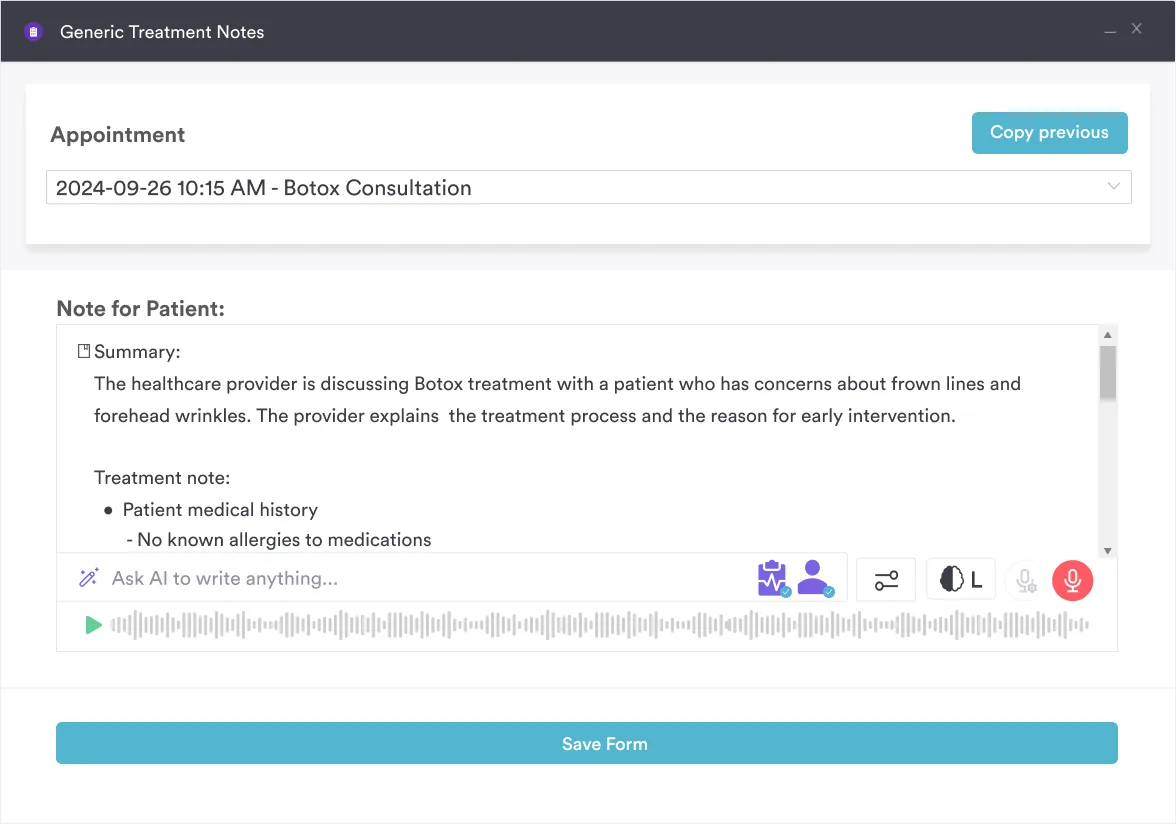

See how Pabau sends intake questionnaires at booking, collects the answers online, and files them in the patient record automatically.

A client questionnaire only helps if someone reads the answers before the patient sits down. Trim the template to the questions your clinicians act on, add the treatment-specific ones you need, and send it at booking.
Decide early what happens to the feedback page. Kept in the same document, it needs a separate send after the visit. Split off, it keeps the intake record clean and still gives you an honest view of the care you gave.
Book a demo to see how Pabau sends your questionnaire at booking and files every answer in the patient record.

Want to greet new patients before they arrive? New patient welcome letter template shows what to send alongside the questionnaire, and when.
Moving consent online as well? E-consent form covers what to include and how to send it digitally.
Need a structured clinical follow-up to intake? Medical review of systems gives clinicians a body-system checklist to work through in the consultation.
Documenting the full first assessment? History and physical form records the history and examination findings that follow the questionnaire.
A client intake form records administrative details, such as who the patient is and how to reach them. A client questionnaire asks the clinical and lifestyle questions that shape treatment. Many practices combine both in one document, as this template does.
Yes. The download button on this page links to a PDF of the template. Print it, or save it and adapt the questions in your own document.
Review it at least once a year, and after any change to your treatments, consent wording, or data protection policy.
Add questions on skin type, previous aesthetic treatments, sun exposure, and the patient’s current skincare routine. Keep the template’s medication, allergy, and pregnancy questions, because they flag contraindications.
Send it when the appointment is booked, remind the patient a few days before, and set a clear deadline for completion.
It can, but only if your team sends that page after the appointment. Otherwise, delete it and send a separate satisfaction survey once treatment is done.