HIPAA compliant texting: What you can send patients & how to communicate securely
HIPAA compliant texting is possible when a text holds no protected health inform...

Last Updated: Oct 16, 2026
A background screening consent form is the written permission a candidate signs before an employer checks their criminal history, employment record, education, or credentials. The Fair Credit Reporting Act (FCRA) makes the candidate’s signature mandatory, and it has to follow a standalone disclosure rather than sit inside one.
Healthcare employers carry a second layer on top. Clinical staff treat vulnerable patients and handle protected health information, so practices also verify licenses and check exclusion status. Miss a step and you risk regulatory findings and negligent hiring claims.
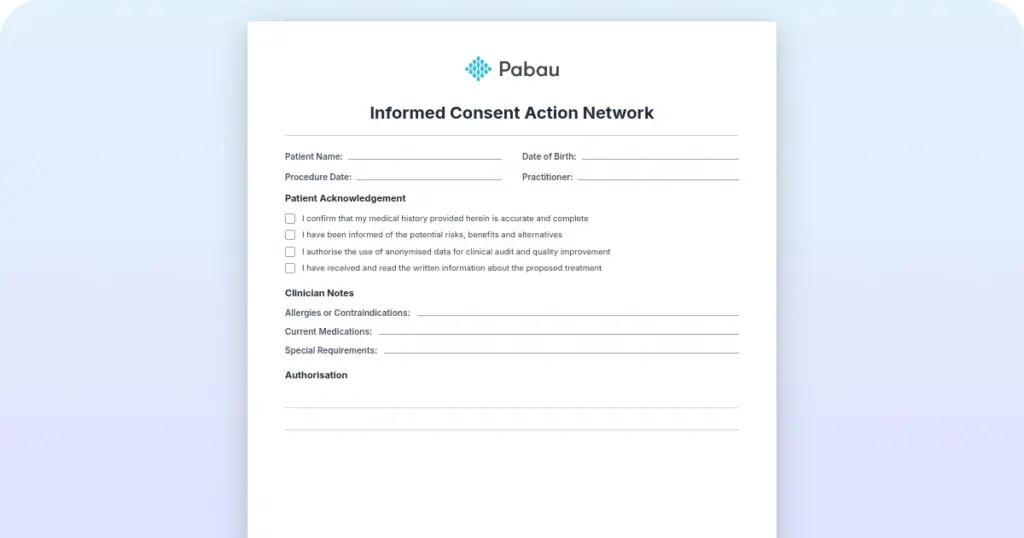
The download below gives you a printable form to adapt. The rest of this page covers the wording, fields, and rules yours has to satisfy.
A printable consent form template that healthcare employers can adapt for their own background screening paperwork. Add your employer details, plus the disclosure and authorization wording covered on this page, before you use it with candidates.
Download template
A background screening consent form is the written authorization the FCRA requires before any employer can order a background check on a candidate.
The consent form is a separate document from the FCRA disclosure, and the disclosure has to reach the candidate first.
States including California, New York, and Minnesota add their own disclosure rules on top of the federal requirement.
Healthcare hiring usually adds license verification, an OIG exclusion check, and drug screening, so the scope section should name those checks.
Treat the downloadable template as a starting point to adapt, and have an employment attorney review your final wording.
A background screening consent form is the document a candidate signs to let an employer request a background report from a consumer reporting agency.
It records informed consent for checks on criminal history, employment history, education, and professional licenses. Under FCRA Section 604(b), an employer cannot obtain a consumer report on an applicant without it.
The form does three jobs. First, it satisfies the FCRA’s written authorization requirement. Second, it gives the employer a dated record of consent if the hire is ever questioned. Third, it tells the candidate what is being checked before the search starts.
Healthcare hiring carries risks that other industries rarely deal with. Clinical staff work directly with vulnerable patients and handle confidential health information, often unsupervised. That pushes the check past criminal history into licensure, exclusion status, and, in many roles, drug screening.
Hire an excluded provider and the practice can lose Medicare and Medicaid billing eligibility, plus face civil monetary penalties. An unlicensed injector brings patient harm claims on top. Both checks start with the signed consent form, because neither one can run without the candidate’s written permission.
Six elements make the authorization stand up. Leave one out and the consent weakens, which matters if a candidate later disputes the check.
The downloadable template gives you a printable base document to work from. Add the six elements above in your own wording. Then have an employment attorney review the result before you use it with candidates.
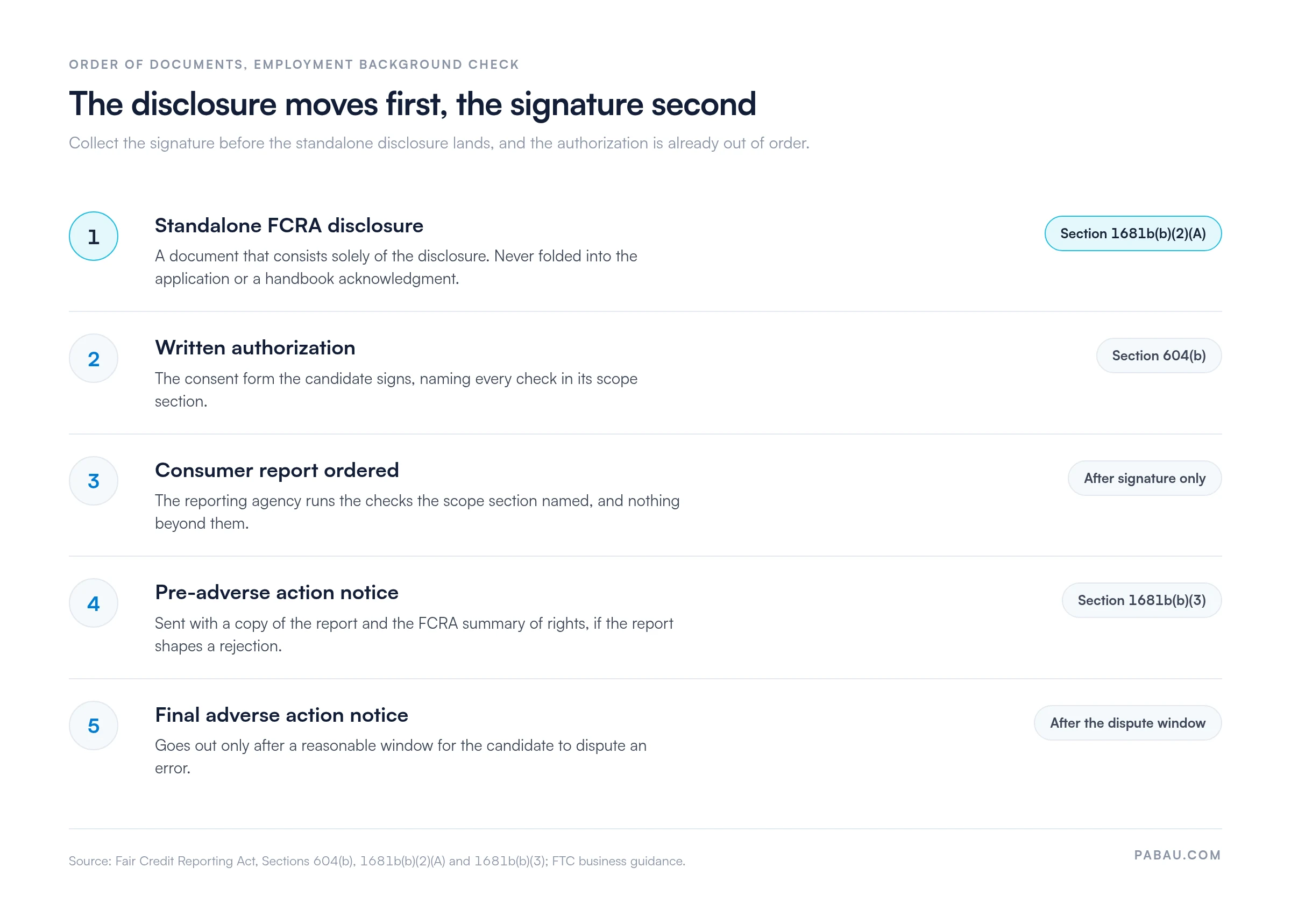
Two FCRA rules trip up employers more than any others. The disclosure has to be a standalone document, and the candidate has to receive it before signing the authorization.
The FTC’s guidance on the FCRA is specific about the wording. The disclosure must be clear and conspicuous, in a document that consists solely of the disclosure. Burying it inside an employment application or a handbook acknowledgment breaches Section 1681b(b)(2)(A).
The obligation does not end when the report arrives. If the report is part of the reason to reject a candidate, Section 1681b(b)(3) requires a pre-adverse action notice first.
That notice includes a copy of the report and the summary of rights under the FCRA. The candidate then gets a reasonable window to dispute an error before the final adverse action notice goes out.
Five documents move through this process, and the order they move in is the part that matters.
Many states add their own disclosures or limit how background data can shape a hiring decision. These are the states healthcare employers run into most often:
Confirm your own state’s rules with a local employment attorney before you finalize the form. A form that satisfies the FCRA can still breach a stricter state statute.
Healthcare screening runs wider than a standard employment check. Alongside criminal history, most practices verify an active license and check the candidate against the OIG List of Excluded Individuals and Entities. Drug screening is added where the role calls for it.
Each of those checks belongs in the scope section of the consent form. A candidate who authorized a criminal records search has not authorized a drug test, and a generic employment form rarely names either one. Spelling out the scope also gives the candidate a fair view of what the practice will see.
A criminal background check form is a narrower authorization than a general background screening consent form. It authorizes the employer to search state, federal, and local court records for disqualifying convictions. The check may be a standalone form or one line in a broader authorization. Either way, the scope has to be clear to the candidate.
In healthcare hiring, criminal checks are routine and still subject to state ban-the-box laws that limit how conviction history shapes the decision. The EEOC guidance on conviction records asks employers to weigh the nature and severity of a conviction against the duties of the job.
Your form should not imply that any conviction disqualifies a candidate automatically. That judgment comes later, once the specific circumstances have been reviewed.
The template downloads as a PDF you can print or convert into a digital form. Six steps take it from download to a signed document in your staff records.
Hiring paperwork and clinical records run on different clocks. State law sets how long you keep patient charts, so check medical record retention separately from your hiring file.
Five details are worth confirming before the form leaves your desk. Each one is a common reason a background check has to be started again.
Background screening is one part of onboarding a clinical hire. Schedule HIPAA training for employees in the same first week, so the compliance file is complete before the new hire sees a patient.
Electronic signatures are valid on background check consent forms under the ESIGN Act (15 U.S.C. § 7001). That law gives an e-signature the same standing as a handwritten one, and the FCRA accepts an e-signed authorization as equivalent to a wet signature.
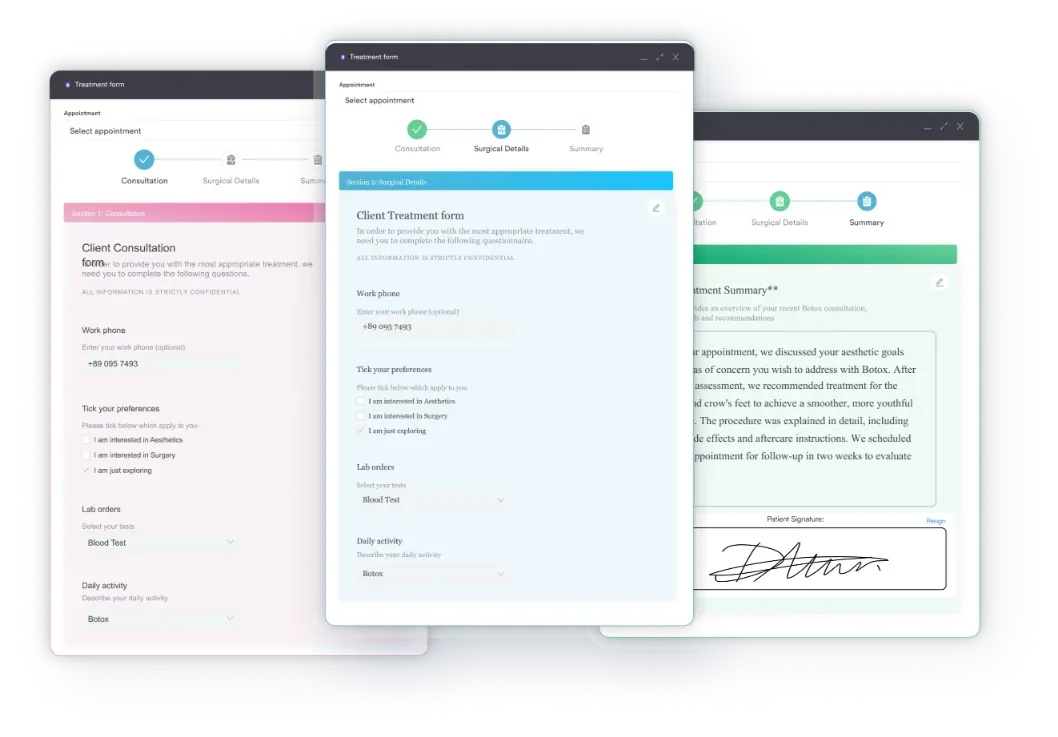
That shortens the loop considerably. You email the form, the candidate signs on their phone, and the signed copy files itself without a scanner. The same e-signature tools practices use for digital patient consent forms can handle a staff authorization form. Practice management software like Pabau builds the signing step into the form itself.
The disclosure informs, and the authorization permits. They are separate documents with separate jobs, and this is where they part company:
Pair the template you downloaded with an official FCRA disclosure from your background check provider or an HR compliance service. Hand the disclosure over first, then collect the signature on the authorization.
Most practices file signed consent forms on a shared drive or in a cabinet behind reception. That holds up until an auditor asks for the signed authorization of a therapist who left two years ago. Then three people start searching different folders.
Pabau is an all-in-one practice management system that keeps staff documents on the team member’s own record. Team management holds licenses, certificates, and signed paperwork in one place, and permissions decide who can open them. So the file stays findable, and it stays private.
Its compliance tools for practices add time-stamped documentation across the system. So you can show when a record was created and who worked on it. When a regulator or an attorney asks for a file, you produce it in minutes instead of spending an afternoon on it.

Pabau stores staff licenses, certificates, and signed documents on each team member’s record, with permissions controlling access and time-stamped documentation behind it. So your hiring file is ready the day someone asks to see it.

A background screening consent form is a short document that carries a lot of weight. Put the disclosure first and the authorization second, and the rest of your hiring check rests on solid ground. One combined form undoes that, however carefully the rest of the file was built.
Treat the downloadable template as a starting point rather than a finished legal document. Add the scope, authorization, and rights language this page sets out, then have an employment attorney review it. Keep every signed copy somewhere you can retrieve it quickly.
Book a demo to see how Pabau keeps staff documents and compliance records audit-ready.

Getting ready for an audit? Medical chart audit walks through what reviewers look for and how to get the files ready in advance.
Reviewing your wider compliance setup? HIPAA compliance for medical offices covers the policies, training, and safeguards a practice needs in place.
Storing staff and patient data digitally? EHR security explains the access controls and encryption that keep sensitive records protected.
You cannot run the check without written consent, and the candidate is free to refuse. The practice is equally free to end the hiring process there. Note the refusal in the hiring file.
Usually yes, because a one-off authorization covers one report. You can re-check without a new signature only where the original disclosure said the authorization covered reports during employment. Some states restrict that wording.
The FCRA applies whenever a consumer report is used for employment purposes, which often takes in contractors and volunteers. Most practices reuse one form and adjust the role wording. Check your state rules before you do.
Yes, and the withdrawal takes effect as soon as you receive it. Stop the check straight away. A report already delivered stays in the hiring file under your normal retention rules.
Limit access to the hiring manager and whoever makes the decision. Background reports carry sensitive personal data, so keep them apart from the clinical record and the general staff folder.