Despina Petrushevska
7 HIPAA compliant texting apps, ranked by what they can safely send
The best HIPAA compliant texting apps sign a business associate agreement (BAA),...

Last Updated: Oct 16, 2026
Free PDF 2 pages, print-ready Clinician-reviewed
An appointment reminder template is a pre-written SMS or email message that confirms an upcoming booking. The scripts below are ready to copy, and each one carries the patient name, the date, the provider, and a way to confirm or reschedule.
Reminders work because most missed appointments are forgotten, not cancelled. A message that lands the day before resets the patient’s mental calendar. It also hands them an easy way to move the slot instead of skipping it.
Merge fields do the rest of the work. Your scheduling system drops [Patient Name] and [Date] into the message, so the front desk sends one batch instead of typing individual texts.
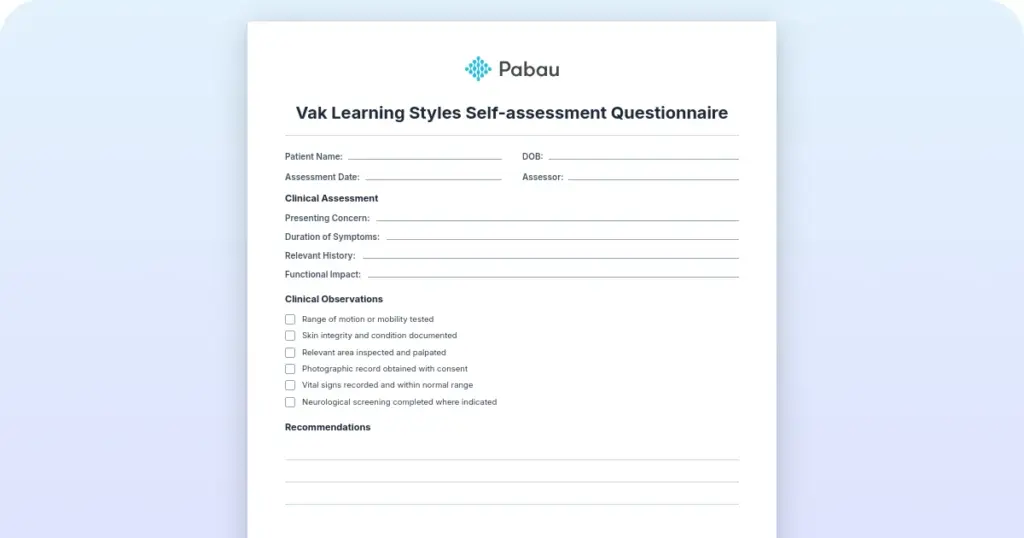
A printable, general-purpose practice form template in PDF. Adapt the fields to your own front-desk routine, and copy the SMS and email reminder wording from this page for the messages themselves.
Start from scratch, or upload this PDF or any form you already use, and Pabau's AI Form rebuilds it with tick boxes, text fields and a signature. Attach it to the treatment once, and every patient gets it on time.
AI Form rebuilds the consent, history and aftercare forms you already use. You review each one, then publish.
Patients complete forms on their phone before they arrive, so the front desk stops retyping paper.
Every signed form is versioned and attached to the treatment record, ready when you need it.
Set how long a consent stays valid. Returning patients skip forms they have already signed.
Supports HIPAA and GDPR compliance AES-256 encryption 4.8 on G2 4.7 on Capterra Trusted by 4,000+ practices worldwide

An appointment reminder template is a pre-written SMS or email that confirms a booking before the patient arrives.
Practices running automated reminders report no-show reductions of 20 to 40 percent, which protects the schedule and the day’s revenue.
A HIPAA-safe reminder carries the name, date, provider, and location, and leaves diagnosis, medication, and insurance detail out.
Every SMS reminder needs an opt-out line, because TCPA consent rules apply to texts a practice sends.
Pabau, an all-in-one practice management system, sends reminders on a schedule you set once and logs the replies against the booking.
It is a pre-written message structure for confirming an upcoming booking. Two channels carry it, SMS and email, and each one has its own formatting and consent rules.
Three send intervals cover most bookings: a week out, 24 to 48 hours out, and on the day itself. Give each interval its own wording, so the patient never reads the same message twice.
No-shows cost US healthcare practices an estimated $150 billion annually in lost revenue and wasted provider time (Medical Group Management Association). A missed 60-minute slot loses the service fee and the chance to book someone else into it.
Forgetting causes most of them, and a timely message fixes that. A reminder resets the patient’s mental calendar and offers a simple way to move the appointment. Practices running automated reminder workflows report no-show reductions of 20 to 40 percent.
SMS reaches patients on their phones within minutes, which makes it the strongest channel for a same-day nudge. Keep each message under 160 characters so carriers send it as one text. Add an opt-out instruction to satisfy TCPA consent rules.
“Hi [Patient Name], this is a reminder that your appointment with [Provider] is tomorrow, [Date] at [Time], at [Location]. Reply CONFIRM to confirm or call [Phone] to reschedule. Reply STOP to opt out.”
“[Patient Name], your appointment with [Provider] is today at [Time]. Reply CONFIRM or call [Phone] to reschedule. See you soon!”
“Hi [Patient Name], we missed you at your [Date] appointment and would like to get you rebooked. Reply with a date that suits you, or call [Phone].”
Send this one within 24 hours, while the visit is still fresh. Pair it with a written appointment cancellation policy, so the patient knows what a late cancellation costs before the next booking.
Email gives you room for pre-visit instructions, directions, and a confirmation button. Put the appointment date in the subject line, so the message stays easy to find in a crowded inbox.
Subject: “Your appointment on [Date] with [Provider] – [Practice Name]”
Dear [Patient Name],
This is a reminder that your appointment is booked for [Date] at [Time] with [Provider] at [Location], or by video at [Telehealth Link].
To confirm, click the button below or reply to this email. If you need to reschedule or cancel, please let us know as early as you can.
[CONFIRM APPOINTMENT BUTTON] [RESCHEDULE BUTTON]
What to bring: [Insurance card / ID / any documents]. If you have questions, call us at [Phone].
Best regards,
[Practice Name] Team
Subject: “Appointment confirmation: [Date] with [Provider Name]”
Dear [Patient Name],
This email confirms your appointment on [Date] at [Time] with [Provider]. No health details are included in this message.
Before you come in: [Fasting requirements / Medication adjustments / Lab work to complete]. Please contact us if anything is unclear.
[CONFIRM APPOINTMENT] [RESCHEDULE]
To update your contact preferences, sign in to your patient portal or reply to this email.
Sincerely,
[Practice Name] Clinical Team
Subject: “Your dental appointment on [Date] with [Dentist Name]”
Hi [Patient Name],
We are looking forward to seeing you on [Date] at [Time] for your [Service: cleaning / exam / procedure]. Please allow [Time duration] for the visit.
Cancellation policy: If you need to cancel or reschedule, please tell us at least 24 hours in advance to avoid a cancellation fee.
[CONFIRM APPOINTMENT] [RESCHEDULE]
See you soon,
[Dentist Name] & the team at [Practice Name]
HIPAA permits appointment reminders, provided they carry no protected health information and go to a contact method the patient has verified. Diagnosis, treatment details, medical record numbers, and insurance information stay out of the message body.
The safe set is short, and the two columns below are worth checking any draft against before it goes out.
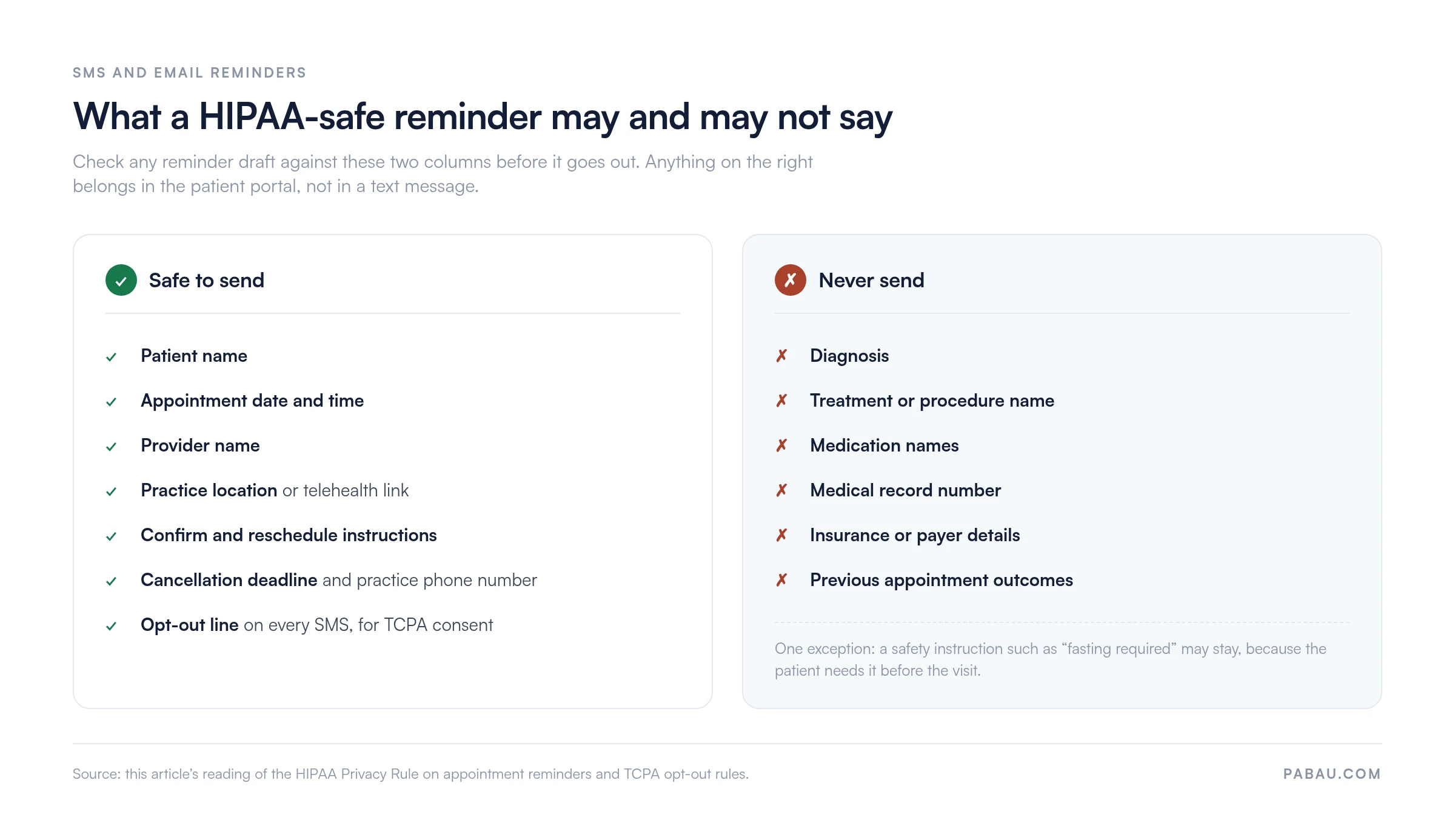
SMS carries one extra obligation. Every text needs a STOP or opt-out instruction, which is what TCPA consent rules ask of a practice messaging patients at volume.
Send both channels through practice software that encrypts messages in transit. Running SMS and email campaigns from the patient record also keeps phone numbers out of a spreadsheet on someone’s desktop.
Every reminder needs the same core elements, whatever channel carries it. Work down this checklist when you adapt a script to your own practice.
Medical practices add pre-visit instructions to that list: fasting requirements, medication changes, or forms to complete before the appointment.
Doing this by hand means someone opens the diary each morning and works down tomorrow’s list with the phone in one hand. At a busy front desk that swallows an hour a day, and the bookings that get skipped are usually the ones that needed the call.
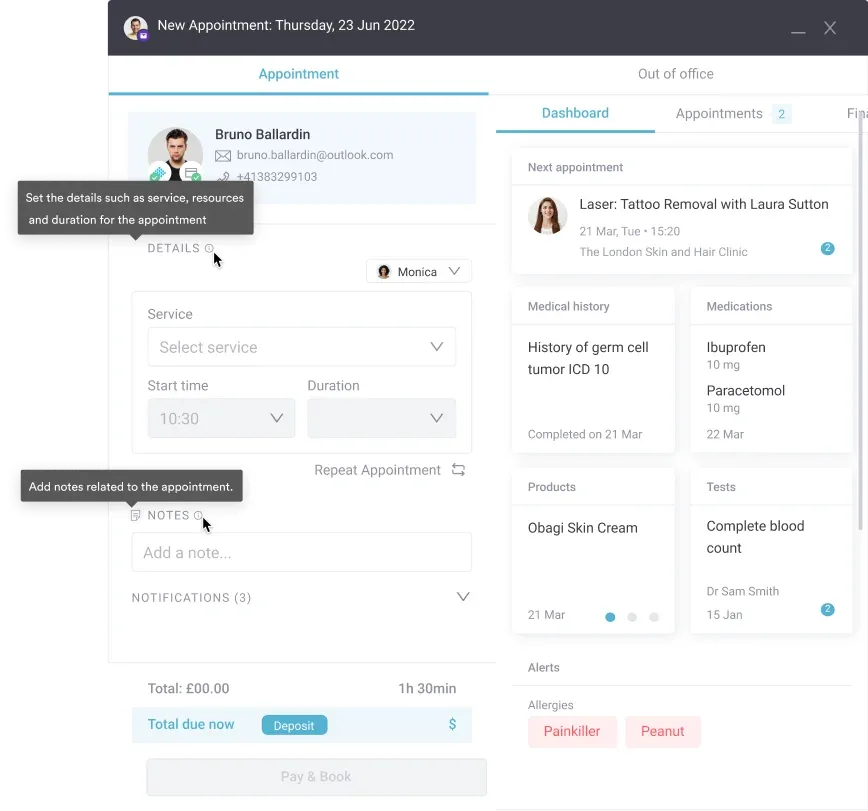
Pabau, an all-in-one practice management system, takes over that round. You set the rules once, say an email three days out and an SMS 24 hours out, and every new booking picks them up. Merge fields pull the name, date, provider, and location straight from the patient record, so nothing gets mistyped.
Replies come back into the same calendar. A confirmation marks the appointment. A reschedule request lands in front of the person who can move it, so the slot rarely goes quietly empty.
Text messages run on credits you top up, so the cost tracks the number of texts you actually send. Everything else described here, including the email reminders and the reporting that tells you whether they worked, sits inside one practice management app.

Pabau triggers SMS and email reminders from each booking, fills in the patient details, and writes confirmations back to your calendar. Your front desk stops working through tomorrow’s list by hand.

Pick one script from this page, send it 24 hours ahead, and leave the cadence alone for a month. One channel done consistently beats three set up halfway.
The part worth guarding is what goes inside the message. A reminder that names a treatment is a privacy incident, however helpful it reads. Keep clinical detail behind the portal login and let the reminder carry the logistics.
Then measure. Compare your no-show rate for the 30 days before you started against the 30 days after. Split it by provider and appointment type, and the numbers will tell you whether the cadence needs changing. Book a demo to see how Pabau sends those reminders and logs every reply against the booking.

Ready to stop sending these by hand? Appointment reminder software compares the tools that send SMS and email reminders on a schedule you set.
Is your no-show rate still climbing? How to improve your patient no-show rate covers the fixes that work alongside reminders, from deposits to waitlists.
Need the confirmation message too? Appointment confirmation email gives you the wording for the message that goes out the moment a patient books.
Want more text wording to borrow? Medical appointment reminder text message samples collects short SMS variants for different appointment types.
Every reminder needs the patient name, the appointment date and time, the provider name, and the practice location or telehealth link. Add confirmation instructions, your cancellation deadline, and a phone number. For SMS, stay under 160 characters and include an opt-out line.
Send at three intervals for the best result. A week out works well by email, 24 to 48 hours out by SMS or email, and the day itself by SMS. That cadence keeps the appointment front of mind without over-messaging.
Reminders are HIPAA-safe when they leave out protected health information. Include only the appointment date and time, the provider name, and the practice location. Never include a diagnosis, a treatment name, or any other medical detail. Send them through practice software that encrypts messages in transit.
Automating them through your scheduling software is faster and far more consistent than sending by hand. The software triggers each reminder at the interval you set, fills in the patient’s details, and writes replies back to the calendar.
Follow up with a text or email within 24 hours. Offer to rebook, and ask whether something got in the way, such as transport, illness, or childcare. A warm follow-up usually saves the relationship and the next booking.
Track the no-show percentage before and after you turn automated reminders on. Most practices see a 20 to 40 percent reduction within the first month. Use your practice management reporting to split attendance by appointment type, provider, and channel.