Physician credentialing checklist
A physician credentialing checklist lists every license, certificate, verificati...

Last Updated: Oct 23, 2026

HIPAA compliant payment processing is required only when your payment processor accesses, stores, or transmits protected health information (PHI) as part of the transaction workflow.
Any processor that touches PHI must sign a Business Associate Agreement (BAA). Skipping this step exposes your practice to OCR enforcement and civil penalties.
Encryption, tokenization, audit logs, and access controls are the four technical safeguards every compliant payment system must implement under the HIPAA Security Rule.
Pabau’s integrated payment processing keeps payment data inside the same HIPAA-compliant environment as your clinical records, so disconnected tools can’t create a weak link.
Healthcare breaches now average $6.64 million each, according to IBM’s 2026 Cost of a Data Breach Report. Common culprits include a processor that never signed a Business Associate Agreement, or a consumer app used to collect a copay.
So, the question is, “Does your payment processor ever touch protected health information?”
Whether you run a medical spa, a therapy practice, or a multi-location practice, the answer decides whether a Business Associate Agreement, and everything that comes with it, applies to your practice.
HIPAA compliant payment processing means a payment workflow that meets the HIPAA Security Rule’s safeguard requirements. That standard kicks in the moment protected health information (PHI) enters the transaction, building on the broader HIPAA obligations your practice already carries.
The key phrase is “handles PHI,” as not every payment triggers it.
A covered entity, your practice, is bound by HIPAA. When you bring in a payment processor, that processor becomes a business associate if it accesses, stores, or uses PHI beyond a pure pass-through function.
In practice, PHI enters the payment workflow the moment a transaction links to a patient’s health record. A few common actions create that exposure in the payment layer:
Yes, but only in a narrow set of circumstances. The conduit exemption applies when a payment processor acts purely as a pass-through. It transmits payment data without accessing, storing, or using any PHI beyond what the transaction technically requires.
Think of it like a postal carrier. If the carrier delivers a sealed envelope, they are not a business associate. If they open it, read the contents, and file a copy, they are.
Most healthcare payment processors are NOT pure conduits. They generate transaction records, produce reports, store invoices, and often connect to practice management software.
Each of those functions creates PHI exposure and removes the exemption. The conduit exemption is frequently misread as a blanket carve-out for all payment processing, and it is not.
When in doubt, request a BAA. The cost of executing one is zero. The cost of a breach without one can reach $1.9 million per incident.
Under HHS guidance, a business associate is any entity that creates, receives, maintains, or transmits PHI on behalf of a covered entity. The definition reaches beyond payments. A healthcare intranet vendor that stores PHI for your practice is a business associate too, and must sign a BAA.
Use this decision framework before signing with any processor:
Stripe does not sign a Business Associate Agreement for HIPAA-covered entities. You can still use Stripe for card processing under the conduit exemption.
That means keeping every trace of protected health information out of the transaction. Digital consent forms collected through your practice management platform carry PHI too. So does a HIPAA release form stored in the same system as payment records.
The HIPAA Security Rule requirements at 45 CFR § 164.312 outline the technical safeguards required for electronic PHI. For payment workflows, four of those safeguards are non-negotiable, even though the Rule officially lists some as merely “addressable.”
End-to-end encryption protects payment data from the moment a card is presented or entered online until the transaction settles.
For healthcare payments, this means the data stays unreadable at every point in transit. Verify that any processor uses AES-256 encryption at rest and TLS 1.2 or higher in transit. Processors that only encrypt “in transit” but store unencrypted data at rest fail the standard.
Tokenization replaces sensitive card data with a non-sensitive token. When a patient’s card is tokenized, the card number itself never touches your system or your processor’s long-term storage.
This reduces PCI DSS scope and PHI exposure at the same time. For recurring patient payments, card-on-file, and membership billing, tokenization is not optional.
Audit trails record who accessed payment data, when, and what they did. Under the HIPAA Security Rule, covered entities must implement audit controls for systems that contain ePHI.
Your payment processor must generate and retain access logs. Pair this with role-based access controls, so only authorized staff can view or process payment records. A front-desk coordinator should not have the same payment data access as a billing manager.
Reviewing those logs regularly looks a lot like a chart audit, and it deserves the same routine.
PCI DSS and HIPAA are separate compliance standards that can both apply to a healthcare payment workflow at the same time. Meeting one does not satisfy the other.
This is one of the most common compliance misconceptions among practice managers, and it leaves practices exposed. Read more about HIPAA compliance software to understand how these frameworks interact with your practice management environment.
A practice that achieves full PCI DSS certification has secured its card data. But if that same practice’s payment records include diagnosis codes or procedure names, HIPAA still governs those records independently. You need both.
Audit your payment processor’s BAA every year, not just at onboarding. Processor terms change. A BAA that covered your workflow last year might not cover new integrations added since. It may also miss new data retention practices from a later platform update.
Most common payment methods can be made HIPAA compliant. The method itself is rarely the problem. Compliance depends on how the payment is processed and who handles the data.
The most common payment method in healthcare. Card payments become HIPAA compliant when the processor uses end-to-end encryption, tokenizes card data, and signs a BAA if it accesses any PHI.
HIPAA compliant credit card processing is achievable with most major processors, but “available” does not mean “automatic.” The practice must configure the integration correctly and execute the BAA.
ACH transfers move funds directly between bank accounts. They generally cost less than card payments and work well for recurring patient balances or large bills.
ACH processors that store or transmit any patient-identifying information alongside the transaction need a BAA. For practices running high-volume recurring billing, ACH is worth evaluating for cost efficiency alongside compliance requirements.
Health savings account and flexible spending account cards process like standard debit cards at the payment terminal level.
The compliance consideration is eligibility verification: your system must confirm the service qualifies as an eligible expense before processing. Some processors offer automated eligibility verification that stores procedure-level data, which triggers the BAA requirement.
Apple Pay and Google Pay use tokenization by design, making them technically strong options for in-person payment. The compliance risk shifts to the underlying processor accepting the digital wallet payment, not the wallet itself.
What to avoid entirely: Venmo, Zelle, Cash App, and PayPal’s personal transfer function. According to HHS OCR guidance, consumer payment apps are generally inappropriate for collecting patient payments where PHI is involved.
None of them offer BAAs for healthcare use cases, and their terms of service typically prohibit PHI handling. Using Venmo to collect a copay creates a HIPAA violation the moment the transaction ties back to a patient’s care.
Not all healthcare payment processors are equal. How well one fits often depends on how tightly it integrates with your EMR. These are the criteria that matter most when you evaluate your options.
These are the compliance failures that HHS OCR investigates most often in payment-related breach cases. Apply data protection best practices before onboarding any new payment tool.
Setting up compliant payment workflows is a project, not a setting. Work through these steps in order before processing a single patient payment.
Most practices run a disconnected stack. A practice management system handles the clinical side, a separate payment processor handles the money, and a patient portal often talks to neither. Every handoff between those systems is a potential exposure point for PHI.
Practice management software like Pabau closes that loop with integrated payment processing. It keeps payment data inside the same environment as your clinical records, consent forms, and appointment history.
When a patient pays for a treatment, that transaction links directly to their record instead of exporting to a separate processor. Audit trails, access controls, and BAAs live in one place instead of three.
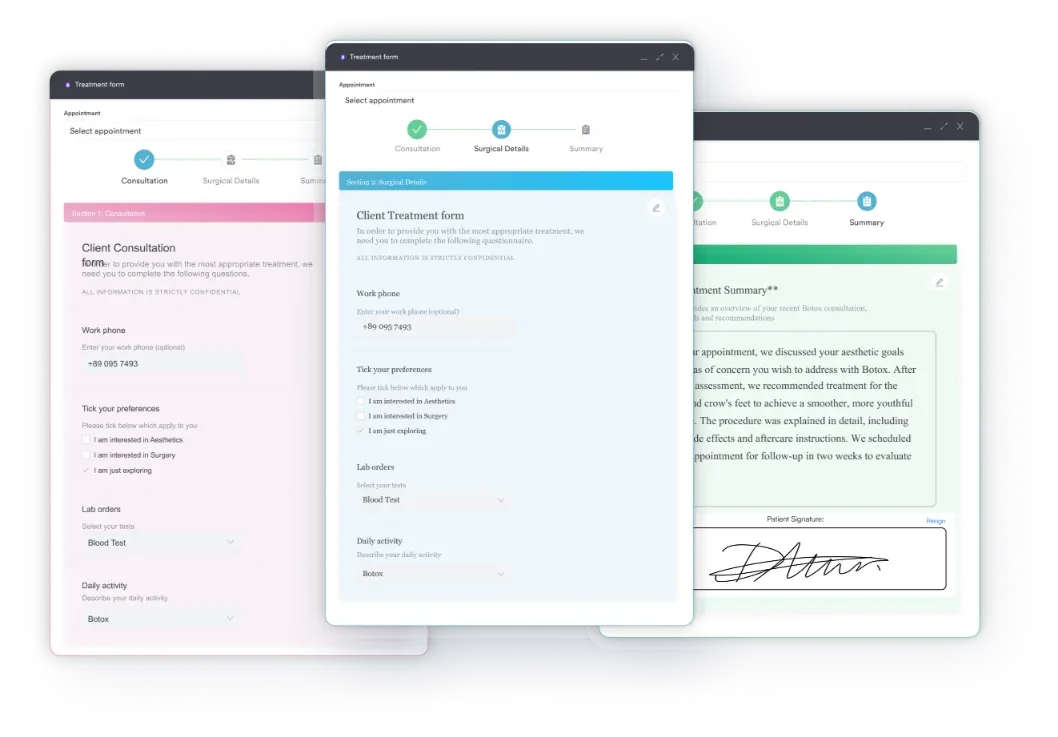
For practices running memberships or collecting deposits, Pabau’s patient portal lets patients pay online inside that same compliant environment. There is no generic third-party checkout page involved. A med spa like Ageless Enhancements now runs deposits and post-treatment balances the same way.
At checkout, that same point-of-sale system ties the card payment to the same record. Front-desk staff are not juggling a separate terminal and a separate compliance policy.

Pabau keeps your payment workflows inside the same HIPAA-compliant environment as your clinical records. You manage one system, one BAA, and one audit trail instead of three.

Most payment compliance failures start with a shortcut, not bad intent. A practice onboards a convenient tool without checking for a BAA, or assumes the conduit exemption covers a processor that already stores invoices. The stakes justify the caution.
As of January 28, 2026, HHS penalty tiers run from $145 to $73,011 per violation, and the annual cap for identical violations is $2,190,294. That kind of exposure can also weigh on practice valuation if you ever plan to sell.
Treat compliant payment processing as an ongoing system, not a one-time setup step. Audit your BAAs and integrations whenever a processor changes its platform. Pabau’s HIPAA compliance features keep that audit trail, your consent forms, and your payment data in one place. Book a demo to see how it works for your practice.

Need a form to authorize card payments? Credit card authorization form gives you a one-page template with a field checklist and sample wording.
Struggling to collect what patients owe you? Patient collections guide shows how confusing statements after a visit quietly drain revenue at the billing desk.
Need a scheduling tool that keeps PHI protected too? HIPAA compliant scheduling software compares the top platforms built for booking without adding a new compliance risk.
Running more than one practice location? Clinic management software for multi-location practices compares six platforms built for practices managing multi-site growth.
Stop sending it any data linked to a patient’s health record. You can still use that processor for pure card routing under the conduit exemption. But the moment it stores invoices or connects to your practice management system, switch to one that will sign.
No. Stripe does not offer a signed Business Associate Agreement for HIPAA-covered entities. You can still use Stripe for payments under the conduit exemption, but only if you keep all protected health information out of the transaction.
Yes, as long as the processor never writes card numbers on paper or in an unsecured system. Use a PCI-compliant virtual terminal or IVR that tokenizes the card at capture. Keep any mention of a diagnosis or procedure out of the call script.
The link itself is usually fine, since it just routes to a secure checkout page. The risk sits in the message around it: never name a diagnosis or procedure in the text, since standard SMS is not encrypted.
Yes, if they see procedure or diagnosis details to underwrite the loan. A financing partner that only receives a payment amount, with no clinical context, can usually operate under the same conduit exemption as a card processor.