Maja Popovska
HIPAA compliant electronic signature: Pabau vs DocuSign
A HIPAA compliant electronic signature is a signing process that protects electr...

Last Updated: Nov 5, 2026
Free PDF 2 pages, print-ready Clinician-reviewed
Most practices collect emergency contact information on paper forms stuffed into filing cabinets, or spreadsheets passed between departments. When a patient has a medical emergency or can’t communicate, staff waste minutes searching for the right contact details.
An emergency contact form is the foundation of patient safety and regulatory compliance. It captures the people to call in a crisis, ensures medical decision-making authority is documented, and creates a secure, searchable record.
A ready-to-use emergency contact form template covering patient/staff details, primary and secondary contacts, medical notes, and signature authorization fields for HIPAA-compliant clinical use.
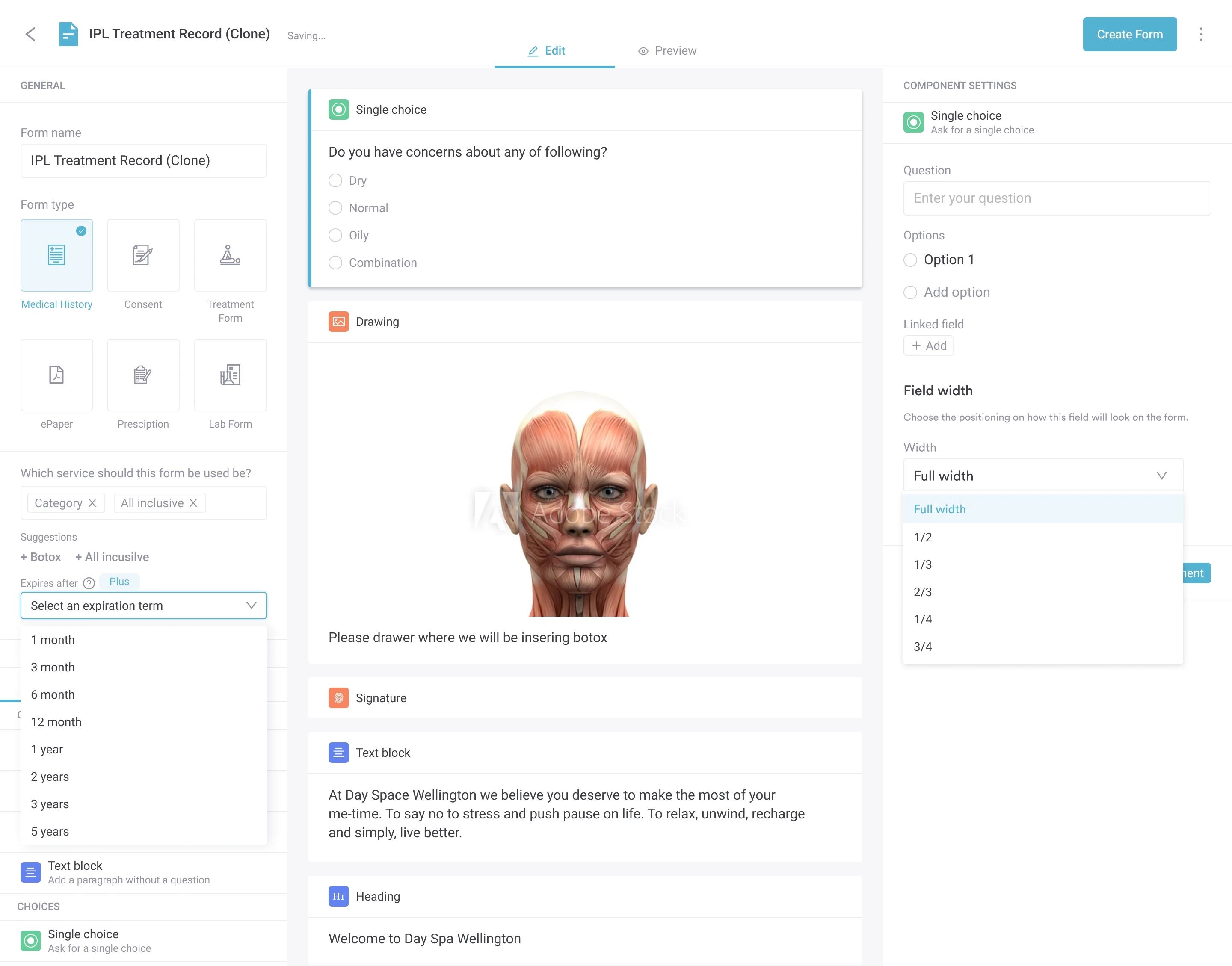
Start from scratch, or upload this PDF or any form you already use, and Pabau's AI Form rebuilds it with tick boxes, text fields and a signature. Attach it to the treatment once, and every patient gets it on time.
AI Form rebuilds the consent, history and aftercare forms you already use. You review each one, then publish.
Patients complete forms on their phone before they arrive, so the front desk stops retyping paper.
Every signed form is versioned and attached to the treatment record, ready when you need it.
Set how long a consent stays valid. Returning patients skip forms they have already signed.
Supports HIPAA and GDPR compliance AES-256 encryption 4.8 on G2 4.7 on Capterra Trusted by 4,000+ practices worldwide

An emergency contact form is a critical intake document that collects next-of-kin and emergency contact details for patients and staff, required by healthcare practices for regulatory compliance and patient safety.
HIPAA requires secure storage of emergency contact data with limited access, and GDPR requires a documented lawful basis before you collect third-party contact information.
Emergency contact forms should capture primary and secondary contact names, relationships, phone numbers, and medical decision-making authority, which is separate from next-of-kin designations.
Practice management software like Pabau integrates emergency contact collection into the patient intake workflow, eliminating paper storage and manual re-entry while maintaining HIPAA/GDPR compliance.
This guide covers what fields to include, how to use the template, secure storage practices, and the legal framework (HIPAA, GDPR) that governs emergency contact data in healthcare settings.
An emergency contact form is a clinical intake document that captures the names, relationships, and phone numbers of people a healthcare provider should contact during a medical emergency involving a patient or staff member.
Unlike a general intake form, an emergency contact form serves three specific purposes:
Emergency contact forms are used in medical practices, med spas, dental offices, physical therapy practices, mental health practices, and any healthcare setting where patient safety protocols require rapid family notification.
Unlike generic HR emergency contact forms, healthcare practices face a specific set of safety and compliance risks that make emergency contact collection non-negotiable.
Patient safety: A patient on a medication adjustment, receiving an injection, or undergoing a procedure may experience an unexpected medical event. Immediate access to emergency contact details can reduce response time by minutes, which is critical in stroke, allergic reaction, or cardiac event scenarios.
Liability protection: CQC (Care Quality Commission, England) and HIS (Healthcare Improvement Scotland) inspections routinely check whether practices have documented processes for contacting families in emergencies. A missing emergency contact form is a compliance finding. Having a current, signed form reduces practice liability if a patient’s family is not contacted during treatment.
Medical decision-making clarity: Without a documented emergency contact, staff may waste critical minutes trying to reach the patient’s emergency services contact, the patient’s employer, or a spouse, not knowing who has legal authority to consent to emergency treatment. An emergency contact form prevents this paralysis.
Staff at practices using patient portals can access emergency contact details within seconds, and patients can update their contacts online without visiting the practice. Away from the practice, a wallet emergency card keeps those same contacts on the patient, where a first responder is likely to look.
An effective emergency contact form captures both essential and contextual information about who to reach and under what conditions.
Our template includes all core fields and separate sections for patient vs. employee use, so practices can adapt it to their population.
Digital forms sit at the center of practice management software, feeding records, billing, and follow-ups from one entry.
Implementing an emergency contact form follows a simple workflow. The template is provided as a fillable PDF or Word document, and practice staff can customize field labels and add their practice logo or letterhead.
Practices using paper forms often keep a printed copy in a red folder at the front desk as a backup, so staff know exactly where to find it in an emergency without logging into systems.
The choice between digital and paper emergency contact forms affects how quickly staff can access critical information during a crisis.
Best practice is a hybrid: Digital form integrated into patient records (primary) with a printed backup copy held at the front desk.
Emergency contact information is personal data belonging to both the patient and their designated contact. Secure storage protects privacy and meets regulatory obligations.
Under HIPAA, emergency contact information is considered protected health information (PHI) if it is linked to a patient’s medical record. It must be encrypted at rest and in transit, and access must be limited to the minimum number of staff needed for patient care or emergencies.
Emergency contact collection is governed by healthcare privacy laws and employer duty-of-care regulations.
Under the HIPAA Privacy Rule (45 CFR §164.510(b)), healthcare providers may disclose patient information to family members or other individuals involved in the patient’s care or payment if the patient agrees or is incapacitated. Emergency contact information supports this disclosure. You must obtain written consent, included in your emergency contact form, to contact the named individual.
In a life-threatening emergency, you may contact the emergency contact without prior authorization if you reasonably believe the patient would want that person notified. Document your HIPAA compliance procedures in your office policies.
Under GDPR Article 6, collecting a patient’s emergency contact information requires a documented lawful basis. For patients, the basis is typically “vital interests” (emergency medical care) or “legitimate interests” (patient safety and practice legal protection). For employees, the basis is “contract” (employment) or “legal obligation.”
Emergency contact information also constitutes third-party personal data, since it includes the contact person’s details, so you must separately document your lawful basis for processing that data. A simple statement in your privacy notice is sufficient: “We collect emergency contact information for emergency notification and medical decision-making purposes.” Do not share emergency contact data with third parties without written consent.
CQC and HIS require that healthcare providers have documented processes for contacting family members in emergencies. Maintaining current emergency contact forms is evidence of compliance. During inspection, CQC may ask to see a sample emergency contact form and verify it is current and accessible to clinical staff.
Have your practice’s legal advisor review your emergency contact collection and storage procedures to confirm alignment with local regulations. When integrating emergency contact forms into automated practice workflows, make sure the system prompts for annual re-confirmation so records stay current.

Pabau’s digital forms let patients fill in emergency contact information during online check-in, eliminating paper forms and manual data entry. Forms sync automatically to the patient record, making emergency contact details searchable in seconds.

Emergency contact forms are essential for any healthcare practice that serves patients or employs staff.
Our template accommodates both patient and employee contexts, so practices can use one form for both populations.
An emergency contact form is a simple, critical step toward patient safety and practice liability protection. It ensures that in a medical emergency, staff spend seconds finding the right person to call, not minutes searching filing cabinets or guessing which family member has authority to consent to treatment.
Download the template above, customize it for your practice. If you use Pabau, you can embed the form in your patient intake so patients fill it in during online check-in and the information syncs automatically to their clinical record. Book a demo to see how.

Need to protect confidential practice information? non-disclosure agreement template compares one-way and mutual clauses and covers when a vendor also needs a BAA or GDPR processor contract.
Documenting a minor procedure instead? operation notes template covers patient details, allergies, a WHO checklist box, the anesthetic, sutures and dressings, and post-operative instructions.
Need a template for visit summaries? patient visit summary template explains what to include and why the old 3-business-day deadline no longer applies.
An emergency contact is a person the patient designates to be notified in a crisis. It is a patient-selected choice. Next of kin is a legal status determined by family relationships and is used for inheritance or end-of-life decisions. A patient can name anyone as an emergency contact (friend, chosen family, designated representative), but next of kin is determined by law. On your form, ask: “Who should we contact in an emergency?” separately from “Who is your next of kin?”
No federal US law mandates emergency contact collection for employees, though some state laws or industry-specific regulations may add requirements. OSHA doesn’t mandate family notification, but reporting serious workplace injuries to OSHA itself is required, and collecting emergency contacts at onboarding is standard best practice. Notifying an employee’s family or next of kin after a workplace injury is governed by employer policy and state workers’ compensation law, not OSHA. Consult your legal advisor for your jurisdiction.
Annual review is standard practice. Include a reminder in your patient portal or printed instructions: “Please update your emergency contact information annually or whenever your contact details change.” Some practices send an annual reminder email asking patients to confirm their emergency contact is still current, and patients reply or log into their portal to update it.
Not automatically. An emergency contact is a person to notify, not necessarily someone with legal authority to make decisions. To give someone decision-making power, a patient must execute a healthcare proxy, medical power of attorney, or advance directive, all separate legal documents. On your emergency contact form, clarify with a checkbox: “May this person make medical decisions on your behalf if you are incapacitated?” Only if the patient checks “yes” can you rely on the contact’s consent in an emergency.
Treat emergency contact information as protected health information (PHI) and store it securely: Encrypt at rest and in transit, limit access to clinical staff only, log who accesses the data and when, and destroy forms when the patient leaves the practice. Digital storage in a HIPAA-compliant system is preferable to paper files, since it provides automatic encryption and audit trails.
At minimum: Full name, relationship to the patient, primary phone number, and secondary phone number. Optionally: Email address, home address, workplace, and availability hours. Avoid collecting unnecessary data (e.g., social security numbers or driver’s license numbers). GDPR requires data minimization, so only collect what you will actually use in an emergency.