

Weight loss clinic marketing: A complete strategy guide
Weight loss clinic marketing is how a medically supervised weight loss practice ...

Last Updated: Nov 2, 2026
Patient check in software replaces paper clipboards and front-desk queues, letting patients confirm arrival, complete intake forms, and sign consent before they walk in.
Pabau, the all-in-one practice management platform we build, wins when you want check-in, records, scheduling, and billing in one system. Intake answers then reach the clinician’s notes and the invoice without anyone retyping them.
DocResponse is the better pick when you’re keeping an existing EHR and only need a dedicated registration and kiosk layer on top. Below, we compare both on check-in modes, digital intake, EHR integration, insurance capture, HIPAA, pricing, and onboarding.

Patient check in software moves arrival, intake forms, and consent onto the patient’s phone or a kiosk, so reception stops retyping paper forms.
Pabau runs check-in inside a full practice management platform, while DocResponse is a dedicated registration and check-in tool.
Practices without an EHR, or ready to replace one, get the most from Pabau’s all-in-one approach.
Practices committed to an existing EHR may prefer DocResponse as a standalone front end, provided the integration is well supported.
Pabau’s intake forms feed the patient record and clinical notes directly, while DocResponse depends on a sync to reach your EHR.
Patient check in software handles the administrative handshake between a patient arriving and a clinician seeing them. That covers digital intake forms, identity confirmation, consent capture, insurance details, and sometimes co-pay collection.
Three problems drive most buying decisions. Paper forms create re-entry work, because someone has to type the handwritten answers into the EHR. Front-desk queues push wait times up and patient satisfaction down. And a missing or unsigned consent form leaves the practice exposed in an audit. Good patient check in software fixes all three at once.
The category spans two kinds of product. Some, like DocResponse, are dedicated registration platforms that sit on top of an existing EHR.
Others, like Pabau, build check-in into a broader practice management system, where the data flows into scheduling, clinical notes, and billing without integration work. If you’re weighing more than these two tools, our roundup of the best patient intake software covers the wider field.
The table below sets out the main differences between the two platforms.
Most practices need at least two of the three check-in modes: mobile pre-arrival, a waiting room kiosk, and front desk confirmation. How each platform handles them decides how much friction stays in the patient journey.
Pabau supports mobile pre-arrival check-in. Patients receive a link before their appointment, complete forms on their phone, and arrive already checked in.
The same workflow runs in kiosk mode on a waiting room tablet, and the front desk confirms or overrides arrivals from the same scheduling calendar. Kiosk mode runs in a browser on any tablet, so there’s no separate hardware to buy.
The practical difference shows once the patient finishes their forms. Those answers appear in the clinician’s notes view before the consultation starts, with no relay between reception and the clinical team.
DocResponse is built around kiosk and online pre-registration. Practices running dedicated kiosk hardware get a clean, customized patient-facing interface, and that kiosk experience is DocResponse’s core strength.
The trade-off is where the data lives. Check-in answers stay in DocResponse until they sync to your EHR. A delay or sync error leaves the clinician working from older information than reception sees.
For practices with high kiosk volumes and an EHR they’re committed to keeping, DocResponse’s focused approach suits that workflow. For practices building from scratch, the integration overhead adds cost and complexity.
Digital patient intake is where most of the admin saving happens. A well-designed intake workflow collects medical history, consent, and insurance details before the clinician enters the room. Both platforms work as patient intake software, but the data flows differently once the patient submits.
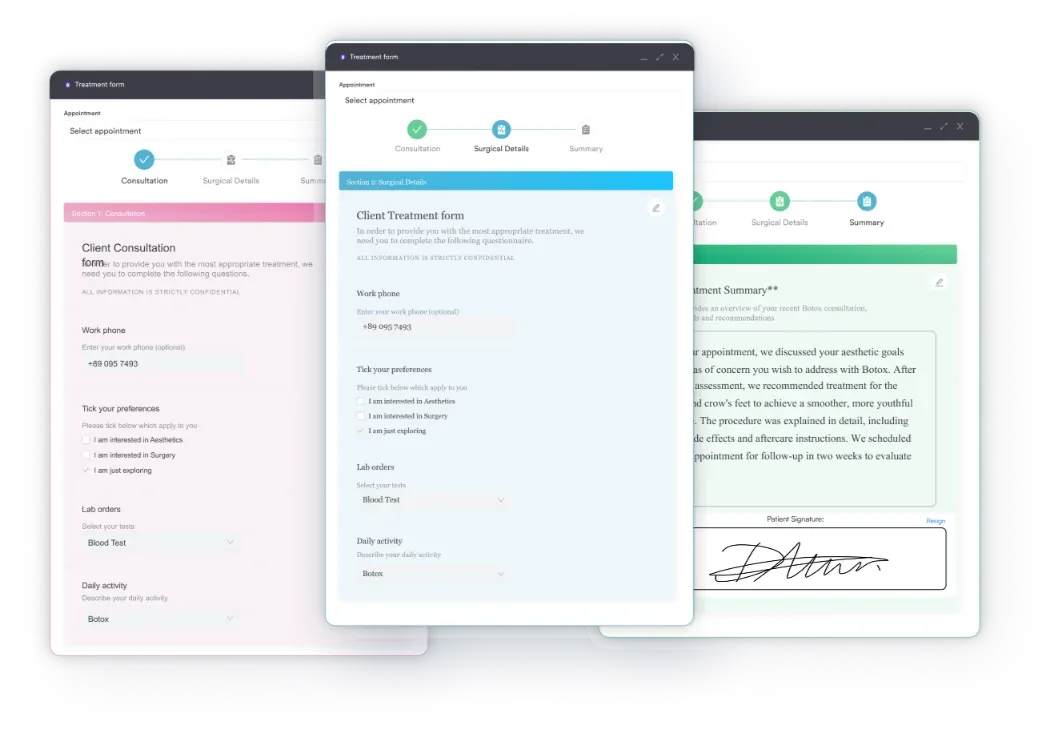
Pabau’s form builder is fully customizable. Practices configure questions, consent declarations, and conditional logic for each treatment they offer. When the patient submits, the answers go straight into their appointment record and clinical notes. Contraindication flags trigger alerts for the clinician, and nobody re-enters the data.
DocResponse offers a purpose-built library of registration forms covering demographics, medical history, and insurance details. The templates are designed for general medical registration, which suits primary care settings well. Its customization options and the depth of conditional logic in its forms are less documented than in specialty practice tools.
The key question for any practice evaluating DocResponse is where the form data lands. If it feeds your EHR through a supported integration, the workflow is clean. If the integration is manual or batch-synced, re-entry risk returns.
Integration depth is the dividing line between all-in-one platforms and best-of-breed check-in tools. Pabau removes the integration question entirely. DocResponse sits on top of your existing stack and depends on that connection being stable.
Pabau is its own EHR, scheduling system, billing module, and check-in tool. Check-in data reaches the clinical record without any third-party connection, because appointment confirmation, form submission, and note creation all happen inside one system. The diagram below follows one patient’s answers through both setups.
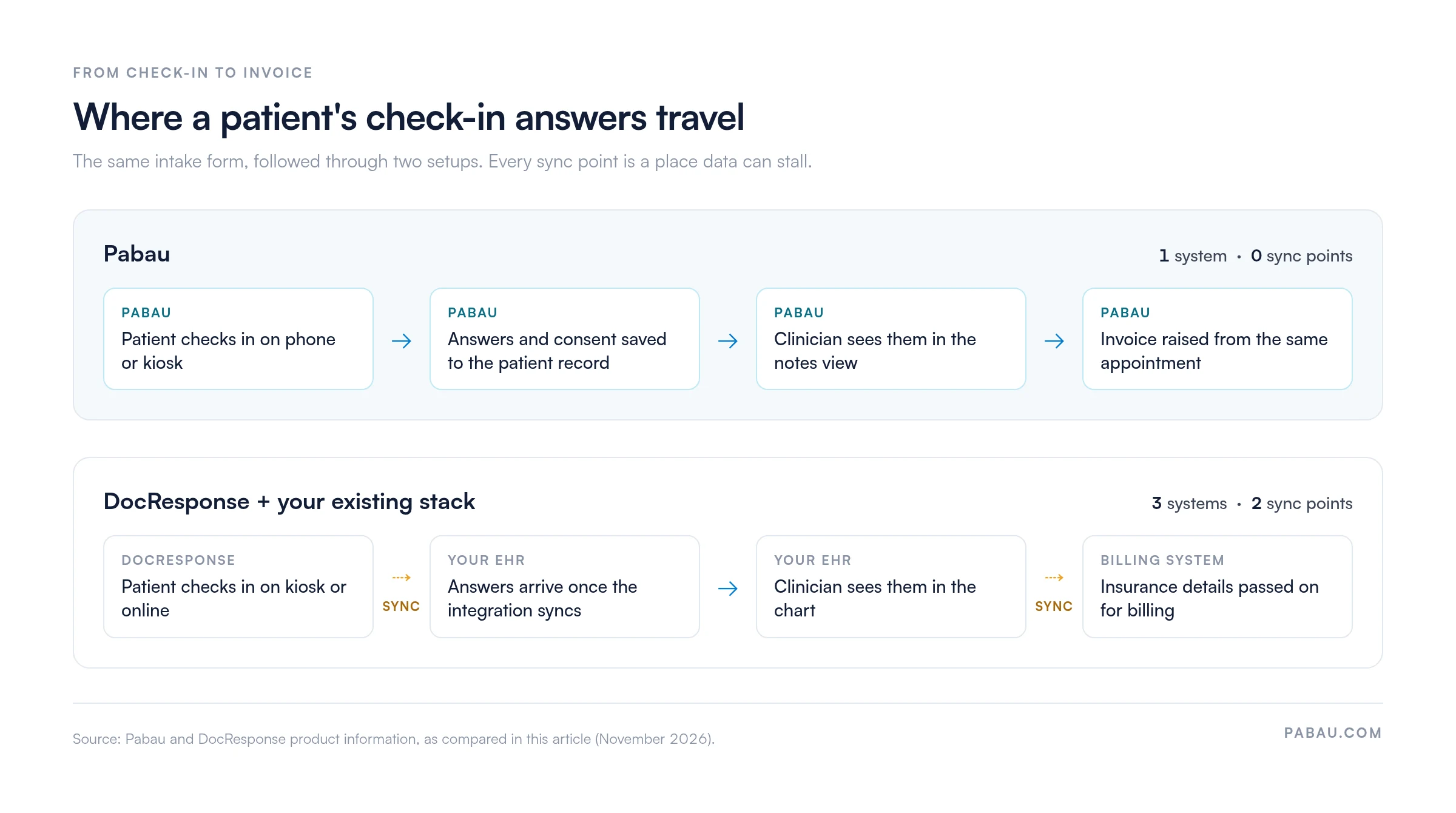
DocResponse, as a standalone registration platform, is designed to connect with existing EHR and practice management systems. How well that works depends on which EHR the practice runs.
Well-supported integrations run smoothly, but ones that rely on custom middleware or manual CSV imports create ongoing maintenance work. Confirm the specific EHR integration you need with DocResponse before committing.
Insurance verification at check-in is one of the highest-value front-office automations a practice can add. When eligibility is confirmed before the appointment, the practice avoids claim denials, co-pay surprises, and post-visit billing disputes.
In Pabau, insurance details captured at intake sit in the same system as the invoice and the claim. Pabau’s claims management software handles US insurance billing, so policy details carry through without retyping. Ask at the demo how eligibility checks run for your payers.
DocResponse, as a registration-focused tool, captures insurance details during check-in. Whether that triggers a real-time eligibility check, or goes to the billing system for manual verification, depends on the integration setup. Practices with high insurance volume should ask both vendors about their eligibility workflow before deciding.
Ask both vendors to walk you through the exact data path from ‘patient submits insurance details at check-in’ to ‘eligibility confirmed in billing.’ If there is a manual step anywhere in that chain, quantify how many minutes of staff time it costs per appointment day.
Any platform handling patient registration and intake data in the US must align with the HIPAA Security Rule. It sets requirements for encryption, access controls, and audit trails for electronic protected health information, known as ePHI.
Both Pabau and DocResponse state HIPAA compliance on their websites. Request a Business Associate Agreement (BAA) from any vendor before going live.
Pabau is built with encryption in transit and at rest, and its compliance management software covers the wider HIPAA checklist. Consent captured through an e-consent form is timestamped and stored against the patient record with access logs. That supports the audit trail requirements under the Security Rule.
For UK and EU practices, Pabau’s data handling is also designed with GDPR in mind. DocResponse’s primary market is the US, so UK practices should check its GDPR data residency and handling before deploying.
Pricing models differ between an all-in-one platform and a standalone check-in tool. That difference matters more than any headline figure when you work out total cost of ownership.
Every plan includes the core features, with intake forms, kiosk check-in, and digital consent among them. Add-ons enhance the experience for practices that want more in a specific area. Usage-based credits, such as SMS reminders, sit on top and grow with use.
DocResponse doesn’t publish pricing, so practices need to contact it for a quote. When you compare, add up the whole stack: DocResponse’s fee plus the EHR, scheduling, billing, and any integration middleware.
For a practice starting from scratch, that combined total typically exceeds a single all-in-one subscription. For a practice with fully paid-for legacy systems, DocResponse as a top layer may be cost-effective, depending on the quote.
Onboarding quality rarely shows up in review roundups, yet it decides whether a rollout sticks. A platform with strong features but poor implementation support leads to low adoption and wasted spend.
Pabau sets new practices up through structured onboarding. A dedicated Client Coordinator and an onboarding portal guide each practice through data migration and setup. Multi-location groups also get help configuring user roles, form templates, and workflows. Because check-in, EHR, and billing share one system, onboarding covers the whole patient journey in one project.
DocResponse, as a focused check-in tool, is faster to deploy for check-in alone. Kiosk hardware setup and form configuration are the main onboarding tasks, and the narrower scope keeps implementation quick. The trade-off is that any EHR integration still needs a separate project with the EHR vendor, which adds coordination overhead.
Connected check-in also helps with patient access rules. The ONC’s guidance on patient access to health records explains patients’ right to view and share their health information electronically. That’s easier to honor when intake answers live in the same record as the rest of the chart.
Pabau’s main strength is that check-in is one piece of a unified platform. Intake answers appear in clinical notes, consent is stored against the patient record, and billing flows from the same appointment. There’s no integration tax.
According to Capterra reviewers, Pabau scores well for its breadth of features and the time savings from digital intake workflows.
DocResponse’s purpose-built focus gives it a clean kiosk and registration experience. Practices that are committed to an existing EHR and only need to upgrade their check-in front end find it fits that use case.
DocResponse positions itself as “Best Patient Registration & Check-In Software Solutions” in the title of its own patient registration page. Independent user reviews of DocResponse are thinner than for platforms with larger review volumes.
The right choice depends on where the practice sits in its technology journey and which specialties it serves.
Before signing with any patient check in software vendor, run a full end-to-end test. Have a staff member complete intake for a test patient, then trace where that data appears in your clinical notes and billing record. Any step that requires manual copying is admin work you’d pay for every day.
In many practices, check-in still means a clipboard at reception. Someone then retypes the answers into the EHR, scans the signed consent, and keys insurance details into a separate billing tool.
In Pabau, patients get a link before their visit and complete intake forms and consent on their phone. Anyone who skips that step uses a kiosk tablet on arrival. The answers land in the patient record and the clinician’s notes view, and the invoice is raised from the same appointment. Pabau GO, our iOS app for practitioners, shows which pre-appointment steps each patient has completed.
Your front desk spends check-in greeting patients instead of typing up forms. Clinicians start each consultation with the medical history and signed consent already in front of them.

Watch how digital intake forms, kiosk check-in, and automatic record population work together in one platform. No integration work required.

Choose by where the check-in data has to end up. If intake answers, consent, and insurance details must reach the clinical note and the invoice without retyping, a connected platform does that by design. DocResponse earns its place when your EHR is staying put and only the front desk needs an upgrade.
Remember the trade-off before you sign. A standalone tool is quicker to switch on, but every sync point is one more connection your team has to watch. Trace one test patient end to end with each vendor, and let that test decide.
Book a demo to watch a test patient move from mobile check-in to signed consent and a finished chart note in Pabau.

Moving intake off paper? Digital patient intake forms explains how to get forms completed before the patient arrives.
Comparing more front-desk tools? Best patient onboarding software reviews seven platforms for getting new patients set up.
Need a HIPAA-ready forms tool? Best healthcare forms software compares nine form builders on HIPAA support and pricing.
Want a ready-made intake form? New patient questionnaire template gives you a nine-section form to adapt for check-in.
Checking what your intake form covers? Sample patient intake form walks through what each section collects and why.
Patient check-in software is a digital tool that automates arrival and intake. Patients complete registration forms, sign consent, and add insurance details before or at the visit, replacing paper clipboards.
Patient intake software collects clinical and demographic information before the appointment. Patient check-in software manages the arrival confirmation step. Most modern tools combine both, and vendors and buyers often use the terms interchangeably.
Standalone tools like DocResponse integrate with an existing EHR, and the quality of that connection varies by EHR vendor. All-in-one platforms like Pabau have the EHR built in, so no integration is needed.
Mobile pre-arrival check-in cuts waiting room time the most, because patients complete forms before they arrive. Kiosk mode catches patients who arrive without finishing those steps. The strongest workflows support both, as Pabau does in one system.
Look for customizable intake forms with conditional logic and digital consent with a timestamped signature. Answers should populate the clinical record automatically. You also want HIPAA-aligned data handling with a BAA, plus both mobile and kiosk check-in.