Massage Therapy Business Plan
A massage therapy business plan is a written document that sets out how your pra...

1
Last Updated: Oct 21, 2026
An emergency card is a wallet-sized document that gives first responders and clinicians the medical facts they need when a patient can’t speak for themselves. Our free printable template covers name, date of birth, blood type, medical conditions and allergies, current medications and emergency contacts on one card.
Patients fill it in by hand or type into it, then print it and cut it to wallet size. Practices can hand one out at intake and reissue it whenever a medication or contact changes.
A one-page printable card with fields for name, nickname, date of birth, gender, blood type, medical conditions and allergies, current medications and emergency contacts. Print it, fill it in by hand or type into it, and cut it to wallet size.
Download template
An emergency card is a wallet-sized summary of the medical facts a responder needs when a patient can’t speak for themselves.
The free template covers medications, blood type and emergency contacts, with allergies and medical conditions sharing one box.
Add at least two people in the contacts box, with each person’s relationship and phone number.
Reissue the card whenever a medication or contact changes, because an outdated card can mislead a responder.
Practices can hand out cards at intake and keep the same details in the patient record, so the two match.
An emergency card is for the moments when a patient can’t explain their own history, such as after a collapse or a seizure. It sits in a wallet, purse or bag, where a responder checking for identification is likely to find it.
Ambulance crews and emergency staff start with what they can see and what they can find. A card that lists allergies and medications helps them avoid a drug the patient reacts to, or one that clashes with a current prescription.
The card is a summary for the patient to carry. The fuller version a practice keeps on file belongs on an emergency medical form.
The template above is a printable PDF template that patients can fill in by hand or type into, then print. It fits on a single page and can be cut down to wallet size.
A useful card balances completeness with legibility. Too much detail on a small card is hard to read under pressure, so prioritize the facts that change treatment decisions.
The free template prints nine fields. The map below shows them, plus four extras worth adding when you customize the card.
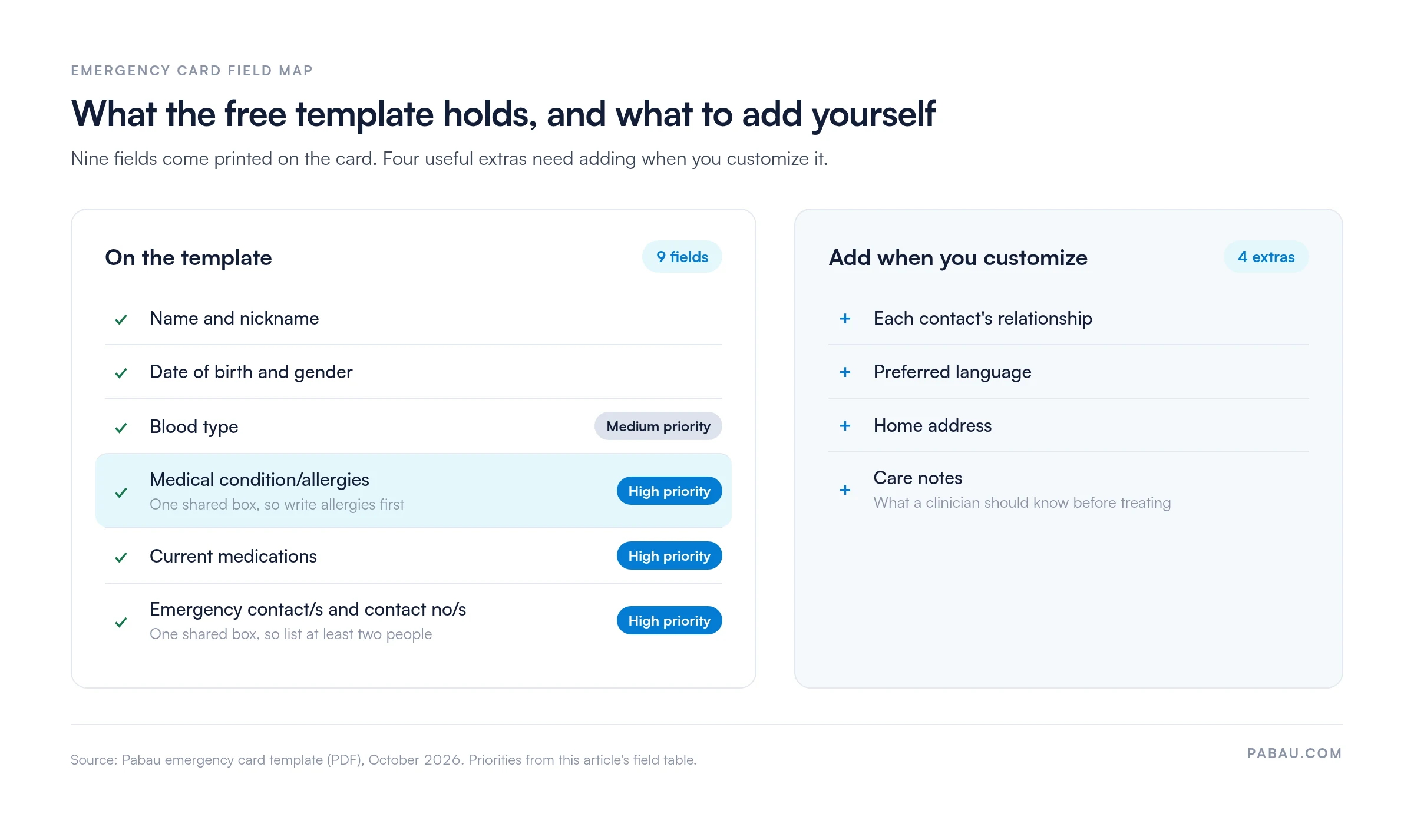
The template prints these personal fields:
Add at least two people in the contacts box, with each person’s relationship and phone number. If the patient needs a home address or preferred language on the card, add those fields when you customize the template.
On the template, allergies share a box with medical conditions, so write the allergies first. They are the fastest way to prevent a serious reaction. List drug allergies and any known food or latex reactions.
Next, record current medications with doses, and list chronic conditions that affect emergency treatment, such as diabetes or epilepsy. The template has no care-notes field, so add one if a clinician should know something before treating the patient.
Practices get the most value from an emergency card when it is part of intake rather than an afterthought. Staff can offer the card at the first appointment and review it at each follow-up.
The card works best when it copies details the practice already holds. A new patient questionnaire collects allergies, medications and contacts at the first visit, so staff can fill in the card from it.
For clinical teams, patient intake software captures contacts and medications once so staff can reuse them, rather than re-keying details onto paper.
Printed cards work without a phone, battery or signal, which is their main advantage. Digital options, including QR-code cards, can hold more detail and update automatically, but they depend on a device and on secure access controls.
A template is only useful if it reflects your patients and your practice. Edit the PDF so it carries the details your team needs.
If you need a longer document with a full medical history for your files, start from a medical information form instead.
On paper, staff copy allergies and medications from the intake form onto the card by hand. Each copy is another chance for a dose or an allergy to go out of date.
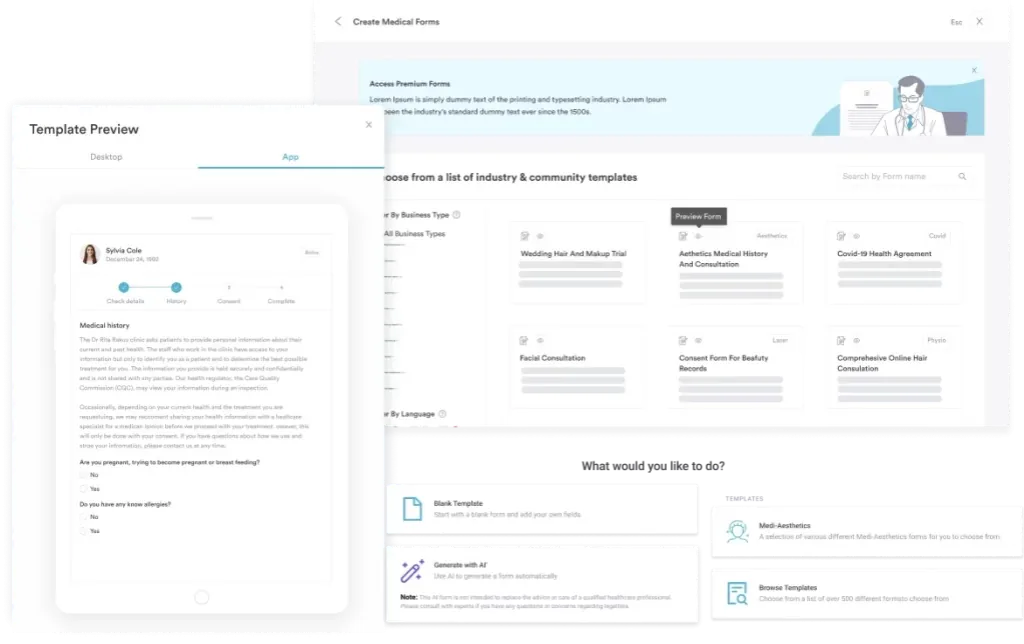
Pabau, the all-in-one practice software we build, collects those details through digital forms before the first visit. The answers are saved to the patient’s file in Pabau’s medical records software, so every card is filled in from one up-to-date record.
Say a patient reports a new medication on a pre-visit form. Your team sees the change in the record and can reissue the card at that appointment. You keep one source of truth instead of a stack of paper copies.

Pabau’s digital forms collect allergies, medications and emergency contacts before the visit and store them in the patient record. Your team reissues cards from one up-to-date file.

An emergency card only helps if it matches the patient’s current medications and allergies. A card printed six months ago can point a responder toward the wrong treatment.
So treat the card as part of the medication review, not a one-off handout. Fill in the free template at intake, reissue it whenever a prescription or contact changes, and keep the same details in the patient record.
Book a demo to see how Pabau keeps intake details current, so every card your practice hands out matches the record.

Collecting the basics at registration? Personal details form explains why practices collect each detail and gives you a free template.
Need a one-page patient summary? General information sheet template gathers contact and background details in a single printable sheet.
Keeping a fuller emergency record on file? Emergency medical form holds the detailed emergency information a wallet card has no room for.
Building a complete medical history? Medical information form template captures conditions, medications and allergies in depth for your records.
Setting up first-visit intake? New patient questionnaire template collects the history you need before the first appointment, as a free PDF.
An emergency card is a portable document that gives responders key medical and contact information when a patient cannot communicate. It usually fits in a wallet.
Start with allergies, current medications, medical conditions and at least two emergency contacts, plus blood type if known. The free template has a box for each, with allergies and conditions sharing one box.
Wallet-sized cards suit personal carry, while full-page versions work better for practice files. Many practices offer both.
Printed cards work offline, while digital cards hold more detail and update automatically. Choose based on your patients and your data security setup.
Yes, with a PDF editor that lets you add text, because the template has no fillable form fields. Otherwise, print it and fill it in by hand.