Tanja Lepcheska
Healthcare policy management software: Pabau vs dedicated tools
Healthcare policy management software helps a healthcare organization write, app...

Last Updated: Oct 29, 2026
Free PDF 5 pages, print-ready Clinician-reviewed
A personal details form captures the identity and contact information a practice needs before it treats anyone. The standard fields are name, date of birth, phone, email, address, emergency contact, and the patient’s GP or primary care provider. Fill it in once and the reminders, recall letters and emergency calls that follow all reach the right person.
The template above is free and ready to hand out. What follows is the part the file cannot tell you on its own. Which seven fields to make mandatory, and which of them the law treats as special category data.
The second question is the one worth reading closely. A name and a phone number are ordinary personal data. The allergy box two lines down is not, and that difference changes what you have to document.
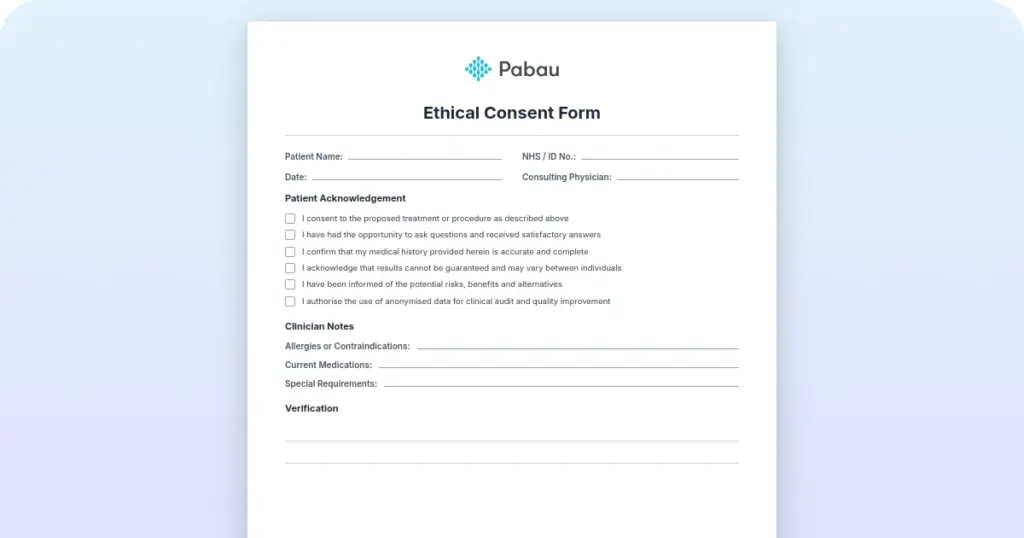
A ready-to-use intake form covering patient demographics, contact and emergency contact details, GP information, and medical history. It closes with a signed acknowledgment of your data protection and consent terms.
Start from scratch, or upload this PDF or any form you already use, and Pabau's AI Form rebuilds it with tick boxes, text fields and a signature. Attach it to the treatment once, and every patient gets it on time.
AI Form rebuilds the consent, history and aftercare forms you already use. You review each one, then publish.
Patients complete forms on their phone before they arrive, so the front desk stops retyping paper.
Every signed form is versioned and attached to the treatment record, ready when you need it.
Set how long a consent stays valid. Returning patients skip forms they have already signed.
Supports HIPAA and GDPR compliance AES-256 encryption 4.8 on G2 4.7 on Capterra Trusted by 4,000+ practices worldwide

A personal details form captures the identity and contact fields every patient record is built on.
Name and address are ordinary personal data, but the allergies beside them are special category data under UK GDPR Article 9.
Criminal conviction data sits under Article 10, not Article 9, and belongs on an intake form only where the service requires it.
Make seven fields mandatory and leave the rest optional, so reception never delays a patient for information nobody needs.
Practice management software like Pabau collects these fields through a digital form that writes straight into the patient record.
Personal details are the identity and contact fields that let a practice tell one patient from another and reach them reliably. They are the base layer of the patient record. Every workflow built on top of that record inherits their accuracy, or their errors.
The standard set is short, and most practices collect the same seven fields.
Medical history and allergy flags usually sit on the same intake form. They are a different kind of data, and the section on data tiers below explains what that changes.
Why collect all of it before the first appointment? Reception needs the phone number for reminders and the address for correspondence. The emergency contact covers an adverse event, and the GP’s details go on clinical letters. A wrong number is a common reason a follow-up never reaches a patient. A fuller new patient questionnaire can pick up the clinical detail once these basics are on file.
The practice holds the emergency contact, but patients can carry it too, on a free emergency card cut to wallet size. Reissue the card whenever a medication or a contact number changes.
A structured form beats asking at the desk, because it produces the same fields in the same order for every patient. Medical practices, med spas, physical therapy practices and mental health services all need that consistency to operate safely and legally.
Designing an intake form from scratch means deciding all of this twice. Once for the fields themselves, and once for the legal wording underneath them. A template settles both before the first patient arrives.
Not every practice needs every field. A physical therapy practice can drop employment status, and a mental health service may want insurance details instead. The fields below, though, belong on every version of the form.
Mandatory versus optional depends on your practice type and jurisdiction. A UK GP practice records registered GP status. A US private practice usually substitutes an insurance provider, and a med spa might add preferred treatment areas.
Print the template and hand it over at check-in, or send it ahead as a digital form that writes into the patient record on submission. Practices taking the second route usually do it through intake software for practices. Either way, the workflow runs to five steps.
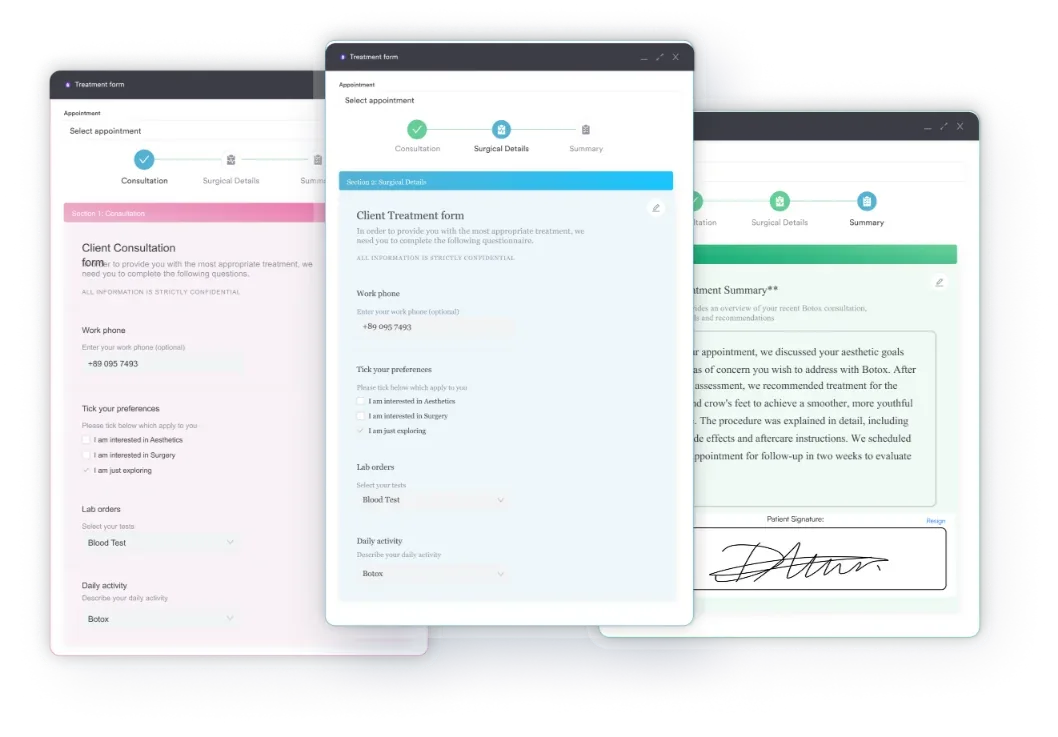
The saving is in the transcription. A digital form arrives already typed, already validated, and already attached to the right patient.
Collecting personal details carries legal responsibility. Three frameworks govern most of it: UK and EU GDPR, HIPAA in the US, and the UK Data Protection Act 2018. Getting any of them wrong costs money and patient trust.
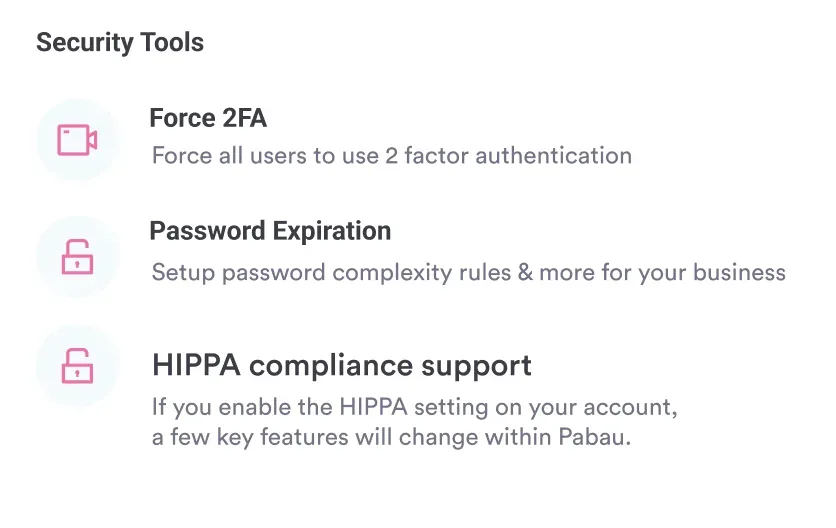
GDPR (UK and EU): You need a lawful basis for every field you collect, and for a practice that is usually consent or legal obligation. Health information on the same form is special category data under GDPR Article 9. That needs a separate Article 9 condition on top of the lawful basis. Tell patients why you collect each field, how long you keep it, and who can see it. A privacy notice is where that goes.
HIPAA (US): Covered entities and their business associates must protect patient health information. HHS HIPAA guidance limits collection to what treatment actually requires, and expects encryption and access controls around it. US practices also hand every patient a Notice of Privacy Practices.
UK Data Protection Act 2018: UK providers comply with this Act alongside GDPR, and the Information Commissioner’s Office (ICO) enforces it. CQC inspections in England check that data protection is built into the form, rather than bolted on afterward.
What that means for your form: it needs a privacy notice, or a link to one, covering five things.
A digital form can carry all five and log the patient’s acknowledgment with a timestamp. Practices running several sites often track these obligations in compliance tools for practices, alongside staff training records and access audits.
UK data protection law sorts personal data into three tiers, and the tier decides what you have to document. Ordinary personal data sits under Article 6, special category data under Article 9, and criminal offence data under Article 10.
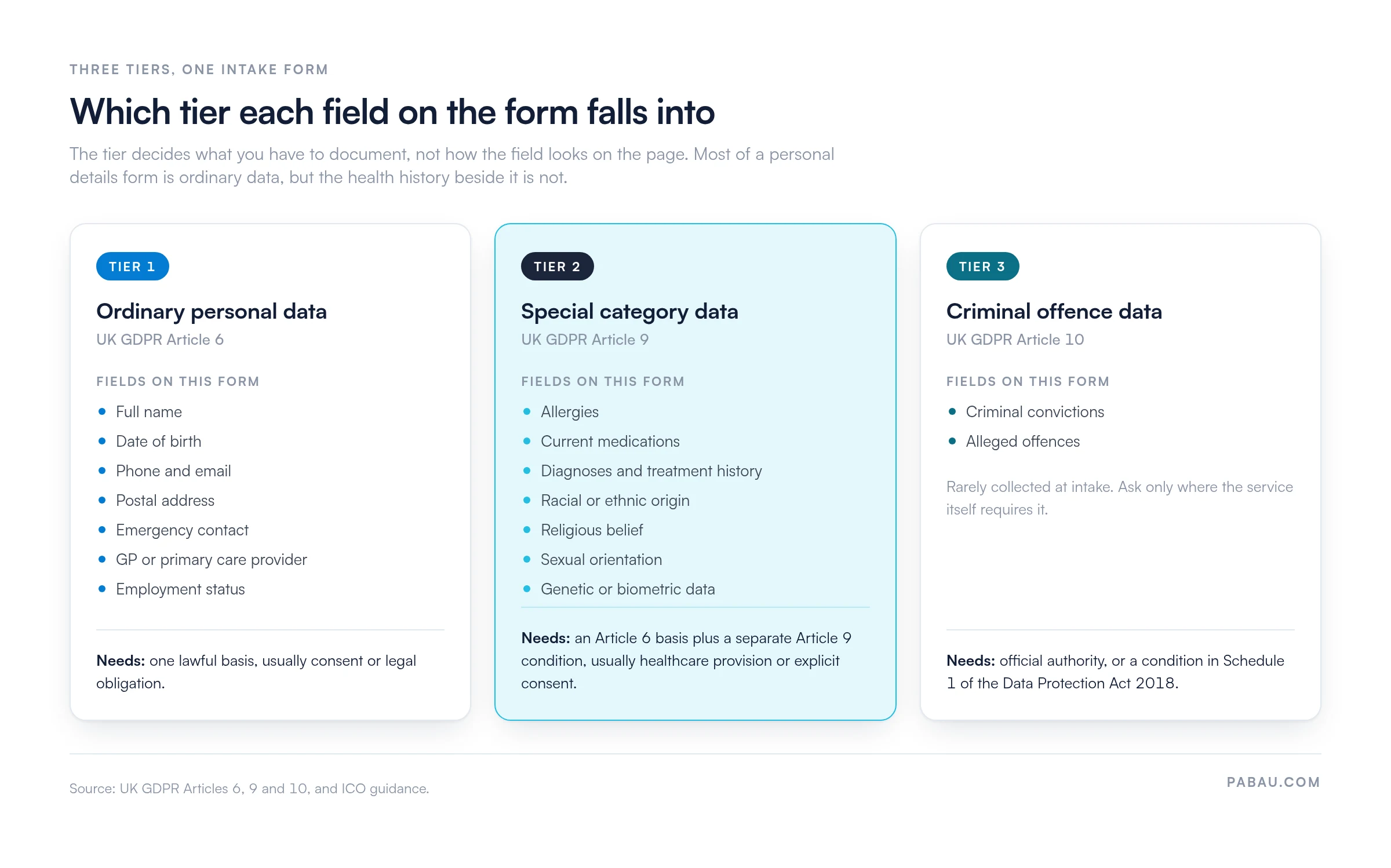
A personal details form collects the first tier in full, and reaches the second as soon as it asks about allergies or current medications. That is lawful and expected in healthcare. What has to be true is that the patient consented, the Article 9 condition is documented, and the file is stored securely.
Paper forms are slow and hard to read, and someone has to type them up afterward. Practices that move intake online cut the transcription step out entirely.
The digital version works like this. The patient gets a form link by text or email before the first appointment. They open it on a phone or a laptop and fill in their demographics, contact information and health history.
The form validates as they type, so a date of birth in the future never reaches the record. On submission the answers land in the patient management system, and reception sees a completed file when the patient walks in.
Compliance gets stronger too. A digital form can carry the privacy notice, the consent checkbox and the retention terms, then log the moment the patient agreed to all three. Paper leaves no record of when consent was given. Our guide to digital patient intake covers what a compliant online form has to include.
Most practices collect these fields twice. The patient writes them on paper at check-in, and someone on reception types the same information into the patient record afterwards. Every retype is a chance to lose a digit from a phone number.
Practice management software like Pabau removes the second step. You build the form once from digital capture forms, send it out with the appointment confirmation, and the patient’s answers write themselves into their record. Mandatory fields cannot be skipped, so nobody arrives with a blank emergency contact.
Consent and the privacy notice travel with the form, and Pabau timestamps the acknowledgment against the patient file. When an inspector asks what a patient agreed to and when, the answer is in the record instead of a filing cabinet. Every Pabau subscription includes the forms, so there is no tier to upgrade to first.

Pabau’s digital intake forms send the personal details form ahead of the appointment and write the answers straight into the patient record. Reception stops retyping, and consent is timestamped on the file.

Fill these fields in once, properly, and the rest of the record works. Get the phone number wrong and the reminders, recalls and follow-up calls all fail quietly for as long as it stays wrong. That is why the seven mandatory fields are worth defending at reception, even when a patient is in a hurry.
The trade-off worth remembering is scope. Every extra field you add is another one to justify, secure and eventually delete, so collect what the treatment needs and stop there. Book a demo to see how Pabau sends the form, files the answers, and keeps the consent trail with them.

Onboarding a new client rather than a patient? New client intake form template covers the same identity and contact fields for a first non-clinical appointment.
Need to send a record to another provider? Authorization for release of confidential information documents what the patient agreed to share, and with whom.
Collecting treatment consent at the same time? Medical consent form for adults pairs with this template, so identity and consent are captured in one sitting.
Personal details are the identity and contact information that let a practice tell one patient from another and reach them. They cover full name, date of birth, phone number, email address, postal address, emergency contact, and GP or primary care provider. Under UK GDPR those fields are ordinary personal data. The health history collected beside them is special category data, which needs an extra condition.
Make seven fields mandatory: full name, date of birth, mobile phone, email address, postal address, emergency contact, and GP or primary care provider. The rest can stay optional. Optional fields depend on the practice, and may include employment status, insurance provider, or preferred contact method. A mental health service might add caring responsibilities, while a med spa can drop employment entirely.
Personal data is the legal term for any information relating to an identifiable living person. Personal details are the practical subset practices mean day to day: name, address, contact number, and date of birth. So all personal details are personal data, but not the reverse. A diagnosis is personal data, and nobody would call it a personal detail.
Retention depends on the jurisdiction. UK NHS records management guidance sets eight years after the last contact for adult health records. HIPAA sets a six-year retention rule for its own compliance documentation, not for medical records. US practices follow state law on the records themselves. Write your retention period into the privacy notice, so patients know when the file is deleted.
Ask at every visit, or at least once a year, whether the phone number and email have changed. Update the patient record while the patient is still in front of you. Verify identity before you read back or change any stored data, usually with a date-of-birth check. A patient portal lets patients make the correction themselves, which keeps the record current without staff time.
Only with the patient’s explicit consent, or where the law obliges you to share. GDPR and HIPAA both require you to tell patients who receives their data and why. Sharing for marketing without consent is unlawful. Put a consent line on the form itself, naming the practice and the contact methods the patient agrees to.