HIPAA compliant texting: What you can send patients & how to communicate securely
HIPAA compliant texting is possible when a text holds no protected health inform...

Last Updated: Oct 16, 2026

A client information sheet template captures essential patient details, medical history, emergency contacts, and consent signatures from day one.
Required fields include name, date of birth, address, phone/email, medications, allergies, emergency contact, insurance details, and informed consent declarations.
HIPAA regulations require you to protect specific patient data (PHI) including names, dates of birth, medical record numbers, and insurance information with secure handling practices.
Practice management software like Pabau can auto-populate a patient’s record straight from the digital form they submit, cutting manual data entry and front-desk workload.
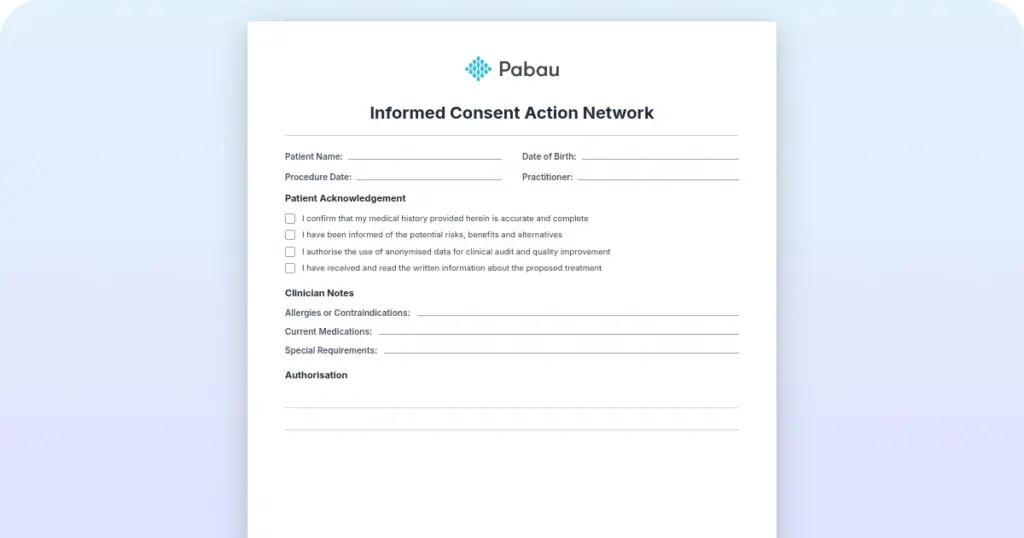
A ready-to-use intake form capturing patient demographics, medical history, emergency contacts, insurance details, and informed consent signatures. Customizable for medical, aesthetic, and wellness practices.
Download templateEvery new patient conversation starts with the same handful of questions. Who are you? What is your history? What have you agreed to? A client information sheet template answers all three in one document, so your front desk collects the same details every time instead of improvising.
Skip the structure, and a different problem shows up at every visit. A missed allergy. A mismatched insurance number. A consent line nobody read closely. Get the fields right once, and the same template protects every patient who walks through your door after that. Here’s what belongs on it, and how to put it to work.
A client information sheet is the intake document that collects the key details about a patient or client before their first appointment. It does three jobs at once: it builds an accurate patient record, flags any medical history that could affect treatment, and documents informed consent.
For medical practices, dermatology practices, aesthetic spas, and wellness centers alike, this is where trust starts. A clean, complete form signals that you take patient safety seriously, and it becomes the legal record of what the patient agreed to and what you discussed at onboarding. Ad-hoc paper notes or a half-finished digital form both let details slip through.
A standardized template does not.
The template is designed to guide both you and your patients through a complete intake workflow. Here are the five steps to run it in practice:
Step one only captures identity and contact details. A patient demographics template groups those with the insurance and social fields, so reception works through all four in one pass.
Digital templates speed this whole workflow up. Patients complete intake online before they arrive. That cuts wait time, and it gives your team a chance to review answers and ask a clarifying question before the consultation starts. Consent forms captured at booking are easier to evidence later than ones signed at the door.
A complete client information sheet covers four field categories: personal details, medical history, emergency and insurance information, and consent and agreements. Here’s what goes in each:
Beyond these core fields. A few examples:
Add what your specialty needs, and keep the rest of the structure the same. None of the four core categories asks why the patient booked. A reason for visit field gives that answer its own line on the form.
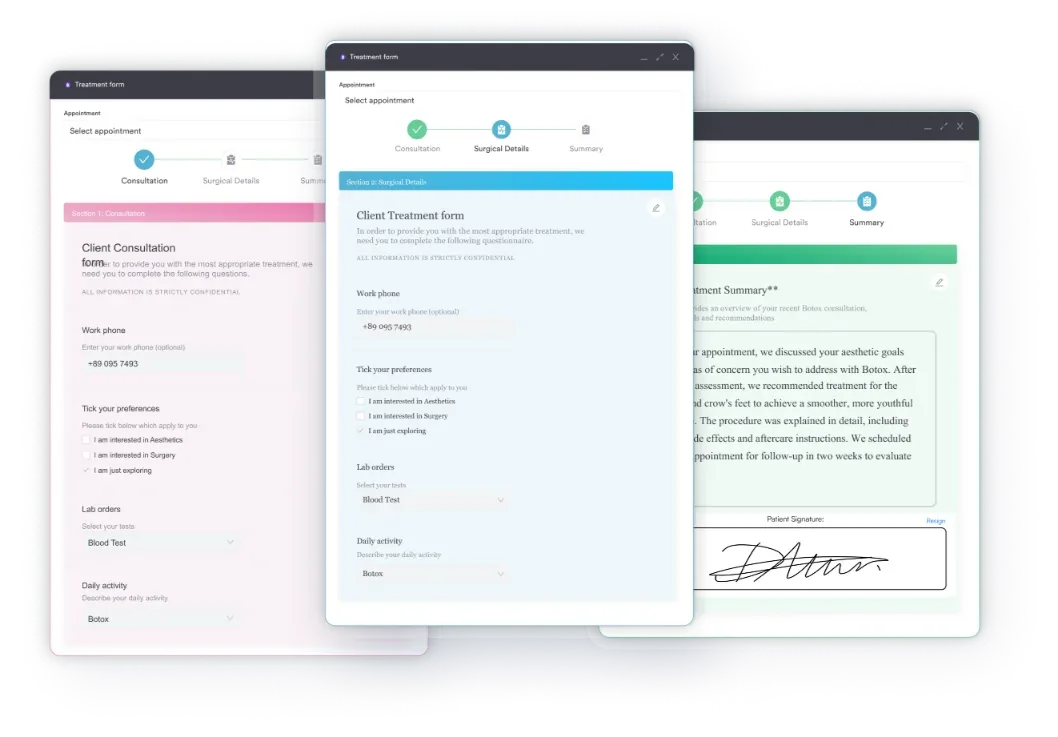
Running this form inside a GP practice system keeps clinical documentation in one place.
Front-desk staff can run through this in under two minutes once a client information sheet comes back. This is different from a clinical checklist like an annual physical exam checklist. The list below is about the paperwork being complete, not about the exam itself.
Aesthetic practices and medical practices ask overlapping questions, but the emphasis shifts. An aesthetic practitioner wants to know about past injectables, satisfaction with previous treatments, and whether the patient consents to before-and-after photos. A dermatology practice leans harder on skin type, sun exposure, and any reaction to topical products. That changes which treatments are safe to offer.
Therapists and counselors work from a different sheet entirely. A therapy practice needs space for presenting concerns, prior treatment history, and risk factors that a dermatology form would never ask about. Pediatric practices differ again. A parent completes the form on the child’s behalf.
Every specialty needs its own additions, but the same four field categories, personal, medical, emergency and insurance, consent, still sit underneath all of them.
A few habits turn a good client information sheet into a headache down the line:
Picture the old way first. A patient fills out a paper form in the waiting room. The front desk types it into the system after the appointment, and somewhere between the clipboard and the keyboard, a phone number gets mistyped. Multiply that by twenty patients a day, and it eats into someone’s whole afternoon.
Digital intake changes that. A patient fills out the same sheet on a phone or tablet before the visit. Everything they enter, medical history, insurance details, consent. Nobody retypes a word. By the time the practitioner walks in, the allergy list, the insurance number, and the signed consent are already sitting there, exactly where they were entered.
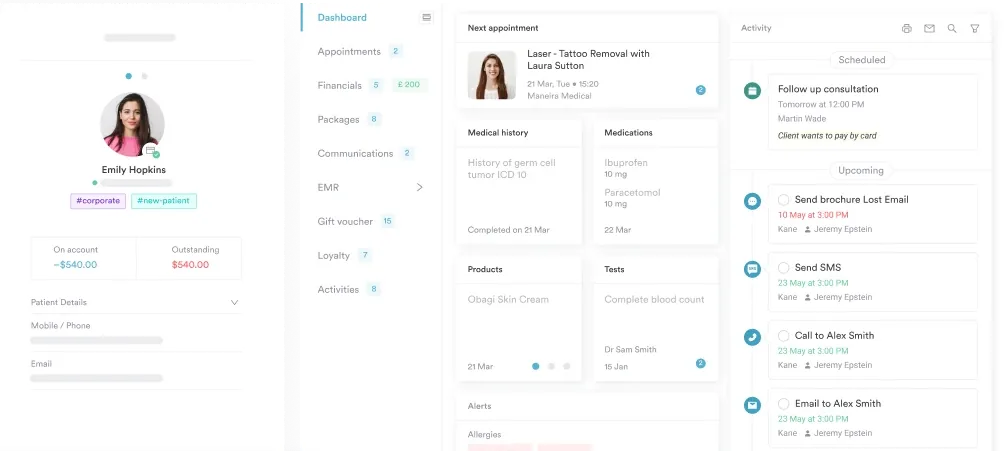
That cuts front-desk workload: nobody spends the afternoon transcribing, scanning, or filing paper anymore. Handwriting errors disappear too, since nothing gets typed in twice.
Every response already lives in the client record.

See how digital client intake forms reduce paperwork, populate records automatically, and keep your practice HIPAA compliant.

Federal law requires healthcare providers to protect Protected Health Information (PHI). HIPAA is the rule that spells out how. Your client information sheet collects PHI on page one, so handle it with the same care as a medical chart.
PHI covers more than a diagnosis. It includes a patient’s name, date of birth, address, phone or email, medical record number, insurance ID, and any treatment detail tied to them. Once you collect it, store it securely, whether that means password protection, encryption, or a locked file cabinet.
Limit access to staff who need it, and keep a documented privacy and security policy accessible to patients.
AMA guidance on HIPAA is blunt about it. A shared spreadsheet with no access controls will not hold up.
Patients are also entitled to a written Notice of Privacy Practices that explains how you use and protect their information. Attach it to the client information sheet, or make it available digitally at check-in. If you operate in the UK, GDPR adds stricter consent requirements, so tailor your privacy documentation to your own jurisdiction.
Audit your forms every quarter. Check that paper forms are shredded or securely archived, that digital forms live in a HIPAA-compliant system, and that staff understand the privacy policy, not just sign off on reading it. A single form left on a desk, or sent over unencrypted email, can trigger an investigation from HHS’s Office for Civil Rights (OCR), plus costly penalties. Treat intake forms as your highest-risk compliance touchpoint, because they usually are.
A well-built client information sheet template is the foundation of safe, compliant practice operations. It captures what you need to treat safely, documents informed consent, and protects you if a dispute ever comes up.
Instead of reinventing the form for every new practice, adapt a proven template to your specialty and move it online so paper stops being the bottleneck.
Practice management software like Pabau can then carry that same information straight into the patient’s record and the rest of their visit. If you want to see that flow end to end, book a Pabau demo.

Scoring stroke severity at the bedside? NIHSS score sheet template covers the 11 scored fields from consciousness to inattention.
Need a sheet that adapts to your unit? Nurse brain sheet adjusts for Med/Surg, ICU, ER, and labor and delivery settings.
Caring for a patient with cognitive decline? Nursing care plan for impaired memory covers NANDA diagnoses and interventions for memory loss and confusion.
Retention rules vary by state and by whether the patient is a minor, so check your state medical board’s requirements rather than guessing. Many practices keep the form for several years past the last visit, and longer for pediatric patients until they reach adulthood.
No. Most practices ask for a full sheet at intake, then a short update at each later visit, just medications, allergies, and any new conditions, rather than repeating every field from scratch.
Yes. A parent or guardian completes and signs it on the child’s behalf, and pediatric versions usually add fields for growth, development, and school or daycare contacts that an adult form does not need.
Note the refusal instead of leaving the field blank, and flag it to the provider if it touches on safety, like allergies or current medications. A declined answer is still information; a blank field is just a question mark.
Keep it to people with a reason to see it: the treating provider, front-desk staff confirming details, and whoever handles billing. Wider access than that raises your compliance risk without adding any benefit.