7 HIPAA compliant texting apps, ranked by what they can safely send
The best HIPAA compliant texting apps sign a business associate agreement (BAA),...

Last Updated: Oct 16, 2026
A patient experience survey asks patients to report what happened during their visit, from how long they waited to whether aftercare was explained. A patient can rate the visit highly and still report that the nurse skipped the medication instructions.
For a private practice, the payoff is catching the quiet leavers, the patients who never complain and never rebook. What follows covers the domains worth measuring, the validated instruments worth borrowing, and the six steps to running one. The last sections deal with the scores themselves.

A patient experience survey measures what happened during care, such as communication, wait times and aftercare, rather than how satisfied the patient felt.
CAHPS and HCAHPS are the two validated instruments worth borrowing from, and HCAHPS scores feed Medicare reimbursement for participating hospitals.
Only SMS regularly clears a 30 percent response rate, and only when it goes out within 24 to 48 hours of the visit.
Domain scores tell you where to intervene, so read them before you read the headline rating.
Practice management software like Pabau triggers the survey from the appointment record, so every response lands against the right visit.
A patient experience survey records events. Did the clinician explain the diagnosis in plain language? How long did the patient sit in the waiting room? Was aftercare handed over before they left? Every question points at something your team controls, which is why the answers convert into work you can schedule.
What it leaves out is mood. Feedback usually spans five or six care domains. Communication, staff responsiveness, the physical space, aftercare instructions and one overall rating make up the common set. Each domain gives you a different lever to pull when scores dip.
Experience and satisfaction answer different questions. Experience asks what happened during the visit. Satisfaction asks how the patient felt about it. A practice can score well on one and badly on the other. Report them as a single number and you hide the problem you were looking for.
Most practices end up running both. A short experience questionnaire goes out after the visit, with one likelihood-to-recommend question at the end.
The experience answers tell you what to fix, while the recommend score tells you how much loyalty is at stake. Our guide to measuring patient satisfaction covers how to score that second half.
Private practices face no CMS reporting mandate, so structured feedback is easy to postpone. The cost of postponing it turns up somewhere else on the balance sheet.
The CAHPS framework, maintained by the Agency for Healthcare Research and Quality (AHRQ), splits patient experience into separate domains. That separation t tells you which stretch of the visit went wrong instead of handing you one blended number.
Most private practices start with three of these. Communication, wait times and aftercare information sit closest to your team’s control, and they predict whether the patient books a second appointment. Add the rest once those three are stable.
Validated instruments use question wording that has already been tested on thousands of patients. That gives you something a home-made survey cannot: a national average to compare your score against. AHRQ’s CAHPS program maintains the most widely used family of these instruments in the United States.
HCAHPS was the first national, standardized, publicly reported survey of how patients experience hospital care. CMS implemented it in 2006 and ties the scores to Hospital Value-Based Purchasing. It covers 10 domains and has to be administered by an approved vendor inside a set window after discharge.
None of that binds an outpatient practice. The domain structure and the question wording are still the most heavily tested template available, and you are free to borrow both.
CG-CAHPS covers the same ground in physician offices and outpatient practices. It measures access to care, provider communication and the overall rating. For a primary care practice, a specialist practice or a multi-practitioner site, it is the closest match to how your day runs.
Run CG-CAHPS questions exactly as written if you want national benchmark comparisons. Rewording them breaks comparability with published CAHPS averages, and that comparability is the main advantage the instrument has over a survey you build yourself.
Good survey questions share three habits. Each one asks about a single event. Each one reuses the same response scale. And none of them ask two things at once. A question like “Were the staff friendly and efficient?” leaves a patient with two different answers and nowhere to put them.
Keep the whole survey to 8 to 12 questions in an outpatient setting. Longer forms cut your response rate without improving the data you get back. One or two well-built questions per domain will produce a score you can act on.
Six steps, repeated each quarter. Every stage protects the quality of the answers and the volume of them. Thin data makes for shaky decisions.
Closing the loop is what protects every future response rate, so give it a date rather than good intentions. If you want the front-desk detail this section leaves out, capturing patient feedback walks through the same loop visit by visit.
Channel choice is the single biggest lever you have over response rate, and the spread between the best and worst option is wide.
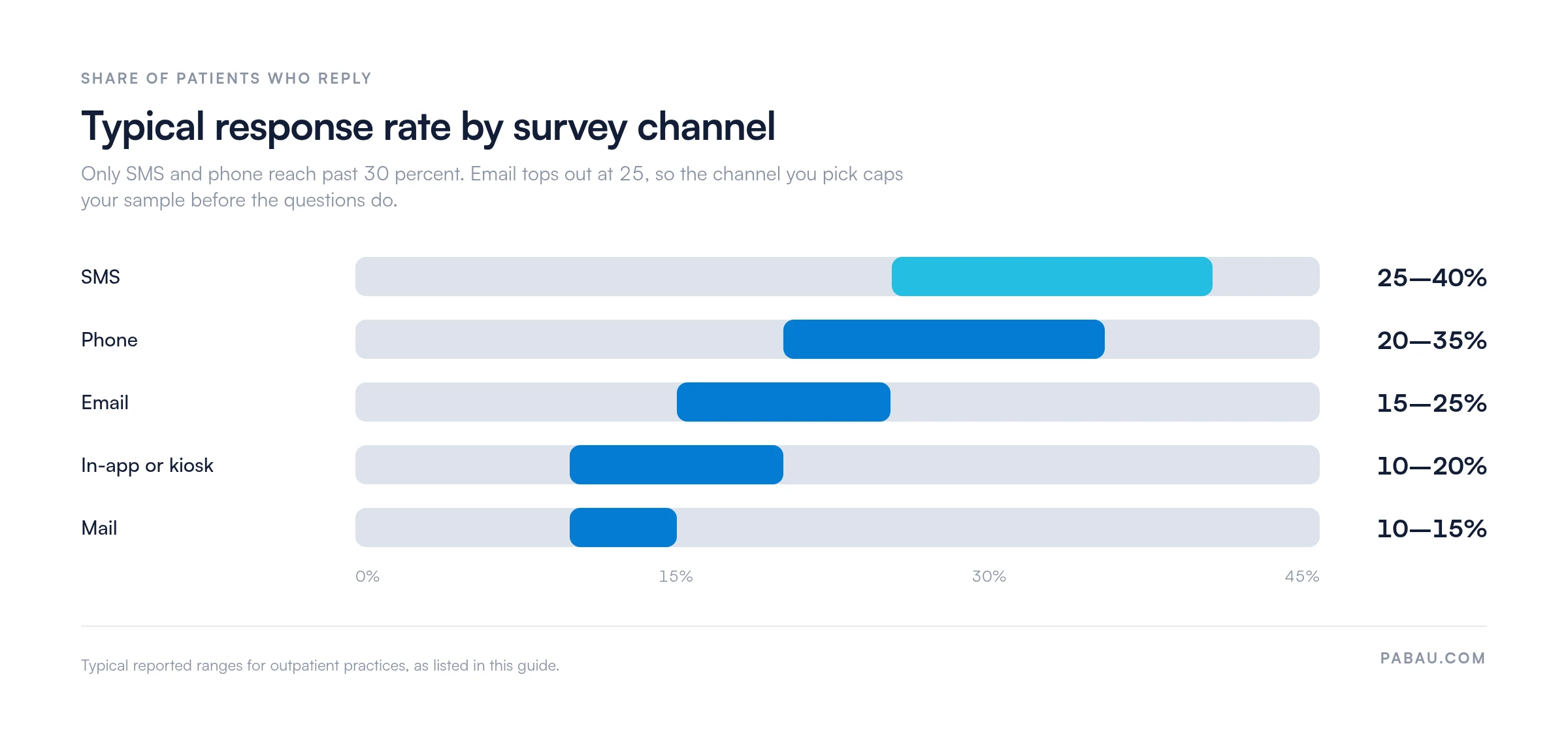
Response rate is only half the decision, though. The table adds the two other axes that matter in a busy practice, speed and fit.
For most outpatient workflows, SMS is where you start. It arrives on the lock screen and needs one tap. It also reaches the patient while they can still picture the waiting room. Survey replies then land in the same patient inbox, beside bookings and reminders, where staff can act on them.
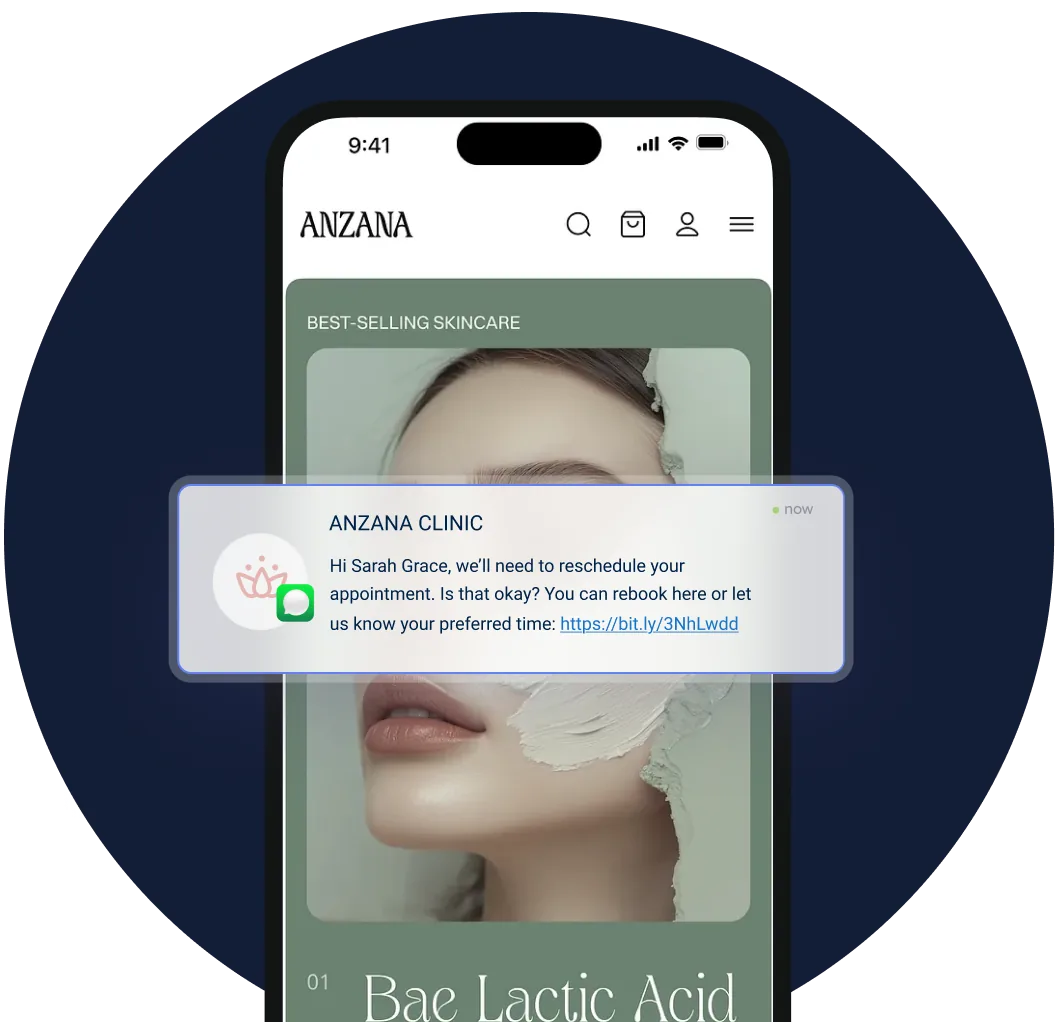
Most first surveys fail on plumbing rather than wording. Five checks catch almost all of it.
A workable outpatient survey covers five domains in 10 to 12 questions. The framework below suits aesthetic practices, primary care, physical therapy and specialist outpatient settings alike.
The overall rating question (0-10 scale) and the likelihood to recommend question both belong at the end. Patients anchor their domain answers more accurately when the global assessment comes last rather than first.
Two of these domains are settled before the patient walks in. Access and wait time both track back to how appointments get booked and spaced. Adding self-service booking for patients often shifts those two scores faster than any change at the front desk.
Raw responses only become useful once you turn them into a handful of tracked numbers. Five do most of the work.
Survey data only earns its place if something changes because of it. The cycle that works runs in four stages: analyze, prioritize, intervene, re-measure.
Here is how that plays out. Suppose aftercare scores lowest for three months running. You standardize the verbal summary given at discharge and send every patient home with a printed copy.
Next quarter you compare the aftercare top-box score against the same period, then check whether the overall rating moved with it. If the domain improved and the rating did not, your bottleneck sits somewhere else, and you have narrowed the search.
Read your lowest-scoring domain first, not your lowest overall rating. A practice at 6.5 out of 10 with one weak domain has a clearer route forward than one scoring mediocre everywhere. Fix the specific problem before chasing the headline number.
Survey tools for healthcare fall into four groups. Which one fits depends on whether you need external benchmarking, workflow automation, or a response that files itself against the patient record.
Want the third group lined up side by side? Patient satisfaction survey software compares them on price and on what they integrate with.
Feedback collection usually depends on somebody remembering. Someone at the front desk sends a form out when the day goes quiet. The answers you collect then come from whichever weeks your team had spare time. You end up measuring your calendar rather than your care.
Practice management software like Pabau moves the sending off the team. An automated workflow fires the survey at a set interval after the appointment closes, whether that is two hours or two days. The survey itself is a Pabau digital form, so the answer attaches to the patient record and to the practitioner who ran the visit.
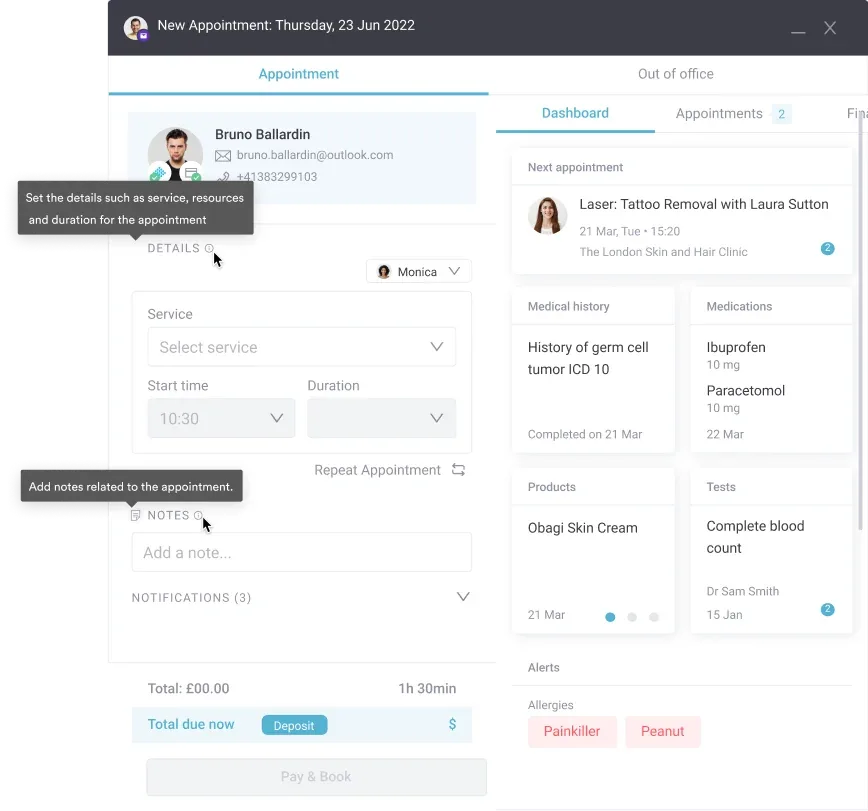
Responses then route by score. High scorers get a prompt to leave a public review through online reputation management. Lower scores stay internal, for someone at the practice to follow up that week. Your public profile fills up with patients who meant it, and the unhappy ones hear from a person instead of an autoresponder.

Pabau sends post-visit surveys on a schedule, files each response against the patient record, and shows the domain scores in your reporting. No manual follow-up, and no missed feedback window.

A patient who leaves after one appointment rarely tells you why. A short survey, sent quickly and read by domain, turns that silence into a number your team can work with on a Monday morning.
Start smaller than feels right. Three domains, eight questions, one channel, and one person who reads the answers every week. Add questions once the habit holds. A long survey nobody finishes tells you less than a short one people do.
Book a demo to see how Pabau sends post-visit surveys automatically and files every response against the right patient and practitioner.

Want the full workflow for collecting feedback after every visit? How to capture patient feedback covers trigger timing, channel choice and what to do with the replies.
Still deciding which score to report to your team? Patient satisfaction vs patient experience sets out what each one measures and when to use it.
Need a questionnaire you can send this week? Patient satisfaction survey template gives you a ready-made form to adapt for your own practice.
Want the wider view before you start measuring? What is patient experience explains how the separate parts of a visit add up to one score.
Aim for at least 30 responses per domain in each reporting period. Below that, one unhappy patient swings the average. If your volume is low, report quarterly rather than monthly so each figure rests on enough answers.
Anonymous surveys tend to get blunter answers, but you cannot follow up on a bad one. Most private practices use identified responses, say so on the form, and promise that only the practice sees them.
One named person, usually the practice manager. They read responses weekly, escalate clinical concerns the same day, and bring domain scores to the monthly team meeting. A survey with no owner stops being read within a month.
Only with written permission from the patient, and never beside details that identify their treatment. A cleaner route is to ask the patient for a public review instead, which leaves them in control of what gets published.
Once per episode of care, and no more than once a quarter for regulars. Asking after every visit trains patients to ignore the message, which quietly lowers the response rate you depend on.