Tanja Lepcheska
Referral management software: Track and close every referral
Referral management software in healthcare sends, tracks, and follows up patient...

Last Updated: Oct 26, 2026
Free PDF 2 pages, print-ready Clinician-reviewed
A reception schedule template is a time-blocked document that sets out who covers the front desk and when each patient arrives.
It also pins every admin task to a specific slot, from insurance verification to the closing cash count. You can download ours below, then change the block lengths and buffer rules to suit your practice.
A front desk does far more than book appointments. Registration, insurance verification, consent forms, no-show follow-ups, and treatment setup all land on the same counter. Writing those duties into a schedule makes them visible, repeatable, and easy to evidence when an inspector asks.
This guide covers what to put in the template and how a full day breaks down hour by hour. It also shows how to adapt the schedule for medical, dental, and aesthetic practices.
A printable daily grid with time blocks, patient check-in and insurance fields, appointment type and length, and the staff member assigned to each slot. It also carries the opening and closing checklists and a notes column for no-shows and callbacks.
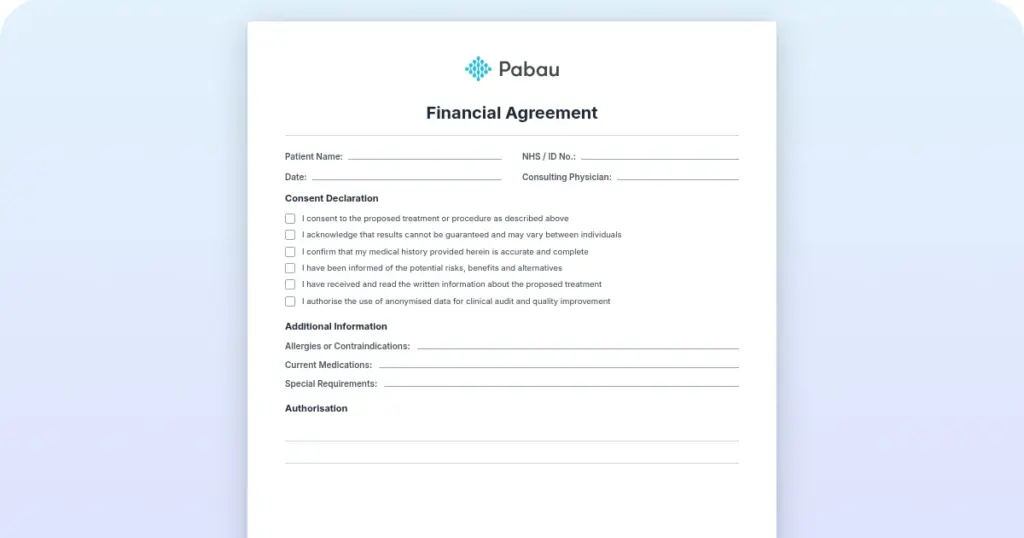
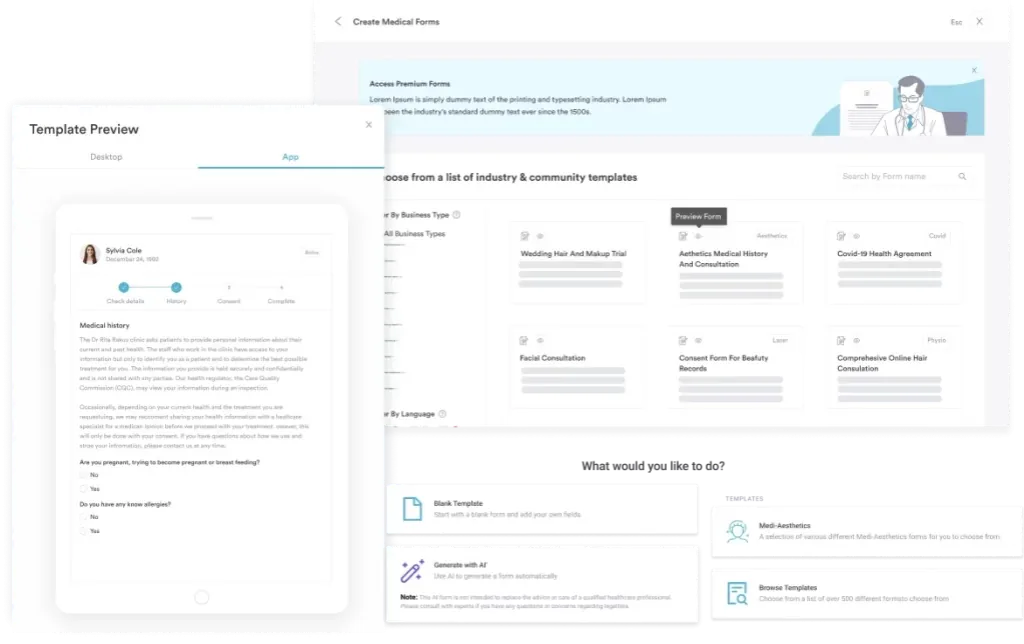
Start from scratch, or upload this PDF or any form you already use, and Pabau's AI Form rebuilds it with tick boxes, text fields and a signature. Attach it to the treatment once, and every patient gets it on time.
AI Form rebuilds the consent, history and aftercare forms you already use. You review each one, then publish.
Patients complete forms on their phone before they arrive, so the front desk stops retyping paper.
Every signed form is versioned and attached to the treatment record, ready when you need it.
Set how long a consent stays valid. Returning patients skip forms they have already signed.
Supports HIPAA and GDPR compliance AES-256 encryption 4.8 on G2 4.7 on Capterra Trusted by 4,000+ practices worldwide

A reception schedule template blocks out the front desk’s day, so opening checks, patient arrivals, and closing tasks each have a named owner.
Build it around time blocks, a check-in field, appointment type and length, the staff member assigned, and opening and closing checklists.
Medical, dental, and aesthetic front desks need different block lengths and buffer rules, so adapt the template rather than copying it.
A spreadsheet holds up to about three receptionists. After that, version control and missing audit records cost more than the schedule saves.
Practice management software like Pabau replaces the file with one live schedule that reception, clinicians, and billing all read from.
A reception schedule template is a documented workflow that maps the front desk’s day from opening to closing. It lists arrival windows, appointment slots, registration tasks, document checkpoints, and the person responsible for each one. A new hire can read the day off the page instead of shadowing someone for a week.
A general appointment calendar shows when patients are booked and with whom. The schedule covers the admin work behind each booking: verifying insurance, collecting consent forms, entering history, and flagging follow-ups. That record is what you hand an auditor when they ask who did what and when. Many small practices start in a spreadsheet before moving to dedicated scheduling software for practices.
Seven components carry most of the work:
A structured schedule also helps you meet data-protection requirements, whether that is HIPAA in the US or GDPR in the UK and EU. Patient data written into the schedule has to be stored securely and seen only by authorized staff.
A typical day runs from opening to closing and leaves room for both booked and unbooked work:
The shape matters more than the exact times. Every appointment gets its admin support, and no patient reaches a clinician with paperwork outstanding. Shift the blocks to match your own opening hours and appointment frequency.
A weekly view stretches the same grid across five to seven days and assigns staff to shifts. It accounts for part-time and full-time roles, and it answers three questions. Who is on duty each day, where do the morning and afternoon teams overlap, and who covers lunch breaks and emergencies?
Weekly planning also marks the handover points, where the departing receptionist briefs the incoming one. Pending tasks, no-show alerts, and urgent follow-ups all move across at that moment. Team management software can carry those handover notes automatically, though a manual grid works fine for three to five people.
Reception is only one column of the week. Once you have the front desk mapped, a practice schedule template extends the same grid to providers, treatment rooms, and breaks.
Three settings change when you move the template between specialties. They are the front-desk time each patient takes, the buffer rule, and the call your receptionist repeats all day.
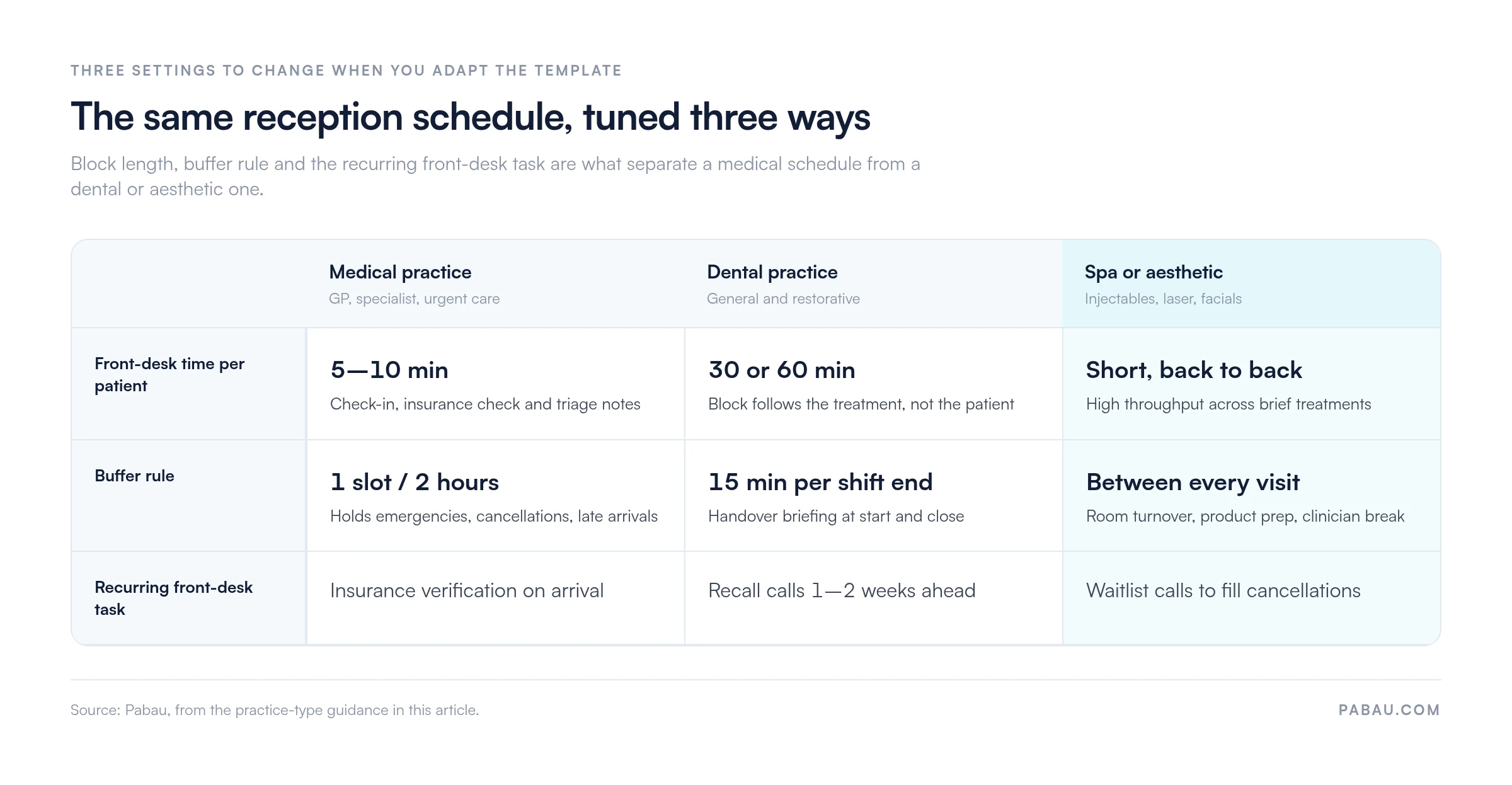
Private practices, specialist practices, and urgent care all run high appointment density with involved insurance verification. Allow 5 to 10 minutes per patient for check-in, coverage checks, and triage notes. Most keep one buffer slot free every two hours to absorb emergencies, cancellations, and late arrivals.
Dental receptionists run recall scheduling, treatment pre-authorization, and sterilization timelines. Here the block follows the treatment rather than the patient, so a cleaning takes 30 minutes and root canal prep takes 60. Recall reminder calls go out one to two weeks ahead, and color-coded appointment types make the grid readable at a glance.
Aesthetic receptionists coordinate short treatments such as facials, injectables, and laser at high throughput. Buffer time sits between every appointment, covering treatment room turnover, product prep, and clinician breaks. Waitlist work takes up a real share of the day, since those calls are what fill the cancellations.
The schedule says when. A duties checklist says what, and it is the document you reach for when training someone or evidencing a process:
Several of those steps stop being manual once intake moves online. Forms sent before the visit arrive signed and attached to the patient record, which takes the consent step off the counter entirely.
Most practices start in a spreadsheet, and for a single receptionist that is the right call. Six steps get you a working grid:
That sixth step is the one most practices skip, and it is where the schedule earns its keep. A grid nobody reviews describes the day you planned, not the day you had.
A spreadsheet holds up to roughly three receptionists. Past that, or once you open a second location, four symptoms tend to show up together:
At that point the schedule stops being a document and becomes a system. A practice management app links the front desk grid to patient records, automated reminders, payments, and compliance logging. The receptionist enters a detail once, and clinicians, billing, and reporting all see it.
Adding online booking takes it a step further, because patients claim their own slots. The schedule then fills itself during the hours your front desk is closed.
Today the template lives in a shared folder. Reception prints the day, marks it up by hand, and retypes what matters into the patient record that evening. Anyone away from the desk works from a copy that stopped being accurate an hour ago.
Practice management software like Pabau turns that document into one live calendar. Bookings arrive through online booking, digital forms go out before the visit and come back signed, and reminders send themselves. Check-in, payment, and the treatment note all attach to the same patient record, so nobody retypes a thing.
Your team also gets the day from wherever they are standing. Pabau GO, our iOS app for practitioners, shows the same schedule on a phone, and every action is stamped with who did it and when. That log is what you show an auditor, in place of a printed grid with pen marks on it.

Pabau keeps reception, clinicians, and billing on the same calendar, with online booking, digital forms, and automated reminders built in. Your team stops retyping details between a spreadsheet and the patient record.

Download the template, then spend twenty minutes changing three things: the block lengths, the buffer rule, and the recurring call your receptionist makes. A schedule copied without those edits describes somebody else’s practice, and your team will quietly stop using it.
The trade-off worth remembering is that a spreadsheet is free up front and charges you later. The bill arrives as duplicate typing and as records you cannot produce on request. Review the grid weekly and it will carry you a long way. When it stops keeping up, that is the signal to move.
Book a demo to see how one live schedule keeps your front desk, clinicians, and billing working from the same day.

Need the schedule to cover providers and rooms too? Practice schedule template extends the same daily and weekly grids across your whole team.
Wondering how the booking side should work? Patient scheduling and appointment management covers the workflow your reception schedule sits on top of.
Tired of reminder calls eating the afternoon? Appointment reminder software explains how automated confirmations cut no-shows without a receptionist on the phone.
Need a rule for late cancellations? Appointment cancellation policy template gives your front desk something to point at when a patient drops out.
Assigning daily duties across a bigger team? Daily assignment sheet template splits tasks by staff member for each shift.
It should include hourly time blocks, a patient name field, and appointment type and duration. Add an insurance verification column, consent form status, and the staff member assigned. Finish with opening and closing checklists, plus a notes column for special requests and follow-up flags.
Start with an hourly timeline in Excel or Google Sheets. Add columns for patient details and appointment type, color-code the rows for readability, and share the sheet with your team. The quicker route is to download the free template on this page and edit the block lengths to match your hours.
Yes. The template on this page is a free PDF that you can print and fill in by hand, or edit before printing. Practices that prefer a live file usually rebuild the same columns in Excel or Google Sheets and share that with the team.
It depends on headcount. One to three receptionists are well served by a Google Sheets or Excel grid, which costs nothing and changes in seconds. Larger or multi-location practices do better with scheduling software that syncs to patient records, sends reminders, and logs staff actions for audits.
Dental reception shifts follow the treatment blocks. Cover the peak hours first, which in most dental practices are the morning and the period around lunch. Write a weekly schedule naming who is on duty, who covers each lunch break, and where the teams overlap. Build in 15-minute handover buffers at the start and end of every shift.
An appointment schedule shows when patients are booked and with which clinician. A reception schedule shows the front desk tasks behind those appointments: check-in, insurance verification, form completion, and follow-up. One is the clinical day, the other is the admin workflow that supports it.