Tanja Lepcheska
AIP autoimmune protocol diet template
What is an AIP autoimmune protocol diet template? An AIP autoimmune protocol die...

4
Last Updated: Oct 27, 2026
Free PDF 2 pages, print-ready Clinician-reviewed
Reading a Nutrition Facts label is one of the most practical health literacy skills you can teach. A nutrition label worksheet turns that lesson into something structured and repeatable. The same sheet works in a ninth-grade health class and in a 20-minute nutrition visit.
The worksheet downloads as a PDF and prints on a single sheet, with no sign-up. Most free printable food label worksheets stop at a page of questions. This nutrition label worksheet PDF adds a field-by-field reference table and a fillable comparison grid for two products.
Those two additions are what make it work as a how-to-read-a-food-label PDF and as a graded assignment. A completed sheet is also documentation. Filed in the patient record, it shows that nutrition counseling happened and what the patient understood at the time.
Below you’ll find how the panel is laid out, a five-step way to run the exercise, and versions for each grade level.
The worksheet walks a learner through serving size, calories, nutrients to limit, nutrients to prioritize, and percent daily value. It also includes a two-product comparison grid, a blank label variant, and a full answer key.
Start from scratch, or upload this PDF or any form you already use, and Pabau's AI Form rebuilds it with tick boxes, text fields and a signature. Attach it to the treatment once, and every patient gets it on time.
AI Form rebuilds the consent, history and aftercare forms you already use. You review each one, then publish.
Patients complete forms on their phone before they arrive, so the front desk stops retyping paper.
Every signed form is versioned and attached to the treatment record, ready when you need it.
Set how long a consent stays valid. Returning patients skip forms they have already signed.
Supports HIPAA and GDPR compliance AES-256 encryption 4.8 on G2 4.7 on Capterra Trusted by 4,000+ practices worldwide

A nutrition label worksheet guides students, patients, and caregivers through reading a Nutrition Facts label so they can make informed food choices.
The download pairs a field-by-field reference table with a fillable two-product comparison grid, so the reader learns the panel and then uses it.
The FDA updated the Nutrition Facts label in 2020, so any worksheet must cover added sugars, vitamin D, and potassium.
Use the 5 percent and 20 percent rule to judge any nutrient without memorizing daily value targets.
Practice management software like Pabau lets you send the worksheet digitally, track completion, and file the result in the patient record.
A nutrition label worksheet is an educational document that guides a learner through reading and interpreting a Nutrition Facts label. It breaks the panel into parts and asks a question about each one. Serving size, calories, macronutrients, micronutrients, and percent daily value all get their own prompt.
Search results list the same resource as a nutrition facts worksheet, and school catalogs often file it as a nutrition fact label worksheet. A nutritional label worksheet is the same document again. What matters is whether the sheet uses the current panel format.
Check that before you print. A nutrition label photographed from an older package may still show the pre-2020 layout, with no added sugars line and no potassium.
Teachers use it in health and science classes. Dietitians and health coaches use it in consultations. Parents use it at home to build food literacy in children. Once completed, the sheet becomes a record of understanding that you can revisit at the next visit.
The FDA’s 2020 Nutrition Facts label format is the foundation. The FDA’s guidance on the label defines every section a worksheet asks a learner to find. The sheet turns that regulatory layout into something a person can practice.
The format earns its place for four reasons.
One sheet covers a middle school health class, a patient with metabolic syndrome, and a caregiver starting from scratch. Only the wording and the products change.
Read the panel from the top down, starting at serving size and finishing at the vitamins and minerals. Every number in between is per serving, not per package. That one habit prevents most misreadings.
Learners who ask how to read nutrition labels usually want to know which numbers count. The answer is the lines carrying a %DV, plus the serving size sitting above them all.
The FDA panel is standardized, so every label follows the same layout. Reading nutrition facts label lines in their printed order stops a learner from grabbing the calorie count and skipping the rest.
| Field on the panel | What it tells you | Daily value (2,000 calories) | FDA sample label, one serving |
|---|---|---|---|
| Serving size | The amount every other number refers to | No daily value, set by FDA serving rules | 1 cup, 4 servings per container |
| Calories | Energy in one serving | 2,000 used as the general guide | 280, or 1,120 for the whole package |
| Total fat | All fat in one serving | 78 g | 9 g (12% DV) |
| Saturated fat | The fat type to limit | 20 g | 4.5 g (23% DV) |
| Trans fat | Listed in grams only | No daily value set | 0 g |
| Cholesterol | Nutrient to limit | 300 mg | 35 mg (12% DV) |
| Sodium | Nutrient to limit | 2,300 mg | 850 mg (37% DV) |
| Total carbohydrate | Starch, sugars, and fiber combined | 275 g | 34 g (12% DV) |
| Dietary fiber | Nutrient to get more of | 28 g | 4 g (14% DV) |
| Added sugars | Sugar added during processing | 50 g | 0 g (0% DV) |
| Protein | Grams per serving | 50 g | 15 g, with no %DV printed |
| Vitamin D | Nutrient to get more of | 20 mcg | 0 mcg (0% DV) |
| Calcium | Nutrient to get more of | 1,300 mg | 320 mg (25% DV) |
| Iron | Nutrient to get more of | 18 mg | 1.6 mg (8% DV) |
| Potassium | Nutrient to get more of | 4,700 mg | 510 mg (10% DV) |
The panel is not the whole story. The ingredient list sits underneath it and runs in descending order by weight. If a sweetener appears in the first three ingredients, the added sugars line will usually confirm it.
The Dietary Guidelines for Americans set the macronutrient balance those daily values are built on. Adults are advised to take 45 to 65 percent of calories from carbohydrate and 20 to 35 percent from fat. Protein covers 10 to 35 percent. A high school class can work that ratio out straight from the panel.
The worksheet walks the learner through these sections in order. The NHLBI’s food label fact sheet is the reference layout most educators cite.
Serving size is the amount every number on the panel refers to. Servings per container tells you how many of those amounts the package holds. Misread that line, and every calculation below it is wrong. That’s why the sheet opens here.
Serving size and portion size are not the same thing. The serving size is fixed by FDA rules for that food category, based on what people typically eat. The portion is whatever the person actually puts on the plate, and it is often larger.
Two questions do most of the work. How many servings are in the package? And if you eat the whole package, how many calories is that? That second question is where the sample lasagna jumps from 280 calories to 1,120.
Percent daily value shows how much one serving contributes to a day’s worth of that nutrient, based on a 2,000-calorie diet. The FDA’s rule is short enough to memorize. 5% or less is low, and 20% or more is high.
The label has already done the math, so nobody needs to calculate a %DV to use it. Showing the arithmetic once is still worth it, because it explains where the printed number came from.
With the 5 and 20 rule, a learner can classify any nutrient without knowing the targets. On the sheet, they mark which nutrients to limit run high, and which nutrients to prioritize run high. Saturated fat, sodium, and added sugars sit in the first group. Fiber, vitamin D, and potassium sit in the second.
The FDA sorts label nutrients into two counseling groups. One set to get less of, and one set to get more of.
The sheet sets these out as two columns and asks the learner to place each nutrient. It pairs label reading with the eating guidance behind it. For a patient already following a structured plan, such as a ketogenic meal plan, the added sugars line is where the conversation tends to start.
Pick a product, hand out the sheet, work down the panel, debrief, then file it. Those five steps hold up in front of a class and in front of a patient.
The whole workflow takes 15 to 20 minutes. With a patient portal, you can invite patients to complete it at home instead, which suits slower readers and tight appointment slots.
As a graded food label assignment, the sheet beats a quiz. Every student brings different packaging, so no two answer sheets match, and copied work shows up immediately.
Food label activities that stop at the panel leave out where the food sits in a day’s eating. Pair the sheet with the MyPlate food groups and ask which group the product belongs to before anyone reads a number.
For an interactive food label activity, put learners in pairs. Each one defends a purchase to the other using only the panel, and the pair has to agree on a winner before the debrief.
The nutrition label comparison worksheet asks the learner to line up two similar products and choose one using the numbers, not the packaging. Two cereals, two yogurts, two frozen meals. Same category, and the same serving size where you can manage it.
The grid below is the version printed on the download. Fill in the middle two columns from the packages in front of you, then use the last column to settle the choice.
| Line on the panel | Product A | Product B | What decides it |
|---|---|---|---|
| Serving size | ______ | ______ | Compare the rest only if these two match |
| Calories | ______ | ______ | Lower, if weight is the stated goal |
| Saturated fat (%DV) | ______ | ______ | Lower, and ideally under 5% DV |
| Sodium (%DV) | ______ | ______ | Lower, and 20% DV or more is high |
| Total sugars and added sugars | ______ | ______ | Fewer added sugars, even if total sugars match |
| Dietary fiber (%DV) | ______ | ______ | Higher, and 20% DV or more is high |
| Protein | ______ | ______ | Higher, if the goal is staying full for longer |
| First three ingredients | ______ | ______ | No sweetener in the first three |
Run the FDA’s sample lasagna through column A to see how the grid behaves. Sodium comes in at 37% DV, which the 20 percent rule flags as high, while fiber sits at 14%. Anything in column B has to beat that on sodium to win.
Then ask the three questions that close the exercise. Which product has more added sugar? Which is higher in fiber? And which one would you hand to someone cutting sodium?
Used that way, the sheet becomes a nutrition label analysis worksheet rather than a copying exercise. The learner has to justify a choice, not just transcribe numbers off a box.
Practices focused on metabolic health often run this comparison during nutrition visits. The patient brings their own brands, and the clinician walks the grid with them. A nutrition assessment form completed at intake tells you which products to ask about. A clinician running weight loss clinic software can pull that completed form straight into the record before the visit.
The same file carries two more versions of the sheet. One strips the questions out, and the other fills them in.
The blank nutrition label worksheet drops the guided questions and asks the learner to name the nine main sections of the panel instead. They write each one in the right place, from serving size down to the daily value footnote.
It suits hands-on learners, and it doubles as a reference sheet for their notes. In a practice, it works as a quick comprehension check when there isn’t time for the full exercise.
The nutrition label worksheet answer sheet is the answer key for the guided version. It gives the correct response to every question, plus a short line on why that response is right.
Teachers grade with it. Clinicians use it to check their own reading, and to show a patient where an interpretation went wrong. With the key attached, the sheet becomes an assessment as well as a lesson.
The content stays constant across audiences. Label sections, the %DV rule, and the two nutrient groups don’t change. What shifts is the complexity and the context.
In a practice, the sheet is an engagement tool as much as a teaching one. Dietitians work through it in the consultation. Patients complete another one at home between visits.
There is a difference between a nutrition facts label handout and a worksheet. A handout gets read once and filed. A worksheet gets completed, returned, and picked up again at the next appointment.
If a plain reading-a-food-label handout is all the visit has room for, print the reference table above and skip the questions. The patient still leaves with the daily values and the 5 and 20 rule in writing.
Some practices send reminders by email or SMS asking the patient to fill one in on a product they eat every week. For someone working from a hyperglycemia care plan, that weekly check keeps added sugars in view.
The completed sheet then joins the medical record. It documents that counseling happened, and it shows how well the patient read the label at that point. A follow-up nutritionist meal plan is easier to write when you know that.

Most practices hand the worksheet over on paper. It goes home, and whether it comes back is anyone’s guess. The counseling happened, but nothing in the chart shows it.
Practice management software like Pabau turns the sheet into a digital form tied to the appointment type. Book a nutrition follow-up, and the worksheet goes out with the confirmation instead of being remembered on the day.
Here is the sequence in a practice running Pabau. The patient opens the link, completes the two-product comparison in the patient portal at home, and submits it. Their answers save into the client record before they arrive.
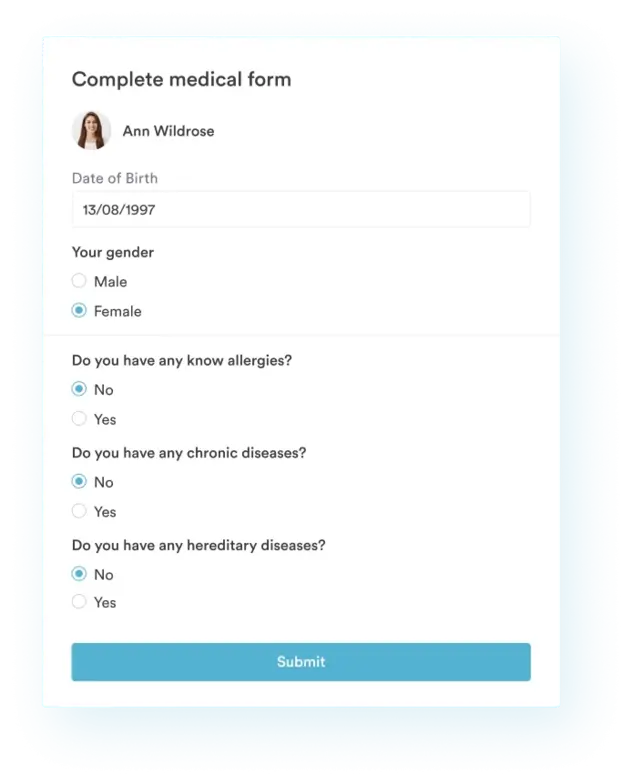
The record shows who has completed it, so nobody chases a sheet that is already in. If it is still open the day before, an automated email or SMS reminder goes out on its own.
At the visit you open the record and read what the patient actually wrote. You get 15 minutes of appointment time back, plus a documented trail of what you taught and what they understood.

Pabau’s digital forms let you send a nutrition worksheet from the patient’s record, chase completion automatically, and file the answers in their notes. Your patient education trail stays in one place.

The sheet is only as good as the product you pick and the conversation that follows it. Choose something the learner already buys, and the lesson sticks.
In a practice, decide up front where the completed sheet lands. A form that ends up in a drawer teaches the patient once. One that lands in the chart shapes the next three visits.
Download the template above and run it with your next class or patient. Book a demo to see how Pabau sends patient education forms and files the answers in the record.

Screening a patient for prediabetes? glucose tolerance test guide explains how the glucose tolerance test catches prediabetes that a single reading might miss.
Running a weight loss practice yourself? top weight loss clinic software compares seven platforms built for the documentation, tracking, and engagement needs of weight loss practices.
Converting lab values for a patient? A1C conversion chart maps each A1C percentage to its estimated average glucose in mg/dL and mmol/L.
Curious how at-home tests compare? at-home cholesterol test guide covers accuracy against lab tests, how to interpret results, and a patient tracking template.
Assessing a patient before bariatric care? bariatric intake form covers medical history, weight loss history, comorbidities, medications, and informed consent in one form.
Start at the top with serving size, then move down through calories, nutrients, and %DV. Use the 5% and 20% rule to judge whether a nutrient is low or high. Answer each question by finding it on the label in front of you.
A blank template asks the learner to name the nine main sections of the Nutrition Facts label. It suits quick comprehension checks, and it doubles as a reference sheet for their notes.
Serving size, calories, total fat, cholesterol, sodium, carbohydrate, protein, and vitamins and minerals. The 2020 FDA update added a separate added sugars line and made vitamin D and potassium mandatory.
You don’t. The %DV is already worked out and printed on the label, based on a 2,000 calorie diet. Use the quick rule instead. 5% or less is low, and 20% or more is high.
Serving size is one reference amount of food, such as one cup. Servings per container tells you how many of those amounts are in the whole package. Every number on the panel is per serving.
Added sugars sit on their own line below total sugars, in grams and %DV. The 2020 FDA update made that split mandatory so shoppers can separate processed sugar from naturally occurring sugar.
Yes. The daily value for protein is 50 grams. Manufacturers only have to print the %DV for protein in two cases. The label makes a protein claim, or the product is for infants and children under four.
Yes. Clinicians build the sheet around one health goal, such as diabetes, hypertension, or weight loss. Patients complete it on products they already buy, which makes the lesson personal.
Download the PDF at the top of this page. It includes the guided questions, a blank label variant, and an answer key for educators and clinicians.