Monika Lazarevska
Pain medication chart: Strength tiers, DEA schedules and free PDF
What is a pain medication chart and how do clinicians use it? A pain medication ...

2
Last Updated: Nov 4, 2026
Free PDF 1 page, print-ready Clinician-reviewed
A patient calls asking why nobody followed up on their lab results. Three staff members remember three different versions of the conversation, and none of them wrote anything down.
That’s the gap a contact log closes. It’s an administrative habit, not a clinical form, and it turns “someone probably called them back” into “here’s exactly what was said, when, and by whom.”
Below is a free template, the eight fields it actually needs, and the habits that keep a log accurate instead of decorative.
A ready-to-use contact log form covering patient details, communication method, interaction date and time, outcome notes, and follow-up actions, designed for healthcare practices managing multi-channel patient contact.
Start from scratch, or upload this PDF or any form you already use, and Pabau's AI Form rebuilds it with tick boxes, text fields and a signature. Attach it to the treatment once, and every patient gets it on time.
AI Form rebuilds the consent, history and aftercare forms you already use. You review each one, then publish.
Patients complete forms on their phone before they arrive, so the front desk stops retyping paper.
Every signed form is versioned and attached to the treatment record, ready when you need it.
Set how long a consent stays valid. Returning patients skip forms they have already signed.
Supports HIPAA and GDPR compliance AES-256 encryption 4.8 on G2 4.7 on Capterra Trusted by 4,000+ practices worldwide

A contact log records the date, time, method, and outcome of every patient communication to create an audit trail for compliance and continuity of care.
Essential fields include patient name, staff member, contact method (phone/email/in-person), purpose, and follow-up actions, structured to meet HIPAA and GDPR requirements.
Contact logs can be maintained manually in Excel, Word, PDF, or Google Sheets, or automated within practice management software like Pabau.
Pabau’s digital forms and client portal eliminate manual contact logs by centralizing patient communication tracking in one system.
A contact log is a structured record of every patient communication a practice has, by phone, email, SMS, or in person. Each entry captures the date, time, method, staff member, and outcome, building an audit trail for compliance, continuity of care, and accountability.
Clinical notes document assessments and diagnoses. A contact log is different. It’s purely administrative and tracks the logistics of communication only. A nursing care plan template, by contrast, documents the assessment, diagnosis, and evaluation clinicians use to manage a specific condition.
Practices use it to show HIPAA-compliant documentation, respond to inquiries systematically, and spot patterns in contact behavior that flag a need for follow-up.
For practices subject to UK GDPR rules, the same log doubles as the documented record of patient interactions that data protection regulations require. It also helps staff recall prior conversations, so no request goes unanswered.
A functional contact log captures eight core fields that apply across almost any healthcare setting, from primary care to aesthetic practices.
These eight fields ensure consistency and legal compliance. A template built this way supports CMS documentation requirements and holds up under audits across regulatory frameworks.
Generic contact logs work fine for small, low-risk operations. Medical practices handling sensitive patient information need a few healthcare-specific additions on top.
Mental health practices, aesthetic clinics, and occupational health providers benefit most from this extra detail, since a single patient’s contact history often spans a phone consultation, a follow-up email, appointment notes, and a post-treatment check-in.
When that post-treatment check-in goes out in writing, a post-visit follow-up letter gives your team standard wording to send and log.
Practices using software for managing patients retrieve past forms in seconds during consultations.
Fill in a contact log entry every time a patient reaches out, and every time your team calls them back, whether that’s confirming an appointment, delivering results, or checking on recovery.
When a patient stops responding and care ends, those logged dates and methods become the evidence behind a clinical termination note.
Best practice: Assign one staff member, often a receptionist or patient coordinator, to own the log every week. They check for missed follow-ups, flag anything promised but not completed, and archive old entries monthly.
Three formats cover most contact logs in practice, each with its own trade-offs in ease of use, shareability, and security.
Recommendation: Use client portal communication tracking for daily logging. It updates in real time, stays searchable, and timestamps automatically for compliance, then export to PDF once a month for the archive.
Manual contact logs work, but they are prone to delays, missing details, and human error. Practice management software eliminates most of that risk by logging patient interactions automatically.
Systems like Pabau capture every patient touchpoint, such as appointment confirmations, post-treatment reminders. All of it lives on the patient file, so no one has to dig through a separate spreadsheet.
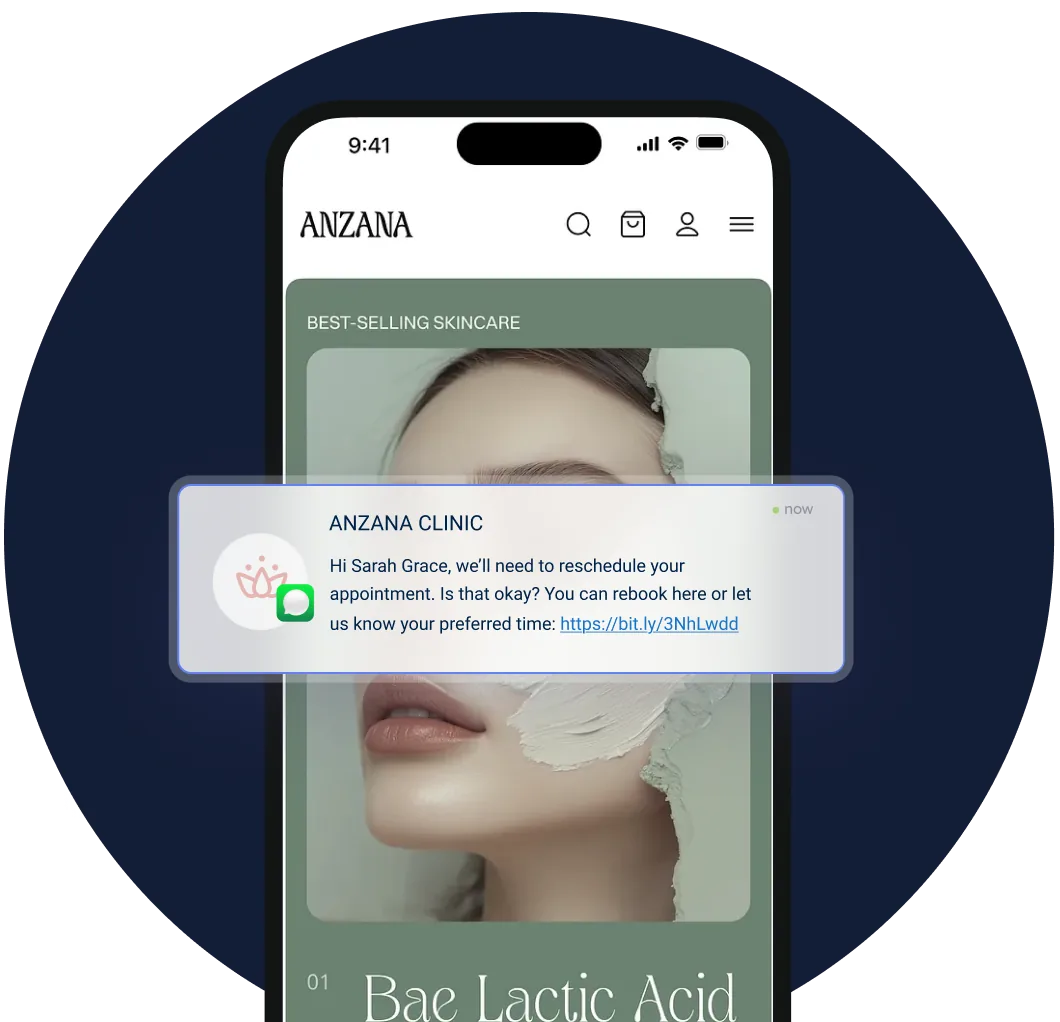
For practices handling high call volumes, this automation saves hours of administrative time while improving compliance. The software handles HIPAA timestamping, permission logging, and data retention rules on its own, so no one has to memorize the compliance side by heart.
If your practice still runs on manual contact logs, pairing digital intake forms with automated workflows frees up staff to focus on patient care instead of paperwork.
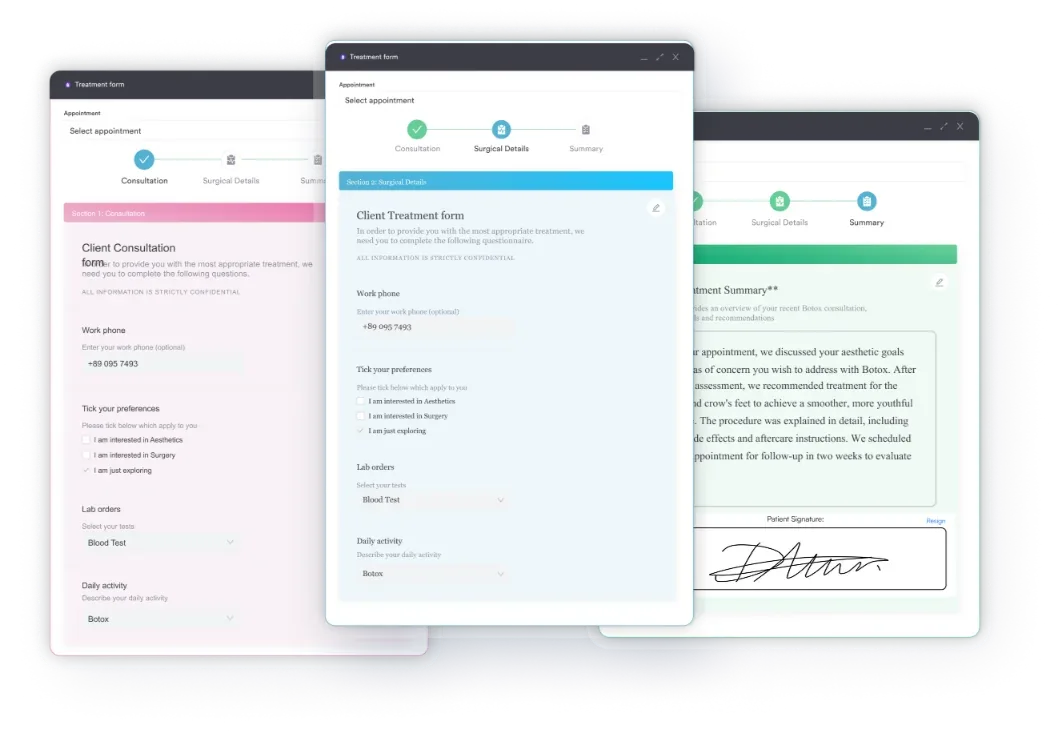

See how Pabau centralizes patient communication tracking and eliminates manual contact logs.

Regulators require it, too. HIPAA in the US and GDPR in the UK and EU both expect practices to document patient interactions, and a contact log is the proof that documentation happened.
During an audit or complaint investigation, a well-maintained contact log shows your practice acted responsibly. You logged every call, documented what was promised, tracked follow-ups, and kept records for the required retention period. Without one, you have no evidence, and regulators will assume negligence.
The most common failure isn’t a missing field. It’s a log that only gets updated when someone remembers, days after the call happened, written from memory. Backfilled entries drift from what was actually said, and a regulator can usually tell the difference.
The second failure is treating the log as optional for routine contacts. A missed lab-result call feels the same as a missed complaint call, right up until a patient disputes it later. Log both the same way, every time.
Beyond compliance, a contact log protects your staff. If a patient disputes whether a conversation happened, or what was said, the log is your contemporaneous record. It protects patients, too. If a follow-up was promised and forgotten, the log is where that shows up before it turns into harm.
A contact log is one of the simplest administrative habits a practice can build, and one of the easiest to let slide. Print the template, assign an owner, and log every call the same way, whether it’s a lab result or a complaint.
Manual logs work fine for a solo practitioner fielding a handful of calls a day. Once you’re running multiple staff, multiple locations, or a high contact volume, a spreadsheet stops being enough.
That’s where practice management software like Pabau helps. Every call, message, and portal note lands on the patient file automatically, so nothing depends on someone remembering to write it down. See a demo to walk through how it fits your practice.

Referring a patient out to a specialist? Dental referral form carries the tooth number, imaging, and history a specialist needs to schedule.
Need a clinical documentation template too? COPD nursing care plan follows the same field-by-field structure for tracking patient status over time.
Preparing a patient for discharge? Discharge planning checklist guides your team from identification through medication and insurance sign-off.
No. A call log tracks phone calls only, while a contact log covers every channel, phone, email, SMS, in person, and portal messages. Most practices use the broader term for regulatory and operational tracking, since patients rarely stick to one channel.
Set up a spreadsheet or digital form with the eight core fields above, assign one staff member to own it, and train the team to log every interaction right away, not from memory later. Review it weekly for missed follow-ups.
Yes. The template at the top of this page downloads free as a PDF. For an editable version in Excel or Google Sheets, copy the eight-field structure shown above into your own spreadsheet.
It depends on your jurisdiction and record type, often several years under HIPAA or local data protection rules. Check your state or national retention requirement rather than guessing, and set a review date so old entries get archived on schedule.
Not to note that a call happened. You do need consent on file before discussing a patient’s care with anyone else, a spouse or family member included, and that consent itself belongs in the log.