



Healthcare policy management software: Pabau vs dedicated tools
Healthcare policy management software helps a healthcare organization write, app...

Last Updated: Oct 29, 2026

Setmore handles basic scheduling well, but it stops short of clinical records, memberships, and revenue reporting.
Pabau is our top pick for practices: it combines EMR, CRM, payments, and marketing in one platform from $62 a month.
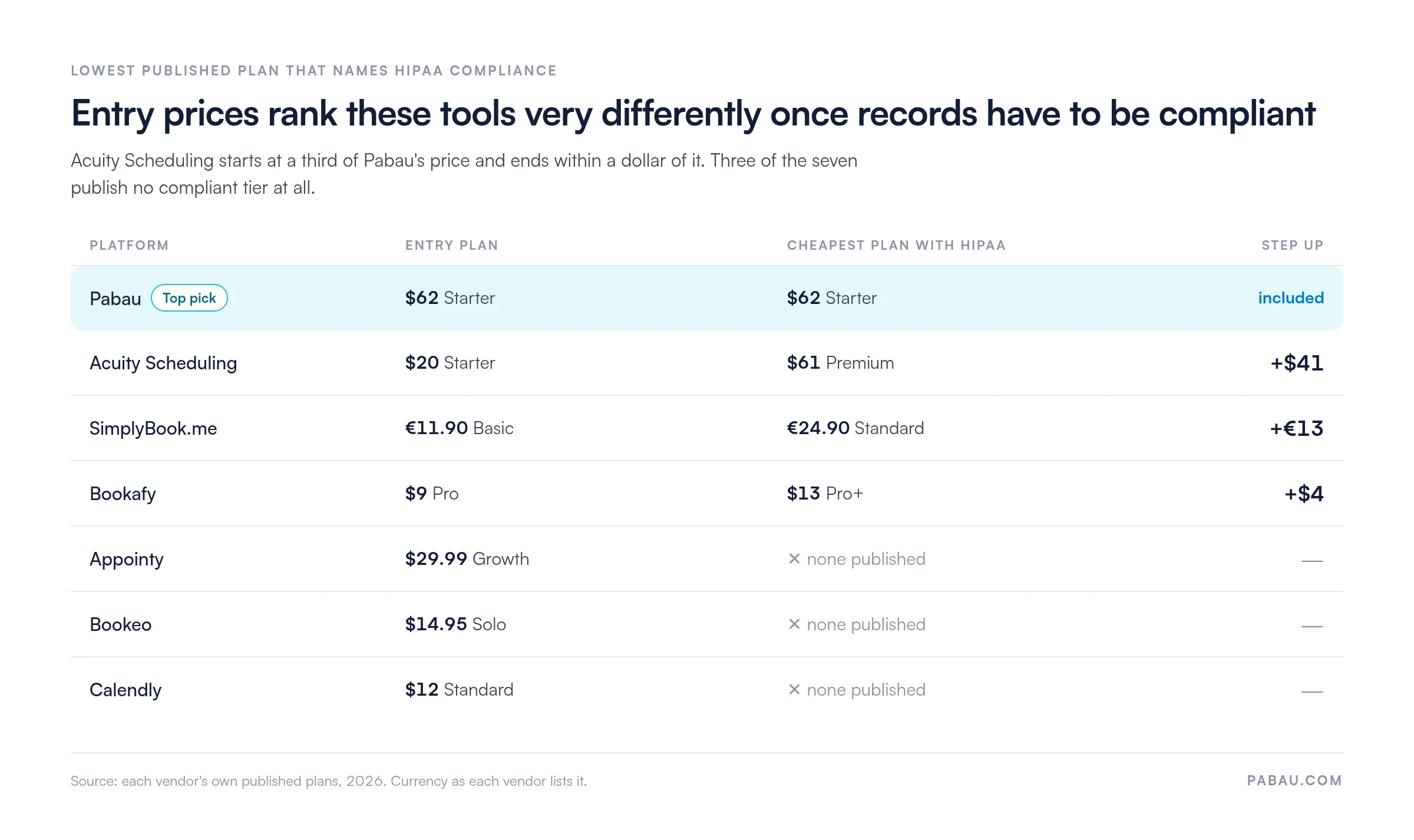
Acuity Scheduling suits salons and therapists: it sells memberships and packages, but HIPAA compliance sits on the $61 Premium plan.
SimplyBook.me fits multi-channel bookers: clients can book through your site, Facebook, Instagram, or your Google profile.
Entry prices hide the real cost: three of the seven publish no HIPAA-compliant tier at all.
If you have outgrown simple scheduling software like Setmore, you need an alternative that can run the whole practice.
This guide compares seven competitors on features, published pricing, and the kind of business each one actually fits. It ranks them for practices that book treatments, not for teams that book meetings.
| Name | Best For | Standout Feature | Price Starting Point | Overall Rating (Capterra) |
|---|---|---|---|---|
| Pabau | Growing practices & multi-location medical/aesthetic groups | All-in-one EMR + CRM + marketing + revenue reporting | $62/month | 4.7 |
| Acuity Scheduling | Salons, therapists & subscription-based services | Memberships, packages & flexible pricing models | $20/month | 4.8 |
| SimplyBook.me | Multi-channel & international service businesses | 80+ modular custom features + branded client app | Free plan available (€11.90/month Basic) | 4.6 |
| Bookafy | Solopreneurs & budget-conscious teams | Generous free plan with unlimited appointments | Free plan available ($9/user/month Pro) | 4.7 |
| Appointy | Fitness studios & class-based businesses | Resource scheduling + social media booking tabs | Free plan available ($29.99/month Growth) | 4.6 |
| Bookeo | Small service businesses & tour operators | Real-time booking dashboard + built-in POS | $14.95/month | 4.3 |
| Calendly | Consultants, sales teams & small professional services | Smart lead routing & automated scheduling workflows | Free plan available ($12/seat/month Standard) | 4.7 |
Entry prices are not a fair ranking on their own. The comparison below shows what each platform charges once client records have to be HIPAA compliant.
Pabau runs the clinical record, the calendar, and the revenue reporting from one login.
Pabau is practice management software built for growing practices, and it does far more than book appointments.
Setmore focuses on appointments alone. Pabau combines booking, CRM, payments, marketing, and clinical tools in one platform.
It is especially strong for med spas, injectables, dermatology, psychotherapy, GP clinics, and multi-location operations. Retention tools such as deposits, packages, memberships, and loyalty programs come as standard.
Unlike basic booking tools such as Setmore, Pabau is built to run the practice, not just the calendar.
It brings operations, clinical workflows, and revenue tools together, so you can run a more efficient and compliant business.
Four features do most of that work.
Pabau keeps centralized client records that give your team a full view of every client interaction. Contact details, appointment history, consultation notes, treatment records, invoices, consent forms, and communication logs all sit in one secure place.
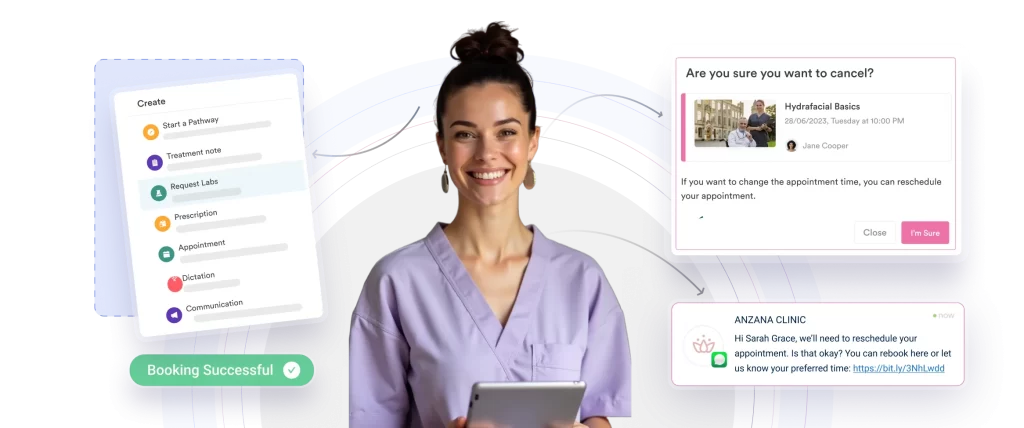
The built-in CRM system allows you to:
That removes the scatter across spreadsheets and inboxes, improves handovers between staff, and keeps the client experience consistent.
Pabau’s built-in EMR simplifies clinical documentation while keeping records compliant and accurate. You can record treatments, update medical histories, and store digital consent forms in a structured format. If you are weighing the two systems, read our practice management vs EMR comparison.
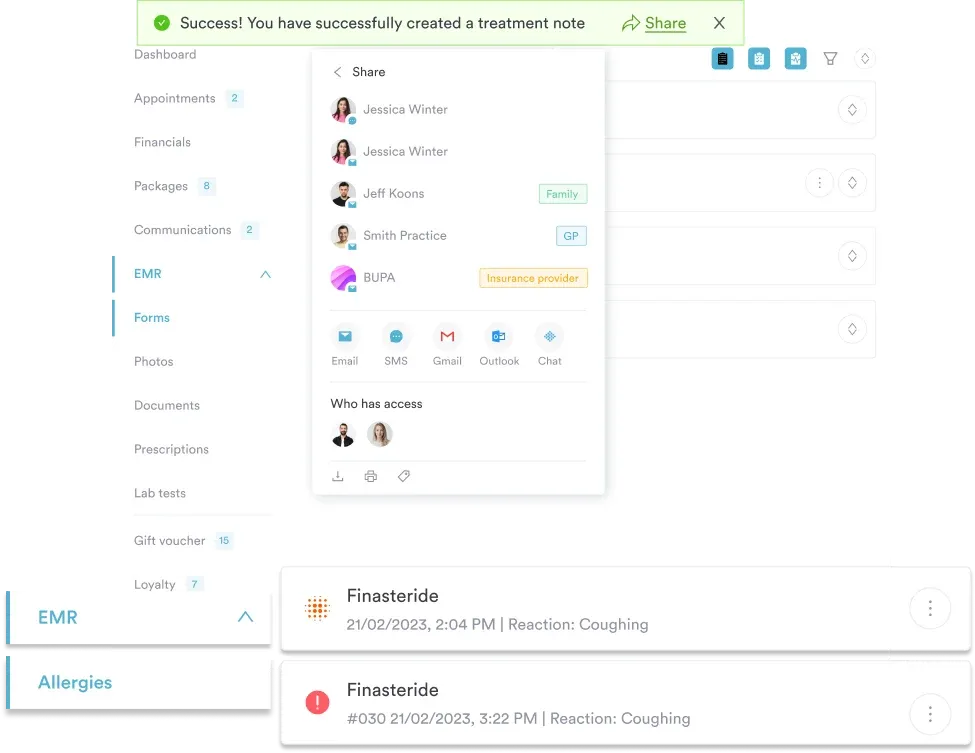
Key capabilities include:
Find out what the 7 best EMR software for medical and aesthetic practices are in 2026.
Pabau lets you sell recurring memberships, prepaid treatment bundles, gift vouchers, and deposits from the same platform.
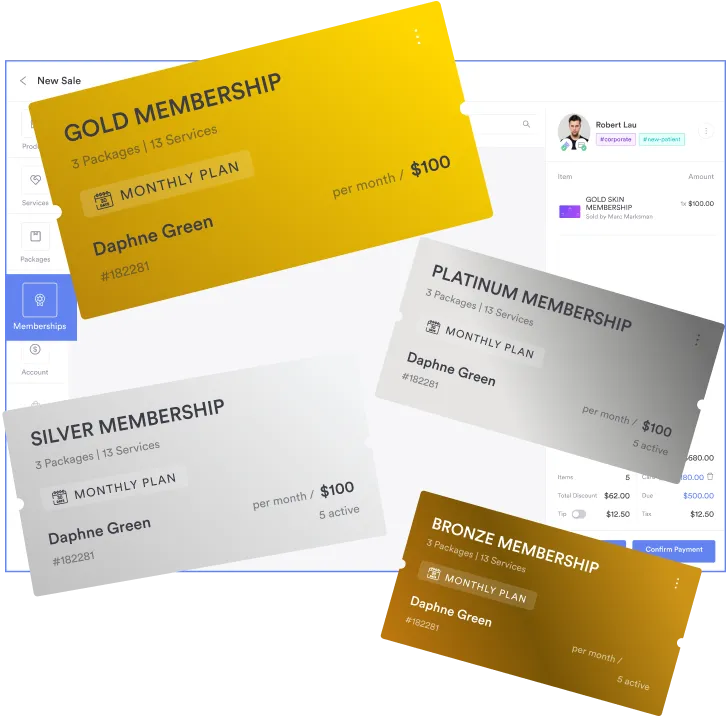
This feature helps you:
Explore some ideas on how to create your med spa membership packages.
Pabau sends reminders and follow-ups, and runs targeted campaigns that bring lapsed clients back into an open slot.
You can:

Scheduling, CRM, and marketing automation in one platform give you a system that runs the practice and grows it.
| Plan | Price | Users | Key inclusions |
|---|---|---|---|
| Solo practitioner | From $62 / month | 1 user | Full platform, unlimited patients |
| Small and large practice | Priced per location | 2–15 users | Full platform, unlimited patients |
| Enterprise | Contact sales | 16+ users | Full platform across multiple sites |
Every Pabau plan includes the full platform, so $104 a month covers one user with no feature gating. Pay monthly, or prepay to save 10% on 12 months and up to 20% on 36. The full breakdown sits on Pabau’s pricing page.
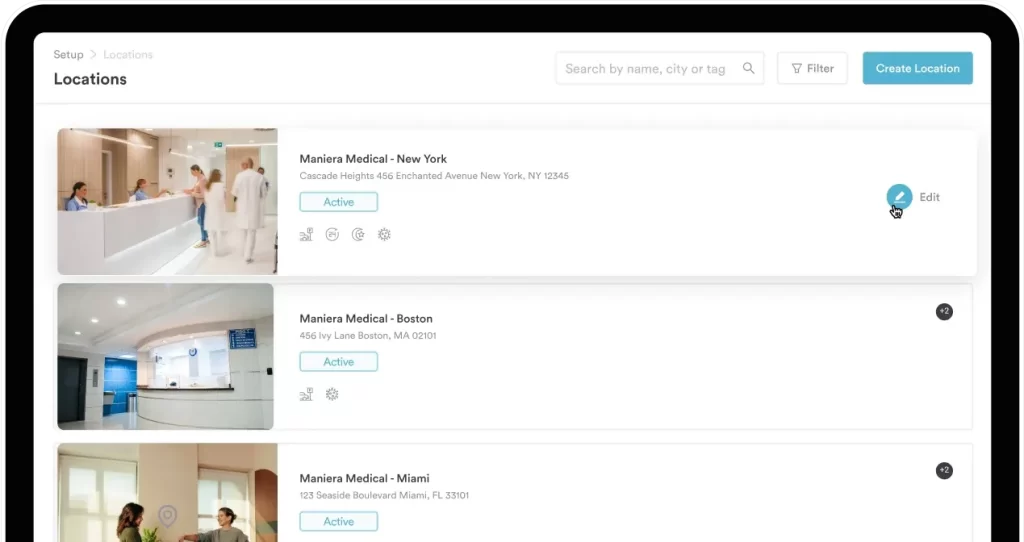
However, Setmore’s plans and costs tell only part of the story. Pabau’s higher price covers clinical features that basic tools charge extra for or skip entirely.
“Pabau has been a game changer for my clinic, it keeps everything running smoothly and professionally. From managing patients and treatments to marketing and reporting, it’s all in one place and easy to use. The support team are brilliant. After using it for years, I can confidently say it’s the best system out there for aesthetic clinics.” – Luisa S., Capterra
“Pabau has been amazing. After using many other softwares for the clinic in the past this has by far been the most user friendly. The staff are also extremely helpful . Thankyou!” – Verified Reviewer, Capterra
Acuity sells packages and memberships well, but HIPAA compliance sits three tiers up.
Acuity Scheduling, now part of Squarespace, is an online appointment platform for service-based businesses.
It automates booking, client information, and payments. That saves admin time and cuts the scheduling mistakes a shared inbox produces.
| Plan | Price (USD / Month) | Key Features |
|---|---|---|
| Starter | $20 | Self-scheduling, 1 calendar, unlimited services & appointments, payment processing, email reminders, automatic time zone conversion |
| Standard | $34 | Everything in Starter, plus 6 calendars, SMS reminders, appointment bundles, memberships & automated billing, gift certificates |
| Premium | $61 | Everything in Standard, plus remove branding, HIPAA compliance, 36 calendars, multi-time zone support, custom API & CSS |
| Enterprise | Custom | Everything in Premium, plus unlimited calendars & scheduling pages, dedicated account manager, centralized user management, additional APIs |
Memberships and automated billing start on Standard, and HIPAA compliance only arrives on Premium at $61 a month.
“Acuity has a lot of flexible features that can solve most needs. However, the customer experience is confusing and many make mistakes because of it. It is also difficult to preview the customer experience in several areas.” – Matthew, Trustpilot
“The calendaring interface is poorly designed and difficult to navigate. It needs a complete re-design that is far more frictionless.” – Michael Blocker, Trustpilot
SimplyBook.me takes bookings from almost anywhere, and you assemble the rest from modules.
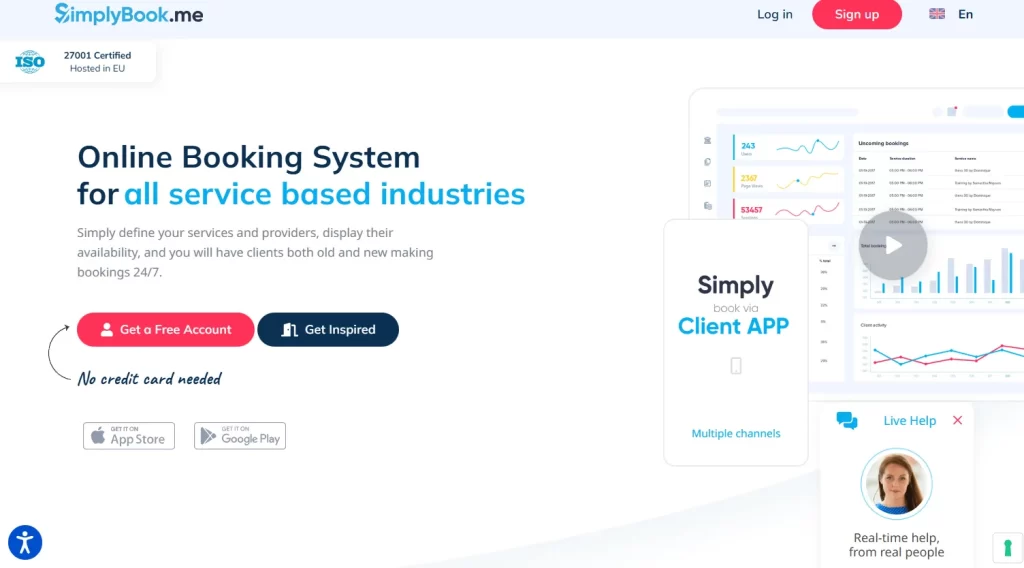
SimplyBook.me is an online booking and business management platform for service industries. It covers beauty, wellness, healthcare, and education.
It works as a standalone booking website, or as a widget you embed in WordPress, Wix, or Squarespace.
It also adds client management, automated reminders, payment processing, and marketing modules.
| Plan | Price & Bookings | Key Features |
|---|---|---|
| Free | €0 /month – 50 bookings | 1 Custom Feature, 1 Provider, Booking website, Booking widget, Admin App, WordPress widget |
| Basic | €11.90 /month – 100 bookings | Everything in Free + 3 Custom Features, 5 Providers, Client App, Payments/Deposits/Tips, Sales (POS) |
| Standard | €24.90 /month – 500 bookings | Everything in Basic + 8 Custom Features, 15 Providers, Branded Client App, HIPAA, SAML SSO |
| Premium – Most Popular | €49.90 /month – 2,000 bookings | Everything in Standard + Unlimited Custom Features, 30 Providers, Payments PRO, Refunds & Payment Links, Vaulted Cards, QuickBooks/FreshBooks/Xero Integrations, White Label (page footer) |
| Enterprise | Custom /month – Custom bookings | Everything in Premium + Cluster Interface (Multi-location), Account Manager, Queue Manager, High Load API, Custom Contracts, White Label, Branded Favicon, Select Data Location (UK/US/AU) |
Plans are priced by booking volume and by how many custom features you switch on.
“So far most things have been seamless and I can research using their AI search tool. Sometimes when I reach out through the live chat I quickly get my questions answered.” – Bruce Y., Capterra
“This product while good intentioned, simply cannot handle execution at scale. This product should be limited to small vendors who only have a small number of people booking.” – Eku M., Capterra
Bookafy gives away unlimited appointments, and adds HIPAA compliance for $13 a user.
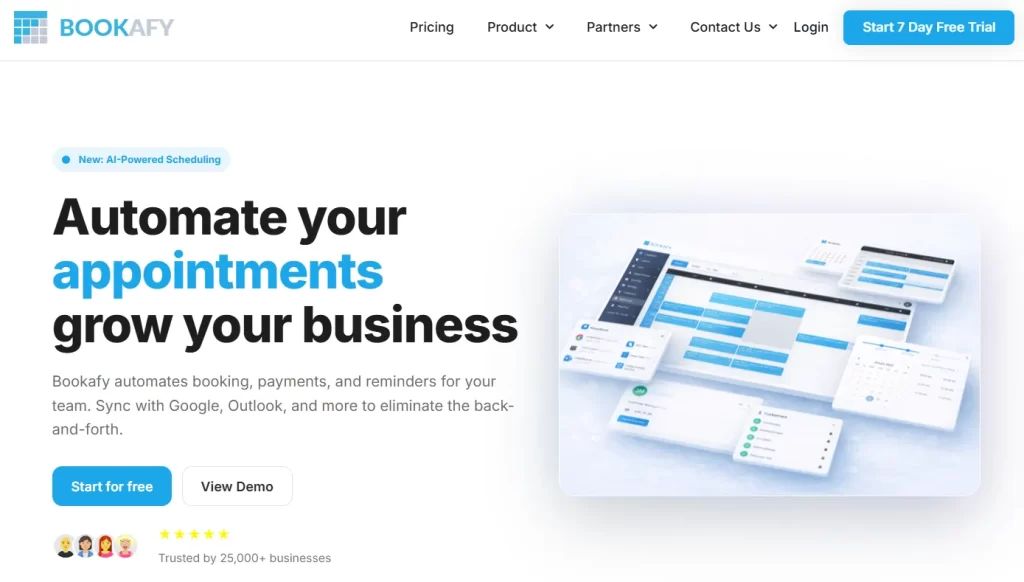
Bookafy is an automated online scheduling app for businesses of any size. It streamlines appointment management and keeps client communication moving.
It seamlessly syncs with major calendars—including Google, Outlook, Apple, and Exchange—ensuring schedules are always up to date.
| Plan | Price (USD / User / Month) | Key Features |
|---|---|---|
| Free | $0 | Max 1 user, unlimited appointments, email notifications, customizable booking page, embed via iframe or button |
| Pro | $9 | Everything in Free, plus unlimited users, 2-way calendar sync, email & SMS notifications, online payments, Zoom/Webex/Google Meet integrations |
| Pro+ | $13 | Everything in Pro, plus HIPAA compliance, second SMS reminders, custom review messages/links, custom API development, optional white-label branding |
The free tier covers one user, and HIPAA compliance is the reason to move up to Pro+.
“It’s comprehensive, offers great, personal user support, and it’s not expensive.” – chris D., Capterra
“I don’t really like it. It’s too hard to manage the dashboard” – Esther G., Capterra
Appointy handles classes and shared rooms, but reserves the useful extras for Enterprise.
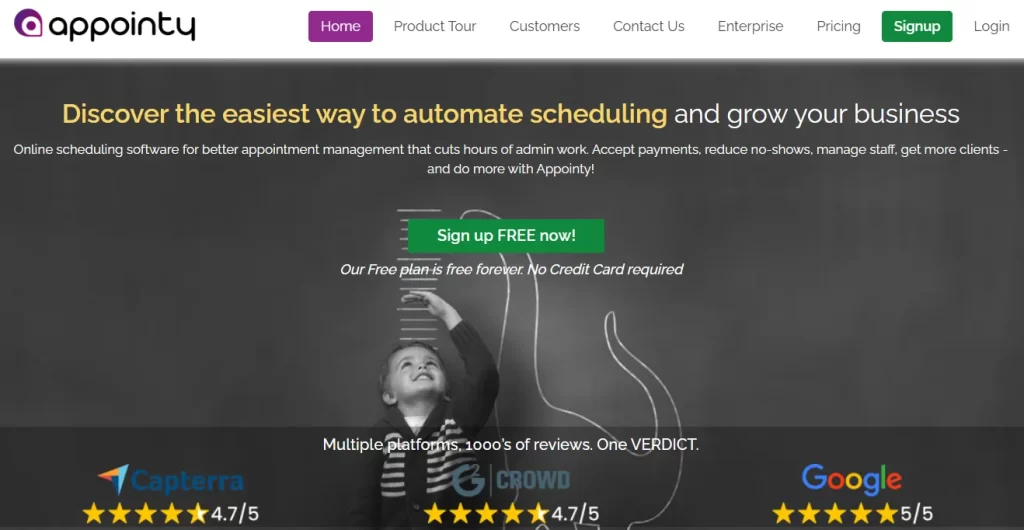
Appointy is a cloud-based scheduling platform for service businesses. It handles bookings, no-shows, and staff schedules in one place.
It sends automated reminders, takes payments, and syncs calendar management with Google and Outlook. Health, fitness, beauty, and education are its main markets.
| Plan | Price (USD / Month) | Key Features |
|---|---|---|
| Free | $0 | 1 staff, 5 services, 100 appointments/month, website integration, Square payments & POS, Zapier (1000+ apps), automatic reminders, mobile app |
| Growth | $29.99 | Everything in Free, plus Google Bookings, unlimited services, live chat/email support, customization, Google Calendar + iCal sync, Stripe/PayPal/Authorize.NET payments, advanced booking features |
| Professional | $59.99 | Everything in Growth, plus 5 staff logins, gift certificates, resource scheduling, optional dedicated relationship manager |
| Enterprise | $99.99 | Everything in Professional, plus 2 locations included, SMS text customization, dedicated relationship manager, removal of Appointy branding, optional custom development |
The free plan caps you at 100 appointments a month, and multi-location support waits for Enterprise.
“Overall, this is a great product. I love the chat feature they have and the staff is knowledgeable. Their response time is quick and they are always able to help with whatever I need.” – Ranette W., Capterra
“The scheduler is hard to use in the backend, is not flexible, and has a bad design” – martin d., G2
Bookeo covers appointments, classes and tours at a flat fee with no commission.
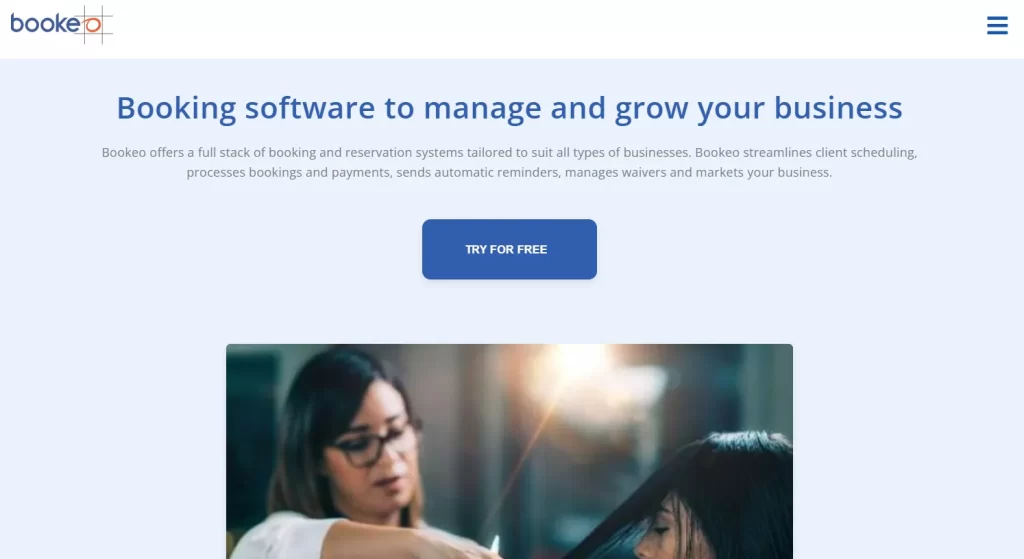
Bookeo is a cloud-based booking platform for service providers, instructors, and tour operators. It takes reservations around the clock.
Separate modules cover appointments, classes, and tours. Each one carries live availability, online payments, automated reminders, and tools that cut no-shows.
| Plan | Price (USD / Month) | Key Inclusions |
|---|---|---|
| Solo | $14.95 | 1 consultant, 1 staff login, 200 bookings/month |
| Small | $29.95 | 3 consultants, 3 staff logins, 1,000 bookings/month |
| Standard | $39.95 | 20 consultants, 20 staff logins, 1,000 bookings/month |
| Large | $79.95 | 40 consultants, 40 staff logins, 2,000 bookings/month |
Bookeo charges a flat fee based on consultant count and booking volume, and takes no commission.
“Bookeo allowed us to start taking bookings almost immediately after launching our business. It was great at the time, but we ultimately had to switch services due to lack of the features we needed.” – Jeremy J., Capterra
“Calendar scheduling and reminders should be simple, Bookeo makes it difficult.” – FREDERICK K., Capterra
Calendly is the strongest meeting scheduler here, and the weakest fit for treatments.
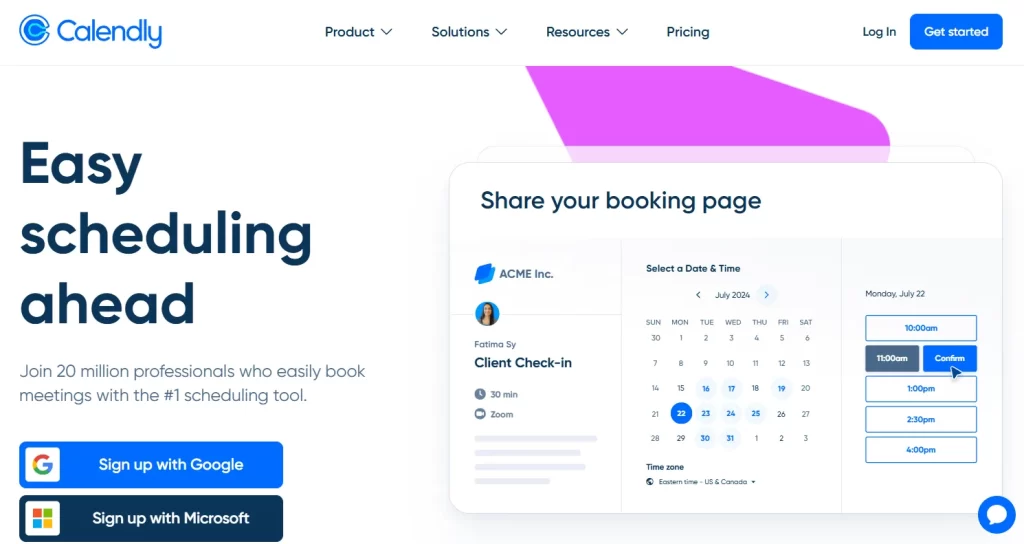
Calendly is a cloud-based scheduling platform, and one of the better-known scheduling automation tools. It reads your existing calendar and shows live availability, so invitees pick a time that does not clash.
It also handles automated reminders, buffer times, time zone detection, and custom scheduling rules. Those cut down on double bookings and back-and-forth email.
| Plan | Price | Key Features |
|---|---|---|
| Free | Always free | 1 event type, 1 calendar, basic customization, video conferencing, mobile & browser apps |
| Standard | $12 /seat/mo | Unlimited event types, multiple calendars, HubSpot/Mailchimp, Stripe/PayPal, Zapier, automated reminders, 24/7 chat |
| Teams | $20 /seat/mo | Everything in Standard, plus Salesforce, round-robin meetings, lead routing, advanced admin, SSO |
| Enterprise | Starts at $15k /yr | Everything in Teams, plus Microsoft Dynamics, dedicated customer support, SSO/SAML, domain control, audit logs, compliance features |
The free plan gives you one event type. Payments, workflows and round robin scheduling all need Standard or Teams.
“Overall, my experience is pretty good with it. It’s just hard if you have to schedule for multiple people because you have to look up each person’s calendar. […] I wish it had the ability to connect with your own calendar.” – Victoria H., Capterra
“In my opinion the platform is not where it should be in this day in age.” – Briana M., Capterra
Setmore is a solid entry-level scheduling tool. Growing service businesses usually need more than online booking.
Deeper client management, better reporting, and built-in revenue tools all push you toward a bigger platform. The same logic applies when reviewing Boulevard competitors for salon-style platforms.
Three things push a practice off basic scheduling software.
Setmore focuses on appointment booking. It has no detailed client records, no treatment notes, and no customizable medical forms. For healthcare, aesthetic, or wellness practices, that means compliance risk and a thin paper trail.
Practices that outgrow booking-first tools often shortlist Semble alternatives for stronger clinical records. Salon-first tools such as Mangomint leave the same hole, so aesthetic practices also compare the top Mangomint alternatives.
Pabau goes further, combining booking with a built-in EMR, digital forms, and charting. The clinical side of the practice then lives in one secure system.
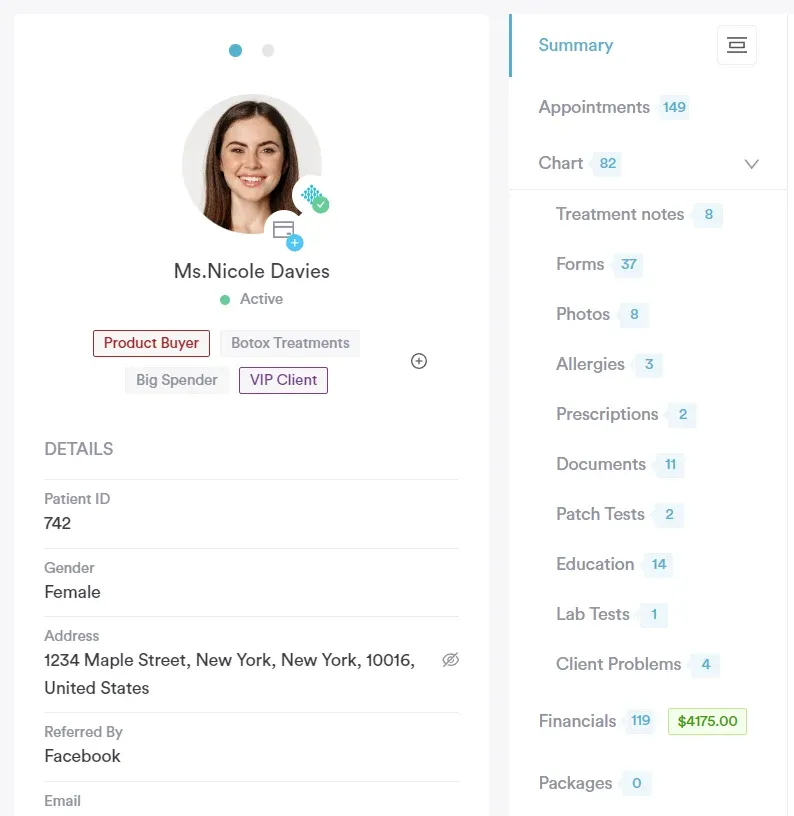
Setmore offers simple reports, but no financial analytics, treatment performance tracking, or revenue forecasting. That makes it hard to see which services earn most, which staff perform best, and where revenue leaks.
Pabau’s dashboards and financial reporting show a practice where the money comes from, and where it does not.
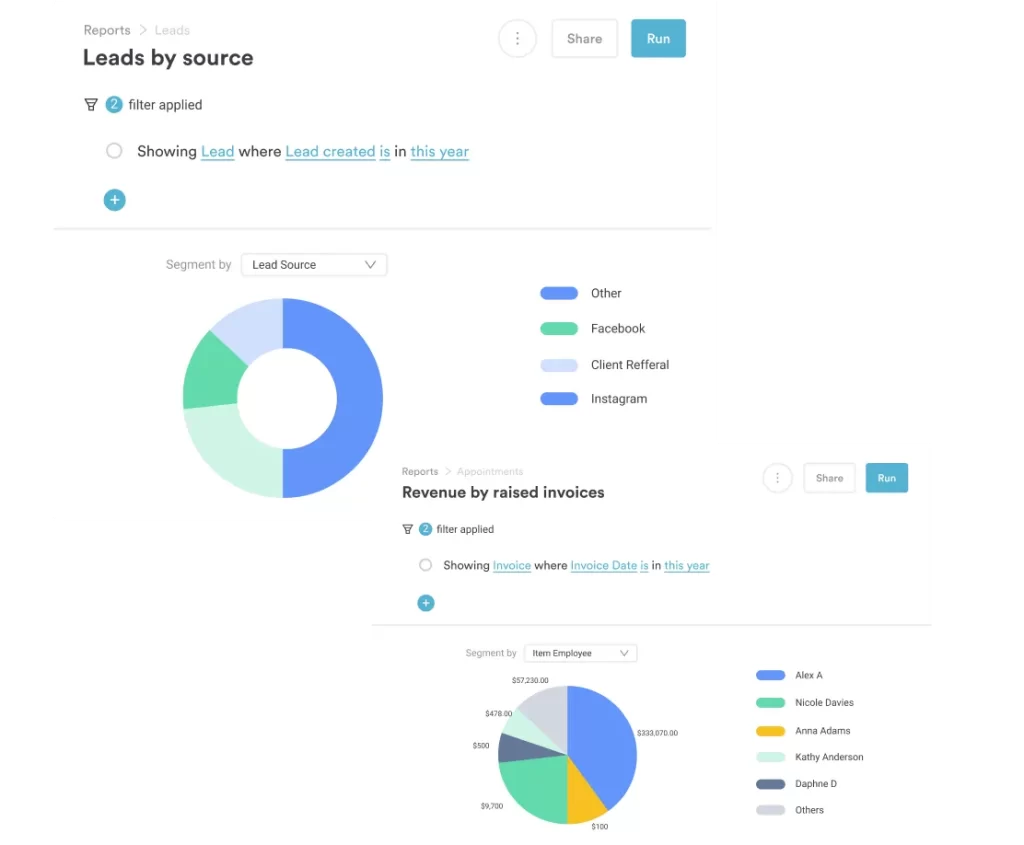
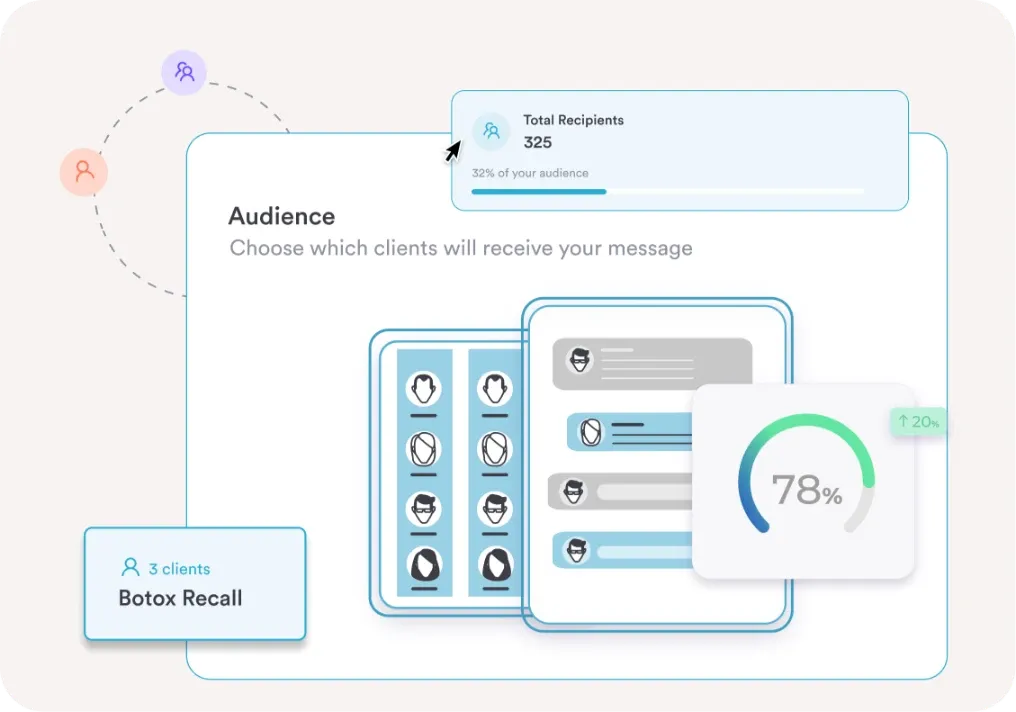
Setmore sends basic reminders. It has no CRM-driven marketing, no automated follow-ups, and no targeted rebooking campaigns. Retention and lifetime value both suffer for it.
Pabau builds CRM, automated recalls, membership tracking, and marketing into the platform, so repeat bookings happen without a reminder list.
Most practices leaving Setmore are running three systems at once. The calendar sits in the booking tool, the notes sit in a folder, and the money sits in a spreadsheet.
Pabau keeps all three in one record. A booking creates the client, the consultation note attaches to that client, and the invoice attaches to the note.
That leaves fewer places to look and less to reconcile at the end of the month. You can see which service earns most, which practitioner is busiest, and which clients have not been back since spring.
Book a demo call with Pabau and we will walk your current workflow across.

Pabau combines online booking, client records, payments, and marketing in one platform, so a Setmore switcher stops reconciling three systems. Every subscription includes every feature.

The right Setmore alternative depends on what you are actually booking. If you book meetings, Calendly or Bookafy will do the job for a few dollars a seat.
If you book treatments, the decision turns on the client record. Acuity Scheduling and SimplyBook.me get you part of the way, but only on a higher tier.
That is the trade worth remembering. The cheapest line on a pricing page is rarely the plan a practice ends up paying for. Book a demo to see how Pabau handles booking, records, and payments in one place.
Not really. Setmore works for small practices, but it lacks clinical tools, EMR integration, and the compliance features regulated practices need.
Yes. You can export clients, appointments, and staff data from Setmore, but migrating complex records may require manual adjustments or third-party tools.
It doesn’t. Setmore handles basic scheduling well, but all-in-one platforms like Pabau combine EMR, CRM, payments, and marketing in one system.






