Massage Gift Card Template
A massage gift card template is a fill-in-the-blank certificate you customize wi...

23
Last Updated: Sep 11, 2026
Pabau GO is our iOS app for practitioners, and this release rebuilds the whole app around a single appointment. Book it, open the client card, capture consent, plot the injectables, and take the payment, all from an iPhone or iPad.
Pabau GO sits on top of Pabau, the all-in-one practice management software your practice already runs on. Every booking, note and payment lands on the same record your front desk sees on the desktop.
In the redesigned app you can:
Pabau GO carries no extra charge for Pabau users, and an active Pabau subscription is what signs you in. The app is iOS only, and no Android version is planned.

Pabau GO is our iOS app for practitioners, rebuilt around the appointment instead of the menu.
The update adds a built-in point of sale, a client card carrying notes and allergies, and prescription management inside the app.
Pabau GO is free to download and use, and an active Pabau subscription is what makes it work.
Signing in uses your existing Pabau staff passcode, so there is no separate Pabau GO account to create.
Pabau GO runs on iOS only, and no Android version is planned.
Pabau GO exists because practitioners kept asking for the practice in their pocket, and a browser tab on a phone was never the answer.
Pabau opens in any browser, so the web version was already reachable from a phone. Pinching a desktop calendar down to thumb size between patients is a different job.
In practices we onboard, the pattern turns up in the first week. The owner is treating, the laptop sits at reception, and the only screen within reach is a phone.
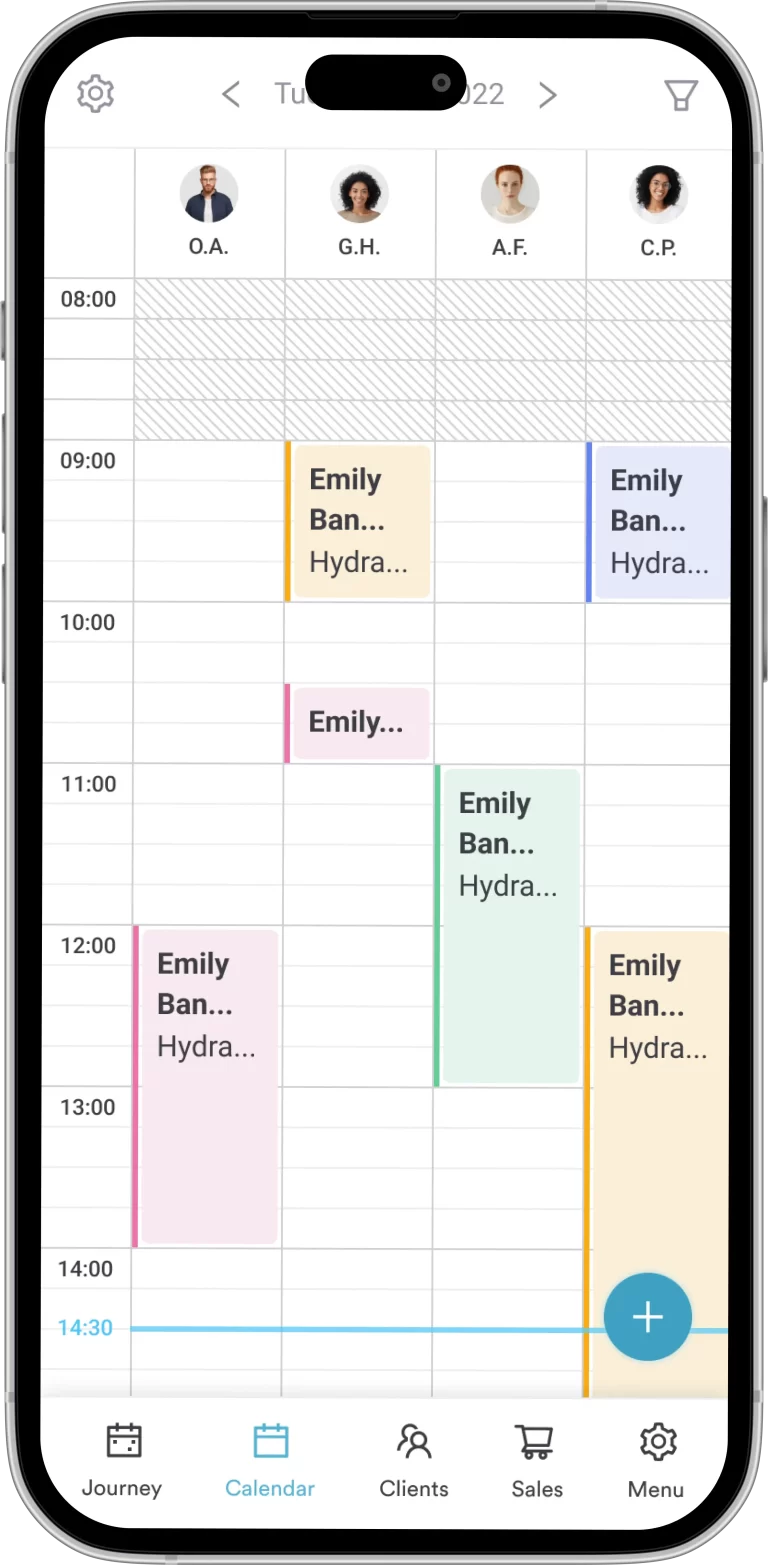
The Pabau GO app has been around for years. This release rebuilds it from the navigation up, and adds a point of sale, prescriptions and a client card that holds notes and allergies.
Viktor, our Director of Product, set the goal for the redesign this way:

The difference lands hardest where the work moves. Mobile injectors, pop-up events, and practices running two treatment rooms on separate floors all lose minutes to walking back to a desktop.
Pabau GO handles appointments, payments and client records in one place, whether you run a busy med spa or a mobile practice.
Prescribing works the same way. Pabau’s centralized prescriptions keep every script tied to the client card, so the desktop needs no re-keying later.
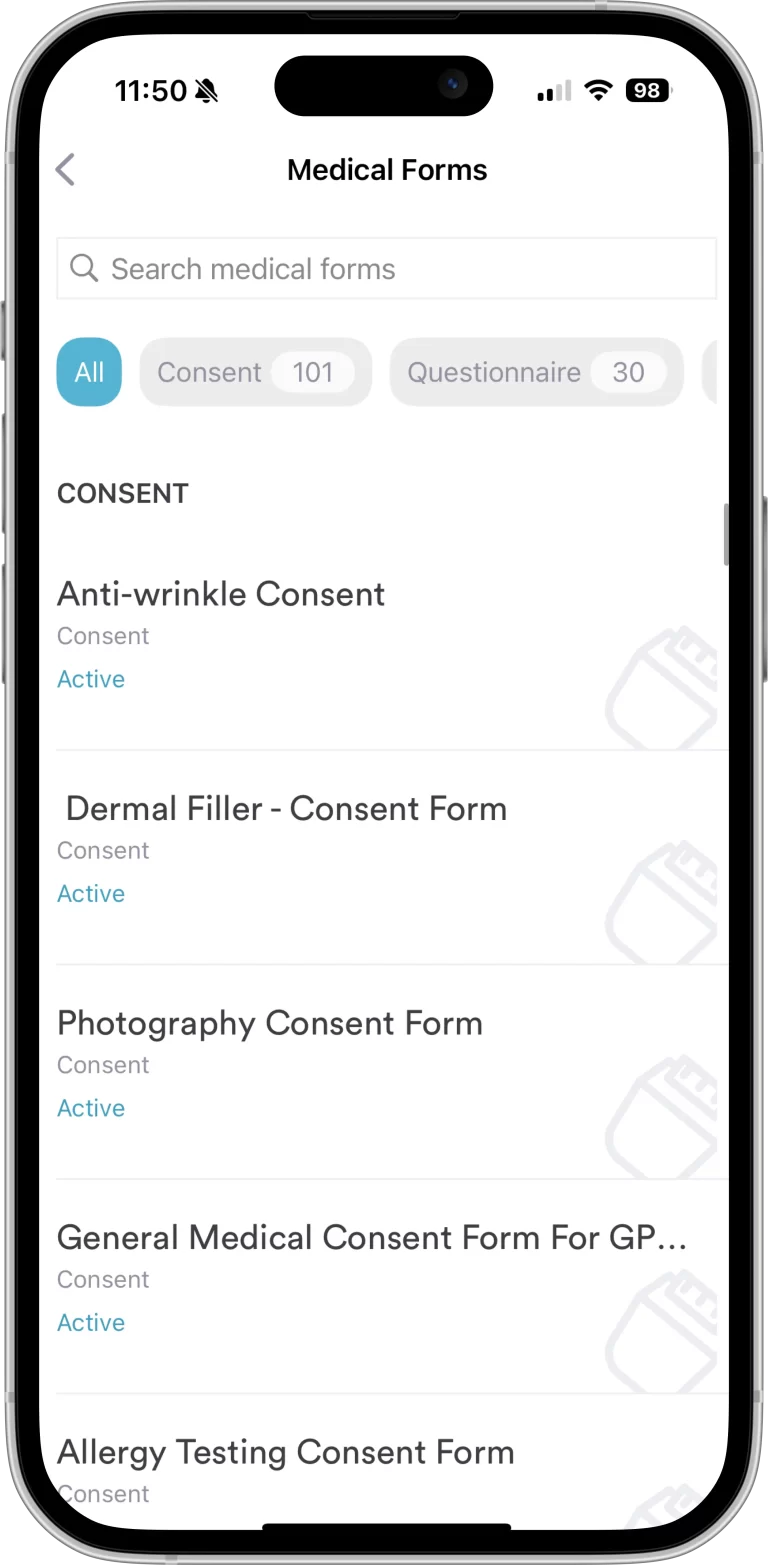
Pabau GO covers the full appointment. Pre-visit forms and consent come first, then booking changes, treatment notes and face plotting, then checkout and the reports that follow.
The stages below are how the app is laid out, and each one maps to a screen a practitioner opens in order.
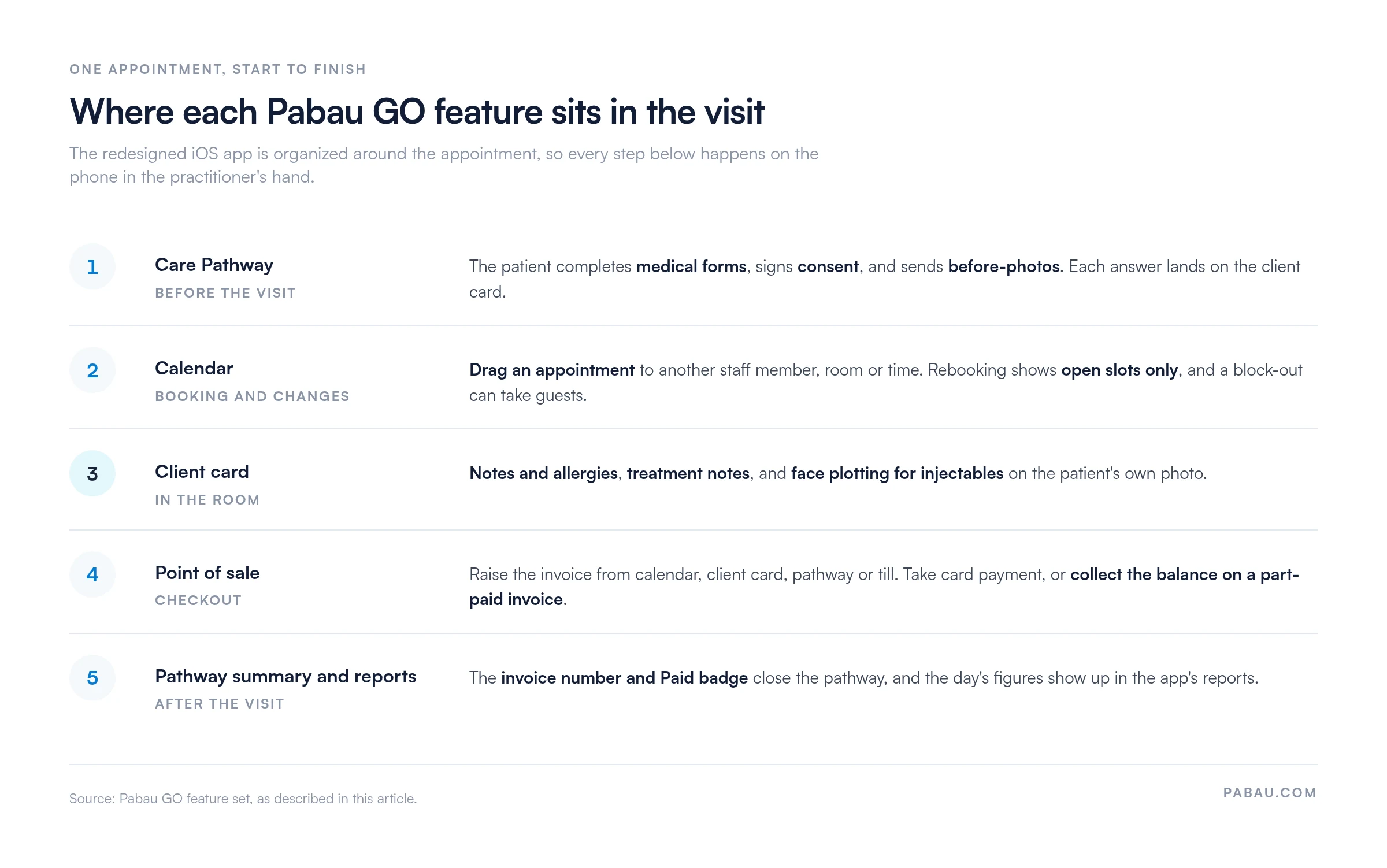
💳 Full payment support: the built-in point of sale works with our Pabau Pay card terminals. The till can also collect the balance left on a part-paid invoice.
💫 Care Pathways: a Care Pathway is the checklist of steps a patient moves through around a visit, from medical forms and consent to the follow-up. The app now carries a Take Payment step inside it.
📱 Redesigned client cards: records, notes and allergies open in a couple of taps, alongside paid and unpaid invoices and any quotes.
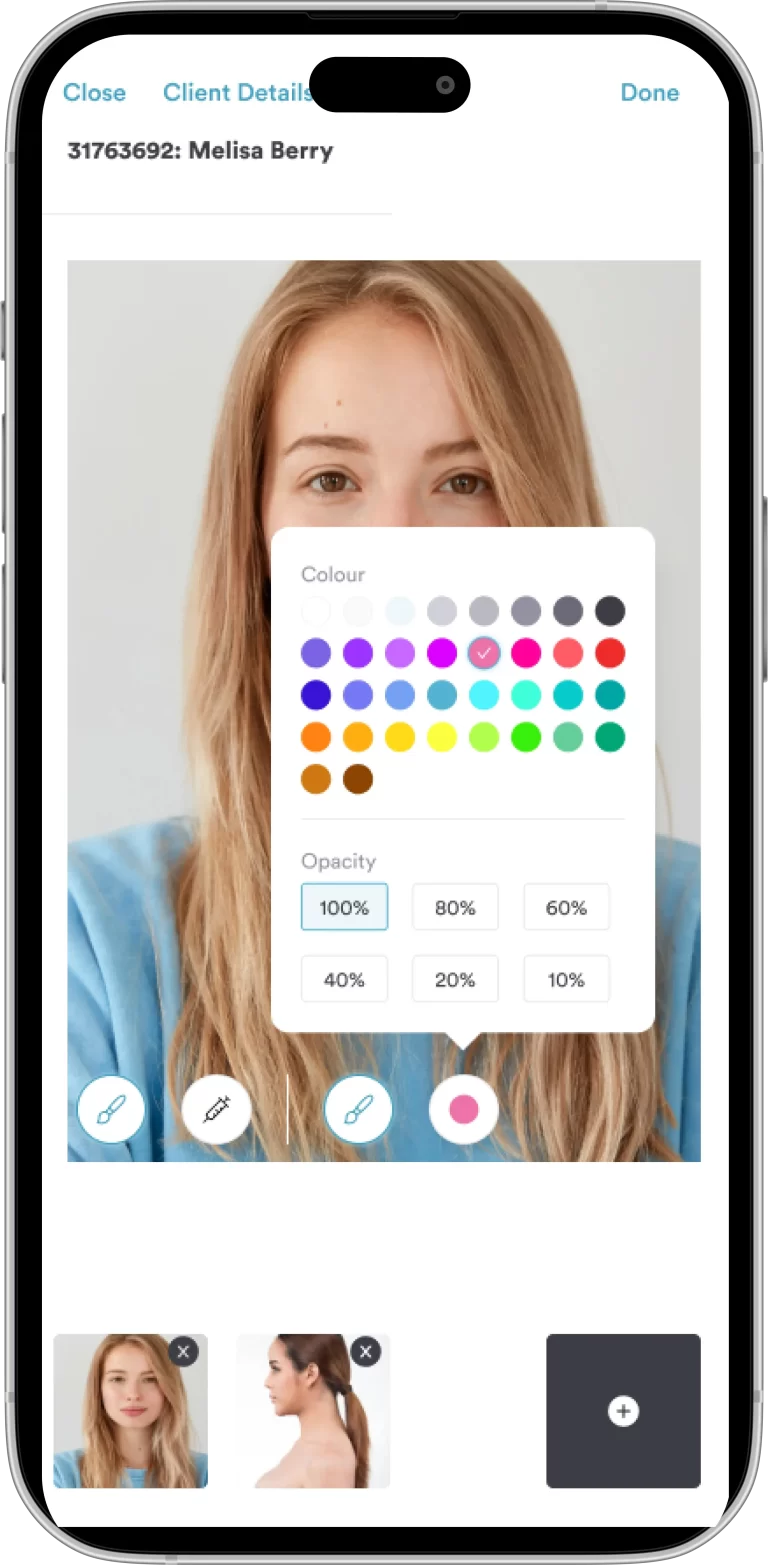
🎨 Face plotting for injectables: mark up the patient’s own photo with the injection tool, choosing color and opacity. The plot saves straight to the record.
✍️ Consent forms and signatures: the patient signs on the screen, and the signed form files itself against the client card with no scanning step.
📅 Drag to reschedule: move an appointment to another staff member, room or time, and confirm the change before it lands. Rebooking only offers slots that are open.
Pabau GO has always handled the essentials of booking appointments, managing intake forms and viewing patient information. The redesign changed how quickly you reach them.
We rebuilt the interface around the day, so the screens you use between patients sit one tap from the calendar.

The update also brings prescription management into the app, tracking each script from creation to delivery without a trip to the desktop.
The table below sets the old behavior against the new one, feature by feature.
| Feature | Before | Now |
|---|---|---|
| Checkout | Raise invoices from the calendar | Raise an invoice with one tap from the calendar, client card, journey or point of sale. |
| Reports | Standard reports | More detailed reports, in a visually updated, easy-to-read format. |
| Services, products and packages | View services when booking appointments | View services and packages with price and duration attached, ready to add to an invoice. |
| Client card | View forms and photos, take photos in-app, manage documents and personal details, take notes, create alerts | Improved usability, allergies, more detailed financials (paid and unpaid invoices), and quotes. |
| Client journey | Forms, photos, manage patient details | Update payment and appointment status, and check out from inside the journey. |
| Forms | Complete forms in-app | Add service, medical condition and allergy fields to your forms, plus sliders. |
| Completely new | Take payment on a connected card reader, add guests to a block-out, and collect the balance left on a part-paid invoice. |
| Also new | Pabau Scribe, our AI scribe, turns the conversation between patient and practitioner into structured treatment notes. |
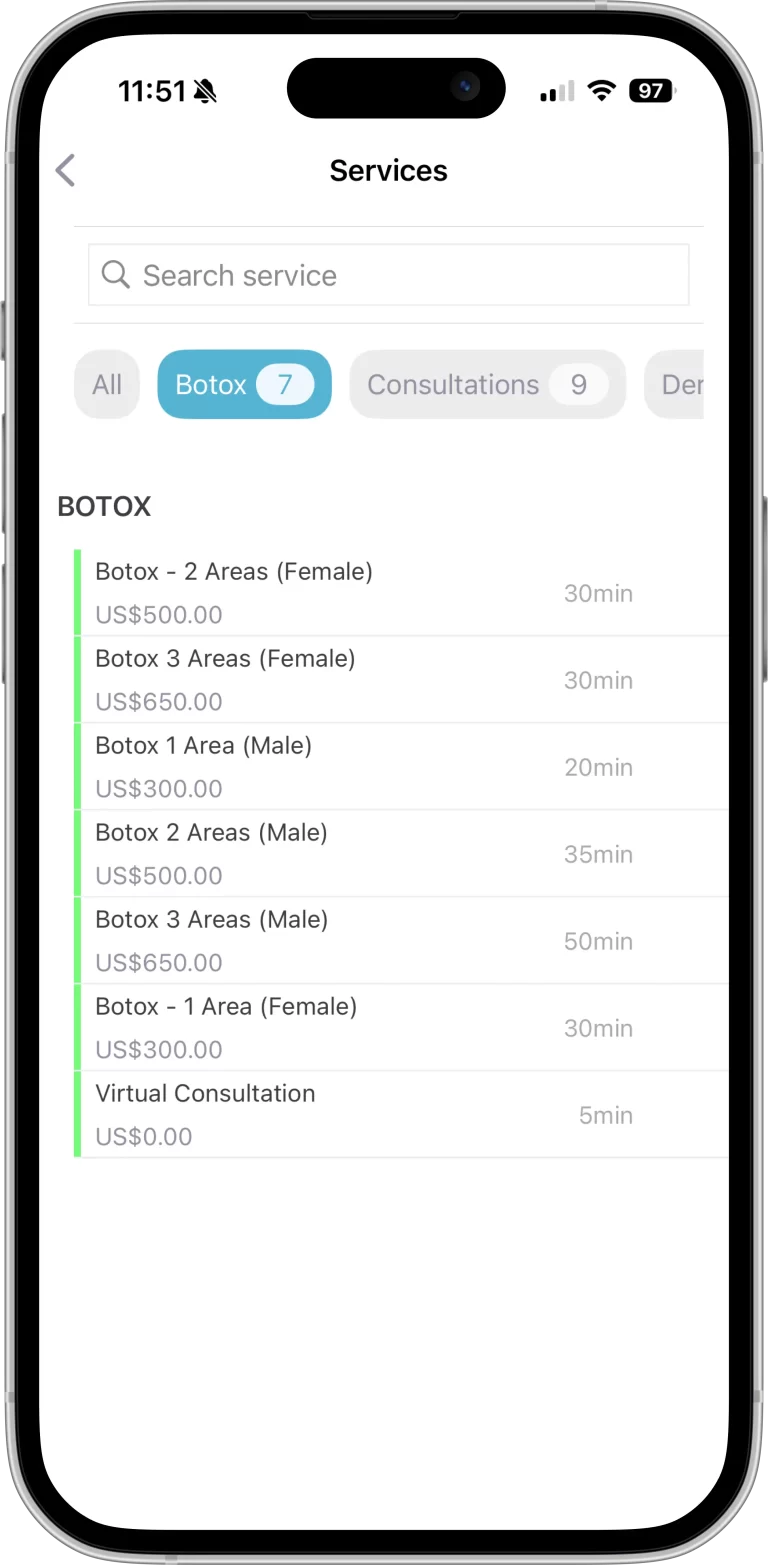
Every step in that table now happens without opening a laptop, which is what the rebuild was for.
Emma Beider, owner of Kingswood Aesthetics, chose Pabau because of the app. The mobile version was the deciding factor in her software decision, ahead of every other feature she compared.
“I needed something in my pocket… Pabau was the only one that offered me an app on my phone.”
Emma Beider, owner of Kingswood Aesthetics
For Emma, the app works as a prompt. Pabau GO walks her through each step of the visit, from the consultation and treatment to the post-appointment follow-up.
Emma tells that story herself in the case study video at the top of this page.
That pattern repeats. The deciding factor in a software choice is usually the one job the practice has to do somewhere there is no desk.
For a mobile injector that job is the consent form. For a pop-up event it is checkout. For a two-floor practice it is the calendar.
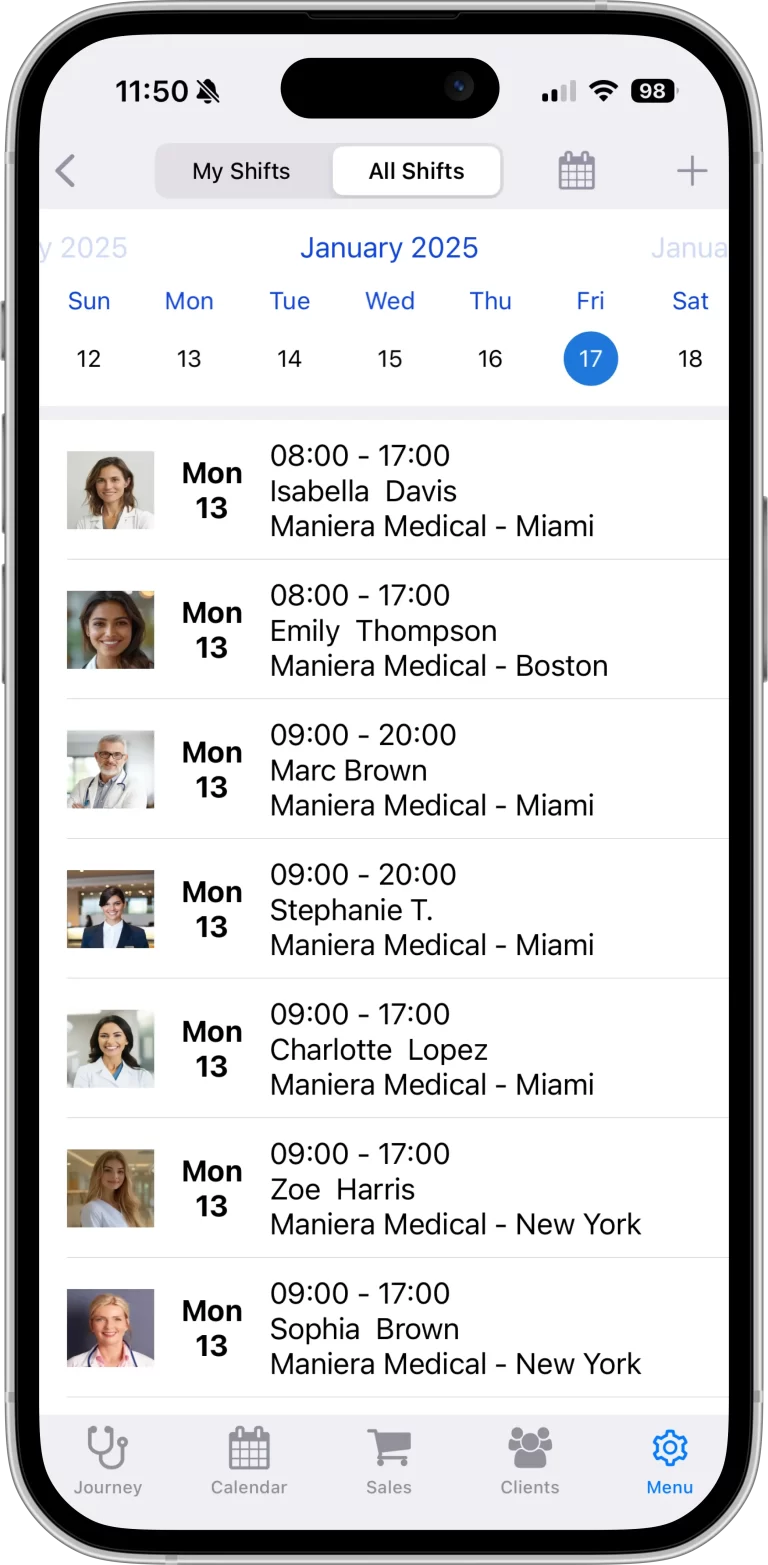
Pop-up events are where the app earns its keep. You can book the appointment, take the digital forms, capture the photos and take payment, without carrying a laptop to the venue.
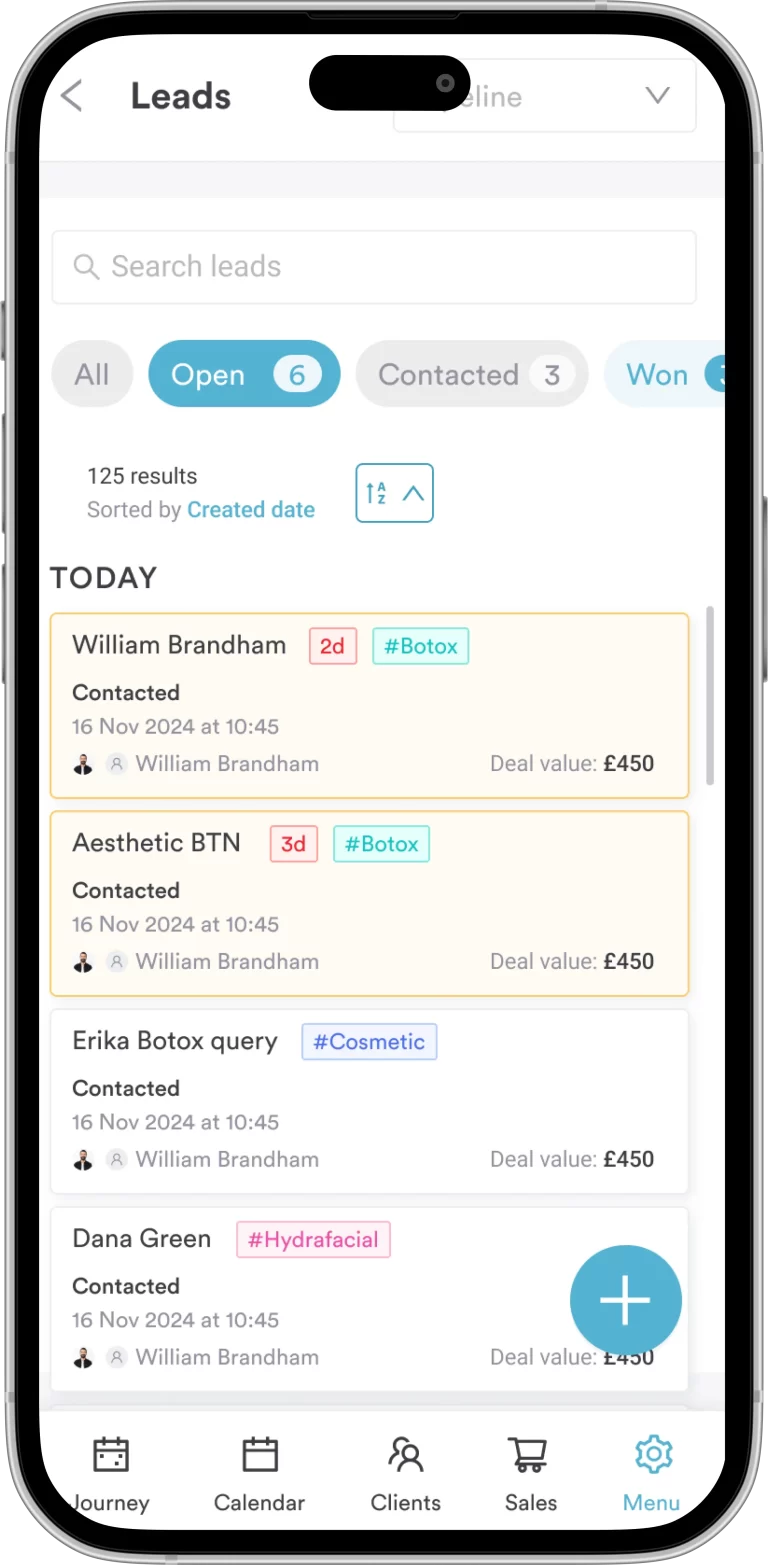
Pabau GO syncs with your main Pabau account as you work, so the front desk sees the same calendar and the same invoice. No one re-enters the day at closing time.
Download Pabau GO free from the App Store, then sign in with the staff passcode from your existing Pabau account.
📱 Download or update the app on your iPhone or iPad from the App Store. The current release needs iOS 17 or later, and there is no Android version.
✅ Open the app and enter your Pabau staff passcode. There is no separate Pabau GO account to create, and no second password to remember.
Your passcode lives in your Pabau account settings. Our help center walks through setting your Pabau GO passcode if you have never used one.
The app itself is free. Signing in needs an active Pabau subscription behind the account, because the calendar, records and invoices all come from it.

Pabau GO comes with every Pabau subscription, so bringing the app into a practice means moving the practice onto Pabau first.
The practices we onboard usually arrive on a patchwork. Bookings come in by phone, email and Instagram. Consent forms are printed and scanned back in, and the card terminal reconciles to its own separate report.
Pabau, our all-in-one practice management software, replaces that patchwork with one record per patient. The calendar, the notes, the consent forms, the stock and the invoice all hang off the same file.
Every Pabau subscription includes every feature, and pricing scales with locations and users rather than with a tier. Pabau GO is the mobile layer on top, at no extra cost.
There is no free trial, and that is deliberate. New practices get structured onboarding instead, with a client coordinator and a documented portal. A system set up badly never gets used.

Pabau GO puts the calendar, client records, consent forms and checkout on an iPhone. Every action syncs to the same patient file your front desk works from.

The update is worth opening the App Store for if you already pay for Pabau and still walk to reception to check a diary. The app now covers the appointment end to end.
There is one caveat. Pabau GO only pays off for a practice that has committed to a single system. A mobile app layered over a patchwork just adds another screen.
If you already use Pabau, download the update and run one appointment through it, from the pathway to the checkout. If you are still choosing software, name your own deciding factor first, then test each contender on that one job. Book a demo to see Pabau GO running against a practice set up like yours.

Running group sessions? Manage group sessions with Pabau Classes covers booking several patients into one treatment slot.
Handling immunizations? Pabau Vaccines shows how doses, batches and recalls stay on the patient record.
Selling packages or recurring plans? Pabau Memberships shows how a plan is billed and tracked against the patient record.
Losing time to no-shows? Pabau’s cancellation and no-show policy explains how the charge is set and collected automatically.
Looking at the Care Plus add-on? Introducing Care Plus sets out what it adds to the patient experience.
Pabau GO is Pabau’s iOS app for practitioners. The app runs bookings, client records, consent forms, treatment notes and payments from an iPhone or iPad. Every action syncs to the same Pabau account your practice uses on the desktop.
Yes, Pabau GO is free to download and free to use. Signing in needs an active Pabau subscription, because the app reads the calendar, records and invoices from that account. There is no separate charge for the app itself.
Open the app and enter your Pabau staff passcode. The passcode is set in your Pabau account settings, and our help center has a step-by-step guide. Pabau GO does not use a separate email and password.
No. Pabau GO signs you in with the Pabau account your practice already has, so there is no sign-up step for the app. If you are new to the practice, ask an administrator to add you as a staff member first.
No, Pabau GO is an iOS app only, and no Android version is planned. Android users can still reach Pabau in a mobile browser, since the web version works on any device.
The update adds a built-in point of sale, a redesigned client card with notes and allergies, and prescription management inside the app. Reports, the client journey and forms were rebuilt too, and an invoice can now be raised from four different screens.