EHR ROI: How to calculate and maximize your return
EHR ROI is the financial return a practice earns on its electronic health record...

Last Updated: Oct 15, 2026
EMR features fall into six groups: clinical documentation, scheduling, billing, patient portals, security and compliance, and reporting. A system that covers all six keeps a practice on one record. One that covers only notes pushes scheduling into a separate calendar and billing into a spreadsheet.
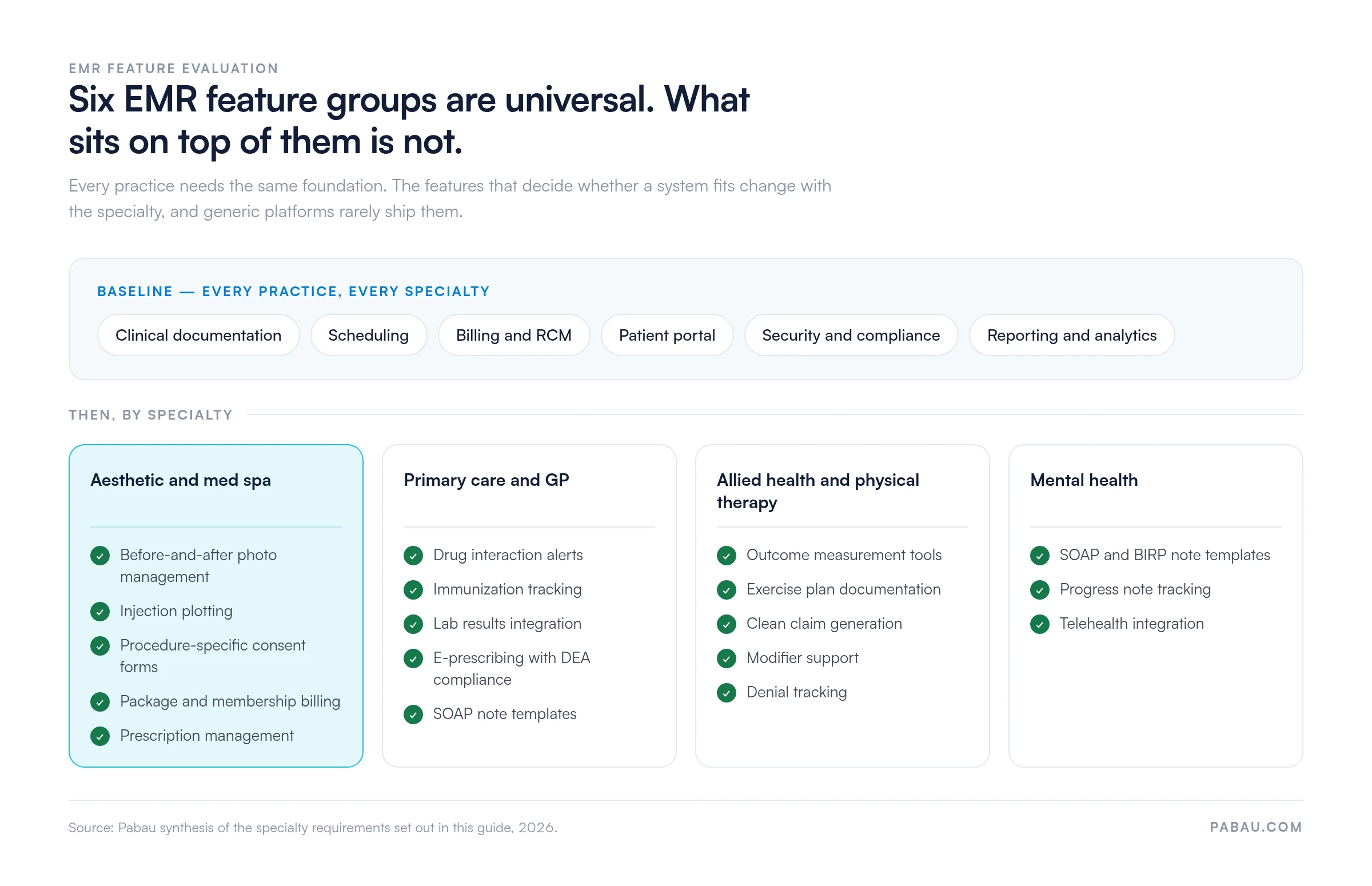
Which of the six matters most depends on what the practice does. The baseline is the same everywhere. The features that decide the purchase sit on top of that baseline, and they change with the specialty.
This guide explains what each EMR feature does inside a clinical workflow. It also sets out the specialty requirements that general-purpose systems tend to leave out.

EMR features fall into six groups: clinical documentation, scheduling, billing, patient portals, security and compliance, and reporting.
Customizable note templates and AI-assisted documentation are now standard EMR features rather than differentiators.
A 2025 JAMIA study found ambient AI scribes cut clinicians’ total daily EHR time by about 20 minutes.
Aesthetic and private practices need EMR features beyond standard systems: before-and-after photo management, consent workflows, and treatment-specific templates.
Pabau combines EMR features with full practice management in one platform, including automated recalls, digital forms, and integrated payments.
Not all EMR features carry equal weight. Some are foundational. Others become critical only once the practice adds a second practitioner or a second location. Start with this framework before you compare platforms.
| Feature category | Core function | Why it matters |
|---|---|---|
| Clinical documentation | Structured note templates, SOAP notes, treatment records | Cuts charting time and supports accurate coding |
| Scheduling | Online booking, multi-practitioner calendars, reminders | Cuts no-shows and refills cancelled slots automatically |
| Billing and RCM | Invoicing, insurance claims, payment processing | Speeds up cash flow and reduces claim errors |
| Patient portal | Secure messaging, records access, booking | Cuts inbound calls and improves retention |
| Security and compliance | Role-based access, audit logs, encryption | Protects PHI and meets HIPAA and GDPR requirements |
| Reporting and analytics | Revenue dashboards, appointment metrics, staff KPIs | Shows which services and practitioners drive revenue |
Definitive Healthcare lists what a well-implemented EMR holds: demographics, medical history, diagnoses, immunizations, medications, clinical notes, lab data, radiology data, and vitals. All of it sits in one record. That breadth is the baseline, and the features above decide how usable the record is day to day.
For a shortlist of platforms that cover all six groups, see our comparison of the best EMR software for private practices and specialty practices.
Documentation takes up more clinician time than any other part of the day. A system tuned for it cuts charting time, supports accurate coding, and produces a dependable audit trail.
What good documentation EMR features look like:
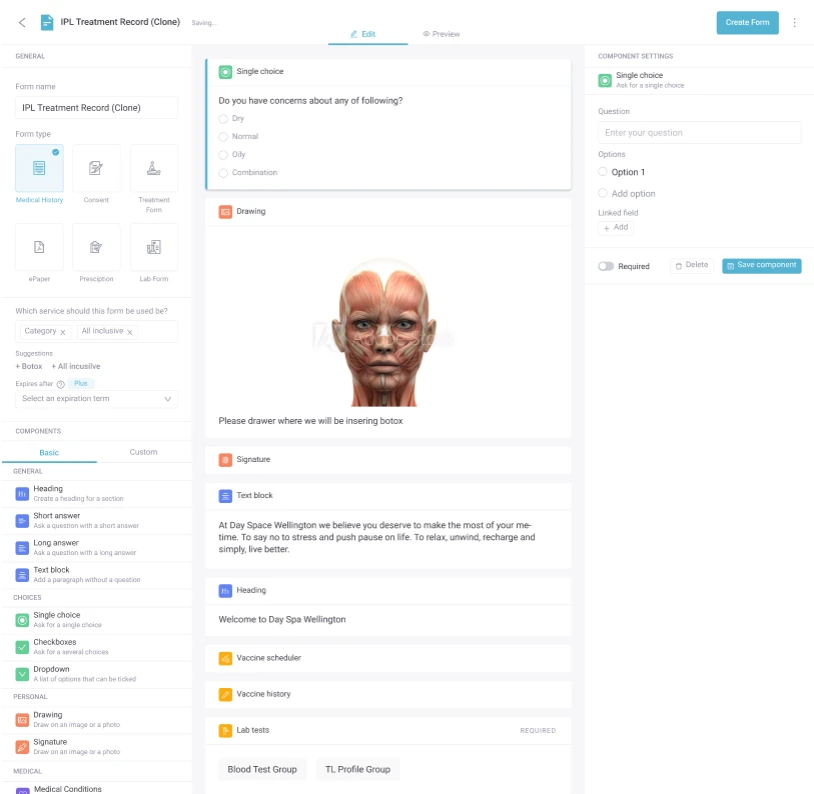
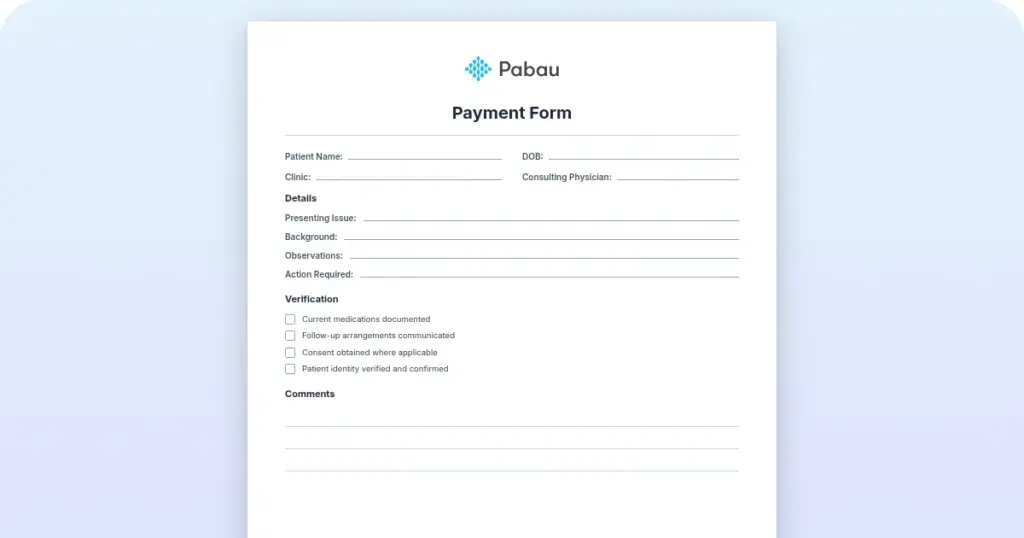
Specialty requirements start here. A primary care practice needs drug interaction alerts and immunization tracking inside the note itself. An aesthetic practice needs before-and-after photo management, injection plotting, and consent records tied to each treatment episode.
Standard platforms rarely ship those, which is why specialty documentation has become a buying criterion for private practices. A mobile practice management app also lets clinicians capture consent and clinical photos on an iPhone or iPad during the visit.
A missed appointment costs a practice an average of $200 in lost revenue and rescheduling overhead. Scheduling features that attack that number directly are no longer optional.
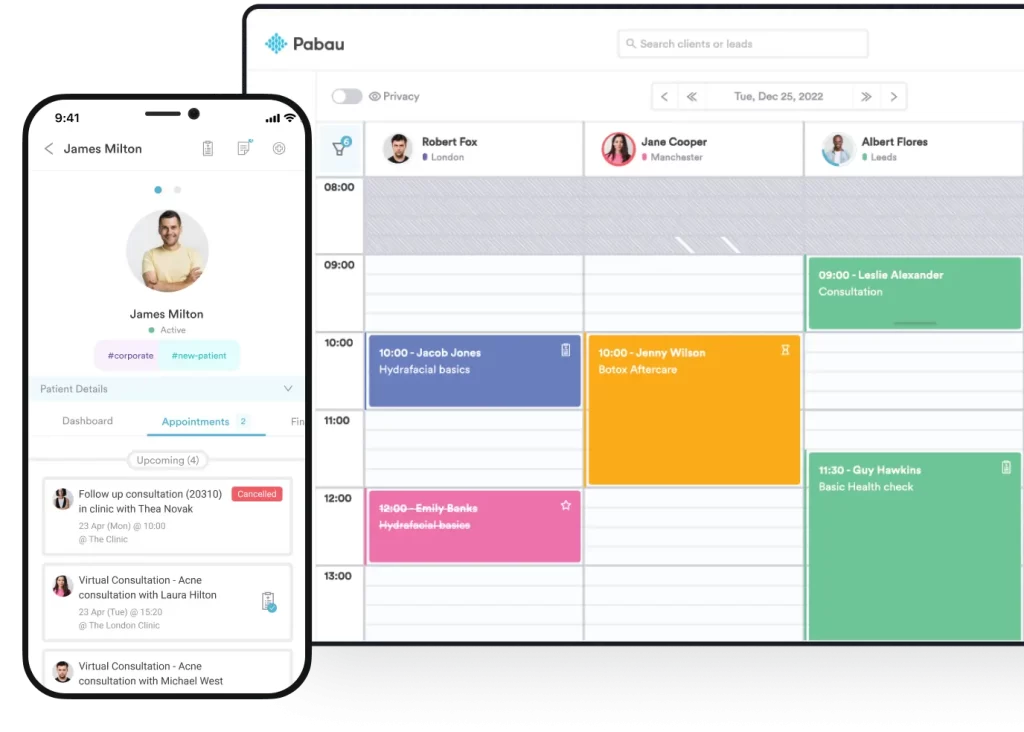
Integration depth is what separates scheduling tools. A calendar that feeds clinical notes, billing, and patient records removes the re-entry that drives administrative error. Check whether the EMR’s scheduling is part of a connected workflow or a standalone diary bolted onto it.
Billing is where revenue either gets captured or leaks away. An EMR with integrated billing removes the need for a separate practice management system. It also cuts the rework that denied claims create.
The American Hospital Association cites Kaiser Family Foundation analysis of CMS marketplace data on denial rates. Denials average around 18% of in-network claims and reach 80% on some plans.
What integrated billing should cover:
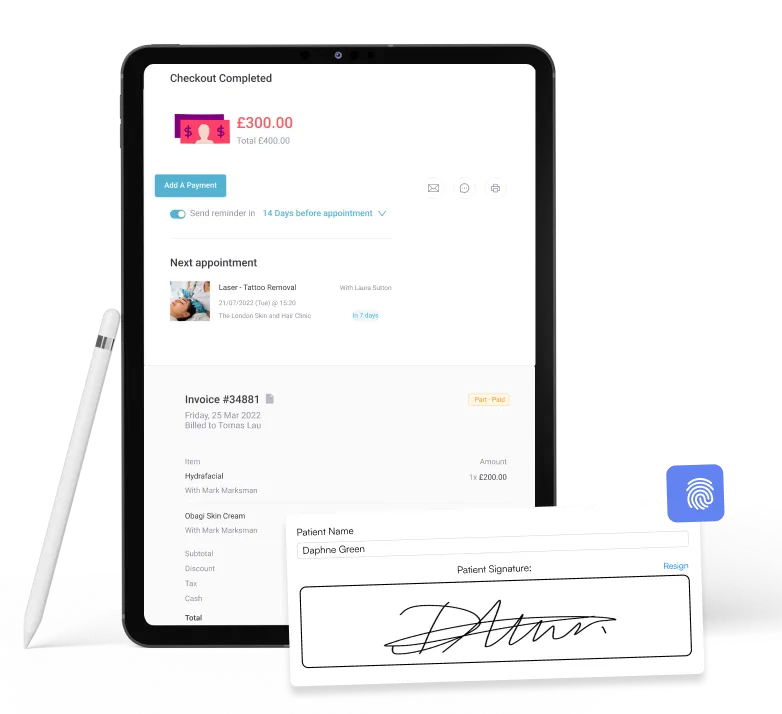
Private-pay and insurance billing need different tools. Aesthetic practices mostly want fast invoicing, deposit handling, and payment links. Primary care and allied health practices billing insurers need clean claim generation, modifier support, and denial tracking. Confirm the EMR’s billing matches your payer mix before you commit.
Audit your billing workflow before evaluating EMR features. Map where claims get delayed: at charge capture, during claim scrubbing, or in payer follow-up. The EMR features that clear your specific bottleneck are worth more than a long list of billing modules you won’t use.
A patient portal cuts administrative workload and improves the patient experience at the same time. Practices that deploy self-service portals report inbound calls about booking, results, and forms falling 25-35%.
Portals earn their place beyond convenience. Giving patients their treatment history, upcoming appointments, and outstanding balances reduces friction between visits, which supports retention. The portal features worth evaluating are:
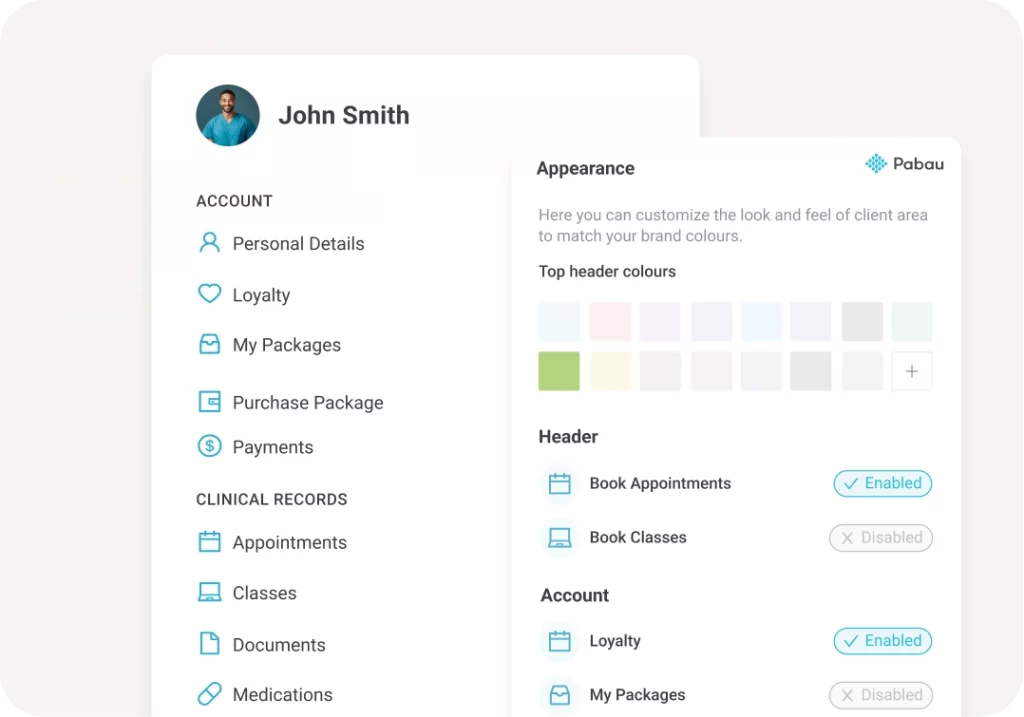
For aesthetic and wellness practices the portal doubles as an engagement channel. Treatment history, loyalty points, photo access, and membership status keep the relationship running between appointments. Check whether the patient app handles those touchpoints or only booking and results.
Any EMR holding protected health information must meet the HIPAA Security Rule in the US, and GDPR in the UK and EU. Those obligations carry specific technical safeguards, and the EMR has to support each one.
Non-negotiable security EMR features:
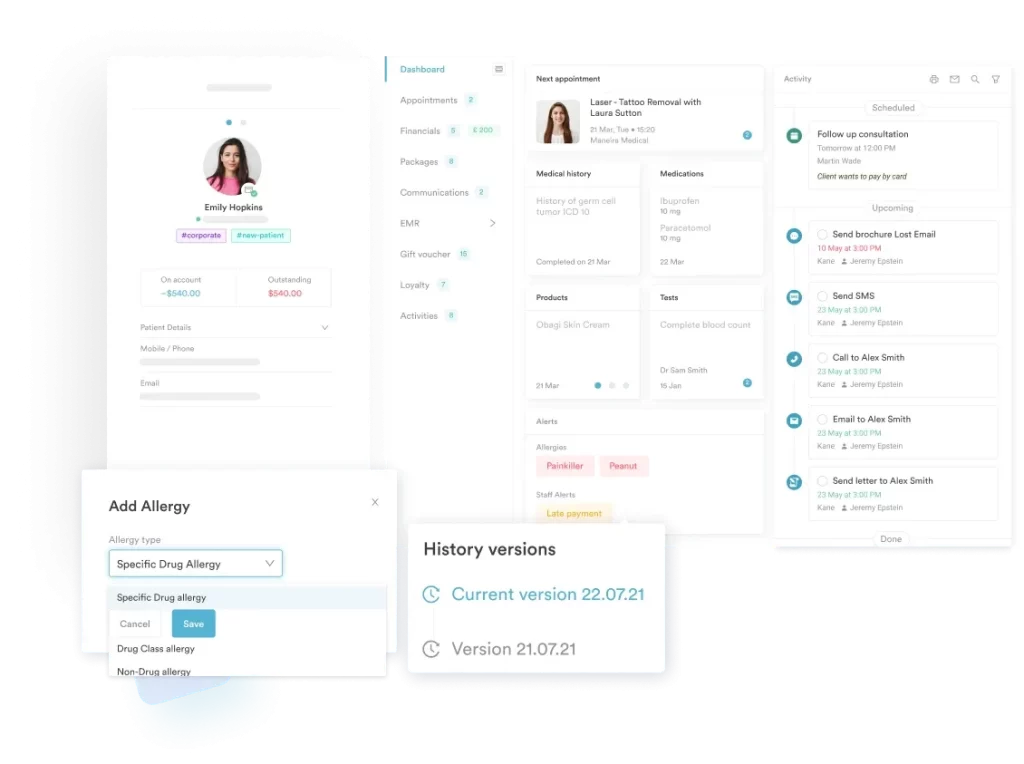
Reporting belongs in the same evaluation. At minimum the EMR should report appointment volume, revenue by service and practitioner, no-show rate, and patient retention. Stronger platforms surface those on a live dashboard instead of a monthly export.
Interoperability sits alongside it. The 21st Century Cures Act information-blocking rule governs how health systems make data available, which matters for practices exchanging records with hospitals or specialists. Our guide to EHR integration covers how those connections get built.
General-purpose EMR systems are built for primary care and hospital workflows. Aesthetic practices, med spas, and regenerative medicine programs work differently, and most standard systems never covered their requirements.
The six baseline categories are the same for everyone. What changes is the layer of specialty features sitting on top, and that layer decides whether a platform fits.
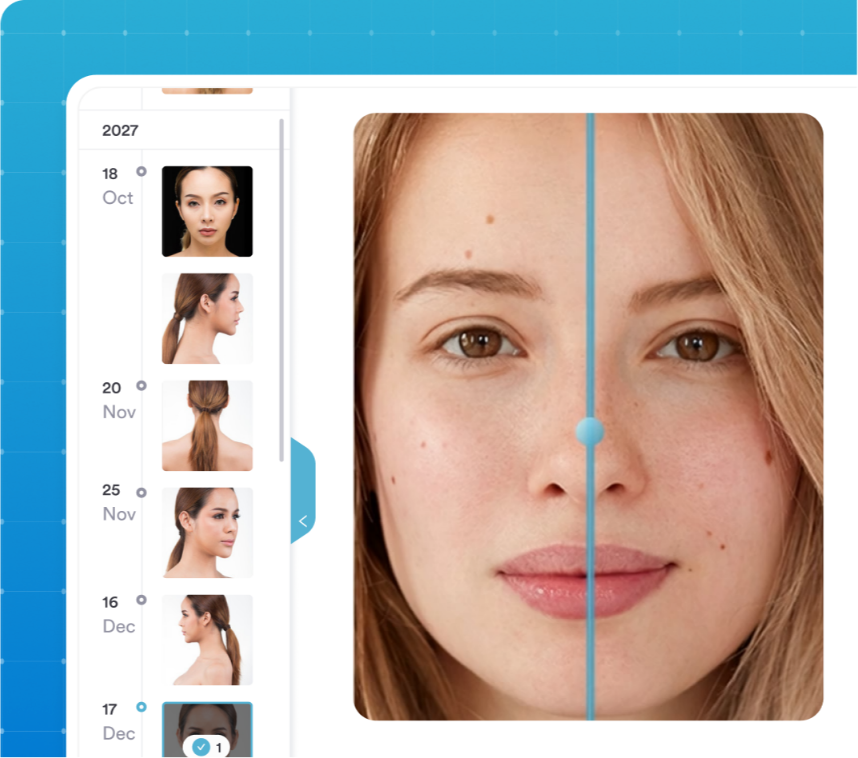
A dermatology or aesthetic practice documenting injectable treatments needs injection plotting, consent workflows for each procedure, and standardized before-and-after photos. Hospital-focused platforms treat none of those as standard. Software built for procedure-based private practice has grown up around exactly those workflows.
Aesthetic-specific EMR features to evaluate:
Primary care and allied health practices have their own additions: e-prescribing with DEA compliance, lab results integration, drug interaction alerts, and telehealth. Whatever the specialty, map your three most common clinical workflows first. Then test whether the EMR handles them natively or needs a workaround.
Run a live workflow test before committing to an EMR. Take your three most common appointment types and complete each one end to end in a demo environment. Book it, send the intake form, write the note, bill it, and issue post-care instructions. Systems that need more than five clicks per step will slow your team down at volume.
Most practices end up running two or three systems side by side. The EMR holds the notes, a separate calendar holds the appointments, and a spreadsheet holds the money. Staff re-key the same patient details into each one.
Pabau, practice management software built for aesthetic, wellness, and private healthcare practices, keeps all of it on a single record. Booking, consent forms, the clinical note, the invoice, and the follow-up sit against the same patient. Pabau Scribe, our AI medical scribe, writes the note into that record rather than into a separate document.
The outcome is fewer handoffs. Reception stops retyping details into a billing tool, and clinicians stop chasing paper consent. Every Pabau subscription includes every feature, so the workflow does not change with the tier you pick.

Pabau keeps clinical documentation, scheduling, billing, and patient engagement on one record, built for aesthetic, wellness, and private healthcare practices. See how it handles your own appointment types.

Feature checklists are easy to collect and hard to use. Start instead with the six baseline groups, and score how well your current system runs each one. Then list the specialty features your team works around today.
A workaround costs the same amount every week it survives. Run your three most common appointment types end to end in a demo before you sign anything. The platform that handles them without a detour is the one to buy.
Pabau connects those workflows without manual re-entry, from AI-assisted note generation with Pabau Scribe to integrated claims, digital consent, and a patient-facing app. Book a demo to see how it handles your clinical workflows from intake to invoice.

Need to compare EMR options for your practice type? Best EMR software reviews the top platforms for private practices, specialty practices, and aesthetic businesses.
Comparing EMR options for outpatient care? Outpatient EMR software compares the leading outpatient platforms on features, pricing, and practice fit.
Want the full practice management picture? Practice management software explains how scheduling, billing, and clinical documentation connect in one platform.
Wondering which features become standard next? Healthcare predictions for 2026 sets out the automation and AI shifts reaching private practice this year.
An EMR (Electronic Medical Record) is a digital platform that stores patient health information and supports clinical workflows. Core EMR features include clinical documentation, appointment scheduling, billing and revenue cycle management, a patient portal, security controls, and reporting analytics. Specialty practices also need customizable note templates, consent management, and procedure-specific documentation tools.
An EMR stores patient records within a single practice and is not usually built to share data externally. An EHR (Electronic Health Record) is designed for interoperability. Patient data can move between providers, hospitals, and health networks through standards like HL7 and FHIR. Most modern platforms marketed as EMRs now include EHR interoperability.
Prioritize customizable clinical note templates, integrated scheduling with online booking, in-platform billing and payment processing, a patient-facing portal, and HIPAA or GDPR-compliant data security. Aesthetic and private practices should also weigh before-and-after photo management, digital consent workflows, and procedure-specific documentation. The strongest platforms cover all of that without a second system.
Yes, significantly. A mental health practice needs SOAP and BIRP note templates, progress note tracking, and telehealth integration. An aesthetic practice needs injection plotting, before-and-after photos, and cosmetic consent forms. A physical therapy practice needs outcome measurement tools and exercise plan documentation. Check whether a platform ships specialty templates natively, because custom builds add implementation time and cost.
The biggest savings come from automation. Digital intake forms pre-populate the patient record, automated reminders cut no-show follow-up, and billing triggers raise invoices at appointment completion. AI-assisted note generation adds to that. A 2025 JAMIA study found ambient AI scribes cut clinicians’ total daily EHR time by about 20 minutes. In a practice seeing 50 patients a week, those automations reclaim several administrative hours.