Kate Tarrant
Pabau vs Hyland OnBase: Healthcare document management software compared
Healthcare document management software captures, stores, and retrieves patient ...

Last Updated: Nov 2, 2026
Free PDF 2 pages, print-ready Clinician-reviewed
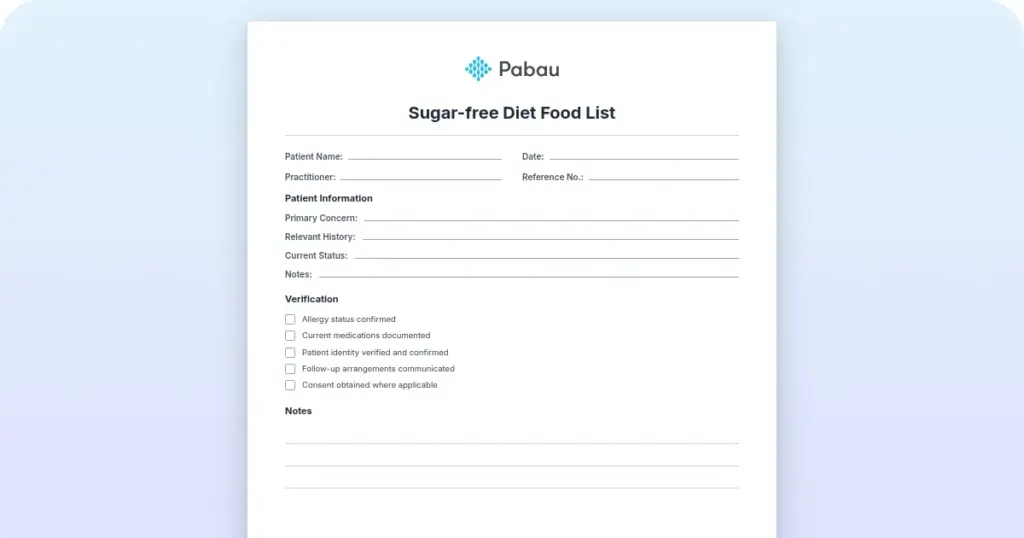
An urgent care doctor’s note is a formal medical document that clinicians issue to patients following an urgent visit. It serves as official proof of the medical encounter and documents the clinical reason for the visit. That matters when patients need to excuse absences from work, school, or other commitments. This template provides the standardized structure that urgent care clinics need to issue compliant, professional notes in minutes.
A ready-to-use doctor’s note template covering patient details, visit date, diagnosis, treatment recommendations, provider signature, and return-to-work restrictions for urgent care clinics.
Start from scratch, or upload this PDF or any form you already use, and Pabau's AI Form rebuilds it with tick boxes, text fields and a signature. Attach it to the treatment once, and every patient gets it on time.
AI Form rebuilds the consent, history and aftercare forms you already use. You review each one, then publish.
Patients complete forms on their phone before they arrive, so the front desk stops retyping paper.
Every signed form is versioned and attached to the treatment record, ready when you need it.
Set how long a consent stays valid. Returning patients skip forms they have already signed.
Supports HIPAA and GDPR compliance AES-256 encryption 4.8 on G2 4.7 on Capterra Trusted by 4,000+ practices worldwide

An urgent care doctor’s note is formal medical documentation issued by licensed providers to excuse work or school absences and support insurance claims.
Standard fields include: patient name, date of visit, diagnosis or reason for visit, provider signature, treatment or restrictions, and return-to-work/school date.
HIPAA requires limiting diagnostic information when sharing notes with employers unless the patient explicitly consents to full disclosure.
Pabau’s digital forms and client records enable urgent care clinics to generate, sign, and issue compliant notes directly from the clinical encounter.
An urgent care doctor’s note is a brief medical record summarizing an urgent visit. Unlike a comprehensive medical chart, a note for external use, whether for work or school, is a condensed, signed document. It confirms the patient was evaluated by a licensed provider on a specific date.
Urgent care clinics issue these notes the same day, often during walk-in visits — no appointment required. The note documents what brought the patient in, what the provider found, and any restrictions on work or activity. It comes from a licensed provider, so it carries weight with employers and schools. Acceptance still depends on each organization’s policy.
A complete urgent care doctor’s note includes specific required fields that ensure the document is recognized by employers, schools, and insurers. Consistency across these fields strengthens the note’s credibility and reduces rejection risk.
Each field serves a practical purpose. The patient identifier and visit date prevent fraud. The diagnosis legitimizes the note without oversharing medical details. The return-to-work date and restrictions give employers clear guidance on work capacity.
While the core structure is the same, notes for employers and schools emphasize different information. Understanding these distinctions ensures your clinic issues the right note for the right context.
A single note can serve multiple purposes if it includes all required fields. Patient portals allow patients to download their notes immediately after the visit, reducing follow-up calls to the clinic.
The process is straightforward and does not require an appointment.
You cannot obtain a legitimate note without being seen by a licensed provider. Fake or unsigned notes are fraudulent and illegal — employers and schools verify them directly with the clinic. Avoid third-party sites offering “instant” notes. They carry serious legal risk.
HIPAA regulations protect patient privacy and limit what medical information clinics can share without explicit patient consent. This affects what goes into a note for external use.
When a patient requests a note for an employer, HIPAA allows you to disclose that the patient was seen. You can also share the general reason for the visit, such as acute respiratory infection. However, detailed diagnosis, test results, or treatment specifics should only be shared if the patient has signed a consent form authorizing disclosure.
Clinics using integrated clinical records can enforce HIPAA-compliant disclosure by creating separate “employer note” templates that exclude sensitive data by default.
Yes. A note issued following a telehealth visit is valid for work and school absences, provided the telehealth provider is licensed in your state. Many employers and schools now accept telehealth notes without hesitation.
Telehealth notes are useful when you’re unable to travel to an in-person clinic. The provider evaluates your symptoms via video, documents the visit, and issues a signed note within minutes. Ensure the provider is state-licensed in your location — some states restrict telehealth prescribing or note-writing for certain conditions.
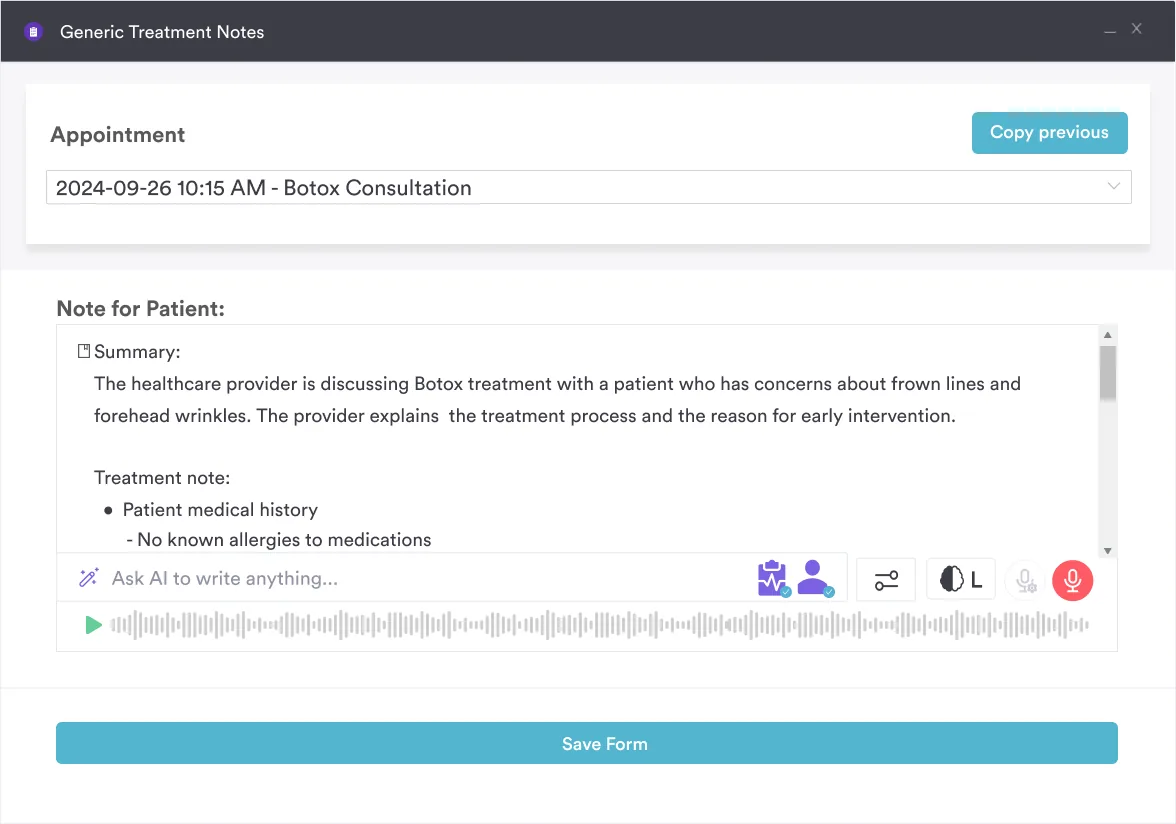
Managing note requests by hand takes time away from patients. Pabau Scribe, part of Pabau’s AI scribe and clinical documentation tools, drafts the treatment note as the provider talks. Automated workflows then turn it into a note template with every standard field already filled in.
The provider signs electronically, and the note is instantly available to the patient via the patient portal. This eliminates printing, faxing, and phone follow-ups — patients self-serve their notes immediately after discharge. Pabau also supports HIPAA-compliant disclosure settings, so you can restrict sensitive data automatically when generating notes for employers.

Explore how digital forms, patient portals, and automated workflows help your urgent care clinic issue compliant doctor’s notes in seconds.

The template provided above is ready to download, print, and customize. It includes all required fields and follows standard urgent care practice. Customize the clinic name, logo, and letterhead to match your branding.
For digital workflows, patient management systems can store notes in secure electronic records. They can also auto-generate notes from encounter data, which keeps documentation consistent and reduces errors.
A doctor’s note only works if it comes from a licensed provider and states the visit date, diagnosis, and return-to-work details clearly. Every field in this template exists because an employer, school, or insurer relies on it.
Where clinics lose time is in delivery, not diagnosis. Printing, faxing, or calling to confirm a note arrived adds administrative work that a signed digital record avoids. HIPAA rules on disclosure still apply no matter which format the note takes.
Clinics that generate and send notes straight from the clinical record spend less staff time on that process. Book a demo to see how Pabau turns a documented urgent care visit into a signed, HIPAA-compliant doctor’s note your patients can access right away.

Need integrated patient documentation? Pabau client records centralise all visit notes, forms, and signed documents in one searchable location.
Looking for HIPAA-compliant intake workflows? Patient portals let patients complete forms, view their notes, and download documents securely post-visit.
Want to automate clinical note writing? Going paperless reduces administrative time and ensures consistent, timestamped documentation for every encounter.
Yes. Any licensed provider (physician, nurse practitioner, or physician assistant) at an urgent care clinic can issue a doctor’s note documenting your visit. The clinic does not need to contact your primary care provider. Same-day notes are standard practice.
Yes, provided the note is signed by a licensed provider and documents an actual visit. Most employers accept notes from a licensed provider, though acceptance policies and any legal requirement to do so vary by state and employer. Some employers use their own forms, such as Department of Labor certification forms, so check your employee handbook.
No. Issuing a note without an in-person or telehealth consultation is fraudulent and illegal. Both the patient and the provider face legal consequences. Legitimate notes always follow an actual medical evaluation.
Yes, if the telehealth provider is licensed in your state. Employers and schools increasingly accept telehealth notes. Verify your provider’s state licensure — some states restrict certain telehealth services for specific conditions.
Contact the clinic and ask the provider to reissue the note with more detail. Include a specific diagnosis or activity restrictions if the employer requests it. Most employers accept notes from a licensed provider, though acceptance policies and any legal requirement to do so vary by state and employer. Miscommunication sometimes occurs, and clarifying what the note says usually resolves the issue.
Yes, but urgently. Most clinics can issue notes retroactively for recent visits (within 30 days). The note documents the date of the original visit, so it remains valid even if requested days later. For very old visits, contact the clinic’s medical records department.