Anja Dodevska
Stylage filler: Grades, consent form and aftercare
Download your free Stylage consent form A ready-to-use patient consent form for ...

5
Last Updated: Oct 28, 2026
Free PDF 4 pages, print-ready Clinician-reviewed
A laser treatment tracker is a running log of every laser session a patient receives. Each entry records the device, the wavelength, the fluence, the spot size, the area treated and the response. One row per visit, filed with the patient’s consent forms and photographs. That is what turns a course of treatment into a record the next practitioner can read and continue.
A standard treatment note does not carry enough for laser work. Parameters move between sessions, and the decision to raise fluence at visit four depends on what the skin did at visit three. If that reasoning is not written down, the next practitioner starts from scratch. So does your insurer, if an outcome is ever questioned.
The template below gives you one line per session, plus space for area mapping, consent confirmation, review intervals and touch-up planning. Practices running several devices usually keep the same detail inside laser clinic software, where it stays searchable across a whole course of treatment.
The tracker gives you one row per session for device, wavelength, fluence, spot size, pulse duration and passes. It also carries treatment-area mapping, consumable lot numbers, endpoint and adverse-event notes, consent confirmation, and a review and touch-up planner.
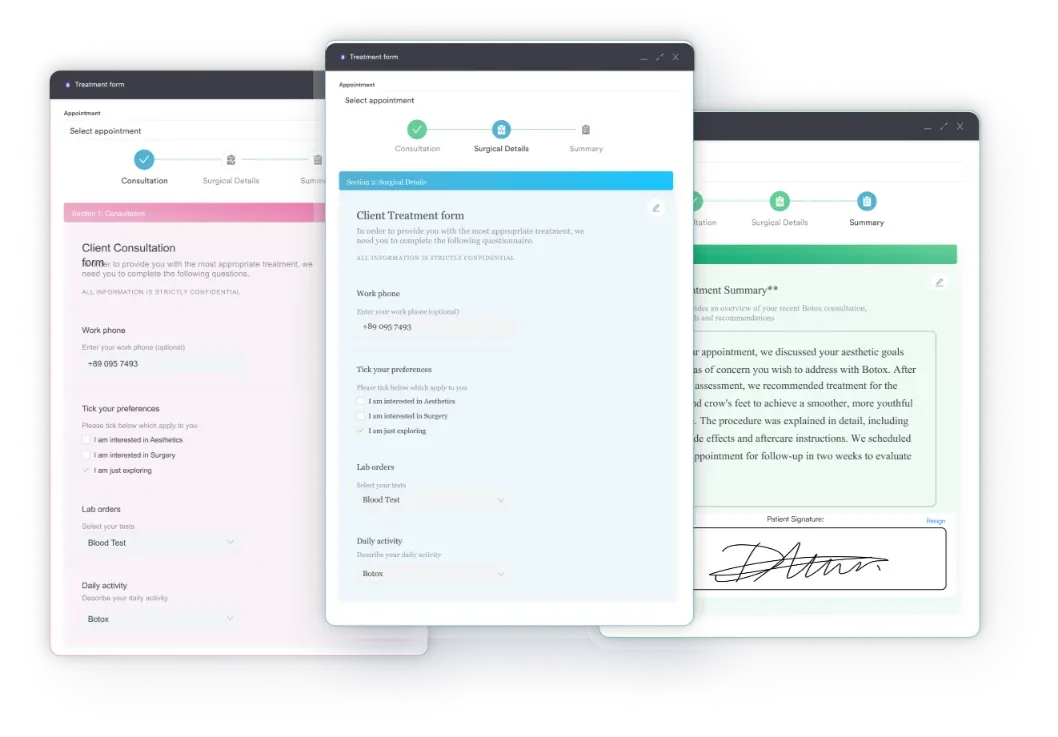
Start from scratch, or upload this PDF or any form you already use, and Pabau's AI Form rebuilds it with tick boxes, text fields and a signature. Attach it to the treatment once, and every patient gets it on time.
AI Form rebuilds the consent, history and aftercare forms you already use. You review each one, then publish.
Patients complete forms on their phone before they arrive, so the front desk stops retyping paper.
Every signed form is versioned and attached to the treatment record, ready when you need it.
Set how long a consent stays valid. Returning patients skip forms they have already signed.
Supports HIPAA and GDPR compliance AES-256 encryption 4.8 on G2 4.7 on Capterra Trusted by 4,000+ practices worldwide

A laser treatment tracker logs the device, wavelength, fluence, spot size and treated area for every session in one place.
Record the clinical reason behind each setting, because the next session’s parameters are chosen from the last session’s response.
Area mapping and photographs make progress across a course of laser treatment measurable rather than remembered.
Consent is confirmed at every session, not only at the first, and the tracker is where that confirmation is logged.
Pabau, practice management software for aesthetic practices, keeps each session’s record beside the patient’s photos and package balance.
A laser treatment tracker records the settings you delivered, the area they went to, and how the skin responded. Those three entries carry the session. Every other field in the form supports one of them. The table below sets out the fields and what each one is doing for you months later.
Parameter ranges are device-specific, so work inside the manufacturer’s published settings for the platform in front of you. The tracker records what you delivered. It does not replace the protocol your device training set.
Laser documentation is usually filed as a stack of separate forms, one per visit. Each form is complete on its own, which is exactly why the course is hard to read. To see whether fluence has crept up over six visits, someone has to open six documents and compare them by hand.
A tracker puts those six visits on six lines of the same page. Escalation becomes visible at a glance. So does the session where the interval slipped from four weeks to eleven, which is usually the reason a course stalled.
That longitudinal view changes the clinical conversation too. When a patient asks why results have plateaued, you can point at the log rather than recall the sessions. When a locum picks up the course, the last three rows tell them where to start.
Keep the per-session consent form as well. The two documents do different jobs. Consent proves what the patient agreed to on the day, and the tracker shows what happened across the course.
Consent for a course of laser treatment is confirmed at each session, not signed once and assumed to hold. Skin changes, medication changes, and sun exposure between visits can all move a patient in or out of candidacy. The tracker carries a short pre-treatment check for exactly that reason.
Run the same checks before every pass of the laser:
Practices that collect these answers before the patient arrives save clinical time at the chair. Send the questions ahead as a digital form, through something like patient intake software. The answers then land in the record rather than on paper.
Write the treated area precisely enough that another practitioner could repeat it. “Face” leaves them guessing. “Left cheek, lateral to the nasolabial fold, 4 cm by 3 cm” points them at the same patch of skin.
Three habits make mapping reliable. Use a body or face diagram and shade the treated zone. Name the side every time, because left and right get transposed when notes are typed up later. Record the approximate dimensions or shot count, so the dose delivered to that zone can be reconstructed.
Photographs finish the job. Take them at the same distance, in the same light, with the same background at every visit. A tracker row tells you what you did, and the paired image shows what it achieved.
Where areas are treated with different settings in the same visit, give each area its own line. Averaging two zones into one row loses the detail that made the record worth keeping.
The review interval belongs in the record at the end of every session, not in someone’s head. Intervals vary by indication, device and skin type, so take them from your device protocol rather than a rule of thumb. What the tracker adds is the date the interval produces, written down and booked.
Touch-up planning works the same way. Decide at the final session of a course whether a maintenance visit is clinically indicated, and record the trigger for it. “Review at six months, treat if pigment returns” is a plan. “Patient will call if needed” is not.
Two figures make the plan reviewable at practice level. Track how many patients complete the full course they were booked for. Track how many sessions run past their planned interval. Both come straight out of the tracker if the dates are filled in honestly.
Fill the tracker in the same order every time. The ten entries below fall into three points in the appointment, so no field is written from memory at the end of the day. The diagram shows which entries belong where.
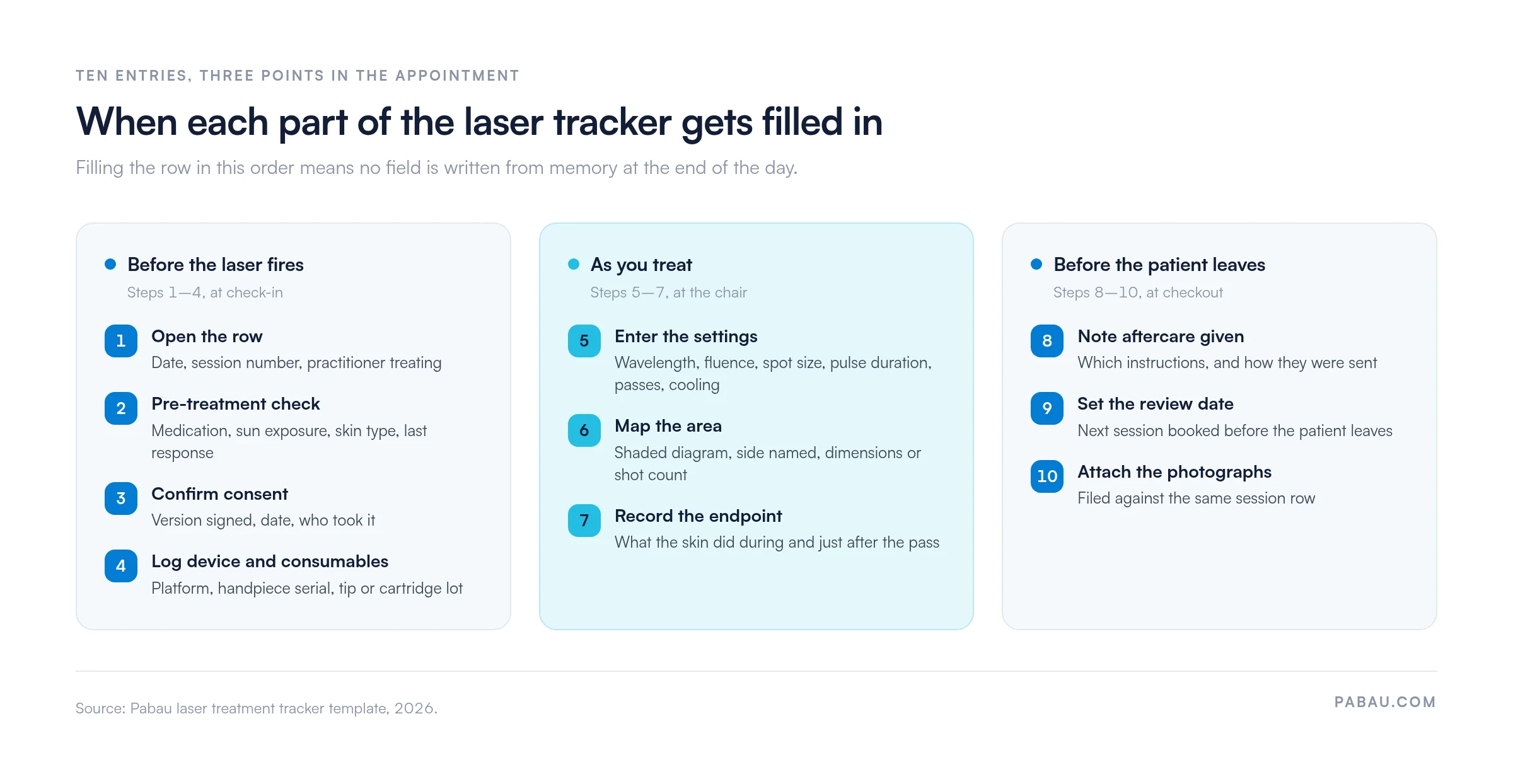
A laser record is judged on whether someone else can reconstruct the session from it. These are the entries that stop that from happening.
A paper tracker works until the patient’s history is split across three places. The consent sits in a folder, the photographs sit on a phone, and the package balance sits in a spreadsheet. Pulling a course together then takes a member of staff half an hour.
Pabau, practice management software built for aesthetic practices, holds those pieces against one patient. Consent forms are sent before the appointment and signed digitally. Treatment records carry your own laser fields, so wavelength, fluence, spot size and endpoint are typed into the same form every time.
Photographs upload to the same session, and medical records management puts prior sessions, medications, allergies and remaining package sessions on one screen. Booking the review before the patient leaves files the next date alongside the log.
The outcome is a course of laser treatment you can read end to end in one file. The same record sits inside our wider medical spa software, next to bookings, packages and payments. Every subscription includes every feature, so a single-room practice documents laser work the same way a multi-site group does.

Pabau’s digital consent forms, treatment records and photo storage hold each laser session against one patient. Your team spends less time rebuilding a patient’s history and more time treating.

A laser treatment tracker earns its place the day someone other than you has to continue a course. The settings, the area and the endpoint are all there, in order, with the reasoning attached. That is a much shorter conversation than reading six separate forms.
Start with the downloadable tracker and use it for one full course of treatment. If your team fills it in consistently on paper, moving the same fields into your patient records is a small step. If they do not, the form is not the problem, and the workflow around it needs attention first.
The trade-off worth remembering is time at the chair against time under audit. A tracker costs a minute per session and saves hours whenever a course, a complication or an inspection has to be reconstructed. Book a demo to see how Pabau keeps laser consent, settings and photographs in one patient file.

Running a dual-wavelength platform? Excel V laser treatment record template shows how the wavelength choice and its reasoning get recorded per session.
Documenting a multi-application system? Harmony XL Pro treatment record template carries parameter and consent fields for a multi-handpiece laser platform.
Need skin typing before you treat? Full skin assessment template records Fitzpatrick typing and lesion mapping ahead of a laser session.
Sending patients home after a session? Laser hair removal aftercare instructions gives you a printable sheet to attach to the session row.
Need the consent form to go with it? Laser hair removal informed consent covers the risks, alternatives and signatures each course needs.
A laser treatment tracker is a running log of every laser session a patient receives, with one row per visit. Each row records the device and handpiece, plus the wavelength, fluence, spot size, pulse duration, passes and cooling. It also carries the treated area, the endpoint observed, consent confirmation and the review date. It sits alongside the per-session consent form rather than replacing it.
Record the date and session number, the practitioner, the device and handpiece serial, and the consumable lot numbers. Then record the parameters delivered for each treated area: wavelength, fluence, spot size, pulse duration, number of passes and the cooling used. Finish with the treated area mapped on a diagram, the endpoint you observed, and any adverse event with the action taken. Add the aftercare given and the review date.
Fluence is energy per unit area, but the spot size changes how deep that energy reaches and how it scatters in tissue. The same fluence delivered through a small spot and a large spot does not produce the same clinical effect. Recording one without the other leaves the next practitioner unable to reproduce or safely escalate the treatment.
Consent should be confirmed at every session rather than signed once at the start of a course. Medication, sun exposure, skin type and the response to the previous session can all change between visits, and any of them can change candidacy. In practice this means a short pre-treatment check plus a logged confirmation of the consent version, the date and who took it. Follow your own regulator’s guidance on when a fresh signature is required.
Take the interval from the protocol for your device and indication. Write the resulting date into the session row and book it before the patient leaves. For touch-ups, decide at the final session whether a maintenance visit is clinically indicated. Record the trigger for it, such as a review at six months if pigment returns. A named trigger and a booked date are what turn a plan into an attended appointment.
Yes, and it is easier to use over a long course. A digital record keeps the consent form, the session parameters, the photographs and the package balance against one patient. Staff do not have to reassemble a course later. Practice management software such as Pabau lets you build your own laser fields into the treatment form. The same parameters are then captured every session and stay searchable across visits.