Despina Petrushevska
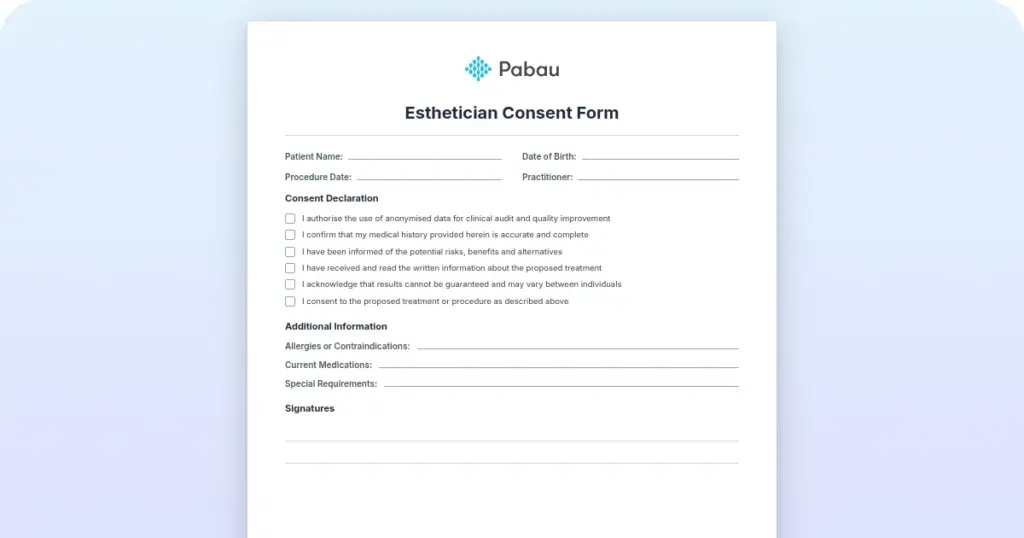
Esthetician consent form
What is an esthetician consent form? An esthetician consent form is a signed doc...

Last Updated: Oct 27, 2026
Free PDF 1 page, print-ready Clinician-reviewed
This pregnancy journal template is a free, printable one-page log for recording pregnancy measurements and observations between prenatal appointments. Each entry captures the date, time, gestation in weeks, one measurement, and your notes or the action you took.
Below the entry, two boxes collect the patterns you noticed over the period and the questions you want to raise at your next visit. You bring the completed page to that appointment, so your provider sees what happened at home in your own words.
Unlike the keepsake journals most free downloads offer, this one is built to be read by your care team. Below, you will find what each field means, how to fill it in, and how prenatal practices can share it.
A one-page printable log with fields for your name, date of birth, record number and the period covered. Each entry captures the date, time, gestation in weeks, a measurement and notes, with space for patterns noticed and questions for your next appointment.
Start from scratch, or upload this PDF or any form you already use, and Pabau's AI Form rebuilds it with tick boxes, text fields and a signature. Attach it to the treatment once, and every patient gets it on time.
AI Form rebuilds the consent, history and aftercare forms you already use. You review each one, then publish.
Patients complete forms on their phone before they arrive, so the front desk stops retyping paper.
Every signed form is versioned and attached to the treatment record, ready when you need it.
Set how long a consent stays valid. Returning patients skip forms they have already signed.
Supports HIPAA and GDPR compliance AES-256 encryption 4.8 on G2 4.7 on Capterra Trusted by 4,000+ practices worldwide

The pregnancy journal template is a one-page log for recording pregnancy measurements and observations between prenatal appointments.
Each entry captures the date, time, gestation in weeks, one measurement, and notes or action taken.
Two free-text boxes collect the patterns you noticed and the questions you want to ask at your next visit.
It is built for tracking and has no photo, letter or birth story pages, so keep any memory book separately.
Practices using Pabau’s patient portal software can send the PDF before the first visit and review completed logs at each appointment.
A pregnancy journal log is a structured record of what you observe between appointments. Instead of trying to remember a reading weeks later, you write it down at the time, with the date and your gestation.
Keeping a log helps you:
The template is built for tracking. It has no week-by-week diary pages, photo pages or letters to baby. Its job is to make the time between appointments visible to you and your care team.
The PDF, titled My Pregnancy Journal, is a single page. It has a patient details header, one log entry block, and two free-text boxes.
The form asks for one entry per event, recorded as close to the event as possible. The date fields use a day, month and year layout.
The measurement field is open, so it works for whichever reading your care team has asked you to track. Agree with your provider what to record before you start, and use the same units each time. If you log blood pressure daily, a blood pressure pregnancy chart gives each reading its own row.
Some readings are taken at your scans, not at home. A cervical length by week chart is completed by your care team from those scan measurements.
Meals and supplements take more room than a single measurement field offers. If your care team asks you to log what you eat, a pregnancy nutrition tracker gives you daily nutrient targets to measure against.
A log never replaces urgent care. If a reading or symptom worries you, contact your midwife or provider straight away rather than waiting for your next appointment.
The log works as a short loop between two visits, and each step lines up with one part of the form.
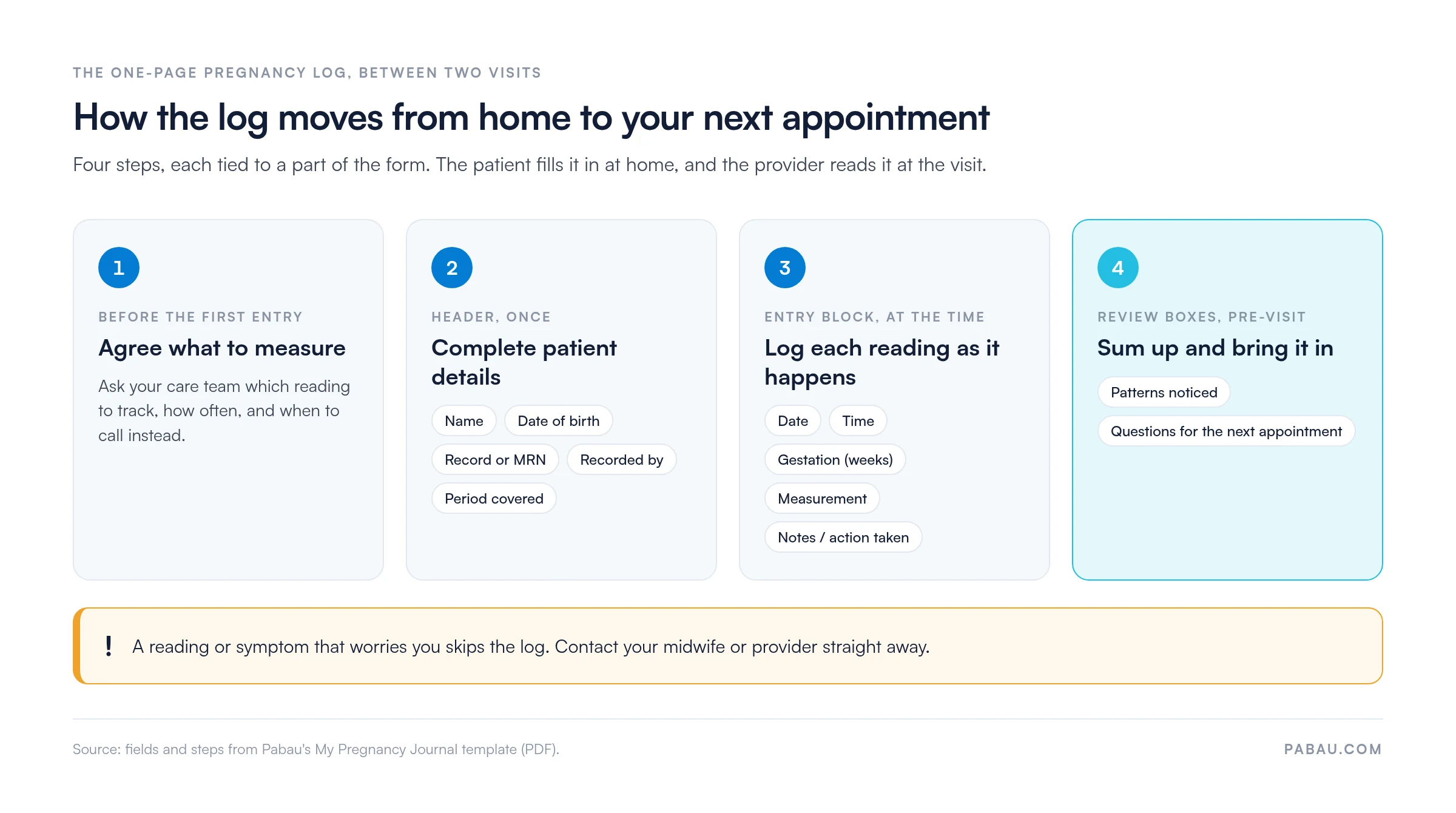
Many prenatal and midwifery practices hand out paper logs and hope patients remember to bring them back. Pages go missing, and the provider often sees the readings for the first time mid-appointment. Teams using fertility clinic software face the same problem with cycle and medication logs kept at home.
Pabau, the practice software that runs your scheduling and patient records, moves the log online. You upload the PDF once and share it with each new pregnancy patient through the patient portal, as part of a first-visit welcome message. Practices can send the PDF through the patient portal, and staff can upload the completed copy to the patient record.
Practices in specialties such as obstetrics and gynecology can use Pabau to centralize patient communication and appointment reminders. During the visit, Pabau Scribe, our AI medical scribe, drafts the note while you discuss the patterns and questions the patient wrote down.

Pabau shares the pregnancy log through your patient portal, and your team can store the completed copy in the patient record. Your team reviews patterns and questions before the appointment starts.

A one-page log does a narrow job well. It captures readings at the moment they happen and carries them, with the patient’s own questions, into the next appointment. That makes prenatal visits shorter on recall and longer on decisions.
Download the template, agree with your care team what to measure, and bring the completed page to each visit. Running a prenatal or midwifery practice? Book a demo to see how Pabau gets logs like this to patients before their first visit.

Tracking blood pressure at home? Blood pressure pregnancy chart gives each home reading its own row for your prenatal visits.
Planning for labor and delivery? Mama Natural birth plan template helps patients write down their birth preferences before the due date.
Preparing for your baby’s monitoring visits? Nonstress test guide explains what the test checks, how it works and what the results mean.
Looking ahead to the fourth trimester? Postpartum checklist covers the recovery milestones to track after the birth.
Documenting fetal heart rate? Normal fetal heart rate template sets out the reference ranges care teams record at each check.
Download the PDF and print a copy. Fill in your name, date of birth, record number and the period the log covers. Then write your first entry the next time you take a reading or notice a change, and bring the page to your next prenatal appointment.
Each entry records the date, time, how many weeks pregnant you are, the measurement, and any notes or action taken. Use the measurement field for whatever your care team asked you to track, such as a home blood pressure reading. Before your appointment, sum up the patterns you noticed and list your questions.
No. This template is a one-page tracking log built for your care team. It has no week-by-week pages, ultrasound or bump photo pages, letters to baby, birth preferences or birth story section. If you want a memory book, keep it separately and use this log for the readings you share with your care team.
Yes. The form asks you to bring the completed log to your next appointment. Your provider can read the entries, discuss the patterns you noticed, and answer the questions you wrote down. If a reading worries you between visits, contact your care team rather than waiting for the appointment.
Fill in an entry each time you take a reading or notice a change, as close to the event as possible. The page has one entry block, so print a fresh copy for each new entry. Ask your care team how often they want a particular measurement recorded.
The log is built around gestation in weeks, so it is designed for use during pregnancy. After the birth, ask your care team which postpartum checks they want you to record. You can still use the notes field and the questions box to prepare for postpartum appointments.