Maja Popovska
HIPAA compliant electronic signature: Pabau vs DocuSign
A HIPAA compliant electronic signature is a signing process that protects electr...

Last Updated: Nov 5, 2026
Free PDF 1 page, print-ready Clinician-reviewed
The Medicare Consent to Release (CTR) form authorizes CMS to release a beneficiary’s claim and entitlement records to a named third party. Attorneys, billing firms, and other providers all rely on it. Two details decide whether CMS accepts the form. One is the identifier you enter, and the other is how tightly you define the scope.
The form itself is short. The trouble comes after signing, when nobody tracks the expiration date and access quietly lapses in the middle of a case. Below are the five fields CMS checks, where the beneficiary’s MBI lives, and how to revoke consent.
This is the CMS form that authorizes release of Medicare claim and entitlement records to a named representative. It covers beneficiary details, representative details, the scope of release, and the expiration date.
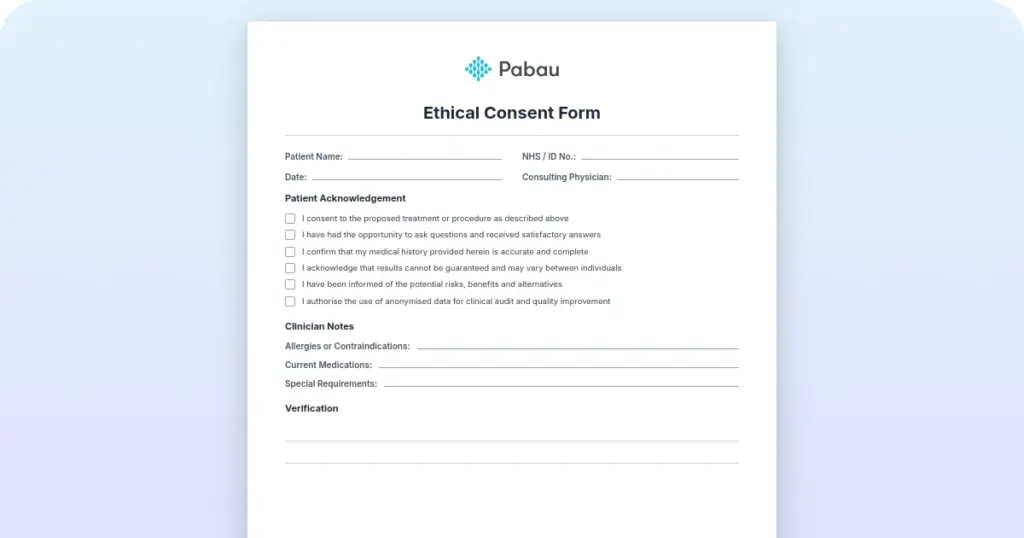
Start from scratch, or upload this PDF or any form you already use, and Pabau's AI Form rebuilds it with tick boxes, text fields and a signature. Attach it to the treatment once, and every patient gets it on time.
AI Form rebuilds the consent, history and aftercare forms you already use. You review each one, then publish.
Patients complete forms on their phone before they arrive, so the front desk stops retyping paper.
Every signed form is versioned and attached to the treatment record, ready when you need it.
Set how long a consent stays valid. Returning patients skip forms they have already signed.
Supports HIPAA and GDPR compliance AES-256 encryption 4.8 on G2 4.7 on Capterra Trusted by 4,000+ practices worldwide

The Medicare Consent to Release (CTR) form lets a beneficiary authorize CMS to share claim and entitlement data with a named third party.
Since January 1, 2020, the form requires the Medicare beneficiary identifier (MBI) rather than the legacy Health Insurance Claim Number (HICN). Submit the HICN and CMS rejects the form.
Five fields decide whether CMS accepts the form: beneficiary details, the MBI, the representative, the scope of release, and the expiration date.
A CTR and a HIPAA authorization are not interchangeable, so third-party access to a full record usually needs both.
Practice management software like Pabau collects consent by e-signature and flags each authorization before it expires, so access never lapses mid-case.
The CTR form comes from the Centers for Medicare & Medicaid Services (CMS). It authorizes CMS to share Medicare claim data, entitlement information, and beneficiary records with a designated third party. That party is usually an attorney, a billing administrator, or an authorized representative. It belongs with the rest of your HIPAA paperwork, though it is a CMS instrument rather than a HIPAA one.
The form does three things.
Medicare-participating practices, law firms, and billing clearinghouses use it regularly. They need the beneficiary’s claim history for legal settlements, workers’ compensation cases, and billing disputes.
Four situations make the form mandatory. Each one involves somebody other than the beneficiary asking CMS for Medicare data. It joins the stack of forms your practice collects, except this one is filed with CMS rather than the chart.
The scope section decides how much CMS hands over. The beneficiary and the authorized representative choose one of four categories.
Narrowing the scope limits disclosure to what the stated purpose requires. CMS will not release anything outside the box you checked. Recording the chosen scope in your compliance software lets billing staff see what they may request without rereading the form.
Five fields carry the weight here. An error in any of them sends the request back unprocessed.
Both the beneficiary and the authorized representative sign and date the form. The beneficiary’s signature must be wet ink or captured by an e-signature platform that logs date, time, and identity. Mail or fax the signed form to the CMS address printed on it.
The MBI identifies every Medicare beneficiary. CMS ran a transition period that ended December 31, 2019, and the MBI has been required on CMS forms since January 1, 2020. A form carrying the old HICN comes back unprocessed. That delay can cost a legal deadline or hold up billing reconciliation.
The MBI is printed on the Medicare card directly below the beneficiary’s name. It is an 11-character alphanumeric code combining numbers and uppercase letters, such as 1EG4-TE5-MK73. CMS guidance sets out the character positions, so staff can catch a mistyped entry before the form goes out. Beneficiaries who cannot find the card can log into MyMedicare.gov, call 1-800-MEDICARE, or contact the Social Security Administration at 1-800-772-1213.
Keep a one-line rule taped to your CMS forms folder. The MBI is the 11-character code printed under the beneficiary’s name, and it has been mandatory since January 1, 2020. If someone copies a longer number from an old record, it is a HICN and the form will come back.
The authorization lasts until the date the beneficiary writes on the form. CMS sets no maximum or minimum. Common durations look like this.
Once the date passes, CMS rejects any new request. Extending access means a fresh CTR, signed again. Compliance tracking in practice management software like Pabau can warn staff weeks before an authorization lapses.

The beneficiary can cancel the authorization at any time, but it has to be in writing. CMS needs a signed revocation letter or revocation form. The letter carries the beneficiary’s full name, MBI, and date of birth, plus a clear statement revoking consent from a stated date.
Send it by mail, fax, or through the Medicare Secondary Payer Recovery Portal (MSPRP). CMS processes revocations in roughly five to 10 business days. After the effective date, the original signed form stops working, and CMS releases nothing further to that representative.
These two forms serve distinct purposes and are often confused. Both are required when an attorney represents a Medicare beneficiary in a legal matter.
Practical rule. If an attorney is involved, send both forms to CMS together. The CTR authorizes the data release. The POR proves the attorney has standing to ask for it. Send one without the other and the request stalls.
These two authorizations get conflated constantly, and they answer to different rules.
A third party who needs the full medical history usually requires both forms. The CTR covers Medicare claims, and the HIPAA authorization covers the clinical records your practice holds. Collect them in one sitting and apply the same data protection rules to each.
Paper CTR forms create friction. They get misplaced, expiration dates slip past unnoticed, and a revocation notice never reaches the billing staff who need to see it. A static PDF tells you nothing about which authorizations are still live.
Staff training improves accuracy, but it cannot catch a date nobody is watching. Pabau keeps the CTR in the client record itself, beside the intake questionnaire and the multidisciplinary review.

Pabau’s digital consent forms cover four things paper cannot.
Practices that bill Medicare rely on claims data every month. Moving consent collection off paper cuts both the error rate and the audit exposure that comes with it.

Pabau collects consent by e-signature, stores it in the client record, and flags every authorization before it expires. Your team stops chasing paper and never loses data access mid-case.

Treat the CTR as a dated instrument, not a one-off signature. The identifier and the scope box decide whether CMS accepts it today. The expiration date decides whether you still have access in six months.
So the practical move is a single place to see every live authorization, its scope, and its expiry. Digital consent storage gets you that, and it turns renewal into a task somebody owns rather than a surprise. Book a demo to see how Pabau tracks Medicare consent from signature to expiration.

Billing a skin substitute graft? Skin substitute graft billing guide covers the CPT code for applying a skin substitute graft to the trunk, arms, or legs.
Billing additional skin substitute graft area? Skin substitute graft add-on code covers the add-on CPT code billed alongside CPT 15271 for each additional area of graft.
Billing a full-face dermabrasion procedure? Total face dermabrasion billing code covers the CPT code for dermabrasion of the total face and the mistakes that cause denials.
Billing multiple lesion abrasions? Lesion abrasion add-on code covers the add-on CPT code for each additional four lesions after the first code applies.
It is a CMS authorization that lets a Medicare beneficiary permit the release of their claim and entitlement data. The named third party is usually an attorney, a billing firm, or another provider.
The MBI is an 11-character alphanumeric code combining numbers and uppercase letters, such as 1EG4-TE5-MK73. It is printed on the Medicare card directly below the beneficiary’s name. The MBI replaced the legacy Health Insurance Claim Number (HICN) on CMS forms as of January 1, 2020. Beneficiaries can also find it on MyMedicare.gov or by calling 1-800-MEDICARE.
It stays valid until the expiration date the beneficiary writes on the form, and CMS sets no maximum or minimum. Six months suits a time-limited legal matter, while one to two years suits ongoing billing access. After that date, the representative needs a new CTR to keep receiving data.
No. The CTR only authorizes CMS to release Medicare claims and entitlement data. A HIPAA authorization is a separate document that lets a provider disclose protected health information, including clinical notes, diagnoses, and medications. A third party who needs the full record usually requires both.
Send CMS a signed revocation letter or revocation form. Include the beneficiary’s full name, MBI, and date of birth, plus a clear statement revoking consent from a stated date. Submit it by mail, fax, or the Medicare Secondary Payer Recovery Portal. CMS processes revocations in roughly five to 10 business days.
The CTR authorizes CMS to release beneficiary data to a named third party. Proof of Representation (POR) establishes an attorney’s legal authority to act for the beneficiary. When an attorney is involved, CMS needs both forms, submitted together.