Despina Petrushevska
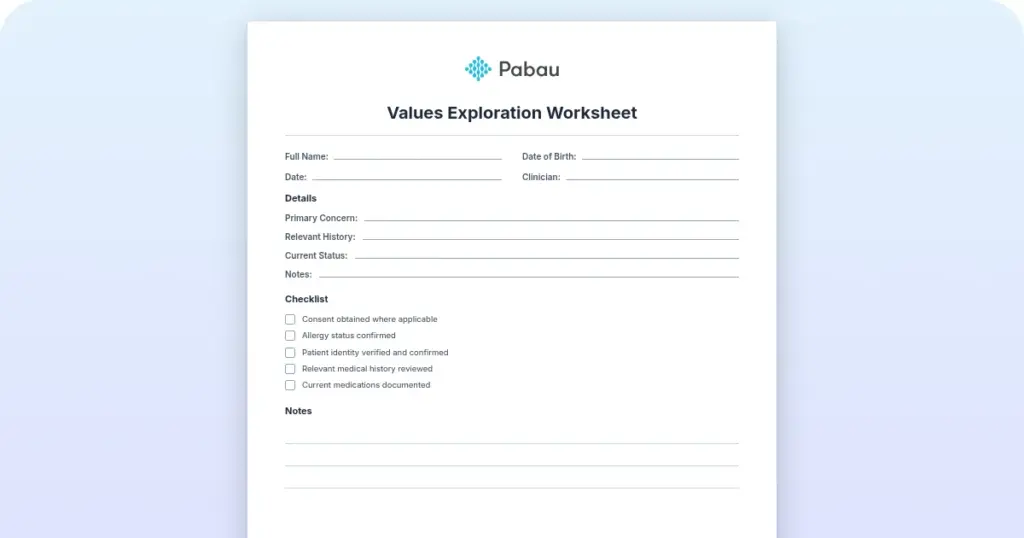
Values exploration worksheet
Download your free values exploration worksheet A two-page printable form that o...

2
Last Updated: Nov 6, 2026
Free PDF 1 page, print-ready Clinician-reviewed
An invoice template for builders is a pre-formatted document that structures how you bill clients for construction work, labor, and materials. It carries the fields clients expect to see on every invoice. Those are your contractor details, a line-item breakdown, payment terms, and the tax calculation.
Static templates in Word, PDF, or Excel work well for solo builders and small teams sending a handful of invoices a month. Once the workload grows, re-keying client details, job dates, and cost breakdowns into every invoice slows you down and invites errors.
This guide covers what a builder invoice must contain, which format suits each contract type, and when invoicing software earns its cost.
A one-page printable invoice with fields for your business name and address, bill-to details, and line items showing description, quantity, unit price, and amount. The totals block covers subtotal, discount, tax, amount paid, and balance due.
Start from scratch, or upload this PDF or any form you already use, and Pabau's AI Form rebuilds it with tick boxes, text fields and a signature. Attach it to the treatment once, and every patient gets it on time.
AI Form rebuilds the consent, history and aftercare forms you already use. You review each one, then publish.
Patients complete forms on their phone before they arrive, so the front desk stops retyping paper.
Every signed form is versioned and attached to the treatment record, ready when you need it.
Set how long a consent stays valid. Returning patients skip forms they have already signed.
Supports HIPAA and GDPR compliance AES-256 encryption 4.8 on G2 4.7 on Capterra Trusted by 4,000+ practices worldwide

A builder invoice template is a billing document that records the contractor, the client, the work done, the costs, and the payment terms.
Every invoice needs an invoice number, issue and due dates, both parties’ details, the project, itemized line items, tax, and the total due.
Progress billing invoices at each milestone, time and materials bills hours plus materials, and fixed-price bills one lump sum. Match the format to your contract.
Static templates suit a low invoice count. Once you are sending dozens a month, invoicing software that stores client and rate data removes the re-keying.
UK builders must register for VAT once turnover passes £90,000 in a rolling 12 months. CIS subcontractors also show a 20% deduction on the invoice.
A builder invoice template is a billing document that sets out the work performed, the costs incurred, and the agreed payment terms. It is both a formal request for payment and a record of what was built. Builder invoices usually itemize labor and materials separately, describe the specific job, and can carry a retainage clause.
The template does two jobs at once. It gives you a record for reconciliation and tax, and it controls when and how much the client pays. A clear invoice shortens payment delays and gives you something to point at in a dispute.
Every builder invoice carries a core set of fields, so the client can see what they are paying for and when payment falls due. Leave one out and you invite a query, which turns into a delay.
The contract decides the invoice. A staged build, an open-ended repair job, and a fixed-scope extension each call for a different format. Pick the wrong one and you invite arguments about what has already been paid for. The four formats below differ mainly in what triggers the invoice and what the client sees on it.
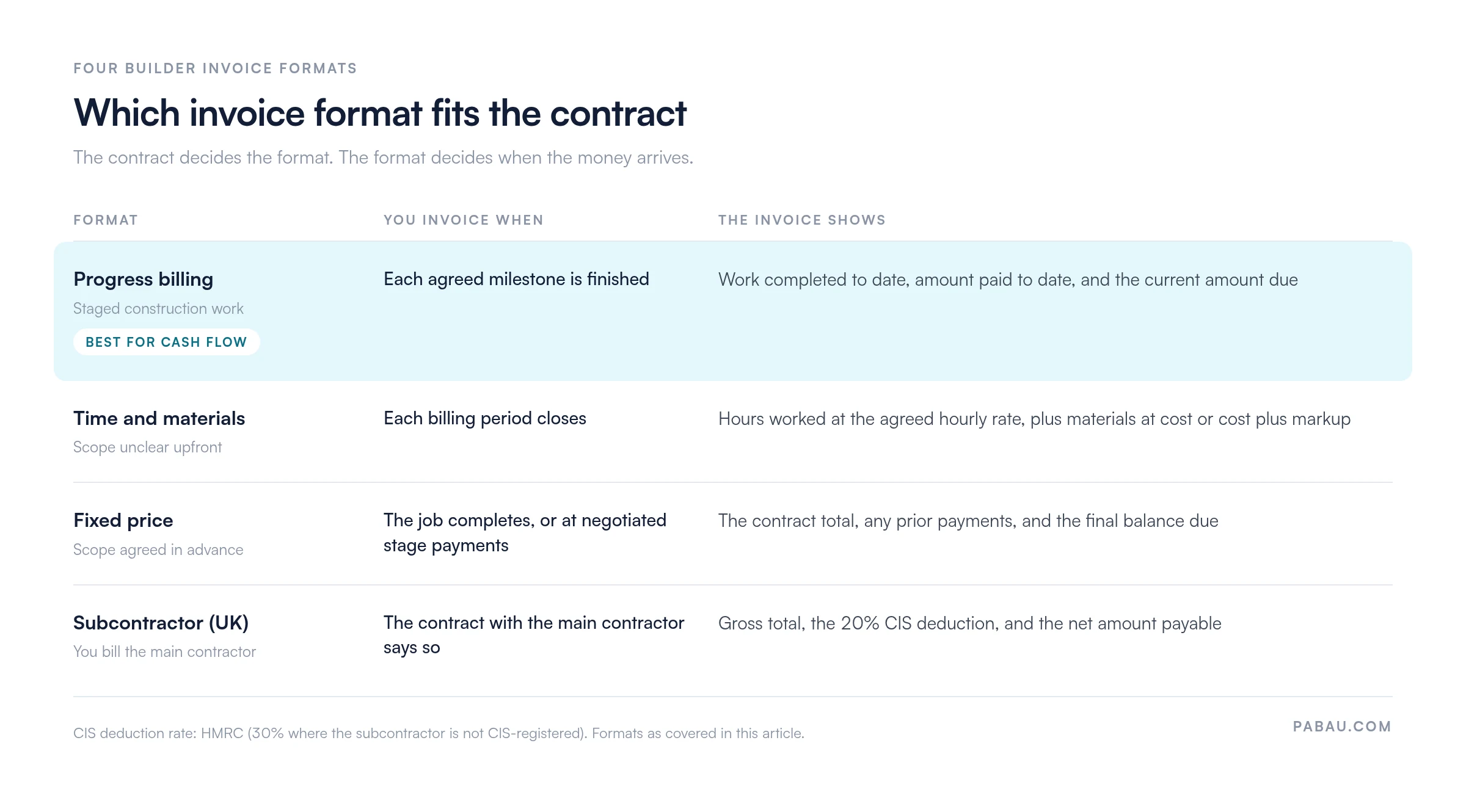
Progress billing charges the client at agreed milestones, such as foundation complete, framing complete, and final walkthrough. Each invoice shows the cumulative work completed, the amount paid to date, and the current amount due. Being paid incrementally protects cash flow, instead of carrying the job’s cost until the final walkthrough.
Time and materials (T&M) invoices bill the hours you logged plus the materials you bought. They suit a job whose scope nobody can pin down at the start. Labor is charged hourly, and materials at cost or cost plus a markup.
The format needs detailed timesheets and receipts behind it, both to support the invoice and to defend it in a dispute.
A fixed-price invoice quotes one lump sum for the whole scope. Once the contract is signed you invoice the agreed total at completion, or in stages where stage payments were negotiated. The invoice shows the project total, any payments already made, and the final balance due.
Subcontractors invoice the main contractor rather than the end client. In the UK the invoice must carry the Construction Industry Scheme (CIS) deduction, because the contractor withholds 20% at source before paying you. The document itself is simpler than a main-contract invoice, and the compliance wording is the part that matters.
The usual approach is one master file, copied for each job. The format you choose mainly decides how much of the arithmetic you do yourself.
Word (.docx) suits you if you want the fonts, colors, and branding to match the rest of your paperwork. Word’s table formulas can total each line and the invoice itself. Save a master copy, then start a fresh copy for every job.
A PDF holds its layout whatever software the client opens it in, which is why it is the safest format to send. A fillable PDF lets you type into the invoice fields without touching the underlying template. Printing to PDF from Word or Excel locks the figures before the invoice leaves your desk.
A spreadsheet earns its place when the arithmetic changes on every job. Set formulas to multiply quantity by unit price, total the labor and materials sections, and apply the VAT rate. Export to PDF before sending, so the client cannot edit the figures.
Google Docs and Sheets are free and open on any device with a browser, with nothing to install. Sheets does the same calculation work as Excel, and Docs is the easier of the two to restyle. Both save as you type, so the master file stays current wherever you edit it.
Once the template exists, the same eight steps produce every invoice. Working through them in order is what keeps the numbering and the records consistent.
A tidy invoice on its own does not make anyone pay sooner. The habits below are what pull the payment date closer to the day you finish.
UK builders have two compliance obligations on top of the invoice itself. One is VAT registration, the other is the Construction Industry Scheme. Errors in either cost money and attract HMRC penalties.
VAT registration: You must register for VAT with HMRC once your taxable turnover passes £90,000 in a rolling 12-month period. That threshold has applied since 1 April 2024, and the deregistration threshold sits at £88,000.
Once registered, every invoice shows your VAT registration number and the VAT charged on taxable supplies. Standard-rated construction work, which covers labor and most materials, is charged at 20%. Some energy-saving materials qualify for a zero rate, so check with your accountant before you zero-rate a job.
Construction Industry Scheme (CIS): A main contractor deducts 20% tax at source from a subcontractor’s invoice before paying it. The rate rises to 30% where the subcontractor is not registered with CIS. Your invoice has to state the deduction plainly.
Write it out in full: total invoice £1,000, CIS deduction at 20% of £200, amount payable £800. The contractor pays that £200 to HMRC on your behalf, and you claim credit for it on your own tax return. Confirm the CIS position in the contract before you invoice a main contractor for the first time.
Static templates hold up while you are sending fewer than 10 to 15 invoices a month against straightforward jobs. Past that point, the manual work starts costing more than the software would.
What templates cost you: Every invoice means typing the client name, address, job details, rates, and calculations again. Client records, time tracking, and invoice tracking live in separate spreadsheets. Finding an old invoice means searching email or a folder tree, and the same figure gets entered twice often enough to matter.
What invoicing software changes: Client details, agreed rates, and job records are stored once and reused on every invoice. Logged hours become line items without a second entry. Card payment is built into the invoice, so a client can settle it on the spot. Reminders go out on a schedule instead of when you remember.
For builders running several crews or invoicing weekly, the time saved usually covers the subscription within the first month. The trade-off is setup. Someone has to load the client and rate data before the first invoice goes out.
The template limits above apply in any service business that bills its own customers. Pabau is practice management software for medical, aesthetic, and wellness practices. What follows is for readers running one of those, rather than a building firm.
A practice invoicing from a template retypes the patient’s name, the treatment, and the price on every invoice. It then reconciles those invoices against the appointment book by hand.
Pabau raises the invoice from the appointment and treatment record it already holds, inside one practice management system. Prices come from the stored price list, so a single rate change reaches every invoice issued after it.
Card payments settle against the invoice as they are taken, either at the desk through Pabau Pay, our card terminals, or online. Outstanding balances then sit in one list rather than a folder of PDFs, and our guide to patient collections covers chasing them.

Pabau raises each invoice from the appointment and treatment record it already holds, and takes the card payment against it. Your practice stops re-keying names, treatments, and prices into a separate billing file.

A builder invoice template is worth the ten minutes it takes to set up properly. The master file you keep decides how much retyping and arithmetic every future job costs you.
Pick the format the contract actually calls for, and itemize labor and materials so the client can check the figures themselves. State the due date in words rather than leaving it implied. UK subcontractors carry the extra step of showing the CIS deduction on the face of the invoice.
If you run a healthcare or aesthetics practice rather than a building firm, book a demo. Pabau raises each invoice straight from the appointment record, and takes the payment against it.

Chasing an unpaid balance? Patient collections: how to improve your collection rate sets out how to recover money owed without souring the relationship.
Taking card details before the work starts? Credit card authorization form gives you a one-page sheet plus the field checklist and sample wording.
Handling card payments in a healthcare practice? HIPAA compliant payment processing explains what the rules ask of you before you pick a processor.
A builder’s invoice needs an invoice number and date, your business details and tax ID, and the client’s name and address. It also needs the project description and address, itemized labor and materials, the subtotal, any tax or VAT, payment terms, and how to pay. VAT-registered UK builders show their VAT number and the VAT amount. CIS subcontractors note that a 20% deduction applies.
A progress invoice bills at project milestones, so payment arrives incrementally as the work advances. A fixed-price invoice bills one lump sum for the whole scope, usually at completion or per the contract terms. Progress invoicing protects cash flow. Fixed-price invoicing is simpler, but you wait for the money unless split payments were negotiated.
In the UK you must register for VAT once your turnover passes £90,000 in a rolling 12 months. Registered builders then charge 20% on most construction labor and materials. Below the threshold, registration is optional and may still suit your business. Builders outside the UK follow their own tax authority, such as GST in Australia or sales tax in the US.
Net 30 is the standard, meaning payment falls due 30 days after the invoice date. In construction, progress invoices often carry 7 to 14 day terms after a milestone is signed off. Put a specific due date on the invoice, and state the late-payment consequences, such as interest under the UK Late Payment of Commercial Debts Act.
Retainage is a slice of the contract value, usually 3% to 10%, that the client holds back until the project is complete and accepted. It covers the client against unfinished or defective work. Once the punch-list items are fixed, the client releases the retained amount. Show the gross amount due, the retainage deducted, and the net payable.