Despina Petrushevska
Healthcare policy management software: Pabau vs dedicated tools
Healthcare policy management software helps a healthcare organization write, app...

Last Updated: Oct 29, 2026
Free PDF 4 pages, print-ready Clinician-reviewed
Download your free healthcare practitioner form Healthcare practitioner form A ready-to-use resident medical assessment template for long-term care and assisted-living admissions, covering medical and psychiatric history, allergies, communicable-disease screening, fall and injury risk, skin condition, sensory and nutritional status, medications, and signature blocks. Use as-is or adapt it to your facility’s state requirements. Download template […]
A ready-to-use resident medical assessment template for long-term care and assisted-living admissions, covering medical and psychiatric history, allergies, communicable-disease screening, fall and injury risk, skin condition, sensory and nutritional status, medications, and signature blocks. Use as-is or adapt it to your facility’s state requirements.
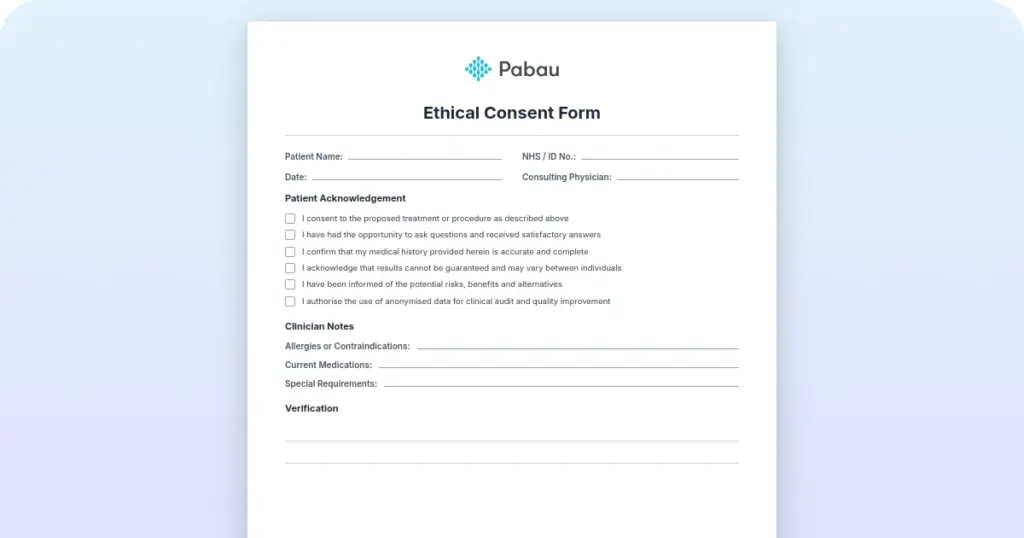
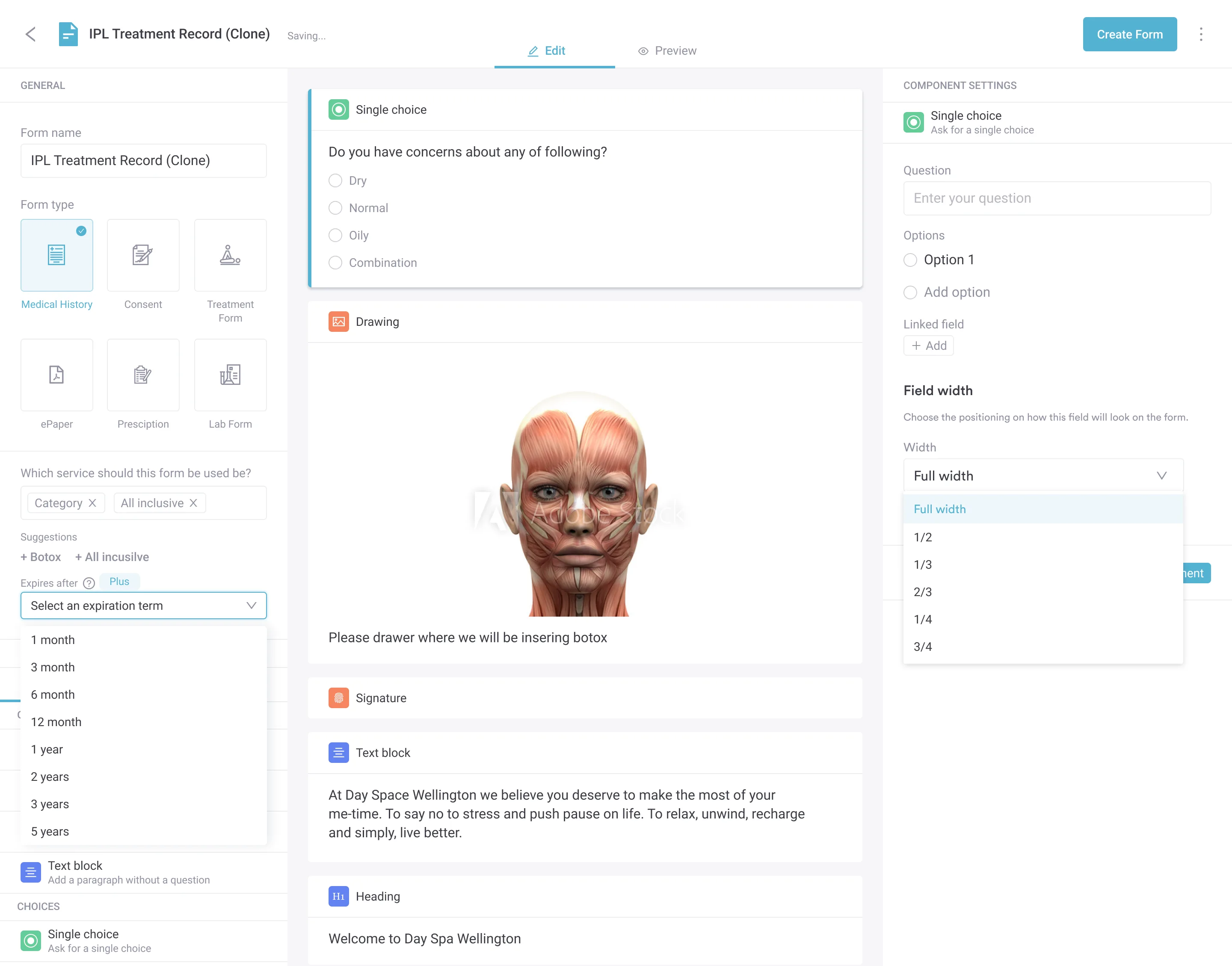
Start from scratch, or upload this PDF or any form you already use, and Pabau's AI Form rebuilds it with tick boxes, text fields and a signature. Attach it to the treatment once, and every patient gets it on time.
AI Form rebuilds the consent, history and aftercare forms you already use. You review each one, then publish.
Patients complete forms on their phone before they arrive, so the front desk stops retyping paper.
Every signed form is versioned and attached to the treatment record, ready when you need it.
Set how long a consent stays valid. Returning patients skip forms they have already signed.
Supports HIPAA and GDPR compliance AES-256 encryption 4.8 on G2 4.7 on Capterra Trusted by 4,000+ practices worldwide

A healthcare practitioner form used in long-term care and assisted-living settings records a resident’s medical, psychiatric, and functional history so a facility can confirm they’re safe to admit and plan their care.
Required sections cover medical and psychiatric history, allergies, communicable-disease clearance, drug and alcohol history, fall and injury risk, skin condition, sensory impairment, temperature sensitivity, nutritional status, and current medications.
It’s a risk and history assessment, not a full physical exam record — the form doesn’t include vital signs, ICD-10 diagnosis codes, or a practitioner license-number field, and it needs signatures from the prescriber, the patient or resident, and the healthcare provider.
Practice management software like Pabau turns this paper-based assessment into a digital form with validation, e-signatures, and an automatic audit trail, so nothing is missing when a regulator asks to see it.
Long-term care and assisted-living facilities can’t admit a new resident without a signed medical assessment from a prescriber or healthcare provider first. Piecing that assessment together from scattered notes, phone calls, and paper forms wastes time and risks missing a detail that matters — a fall risk, an allergy, a medication that needs monitoring.
A healthcare practitioner form, in this context, is the documented medical and psychosocial assessment a prescriber or healthcare provider completes before — or shortly after — a resident is admitted to a long-term care or assisted-living facility. It records health history, fall and injury risk, skin condition, sensory and nutritional status, current medications, and disease screening, plus the signatures that make the assessment official.
This guide covers what the form includes, the different types of practitioner forms you’ll come across across care settings, how to fill one out accurately, and the mistakes that most often delay admission or trigger an audit finding. We’ve also included a free downloadable template (above) that follows this structure.
A healthcare practitioner form is a standardized document that a licensed prescriber or healthcare provider completes to certify a patient’s or resident’s health status for a specific purpose — admission to a facility, a benefit application, or ongoing regulatory oversight. Unlike a patient intake form (filled out mostly by the patient), a practitioner form is completed and signed by the clinician, based on their own review of the person’s history and current condition. For teams using structured digital forms, this distinction is built into the form logic itself.
The most common version — and the one our free template follows — is used for long-term care and assisted-living admissions. Programs like Maryland’s physical assessment form, administered by the state’s Office of Health Care Quality, require a prescriber to certify that a prospective resident is medically and psychiatrically stable enough for placement, and to flag any risk factors staff need to plan around before move-in day.
Practitioner forms are used across long-term care, assisted living, and other healthcare settings . For a long-term care or assisted-living admission, the form serves three core purposes: (1) Resident risk assessment — recording fall risk, skin condition, communicable-disease status, and nutritional status so the care team knows what to plan for from day one; (2) Regulatory compliance — proving a licensed prescriber assessed the resident and meeting state requirements (e.g., Maryland’s Form 4506 for assisted living placements); (3) Legal protection — creating a signed, dated record of who assessed the resident and when.
The healthcare practitioner form covers 13 sections, following the same structure used by long-term care and assisted-living admission assessments:
Because this form follows a fixed, regulatory-style structure, there’s less room to customize section by section than with a general intake form. Facilities can add extra fields for state-specific requirements, but every core section above needs to stay in place for the assessment to hold up during a licensing survey.
Healthcare practitioner forms come in three main categories. It’s worth knowing where the long-term care assessment above fits before you customize a template.
Physical assessment forms capture a resident’s health status, risk factors, and functional needs ahead of a facility admission. Our downloadable template above is this type of form, closely modeled on Maryland’s Form 4506, the state’s Health Care Practitioner Physical Assessment, which requires a licensed physician, nurse practitioner, or physician assistant to sign off before an assisted-living placement.
Statement of medical need forms certify that a patient meets clinical criteria for a specific service, such as home care or an assistive-device application, rather than assessing overall risk for a facility placement. Texas requires Form 3052 (Practitioner’s Statement of Medical Need) for this purpose. Follow going paperless best practices to store these regulatory documents securely and retrieve them instantly during inspections.
Specialty assessment forms capture domain-specific data outside the standard long-term care template. Mental health practitioners use depression and anxiety screening tools, occupational therapists document functional limitations in more clinical detail. Always verify state regulatory requirements before finalizing a template — what satisfies Maryland may not satisfy Texas, and individual facilities often layer on their own additional questions.
Running this form inside a GP practice system keeps clinical documentation in one place.
Completing this assessment accurately takes attention to detail — a missing section or an unsigned form can delay a resident’s admission or trigger a licensing-survey finding. Follow these steps:
Assessments that sit half-completed on a desk are the most common cause of admission delays. Try to finish and sign the form in one sitting, while the resident’s history is still fresh.
Practitioner form errors are one of the most common reasons a resident’s admission gets delayed. These mistakes are preventable — and knowing them helps your team avoid costly delays.
Unsigned or illegible signatures. Facility administrators and state licensing bodies can’t accept a form without identifiable signatures from the prescriber, the patient or resident, and the healthcare provider. Some facilities reject typed names in place of a handwritten or verified e-signature. Always sign legibly, print your name beneath your signature, and include the date and a phone number in case the facility has questions.
Missing or incomplete sections. A form missing the emergency contact, the communicable-disease clearance, or a signature is incomplete and can’t be processed. Before filing it, check that every section has an answer — even “none” or “not applicable” is better than a blank space. Use automated workflow systems to prevent submission of incomplete documents.
Outdated medical history or medication lists. If the form lists medications a resident is no longer taking, or leaves out a recent hospitalization, reviewers will flag it as inaccurate. Update the medical and psychiatric history sections at every reassessment — this matters most for admission forms, where outdated information can lead to an inappropriate level of care.
Vague answers in the risk sections. “Resident is fine” tells a reviewer nothing. Specific answers — “gait problem, uses a walker, moderate fall risk” — create clarity and help staff plan the right safeguards. If your facility uses a validated fall-risk or functional scale, record the actual result alongside the checklist answer.
Incomplete nutritional or sensory detail. Leaving height, weight, or hearing and vision status blank might seem minor, but these fields flag residents who need dietary support, feeding assistance, or communication accommodations from day one. Skipping them just pushes the problem onto whoever discovers it during the resident’s first week.
Paper forms create friction at every step: printing, distributing to the prescriber, chasing signatures, and filing the finished assessment. Practice management software like Pabau removes that friction by making the practitioner form a native part of the resident’s digital record.
Instead of a static PDF, the prescriber or healthcare provider completes the assessment directly against the resident’s record, before or shortly after admission. Required sections are validated so the form can’t be submitted with a missing signature or an unanswered risk question. Both the prescriber and the healthcare provider sign electronically, with a timestamped e-signature that creates an audit trail for licensing inspections.
Completed assessments file straight into the resident’s digital record — no scanning, no paper storage, no lost forms. If a state inspector requests a copy during a licensing survey, staff can pull it up in seconds, along with a full audit trail showing when it was completed, signed, and last accessed.

Discover how digital forms with validation, e-signatures, and automatic data pre-fill streamline resident and practitioner documentation while keeping every assessment audit-ready.

Create a practitioner form checklist and post it wherever assessments are completed. List the sections that get missed most often — emergency contact, communicable-disease clearance, all three signatures — as a visual reminder. A laminated card takes 30 seconds to check and saves hours of rework when a licensing surveyor flags an incomplete assessment.
A healthcare practitioner form is a critical part of admitting a resident into long-term care or assisted living safely. Completed accurately, it gives the care team everything they need — health history, risk factors, medications, and sign-off from a licensed prescriber — before that resident’s first day. Rushed or incomplete, it delays admission and leaves the resident’s record incomplete, which is hard to fix later.
The fix is the same one that works for every other paper form in a practice: go digital. Integrate your resident records with your practitioner documentation so assessment findings flow seamlessly into the care plan. Book a demo to see how your facility can turn a stack of paper assessments into a validated, audit-ready digital workflow.

Documenting cognitive impairment instead? impaired memory nursing care plan covers NANDA diagnoses like Impaired Memory, Risk for Injury, and Chronic Confusion with memory aid interventions.
Need a care plan template for a bone infection diagnosis? Osteomyelitis nursing care plan covers goals, interventions, evaluation, and patient education for bone infection care.
Need a NANDA-I formatted care plan for a GI condition? Pancreatitis nursing care plan covers five diagnoses, interventions with rationale, and evaluation criteria for acute and chronic cases.
A patient intake form captures information supplied by the patient — demographics, medical history, symptoms. A healthcare practitioner form documents the prescriber’s or healthcare provider’s own assessment of that patient or resident, including risk factors, medication review, and sign-off. Intake forms are patient-generated; practitioner forms are provider-generated and require a practitioner signature.
Only a licensed prescriber can complete and sign this type of assessment — typically a physician, nurse practitioner, or physician assistant. A separate healthcare-provider signature is also required. Unlicensed staff, such as medical assistants or front-desk staff, cannot sign off on the assessment or certify that a resident is fit for admission.
No. This form is a risk and history assessment, not a physical exam record — it doesn’t include fields for blood pressure, heart rate, or other vital signs, and it doesn’t ask for an ICD-10 diagnosis code. If your facility also needs a vitals-based physical exam form, you’ll need a separate template alongside this one.
An assessment missing the prescriber’s, the patient’s or resident’s, or the healthcare provider’s signature is incomplete and can’t be used to support an admission decision. Most facilities and state licensing bodies will reject it and ask for resubmission with a valid signature. A resident’s admission can be delayed indefinitely if any of the three signatures is missing.