Monika Lazarevska
Stylage filler: Grades, consent form and aftercare
Download your free Stylage consent form A ready-to-use patient consent form for ...

5
Last Updated: Oct 28, 2026
Free PDF 4 pages, print-ready Clinician-reviewed
A client walks in for a routine facial and reacts badly to a product you didn’t know she was using. That’s the exact risk a facial consultation form exists to catch. Whether kept on paper or in medical spa software, it records skin type, medical history, and contraindications before you start any treatment.
Skip that step and you’re guessing. One missed detail, like a client on Roaccutane, can turn a routine peel into a burn you have to explain to a regulator. Here’s what the form should include, why each part matters, and how to use it without slowing down your day.
A ready-to-use consultation form covering client details, skin type, medical history, contraindications, treatment goals, and informed consent for facial treatments.
Start from scratch, or upload this PDF or any form you already use, and Pabau's AI Form rebuilds it with tick boxes, text fields and a signature. Attach it to the treatment once, and every patient gets it on time.
AI Form rebuilds the consent, history and aftercare forms you already use. You review each one, then publish.
Patients complete forms on their phone before they arrive, so the front desk stops retyping paper.
Every signed form is versioned and attached to the treatment record, ready when you need it.
Set how long a consent stays valid. Returning patients skip forms they have already signed.
Supports HIPAA and GDPR compliance AES-256 encryption 4.8 on G2 4.7 on Capterra Trusted by 4,000+ practices worldwide

A facial consultation form records client details, skin type, medical history, and contraindications before you start treatment.
Every section earns its place: personal details protect both sides, medical history flags risks like Roaccutane use, and skin assessment guides your treatment choice.
Paper and PDF forms mean manual filing and lost pages between visits, while digital forms attach straight to the client’s record.
Digital forms can reach clients before their appointment, so they arrive pre-completed and ready for your notes.
A facial consultation form is a standard document estheticians and skin care practitioners use to assess clients before a facial. It captures contact details, skin type, medical history, current products, areas of concern, treatment goals, and consent for the procedures offered.
It goes further than a simple intake form. An intake form only gathers contact and emergency details. A consultation form adds the clinical and aesthetic information you need to personalize treatment and assess risk. Other procedures need their own version, like a hair transplant intake template built around medical history and pre-operative expectations instead of skin type.
Three reasons make a consultation form non-negotiable: liability protection, informed consent, and a better fit between client and treatment.
Every practitioner works from the same baseline data on skin condition and preferences. Over time, the form tracks how skin has responded to past treatments, building a record that improves outcomes on repeat visits.
Each section below does a specific job, whether that’s clinical safety or plain admin.
Capture name, date of birth, contact details, emergency contact, and a general practitioner reference. This protects both sides. You can reach the client to confirm appointments or flag concerns, and you have an emergency contact if a reaction happens during the visit.
Ask clients to identify their skin type (oily, dry, combination, sensitive, or normal) and note visible conditions like acne, rosacea, eczema, psoriasis, or hyperpigmentation. Many practices also record the Fitzpatrick scale, a useful baseline for tracking response and avoiding post-inflammatory hyperpigmentation in darker skin tones. This section guides your choice of treatment and product strength.
This is the highest-risk section. Ask about medications (especially retinoids, antibiotics, and immunosuppressants), allergies to fragrances or specific actives, and existing health conditions. Flag clear thresholds. Roaccutane (isotretinoin) use in the past six to 12 months rules out peels, microdermabrasion, and waxing. Uncontrolled rosacea often rules out laser or intense pulsed light. Recent Botox or filler, within two weeks, can rule out aggressive manual extractions. Practices that track these thresholds carefully prevent most treatment complications before they start.
Ask what the client wants to address, whether that’s acne, fine lines, hyperpigmentation, or texture, and what they hope treatment will achieve. This sets realistic expectations early. A client hoping to erase deep wrinkles in one session may need a gentle, honest conversation about what a facial can actually deliver.
Record the active ingredients a client already uses, such as retinoids, AHAs, BHAs, vitamin C, or niacinamide. This stops you from recommending something that would over-exfoliate already-sensitized skin. It also flags interactions. A client on daily benzoyl peroxide, for example, may need a washout period before certain professional peels.
A consent statement should cover four things: the risks specific to the treatments offered, and confirmation the client disclosed their full medical history. It should also cover consent to before-and-after photos where relevant. A dated signature proves the client read and agreed to all of it.
Reserve space for the practitioner to record observations from the consultation. Note texture findings, sensitivities from the patch test, treatment recommendations, and any special instructions, like avoiding sun for 48 hours post-peel.
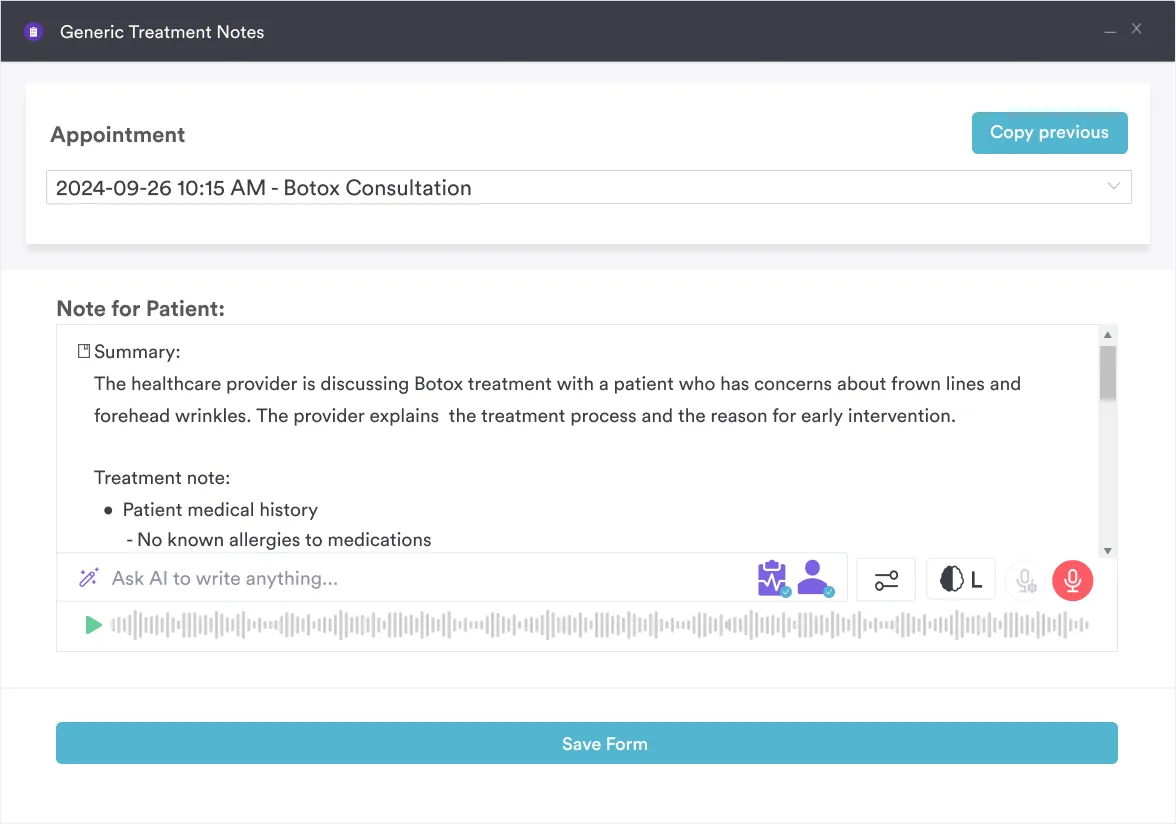
Our guide to medical spa EMR software explains how digital records replace paper forms like this.
Most problems trace back to the same handful of habits. Watch for these before you hand the form to your next client.
Paper and PDF forms rely on manual steps. A client fills one out on arrival, or mails it back, and you file it by hand. Next visit, you dig through a filing system to find it again. Forms get lost, old details go unnoticed, and comparing current skin to a baseline eats up time.
It attaches to their client record automatically, and previous answers show up on every future visit. If contact details or medical history change, the client updates it themselves. The latest version is always the one you see.
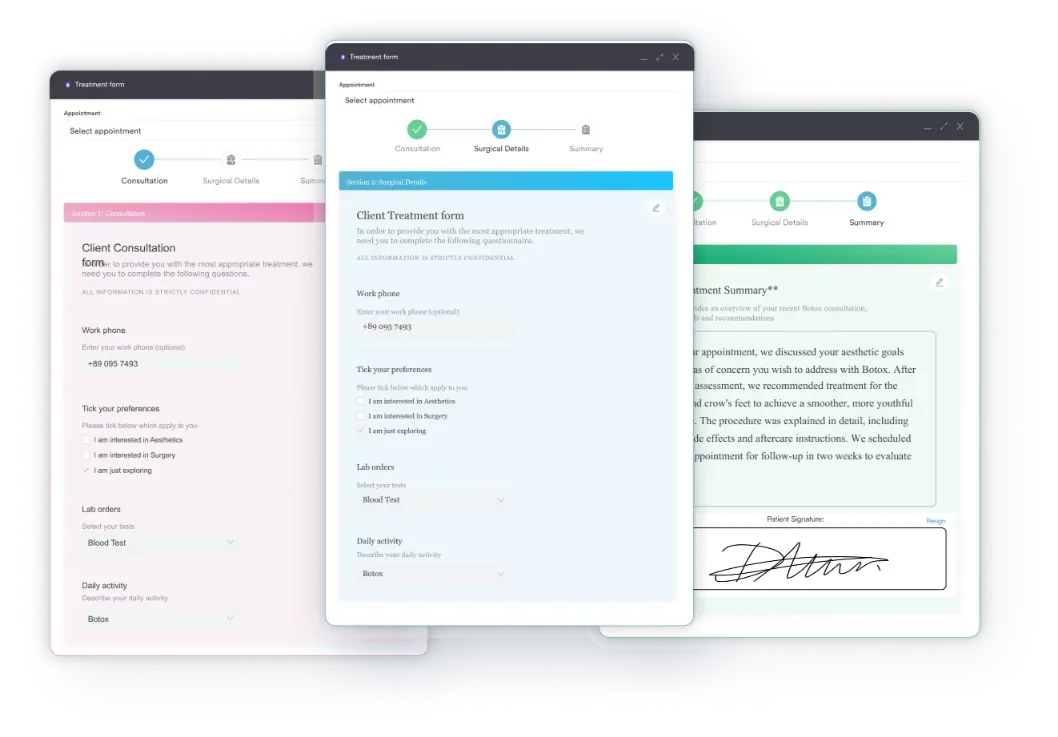
Most practices still manage this process with a downloaded PDF, a filing cabinet, or a folder of scanned signatures. Practice management software like Pabau keeps the whole thing in one place instead. You build your own consultation form, matched to your treatment menu, and send it to clients before they arrive. For a medical spa running many practitioners across shifts, the same structured intake keeps consultation data consistent across the team.
The form can include conditional logic, so a “yes” to Roaccutane use triggers a follow-up question automatically. Responses save straight to the client portal, and practitioners see the same data during the appointment without retyping anything.
Over time, this builds a longitudinal record. You can see how a client’s skin type, concerns, and medication list have changed across visits, and attach before-and-after photos to the same profile. Everything stays in one place, ready to show a regulator if you ever need to prove compliance.

Send digital forms before appointments, watch responses attach to client records automatically, and pull up complete history on every visit.

A facial consultation form is your first defense against adverse reactions, complaints, and treatment mismatches. Get the seven sections right, and you protect your practice while personalizing every treatment plan. Digital forms simply remove the manual work of chasing, filing, and re-checking them by hand.
Start with the free template above if you’re still on paper. Ready to stop managing forms on their own? Book a demo to see how Pabau keeps consultation data, history, and consent together.

Need a consent form for microneedling treatments? Rejuvapen consent form covers contraindication screening, aftercare rules, and a per-session needle-depth record for practices.
Need a consent form for vein treatments? sclerotherapy consent form covers patient history, contraindications, risk disclosures, and practitioner sign-off, ready to customize.
Need a deeper skin-type breakdown before you plan treatment? Skin analysis form walks through Fitzpatrick typing and product history in more detail.
Looking for a full-body skin check instead of a single treatment form? Full skin assessment template documents concerns across every zone in one visit.
Need aftercare guidance for a different treatment? shockwave therapy aftercare instructions covers post-treatment care, activity restrictions, side effects, a contraindication checklist, and follow-up scheduling.
Ask returning clients to review it at every visit. A quick check catches new medications, allergies, or recent treatments like Botox that could change what’s safe to do that day.
Yes. For clients under 18, a parent or guardian should complete and sign the form. Many states also require a parent present during the appointment.
Most practices keep them for several years as part of the client record. Check your state’s medical record retention rules, since minimums vary by location and treatment type.
Note the refusal in writing and get their signature on it. You can still treat them, but document that they declined to disclose, and lean toward a more conservative plan.
Not quite. A consultation form gathers clinical details before the appointment and includes a consent section. A standalone consent form only documents agreement to treatment risks at the point of care.