HCPCS code L0638: Custom fabricated LSO billing guide
HCPCS code L0638 is a brace built for one patient HCPCS code L0638 is the Level ...

Last Updated: Nov 2, 2026
E0168 is the HCPCS Level II code for commode chair, extra wide and/or heavy duty, stationary or mobile, with or without arms, any type, each.
Missed modifier requirements and insufficient weight documentation are the two leading causes of E0168 claim denials at DME Medicare Administrative Contractors. Getting this code right means understanding not just what it covers, but exactly how Medicare expects it to be billed.
"Extra wide and/or heavy duty" covers any chair that exceeds standard commode dimensions or weight ratings. This holds regardless of whether the chair is stationary or mobile, includes arms, or follows a specific design. Billing one unit covers the entire chair as a single item.
Let Pabau's smart automation suggest the right codes, reduce claim denials, and keep your practice compliant—effortlessly.
Automate repetitive tasks and focus on what matters most—your patients.
Reduce coding errors and ensure compliance with the latest regulations.
Clean claims, fewer denials, and faster reimbursements.
Powerful insights and reporting to help your practice thrive.
HIPAA compliant SOC 2 certified GDPR-compliant Trusted by 4,000+ clinics worldwide

HCPCS Code E0168 describes a commode chair that is extra wide and/or heavy duty, stationary or mobile, with or without arms. It bills as one HCPCS Level II DME unit under Medicare Part B.
Medicare coverage requires medical necessity documented under LCD L33736, typically for patients with obesity or weight exceeding standard commode capacity (commonly above 300 lbs).
Always append the KX modifier when medical necessity criteria are met. Missing KX is the most common reason DME MACs deny E0168 claims.
Pabau’s claims management software helps DME providers track modifier requirements, attach documentation, and submit clean Medicare claims.
Medicare payment for HCPCS Code E0168 is determined annually through the CMS Durable Medical Equipment, Prosthetics, Orthotics, and Supplies (DMEPOS) fee schedule. Rates vary by geographic region based on which DME MAC administers the claim, and they are updated each January 1.
DMEPOS fee schedule rates vary by MAC jurisdiction and are subject to annual revision. Providers should verify current amounts directly via the CMS DMEPOS fee schedule lookup tool before submitting claims. The table below reflects the general payment structure applicable to E0168.
Purchase vs. rental is not a free choice for HCPCS Code E0168. As Inexpensive/Routinely Purchased DME, Medicare requires the supplier to offer both options: outright purchase or monthly rental.
There is no 13-month cap on the rental, unlike capped-rental equipment such as power wheelchairs. Billing the wrong option, or ignoring the beneficiary’s choice, risks claim adjustment or recoupment.
Practices collecting the beneficiary’s 20% coinsurance directly should confirm their HIPAA compliant payment processing meets healthcare billing requirements.
Medicare Part B covers HCPCS Code E0168 as DME when it is medically necessary and ordered by a treating physician. Coverage is not automatic. The claim must meet the criteria established under HCPCS Level II guidelines and LCD L33736.
Local Coverage Determination L33736 is the CMS policy document governing Medicare coverage of commode chairs, including E0168. It defines the clinical scenarios under which a commode is considered medically necessary and sets documentation standards DME suppliers must satisfy.
Under LCD L33736, a commode chair is covered when a patient meets one of the following conditions:
For HCPCS Code E0168 specifically, the LCD requires clinical justification for the extra wide or heavy duty configuration. That justification rests on the patient’s weight or body habitus relative to standard commode capacity. Providers should verify the current active status of LCD L33736 in the CMS coverage database before submitting, since LCDs are subject to revision. A retroactive authorization is rarely granted, so the check belongs before the appointment.
Patients who qualify for HCPCS Code E0168 typically present with one or more of the following documented conditions. A physician order is required in all cases.
Keeping patient compliance documentation current is essential here. A patient’s weight and functional limitations documented at the time of the order must match the clinical picture. Otherwise, the claim will be denied on medical necessity grounds.
Physical therapy and occupational therapy providers often identify these mobility and toileting limitations first, during a functional assessment. A practice that also serves adjacent specialties benefits from software built for physical therapy practices or occupational therapy practices managing similar DME referrals.
Incomplete documentation is the second most common denial driver for E0168 claims. DME MACs audit documentation closely because bariatric equipment carries higher per-unit costs. Every required element must be present in the medical record before the claim is submitted.
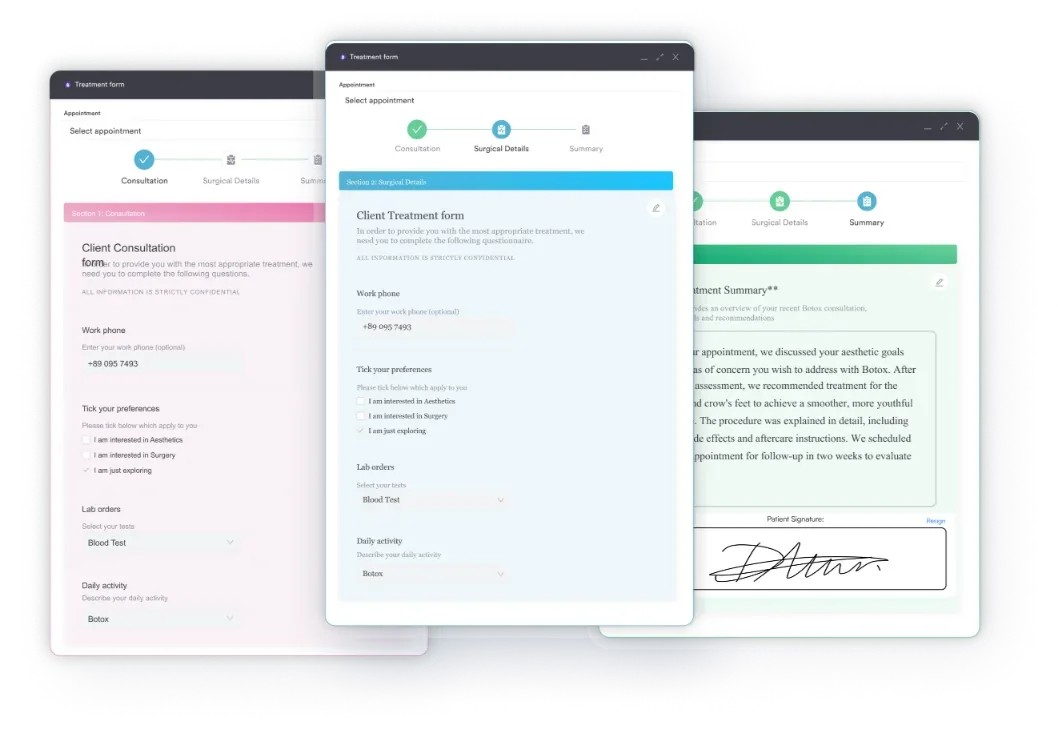
Using structured digital intake forms to capture patient weight, diagnosis, and physician order details at the point of care reduces missing documentation at claim submission. Broader medical documentation best practices for DME suppliers can help tighten this workflow further.
Maintaining HIPAA-compliant recordkeeping throughout the process protects the practice during audits.
Run a documentation checklist before submitting any E0168 claim. Confirm the physician order is dated before delivery and patient weight is recorded in a clinical note. Also confirm the face-to-face requirement is satisfied and the KX modifier is appended. Claims submitted without this checklist in place account for a disproportionate share of DME MAC denials.
Modifier selection is where many DME billers make costly errors with HCPCS Code E0168. Each modifier communicates a specific claim status to the DME MAC. Applying the wrong modifier, or omitting a required one, triggers either an automatic denial or a compliance flag.
KX and NU (or RR) are typically used together on the same claim line. KX signals that the LCD criteria are met. NU or RR indicates the payment basis instead. Omitting NU or RR when billing a purchase or rental is a common error causing clearinghouse rejection. The claim never even reaches the MAC for review.
E0168 sits within the E0163-E0175 commode code range. Choosing the wrong code from this range is a frequent billing error. The table below maps each adjacent code so billers can confirm E0168 is the correct selection before submitting.
E0170 is the neighboring code for a commode whose seat lift is electric and built into the chair itself. An extra wide chair without that integrated lift still bills as E0168. A chair whose integrated lift is non-electric bills under code E0171 instead.
Standard commodes (E0163) have a lower reimbursement rate. Billing E0163 when the patient needs a bariatric or extra wide model understates the clinical need. This may constitute inaccurate billing. Accessory codes carry the same risk. A commode foot rest bills under code E0175, never in place of the chair. Medicare does not cover that line.
For context on how DME coding fits within broader procedure code billing workflows, Pabau’s procedure code resource library covers adjacent coding topics. The same standard-versus-specialty logic applies to other DME categories, including mattress pads billed under mattress pads billed under E0197.
Competitors document what E0168 is. Few explain how to bill it from start to finish. Here is the ordered workflow DME suppliers use to submit clean claims and avoid the most common denial patterns at DME MACs.
Streamlining this process is where claims management software adds the most value for DME providers handling high volumes of Medicare billing. Automated eligibility verification and documentation checklists reduce the manual steps that generate errors.
For a broader look at how technology supports practice management workflows, the Pabau blog covers operational efficiency strategies relevant to DME and clinical settings alike.
No competitor article covers E0168 denial patterns. This section addresses the errors that generate rejections at DME MACs, based on standard DME billing audit patterns and CMS guidance.
Implementing structured compliance management workflows helps DME teams catch these errors before claims leave the practice. Practices that build denial pattern tracking into their billing process, rather than reviewing it only during audits, recover revenue that would otherwise be written off.
For broader strategies on reducing administrative burden, a comparison of the best EMR for small practice covers tools that streamline day-to-day operations.

Check your DME MAC’s website for any active probe edits or prepayment review targeting E0168 claims. CGS and Noridian periodically place specific DMEPOS codes under focused review. Submitting a claim during a probe period without complete documentation almost guarantees a request for additional information or outright denial.
Many DME practices still track E0168 modifier requirements and delivery documentation across separate spreadsheets, paper charts, and email threads. That patchwork makes it easy to miss a signature, lose a weight measurement, or submit a claim before the physician order is signed.
Practice management software like Pabau centralizes these steps instead. Digital intake forms capture patient weight and physician order details at the point of care. Claims management tools flag missing documentation before a claim goes out the door.
The result is fewer KX-modifier denials and less time spent re-assembling records for a DME MAC audit. Billing staff can see a claim’s documentation status at a glance, rather than tracking it down after a denial arrives.

Pabau helps DME providers and clinic teams track modifier requirements, attach supporting documentation, and submit cleaner Medicare claims. See how it works for your practice.

HCPCS Code E0168 covers a specific, medically justified equipment category. The code itself is straightforward, but the billing requirements around it are not. Accurate documentation, correct modifier selection, and LCD L33736 compliance decide whether a claim pays cleanly or triggers a denial.
Getting those three elements right on the first submission is what separates a clean E0168 claim from a delayed one. To see that in practice, book a demo and check how Pabau supports E0168 documentation and modifier accuracy for your billing team.

Billing another DME code from scratch? A4860 covers disposable catheter tips for peritoneal dialysis under comparable Part B documentation rules.
Billing a complete cardiovascular stress test? CPT code 93015 covers the full stress test billed as one charge at roughly $73 non-facility in 2026.
Coding parenteral nutrition claims too? B4176 follows similar Part B documentation standards for amino acid solutions.
Billing for home-based equipment setup? A4870 covers the plumbing and electrical work required for home hemodialysis.
Billing a health behavior assessment visit? CPT code 96156 covers billing the assessment once per encounter and which providers are eligible to use it.
HCPCS Code E0168 covers a commode chair that is extra wide and/or heavy duty, stationary or mobile, with or without arms. It bills as one unit, any type. It is used under Medicare Part B as durable medical equipment. It applies to patients whose weight or body size exceeds the capacity of a standard commode chair.
The 2026 Medicare allowable amount for HCPCS Code E0168 varies by DME MAC region and is updated each January 1. Providers should verify the current rate directly via the CMS DMEPOS fee schedule lookup tool. Rates are not fixed nationally, and they differ across MAC jurisdictions.
The primary modifiers for E0168 are KX (medical necessity criteria met), NU (new equipment purchase), RR (rental), and UE (used equipment purchase). GA (ABN on file, coverage uncertain) and GZ (no ABN, claim expected to deny) apply less often. KX is required when LCD L33736 criteria are fully documented. Pair it with NU or RR to indicate the payment basis.
E0163 covers a standard commode chair with fixed arms for patients with typical weight and size. E0168 covers an extra wide and/or heavy duty commode chair for patients whose body habitus or weight exceeds standard chair capacity. Billing E0163 when the patient requires an E0168 model is a downcoding error that misrepresents the clinical need.
LCD L33736 is the Local Coverage Determination issued by CMS that governs Medicare coverage of commode chairs. For E0168, it requires documentation confirming the patient meets clinical indications for an extra wide or heavy duty commode. That documentation includes body weight relative to standard chair capacity, plus functional limitations. Providers should verify the current active status of LCD L33736 in the CMS Medicare Coverage Database before submitting claims.
Yes, when the patient’s weight or obesity status exceeds standard commode capacity and is documented by the treating physician, E0168 is the appropriate code. Medical necessity must be supported by clinical documentation including body weight, diagnosis, and functional limitations, and must meet the criteria in LCD L33736.
Required documentation includes a signed physician order predating delivery and a face-to-face clinical encounter note where applicable. It also includes a medical necessity narrative supporting the extra wide or heavy duty need. Additional requirements are recorded patient weight from a clinical visit, relevant ICD-10-CM diagnosis codes, and proof of delivery with a patient or caregiver signature.