


CCSD code XR920: Cyst ablation under imaging control billing guide
CCSD code XR920 is the UK private healthcare code for cyst ablation under imagin...

Last Updated: Nov 26, 2026
CCSD code XR940 is the UK private healthcare code for retrieval of a foreign body under X-ray guidance. It describes an interventional radiology procedure, where a clinician uses live imaging to find an object inside the body and remove it. It isn’t a code for a diagnostic X-ray. The code sits in the CCSD (Clinical Coding and Schedule Development) schedule, which many UK insurers use to price private care.
Each insurer still decides which codes it accepts and on what terms. In practice, an XR940 claim pays when the pre-authorization, the procedure note and the imaging record all describe the same retrieval.

CCSD code XR940 covers retrieval of a foreign body under X-ray guidance, an interventional radiology procedure rather than a diagnostic X-ray.
Many UK insurers use the CCSD schedule, but each one decides which codes it accepts, so confirm XR940 with the patient’s insurer first.
Ask for pre-authorization against XR940 itself, and call the insurer again if the plan changes during the procedure.
The procedure note should name the object, where it was, the guidance used and whether it came out in full.
Check unacceptable code combinations against the current CCSD schedule before you add a second code to the claim.
CCSD code XR940 describes retrieval of a foreign body under X-ray guidance. The clinician uses X-ray imaging, usually live fluoroscopy, to locate the object and steer instruments to it. They then remove it without an open operation.
The code belongs with the schedule’s image-guided procedures. Its near neighbor XR950 covers occlusion of a fistula under imaging control, another procedure done under imaging. Neither code is a diagnostic imaging code.
The full CCSD entry, with its notes and unacceptable combinations, sits behind a login. Read it there before you code your first case.
XR940 fits a planned removal of an object that imaging can reach more safely than open surgery. Think of an object lodged in a vessel, a duct or soft tissue.
The descriptor rests on two facts: an object was retrieved, and X-ray guided the work. Add one more check, that removal was the point of the procedure, and you have the test below.
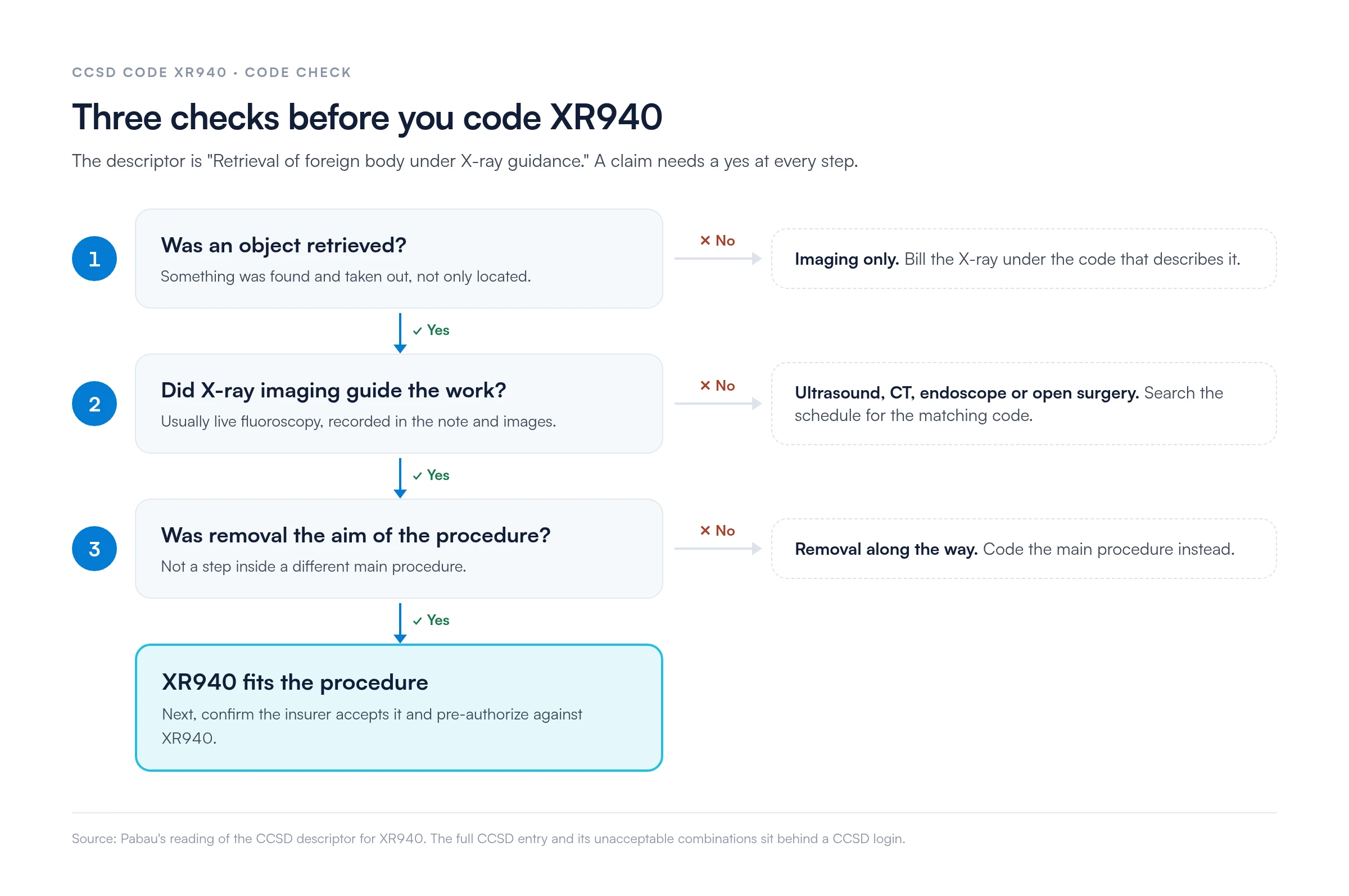
In each of those cases, search the CCSD schedule for the code that matches what was done. Then check whether the insurer accepts it. Our CCSD code guides cover many of the alternatives.
Some device removals also have codes of their own. XR935 covers insertion or removal of a vena cava filter. XR916 covers removal of a cuffed tunnelled central line. Check whether one of those describes the work before you settle on XR940.
UK insurers generally expect pre-authorization before a planned procedure, and XR940 is a procedure. The rules differ by insurer and by plan. So confirm the patient’s cover before you book the slot.
A few quick answers come up again and again:
For Bupa members, the Bupa CCSD codes guide explains how that insurer reads the schedule.
Here’s the path a clean claim follows. Each step hands something to the next, so a slip early on shows up as a query later.
An insurer that queries XR940 wants to see that an object was retrieved under X-ray guidance. Your notes should show that without anyone having to guess. Keep these on file before you invoice:
Take an illustrative case. A patient is referred because a fragment of a catheter has stayed in a vein after an earlier procedure. The consultant plans an image-guided retrieval.
The secretary requests authorization against XR940 and the referral diagnosis, and logs the reference on the case. On the day, the fragment is caught and removed under fluoroscopy. The note names the fragment, the vein and the method, and confirms it came out whole.
The invoice carries XR940, the diagnosis code, the date and the authorization number. When the insurer asks for the procedure note, the practice sends it the same day.
An XR940 query is slow to answer when the details live in different places. The authorization sits in an inbox, the procedure note in the record, and the invoice somewhere else.
Pabau’s claims management software keeps those details on one case. You record the authorization reference and its dates against the patient, so the team can see them at booking. Claims go to insurers through the Healthcode integration, without re-keying data into a second system.
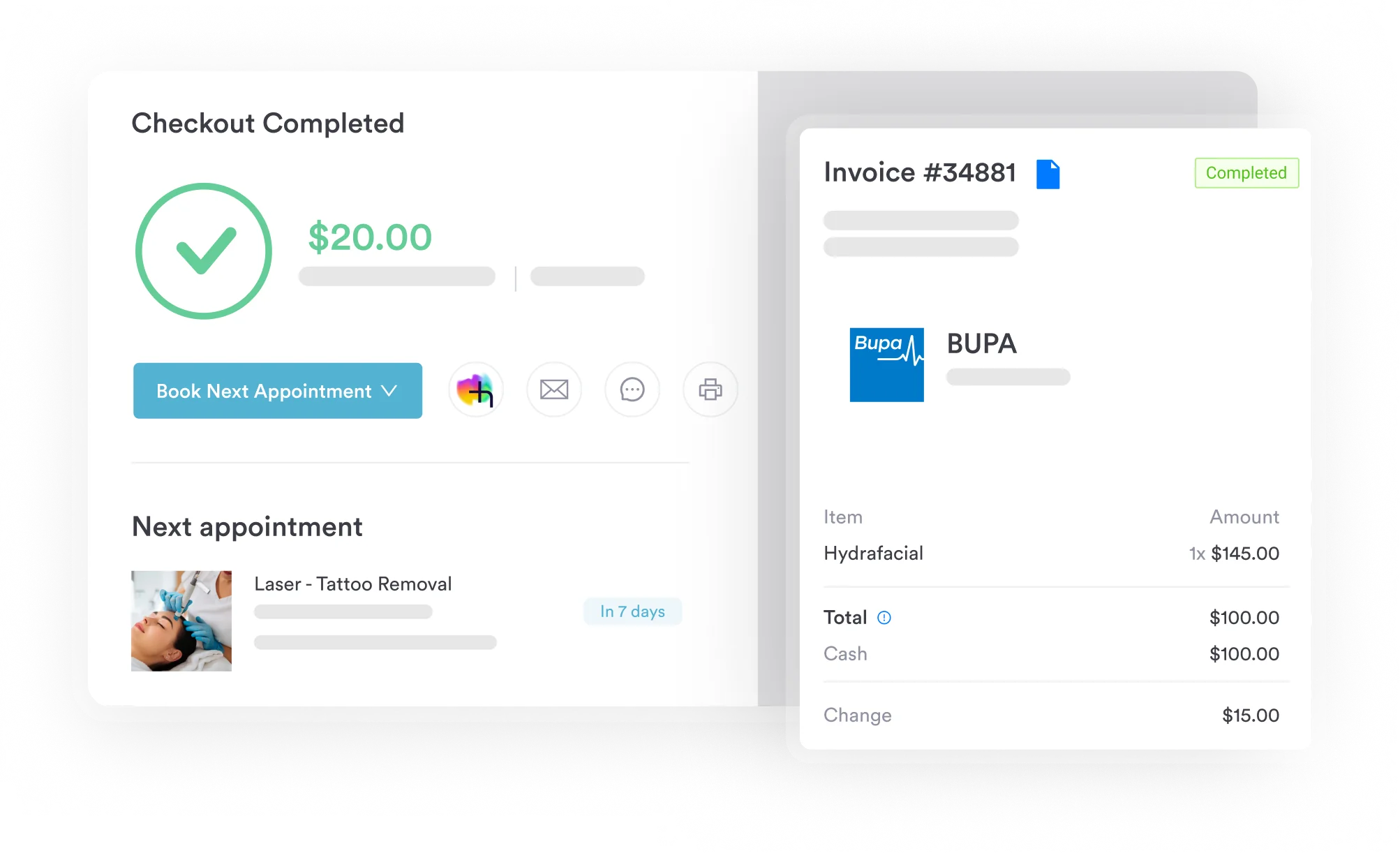
When an insurer queries the claim, the procedure note and the authorization sit on the same patient record. Your team answers from one screen instead of chasing paper.

Pabau records each authorization reference and its dates against the patient, and sends claims to insurers through Healthcode.

XR940 pays cleanly when the claim describes the procedure that happened. That means a retrieval, under X-ray guidance, with an authorization that names the same code. When a claim comes back, check those three against each other first.
So settle the code before you request authorization, and write the note with the insurer’s question in mind. Book a demo to see how Pabau keeps authorizations, notes and claims on one case.

Need a full breakdown of Bupa’s CCSD coding rules? Bupa CCSD codes guide covers how Bupa reads the schedule and what it expects on a claim.
Billing another image-guided procedure? CCSD code M1310 covers percutaneous fine needle biopsy of a kidney lesion.
Checking how Bupa’s fees are set? Bupa procedure fee schedule explains the fee schedule and its annual updates.
CCSD stands for Clinical Coding and Schedule Development. The group publishes the procedure and diagnostic codes that UK private healthcare uses for billing.
Not automatically. Many insurers use the CCSD schedule, but each decides which codes it accepts and how it pays them. Check XR940 with the patient’s insurer before the procedure.
It’s an interventional radiology code. The work is a procedure, removing an object, done under X-ray guidance rather than through an open operation.
The descriptor names a retrieval, so an attempt that fails may not match it. Document what happened and ask the insurer how it wants the procedure coded.
In the CCSD schedule itself, which needs a login. The list changes with schedule updates, so check it for each new case rather than relying on an old copy.