Health appraisal form
A health appraisal form is a record a licensed provider signs to document someon...

2
Last Updated: Oct 13, 2026

Acuity Scheduling holds a 4.8 out of 5 on Capterra from over 5,700 reviews, praised most for fast setup and reliable reminders.
Pricing runs from $20 to $61 a month, but HIPAA support and a signed BAA are only available on the top Premium plan.
Acuity is a booking tool at heart – it has no built-in treatment notes, consent forms, or practice-level invoicing.
It’s a strong fit for solo practitioners and service businesses, but healthcare practices needing clinical records will need extra tools alongside it.
Acuity Scheduling is one of the most popular online booking tools around, and its reviews back that up. It holds a 4.8 out of 5 on Capterra from more than 5,700 users.
But a high star rating doesn’t tell you whether a tool fits how you actually work. This review breaks down what Acuity does well, where it falls short, what it costs, and who it’s really built for.
We’ll walk through its scheduling features, pricing tiers, HIPAA compliance, ease of use, and what real users say. At the end, we’ll see how Pabau, practice management software built for healthcare practices, compares for teams needing more than a booking page.
Acuity Scheduling is an online appointment booking tool, acquired by Squarespace in 2019. It’s built for service businesses broadly: coaches, personal trainers, consultants, salons, therapists, and small healthcare practices. Clients book, reschedule, and cancel through a branded booking page with no staff involvement. Automated reminders go out by email and text to cut down no-shows.

Its main appeal is simplicity. You can build a booking page, sync your Google Calendar, and start taking Stripe payments in under an hour. That ease of setup is exactly what most reviewers praise. Where Acuity gets more limited is depth. Once you need clinical notes, integrated billing, or compliance-grade records, it leans on separate tools.
Scheduling is where Acuity genuinely shines. Clients get a branded booking page, real-time availability, and the ability to pick a service, a staff member, and a time slot on their own.
Calendar sync works reliably with Google Calendar, Outlook, and iCal. Automated SMS and email reminders go out on schedules you set. Group classes, packages, memberships, and gift certificates are all supported on the higher plans.
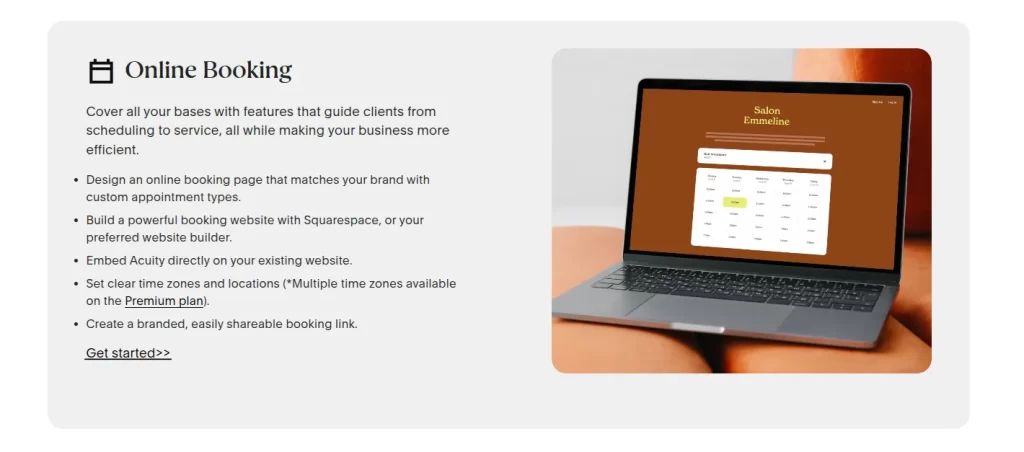
Beyond booking, Acuity attaches custom intake forms to each appointment and collects payments or deposits at the time of booking through Stripe, Square, or PayPal. Its integration library is broad. Zoom, Mailchimp, Google Analytics, and Zapier open up hundreds of further connections. That’s a genuine plus for a service business already using those tools.
Acuity has three paid tiers. There is no free plan, but every tier comes with a 7-day free trial. Annual billing saves roughly 20% over paying monthly. The prices below are the monthly rate, with the discounted annual rate in brackets.
Larger operations can request a custom Enterprise quote for unlimited calendars. The most important thing to note is the HIPAA line: a signed Business Associate Agreement only comes with the Premium plan. For a fuller breakdown, see our guide to Acuity Scheduling pricing. Always confirm the current rate at acuityscheduling.com before you subscribe, as plans change.
HIPAA is the single biggest caveat for healthcare users, and it comes up often in Acuity Scheduling reviews from clinical settings. Acuity only offers a Business Associate Agreement (BAA) on its Premium plan, at $61 a month billed monthly.
Starter and Standard subscribers are not covered. In practice, that means any practice handling protected health information (PHI) has to be on Premium, no matter how small the team.
Once HIPAA is enabled on Premium, Acuity adds encryption, automatic session logout, role-based access, and audit logging. That’s a solid baseline. But a solo therapist or small practice hoping to start on the $20 Starter tier can’t legally use it for PHI.
Under the HHS HIPAA Security Rule, a covered entity needs a signed BAA with any business associate that processes PHI on its behalf.
Before you subscribe to any scheduling tool, check whether your specific plan tier includes a signed Business Associate Agreement. Without one, handling any protected health information creates direct regulatory exposure – and on many general scheduling tools, the BAA sits behind the most expensive plan.
This is where Acuity earns its 4.8 rating. The interface is clean, the client-facing booking flow is intuitive, and a functional booking page can be live within hours. For a solo practitioner or a small team with no dedicated tech support, that speed is a genuine draw.
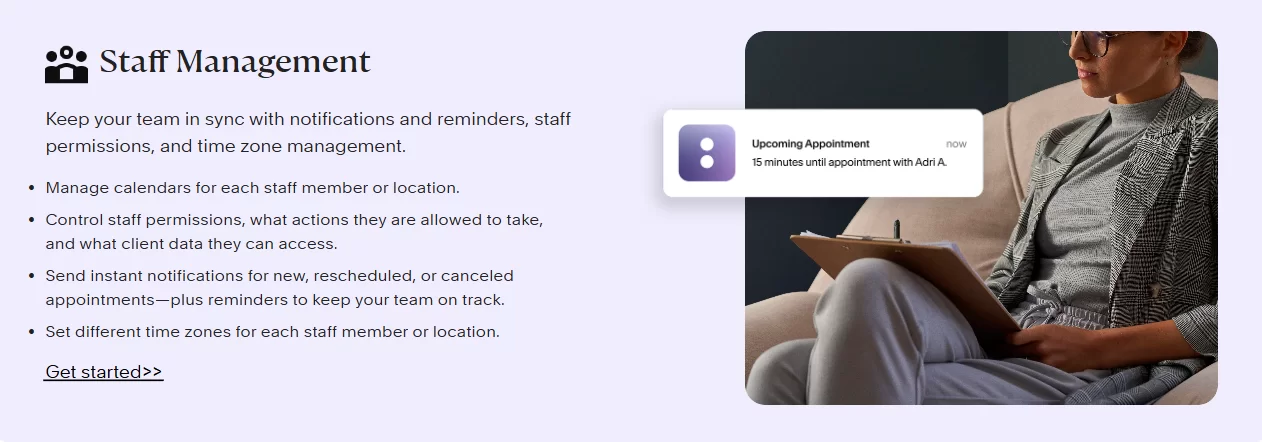
It’s not all smooth, though. Several reviewers describe the back-end settings as confusing once you move past basic booking, with useful options buried in non-obvious places. Deeper customization often needs CSS or HTML.
Acuity Scheduling customer service runs on email and live chat only, with no phone line. For quick questions, that works fine. But reviewers who hit a booking issue mid-appointment often wish they could pick up the phone. Slow email response times draw the most complaints.
User sentiment is consistent across the major review sites. On Capterra, Acuity holds a 4.8 out of 5 from more than 5,700 reviews, with ease of use and customer service both scoring around 4.6.
On G2, it sits at around 4.6 out of 5. Reviewers overwhelmingly praise the setup speed, the reliable reminders, and the professional look of the booking page.
Critical reviews cluster around a few themes: the cost relative to a single-purpose tool, email-only support, and customization that needs code. Healthcare reviewers add two more: the HIPAA restriction on lower plans and the lack of clinical documentation. The pattern is clear. Reviewers with simple booking needs love it, while those running a clinical operation quickly hit its edges.
Acuity is a great fit if you’re a solo practitioner, coach, salon, or wellness provider with simple booking needs. It gives you a fast, affordable booking page with automated reminders and calendar sync. If appointments and reminders solve most of your daily admin, Acuity does that job well and earns its high ratings.
It’s a weaker fit if you run a multi-practitioner healthcare or aesthetic practice. At that size, you tend to need more than booking:
A standalone booking tool leaves you stitching those systems together. That’s the point where a purpose-built platform starts to make more sense.
The most common Acuity Scheduling alternatives are Calendly, Square Appointments, and Setmore for general booking, plus Pabau for healthcare and aesthetic practices. Which one fits depends on how much you need beyond a calendar.
Calendly and Setmore go head to head with Acuity on simple, low-cost booking. Square Appointments pairs scheduling with in-person card payments for salons and small businesses. All three stop at booking, though. Healthcare-leaning teams also shortlist Carepatron; our Carepatron review covers its pricing and user feedback.
If you need clinical records, consent, and billing in the same system, the alternative worth a look is a full practice management platform. That is where Pabau comes in.
If you’re weighing Acuity for a healthcare or aesthetic practice, it’s worth knowing how it compares to a purpose-built alternative. Pabau is an all-in-one practice management system made for healthcare and aesthetic practices. This is not quite a like-for-like match. Acuity is a booking tool, while Pabau works as an operating system for the whole practice. Pabau also answers inbound messages, with omnichannel patient engagement software that keeps calls, texts, and emails in one place.
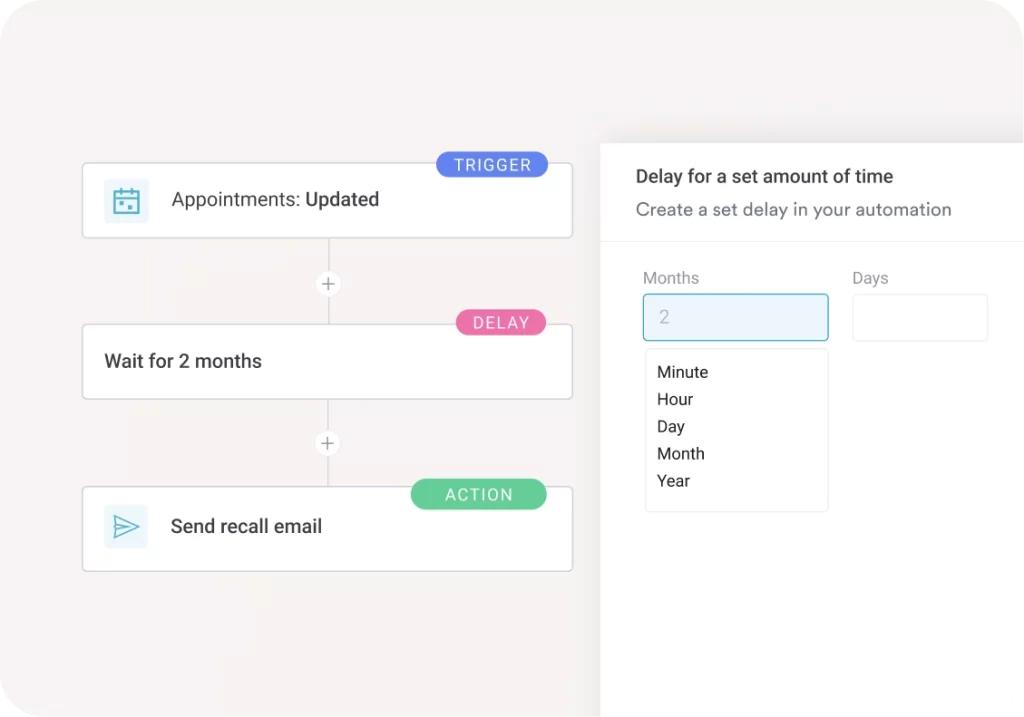
With Pabau, scheduling and online booking sit in the same system as everything else a practice runs on:
When a patient books online, their intake forms, consent documents, and treatment history are already attached to their record. Nothing needs to be copied between systems.
Two practical differences stand out for practices. First, HIPAA cover for US customers and GDPR support for UK and EU practices are part of the platform, not reserved for a top tier.
Second, every Pabau subscription includes every feature, so there’s no gating clinical tools behind a higher plan. Pabau starts from $104 a month and scales with your locations and team.
For a solo coach or a simple service business, Acuity’s focus is a strength, not a gap. For a growing practice that needs booking connected to clinical records, consent, and billing, Pabau removes the extra tools you’d otherwise bolt on around Acuity. If that’s your situation, our full Pabau vs Acuity Scheduling goes deeper on the differences.

From online booking through consent forms, clinical notes, and billing, Pabau connects every step of your practice in one platform. Book a demo to see how it fits your workflow.

It’s probably clear by now that Acuity Scheduling deserves its strong reviews, with a caveat. For service businesses and solo practitioners, it delivers exactly what it promises: fast, reliable, self-service booking at a fair price. For healthcare and aesthetic practices that need scheduling connected to documentation, billing, and compliance, a standalone booking tool creates more admin than it removes.
So the real question isn’t whether Acuity is good. It’s whether your practice needs a booking tool or a full practice management system. If you’ve outgrown a basic booking page, book a demo to see how one connected platform handles the whole workflow.

Want a full feature-by-feature breakdown of Pabau vs Acuity? Pabau vs Acuity Scheduling compares the two platforms in detail for healthcare and aesthetic practices.
Want Acuity’s pricing explained in full? Acuity Scheduling pricing breaks down every plan and what each tier includes.
Comparing healthcare scheduling platforms? Pabau vs SimplePractice compares Pabau’s all-in-one practice management against SimplePractice, built for solo and small therapy practices.
For its target user, yes. Acuity holds a 4.8 out of 5 on Capterra thanks to fast setup, reliable reminders, and easy client self-booking. It’s an excellent fit for solo practitioners and service businesses. Healthcare practices that need clinical records and integrated billing will need extra tools alongside it.
Acuity has three plans billed monthly: Starter at $20, Standard at $34, and Premium at $61. Annual billing lowers those to about $16, $27, and $49 a month. There’s no free plan, but every tier includes a 7-day free trial. Verify current pricing at acuityscheduling.com before subscribing.
Acuity offers HIPAA compliance, including a signed Business Associate Agreement (BAA), only on its Premium plan. Starter and Standard subscribers are not covered. Any practice handling protected health information must be on Premium, regardless of team size. Confirm BAA availability for your plan directly with Acuity before use.
Pros include intuitive self-scheduling, reliable automated reminders, fast setup, and a broad integration ecosystem. On the downside, there are no native treatment notes, no clinical documentation, and no integrated billing. HIPAA is also restricted to the Premium plan, support is email-only, and the back-end settings can confuse beyond basic use.
For healthcare and aesthetic practices that need scheduling connected to clinical documentation, billing, and compliance, Pabau is a purpose-built alternative. Unlike Acuity, Pabau includes treatment notes, consent forms, prescription management, and integrated billing natively, so a practice runs on one system instead of several.