Despina Petrushevska
Healthcare policy management software: Pabau vs dedicated tools
Healthcare policy management software helps a healthcare organization write, app...

Last Updated: Oct 29, 2026
Free PDF 2 pages, print-ready Clinician-reviewed
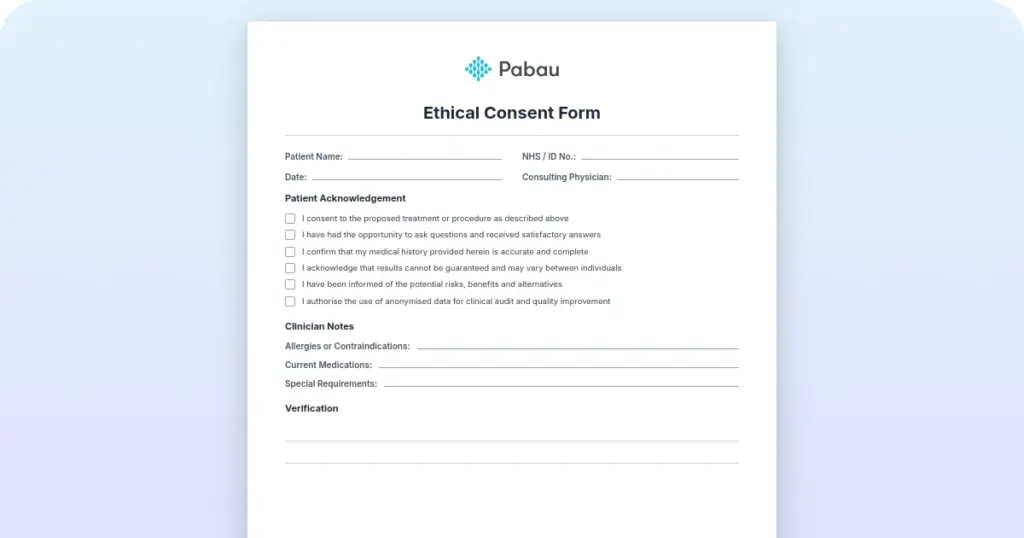
Download your free patient application form template Please note: the file behind this button is currently a placeholder from an unrelated form, not this template. Use the field checklist further down this page until the correct file is published. Download template A patient application form is the first document a new patient completes for your […]
Please note: the file behind this button is currently a placeholder from an unrelated form, not this template. Use the field checklist further down this page until the correct file is published.
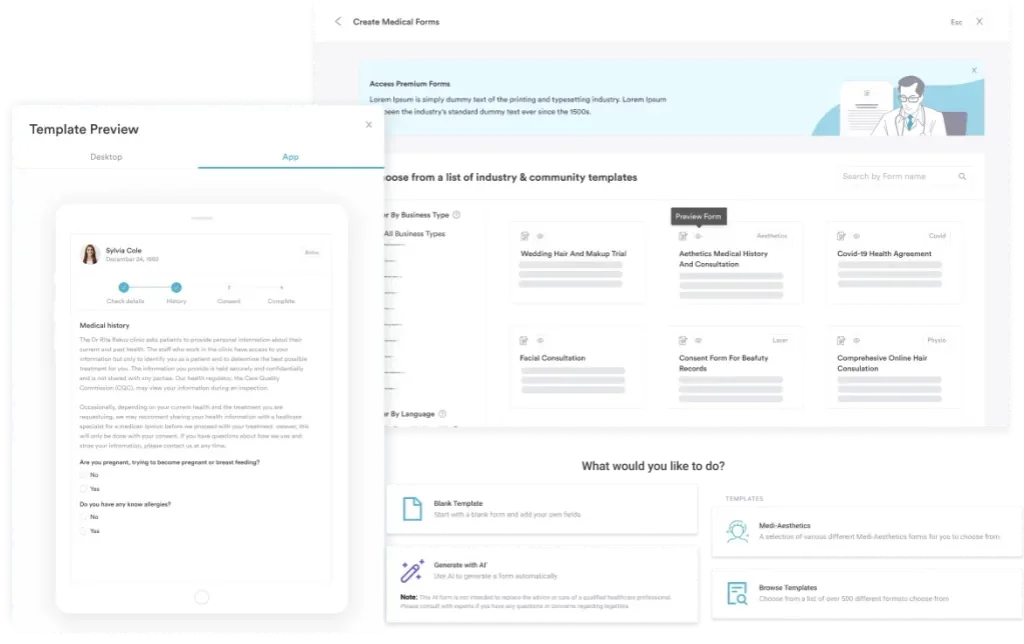
Start from scratch, or upload this PDF or any form you already use, and Pabau's AI Form rebuilds it with tick boxes, text fields and a signature. Attach it to the treatment once, and every patient gets it on time.
AI Form rebuilds the consent, history and aftercare forms you already use. You review each one, then publish.
Patients complete forms on their phone before they arrive, so the front desk stops retyping paper.
Every signed form is versioned and attached to the treatment record, ready when you need it.
Set how long a consent stays valid. Returning patients skip forms they have already signed.
Supports HIPAA and GDPR compliance AES-256 encryption 4.8 on G2 4.7 on Capterra Trusted by 4,000+ practices worldwide

A patient application form collects identity, contact, medical background, and signed consent before the first appointment.
The core field set covers personal details, contact information, medical history, medications and allergies, insurance, and a dated signature.
Short forms written in plain language get finished far more often, so ask only for information you will act on.
E-signatures on patient consent are binding in the US under the ESIGN Act and UETA.
Practice management software like Pabau sends intake forms before the visit and files the answers into the patient record.
The file linked above belongs to a different form, so do not treat it as a draft of this one. Everything this form needs is written out below, field by field. You can rebuild it in a document editor in about twenty minutes. Better still, set it up as a digital form in your practice management system and skip paper entirely.
A patient application form is the first document a new patient completes for your practice. It captures who they are, what their medical background is, and what they are agreeing to.
Done well, the form means your front desk starts every relationship with a complete record. Done badly, staff spend the first appointment chasing a date of birth and a medication list.
This guide covers what belongs on a patient application form and how the common variants differ. It also shows how to run intake digitally with practice management software like Pabau.
A patient application form is a structured document that collects standardized information from someone applying to become a patient. It goes further than a contact form because it has to establish a full record, not just a name and a phone number.
In medical spas and aesthetic practices, this form is usually the first place patient data enters your system. It does three jobs at once.
The questions should also be specific enough to inform treatment planning. A form that only proves someone visited adds paperwork without telling the clinician anything useful.
Use this as the field checklist when you build or review your own form. It is the minimum standard for a new patient intake document.
Depth varies by specialty. A dental practice adds periodontal history and a separate dental treatment consent form, while an aesthetic practice screens for injectable and laser contraindications. Practices serving UK or EU patients should also follow a GDPR checklist when they word the consent section.
Different service models call for adapted versions of the same core document. These four cover most practices. The naming varies too, and many medical and dental practices call the same document a medical application form.
The foundation document. It captures demographics, medical history, and baseline health information for any first-time patient, whatever service they booked.
A deeper look at past diagnoses, medications, surgical history, and contraindications. Functional medicine, mental health, and surgical practices lean on this one because clinical context drives the treatment plan. A patient history template sets out those questions in one document.
Often paired with the application form. It records informed consent for a specific treatment, acknowledgment of the risks, and permission to process the patient’s data. Any invasive or pharmaceutical treatment needs one. Consent does not cover payment, so a separate financial agreement form records what the patient agrees to pay.
Used in med spas and aesthetic practices. It screens for contraindications tied to injectables, lasers, and peels, and it usually carries photography consent for before-and-after images.
Most practices run a hybrid. One core form goes to every patient, and specialty sections appear only for the relevant treatments. Patient record systems handle that with conditional logic.
Running this form inside a GP practice system keeps clinical documentation in one place.
The document only pays off if the workflow around it is fixed. Here is the sequence that works.
Medication lists go stale quickly, so put the refresh on a schedule instead of leaving it to memory. A two-year-old allergy record can put a patient at risk during treatment.
Any practice that takes on new patients needs a standardized application form. The pressure points differ by setting.
Standardizing the form removes the guesswork from onboarding. Everyone answers the same questions in the same order, so the record is comparable across patients and across locations.
It also shortens the first appointment. When history and consent are already on file, the clinician spends that time on the treatment plan instead of the clipboard.
The audit case is just as strong. A consistent form with dated signatures gives you a defensible answer when an insurer or an inspector asks what the patient was told.
A badly designed form frustrates patients and leaves staff chasing incomplete submissions. These six principles fix most of it.
Ask only for information you will use. Nice-to-have fields add length without clinical value, and forms longer than two or three pages get abandoned.
Skip the jargon. Instead of asking about contraindications, ask whether the patient has any allergies or medical conditions that could affect treatment.
A digital form should hide sections that do not apply. If the patient reports no previous surgeries, the surgical detail block never appears, and the form feels half the length.
Spell out your data compliance position in plain words. State what you collect, why you hold it, how long you keep it, and who can see it. Then capture consent with a signature and a date.
Most patients complete forms on a phone. Test yours on one and check that fields are readable, tappable, and free of horizontal scrolling.
E-signatures are binding in the US under the ESIGN Act and UETA, and in the UK under the Electronic Communications Act 2000. Capturing them digitally removes the print, sign, and scan loop.
Paper forms and generic form builders leave you with a manual chain. Someone prints the form, the patient fills it in at reception, a staff member files it, and another one keys the answers into your system.
Pabau closes that loop. You build the application form once with your own fields and conditional logic. Pabau then sends it by email or text before the appointment, and the patient completes and signs it on any device.
The submission writes straight into the patient record, so nobody retypes anything. Staff open the chart and see verified history, allergies, and consent before the visit starts. Every change carries a timestamp and an audit trail.
The practice no longer sets aside part of each appointment for paperwork at the front desk.
Patients can also update their own details through our online patient portal. Pair that with automated scheduling and intake stops being a bottleneck, however many locations you run.

Pabau sends your application form ahead of the visit, captures the signature, and files the answers straight into the patient record. Your team stops retyping forms and starts each appointment with a complete history.

Send the form 24 hours before the appointment rather than on the morning of it. Patients complete it in their own time, and your team keeps the day free for the ones who did not. Automated reminders handle the chasing so nobody has to work a list of non-responders.
The application form is worth more attention than most practices give it. It sets the quality of every record that follows, and a missing allergy or an unsigned consent is expensive to correct later.
Start with the field checklist above and cut anything you never read. Then decide how the form reaches the patient, because that choice, not the wording, is what determines whether it comes back completed.
Paper works. Book a demo to see how Pabau turns new patient intake into a form that fills your records for you.

Need a care plan for seizure patients? Seizures nursing care plan covers six NANDA diagnoses and phase-by-phase interventions for bedside use.
Managing a patient with an abdominal emergency? Small bowel obstruction care plan organizes assessment data, nursing diagnoses, and interventions for acute cases.
Need a template for dental documentation? Tooth chart template helps dentists document oral health status, treatment findings, and care plans.
Need a note to verify a patient visit? Urgent care doctors note template verifies medical consultation for employers and schools with customizable fields.
Need an aftercare template for a dental procedure? Wisdom teeth removal aftercare template covers wound care, diet, medication, and complication warning signs.
Collect personal details, contact information, medical history, current medications and allergies, an emergency contact, insurance details, and a dated consent signature. Then add screening questions that match the treatments you offer.
An application form is the first document a patient completes, and it establishes identity, background, and consent. An intake form usually goes deeper and is often completed at or just after the first visit. Many practices merge the two into a single document.
Build it in a form tool or inside your practice management system and send it as a digital form. Patients can then type their answers and sign on a phone, and the responses land in the patient record. A printable file still has to be scanned and keyed in by hand.
Collect only the data you need for a stated purpose. Tell the patient why you are collecting it, how long you keep it, and who can see it. Include a clear consent checkbox and record the date the patient signed.
Yes. In the US, the ESIGN Act and UETA make electronic signatures binding for standard patient consent. In the UK, simple electronic signatures are valid under the Electronic Communications Act 2000.