CPT code 93503: Swan-Ganz catheter billing and modifiers
CPT code 93503: Official descriptor and procedure overview In the AMA CPT code s...

Last Updated: Oct 23, 2026
E0274 is the HCPCS Level II code for over-bed table.
That single line changes the whole billing workflow. You submit the claim with a GY modifier and offer the patient a voluntary notice. Then you check whether another payer covers the item.
The Centers for Medicare and Medicaid Services (CMS) maintains HCPCS Level II and updates the code set through the year. So check the descriptor and payment status before you bill.
Let Pabau's smart automation suggest the right codes, reduce claim denials, and keep your practice compliant—effortlessly.
Automate repetitive tasks and focus on what matters most—your patients.
Reduce coding errors and ensure compliance with the latest regulations.
Clean claims, fewer denials, and faster reimbursements.
Powerful insights and reporting to help your practice thrive.
HIPAA compliant SOC 2 certified GDPR-compliant Trusted by 4,000+ clinics worldwide

HCPCS code E0274 describes an over-bed table, an accessory to a hospital bed used in the home.
Medicare lists E0274 as noncovered because an over-bed table is not primarily medical in nature.
Suppliers submit noncovered E0274 claims with the GY modifier, which shifts liability to the patient.
Medicare Advantage, Medicaid, and commercial plans set their own rules, so some of them do pay.
Practice management software like Pabau keeps orders, notes, and insurance claim records in one patient file.
E0274 describes an over-bed table used in the home with a hospital bed. The table gives a bed-confined patient a stable surface for meals, reading, or a laptop.
It sits in the E0250-E0373 hospital bed and accessory range, inside the wider E0100-E0599 durable medical equipment (DME) series. The AAPC HCPCS Level II reference lists the full E-series groupings if you need to place a neighboring code.
Medicare does not pay for an over-bed table because the item fails the definition of durable medical equipment. DME has to be primarily and customarily used for a medical purpose. A table that holds a meal tray serves comfort and convenience. CMS policy article A52508 names E0274 and E0315 as noncovered for that reason.
The distinction matters because the hospital bed itself is covered. A patient can qualify for a bed under the same policy article and still owe the full price of the table. Suppliers who read the bed’s coverage criteria as covering every accessory get a denial each time. Some accessories do qualify. Medicare covers a bed cradle under HCPCS code E0280 when linens must be kept off the patient.
The exclusion is statutory. Under Medicare Part B, no amount of documentation makes E0274 payable. An appeal on medical necessity grounds will not succeed, because the item was never a Medicare benefit.
A patient’s home is their own house, an apartment, a relative’s home, an assisted living facility, or an independent living facility. Hospitals, skilled nursing facilities, and nursing homes are excluded, because those settings are already paid to supply equipment.
So an assisted living resident still counts as a home patient for DME purposes. That matters for the hospital bed and its covered accessories. It does not rescue E0274, which stays noncovered wherever the patient lives.
Bill E0274 with the GY modifier when the patient asks you to submit a claim. GY tells Medicare the item is statutorily excluded, so the denial comes back quickly and the patient becomes liable. You are not required to file a claim for a categorically excluded item at all.
Most suppliers file one anyway, because the denial gives the patient a paper trail for a secondary plan. An Advance Beneficiary Notice (ABN) is not mandatory for a statutorily excluded item. Issuing a voluntary ABN is still good practice, since it puts the price in writing before delivery.
The KX modifier does not belong on an E0274 line. KX attests that a policy’s coverage criteria are met, and there are no criteria to meet on a noncovered item. Save it for the hospital bed codes in the same policy article.
Three errors generate most E0274 adjustments in post-payment review:
A patient management system reminds you when issued equipment is due for review, replacement, or return.
E0274 carries a DMEPOS fee schedule amount even though Medicare will not pay it. The figure still matters, because Medicaid programs, Medicare Advantage plans, and some commercial payers price from it. Pull the current amount from the CMS DMEPOS fee schedule files rather than a third-party database.
The code’s payment category is inexpensive or routinely purchased. Under that category the item can be bought or rented, and total rental payments stop at the purchase allowable. Amounts also shift by locality, with geographic adjustments in high-cost areas such as Alaska and Hawaii.
Medicare Advantage plans, state Medicaid programs, workers’ compensation carriers, and commercial plans set their own DME rules. Some pay for an over-bed table where Medicare Part B will not. Check the plan’s DME policy and its prior authorization list before you deliver.
A Medicare denial is often the first document a secondary payer asks for. Filing the GY claim early gives the patient that paper without delaying delivery. Practices in direct primary care order home equipment for their own panel. They can set the price expectation at the visit rather than after the invoice arrives.
Keep the same records you would keep for a covered item, even though Medicare will not pay. A payer that does cover the table will ask for them, and so will an auditor reviewing the hospital bed on the same claim.
Do not chase a Certificate of Medical Necessity. CMS eliminated CMNs and DME Information Forms for all durable medical equipment on January 1, 2023. Claims that still carry CMN data are rejected and returned to the supplier, so the form has no place in a 2026 workflow.
Everything the CMN used to capture still has to exist in the medical record. A face-to-face encounter note is the usual place for it.
Retention rules outlast the claim. Medicare supplier standards require ordering and referring documentation to be kept for seven years from the date of service. State law can require longer. A periodic chart audit catches an undated order before a payer does.
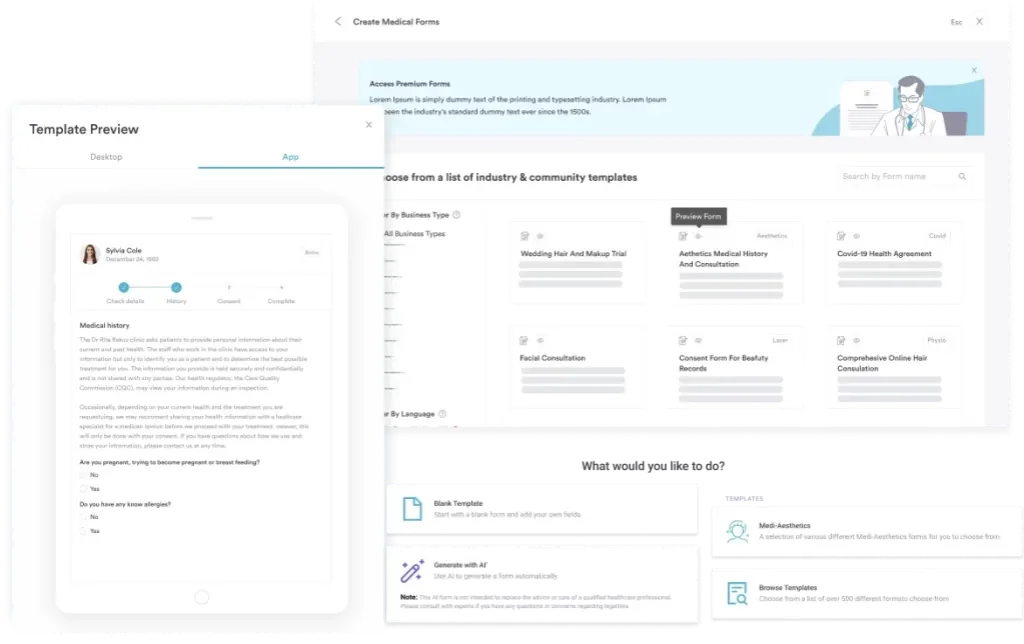
Quote the over-bed table as a cash item on the same paperwork as the hospital bed. Get the patient’s signature before the van leaves. A two-minute price conversation at the door prevents the invoice dispute that lands three weeks later, once the Medicare denial reaches the patient.
The codes around E0274 behave differently, and knowing which ones are payable saves a wasted appeal. Hospital beds and mattresses are covered when the patient meets the policy criteria. The comfort accessories in the same range are not. A bed board, billed as HCPCS code E0273, is noncovered too, because policy article A52508 treats it as not primarily medical.
Bill the bed and the table on the same claim as separate lines, with the correct modifier on each. The over-bed table does not bundle into the bed codes, so a separate noncovered line is the right form. Suppliers serving the same bed-confined patient often bill other home supply codes too.
The paperwork behind one equipment order usually lives in four places. The order arrives by fax and the clinical note sits in the chart. The delivery receipt is on paper, and claim status lives in a payer portal. When someone asks for the file, a staff member rebuilds it by hand.
Practice management software like Pabau keeps those records in one patient file. Forms, notes, photos, and correspondence attach to the same record, so the history is one click from the appointment. Pabau’s claims management software handles insurance billing for practices and specialists, tracking each claim from submission to payment. Self-pay does not mean uninsured, and many patients recover part of the fee with a superbill.
Pabau is built for a practice’s own insurance billing rather than DMEPOS claim submission. A supplier still bills its equipment claims through its own system. What Pabau holds is the clinical evidence behind the order, which is what a payer or an auditor asks the practice for.
The outcome is a shorter records request. Every document behind the order is retrievable from one screen. Nobody digs through folders, inboxes, and fax confirmations to answer a payer.
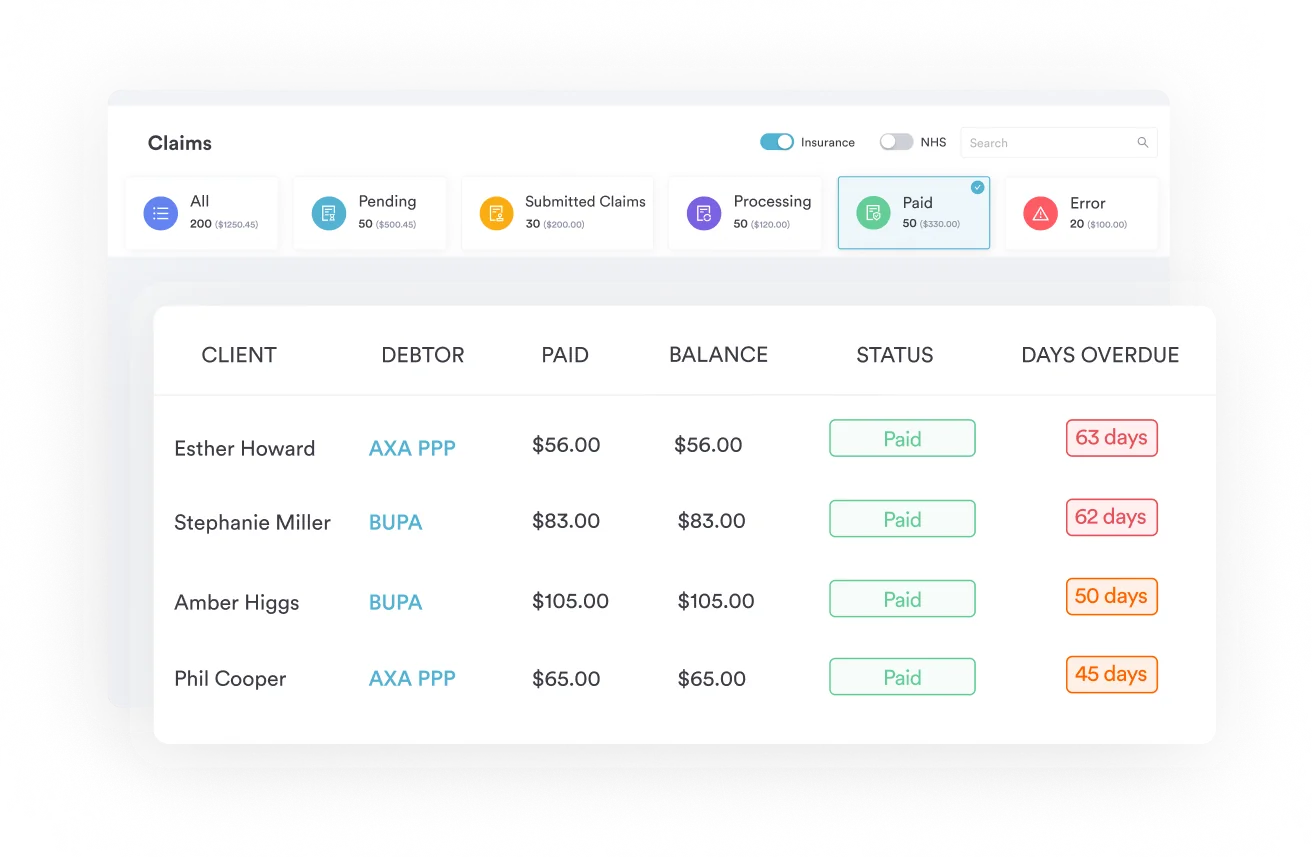

Pabau brings patient records, forms, and insurance claims into one system, so the documentation behind an order is ready when a payer asks for it. Your team stops hunting through folders and inboxes.

The useful thing to know about E0274 is that no workflow makes Medicare pay it. Once you accept that, the job gets simpler. You quote the table as a cash item, get the notice signed, and file the GY claim only if the patient wants one.
The trade-off worth remembering is that the bed and the table travel together in the patient’s mind. They do not travel together in the fee schedule. Suppliers who separate the two conversations at the point of delivery collect more and argue less.
Where the clinical evidence lives is the part a practice still controls. Book a demo to see how Pabau keeps orders, notes, and insurance claims in one patient record.

Coding an acute stress reaction? Acute stress reaction coding classifies this short-term psychological response to sudden trauma, with symptoms resolving within one month.
Coding an unspecified dissociative disorder? Dissociative disorder coding guide covers this billable 2026 code, its F44 hierarchy, ICD-9 crosswalk, and billing guidance.
Coding a depression diagnosis? Depression ICD-10 classification guide classifies depressive episodes by severity and recurrence across the F32 and F33 code series.
Coding mononeuropathy from an underlying disease? Mononeuropathy coding guide covers this manifestation code for a single nerve affected by an underlying systemic condition.
HCPCS code E0274 reports an over-bed table supplied to a patient using a hospital bed at home. It is a Level II code classified as durable medical equipment. Medicare treats the item as noncovered, so most E0274 claims exist only to document the denial.
No. CMS policy article A52508 lists an over-bed table as noncovered, because it is not primarily medical in nature. The exclusion is statutory, so documentation and appeals cannot change it. The patient pays, or another payer does.
Submit the line with the GY modifier, which tells Medicare the item is statutorily excluded. The claim denies and the patient becomes liable. You are not required to file at all, but many suppliers do so the patient holds a denial for a secondary plan.
No. An Advance Beneficiary Notice is not required for a statutorily excluded item. A voluntary ABN is still worth issuing, because it puts the price in writing and shows the patient was told before delivery.
Keep a signed and dated physician order, clinical notes supporting the need for a hospital bed at home, and proof of delivery. Add the patient’s signed price notice and any payer authorization. A Certificate of Medical Necessity is not part of this. CMS eliminated CMNs and DIFs for all DME on January 1, 2023, and claims carrying CMN data are rejected.
GY is the modifier that matters, because it flags a statutorily excluded item. NU, RR, and UE describe purchase, rental, and used equipment for a payer that does cover the table. KX does not apply, since there are no coverage criteria to attest to.
Some Medicare Advantage plans, state Medicaid programs, workers’ compensation carriers, and commercial plans pay for an over-bed table. Each sets its own DME policy and prior authorization list. Confirm the plan in writing before delivery, because Part B rules do not carry over.
No. E0274 is classified inexpensive or routinely purchased, so the 13-month capped rental conversion does not apply. The limit works differently. Total rental payments cannot exceed the purchase fee schedule amount.
Medicare pays nothing, because the item is noncovered. E0274 still carries a DMEPOS fee schedule amount, which Medicaid programs and some plans use to price the item. Pull the current figure from the CMS DMEPOS fee schedule files rather than a third-party database.