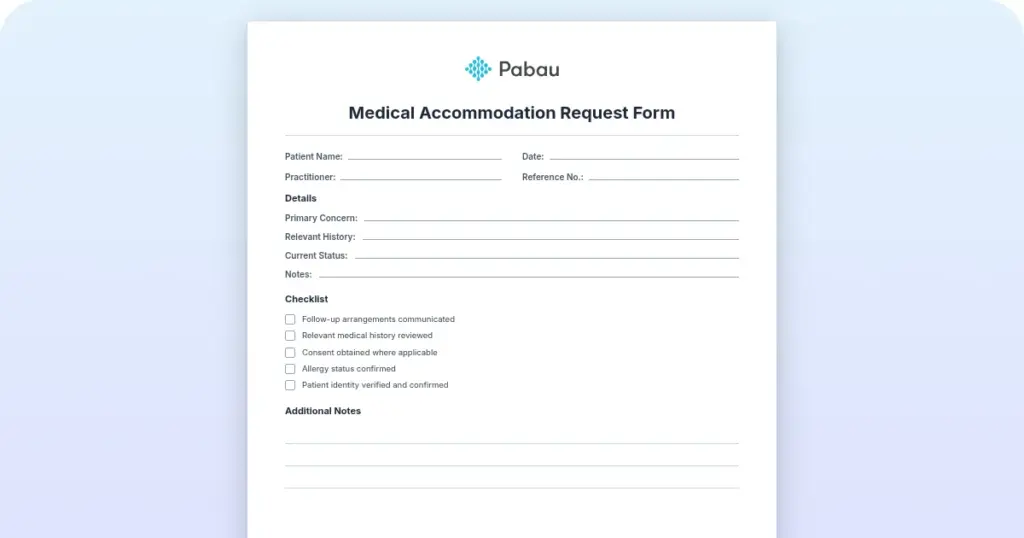
Pabau bundles e-prescribing with scheduling, billing, and clinical records, making it the top pick for aesthetic and private clinics that need one unified platform.
EPCS certification varies by platform – verify DEA compliance and identity proofing requirements before choosing any solution for controlled substance prescribing.
Standalone tools like iPrescribe ($360/year) suit solo prescribers, while platforms like AdvancedMD serve larger multi-specialty practices with heavier prior authorization needs.
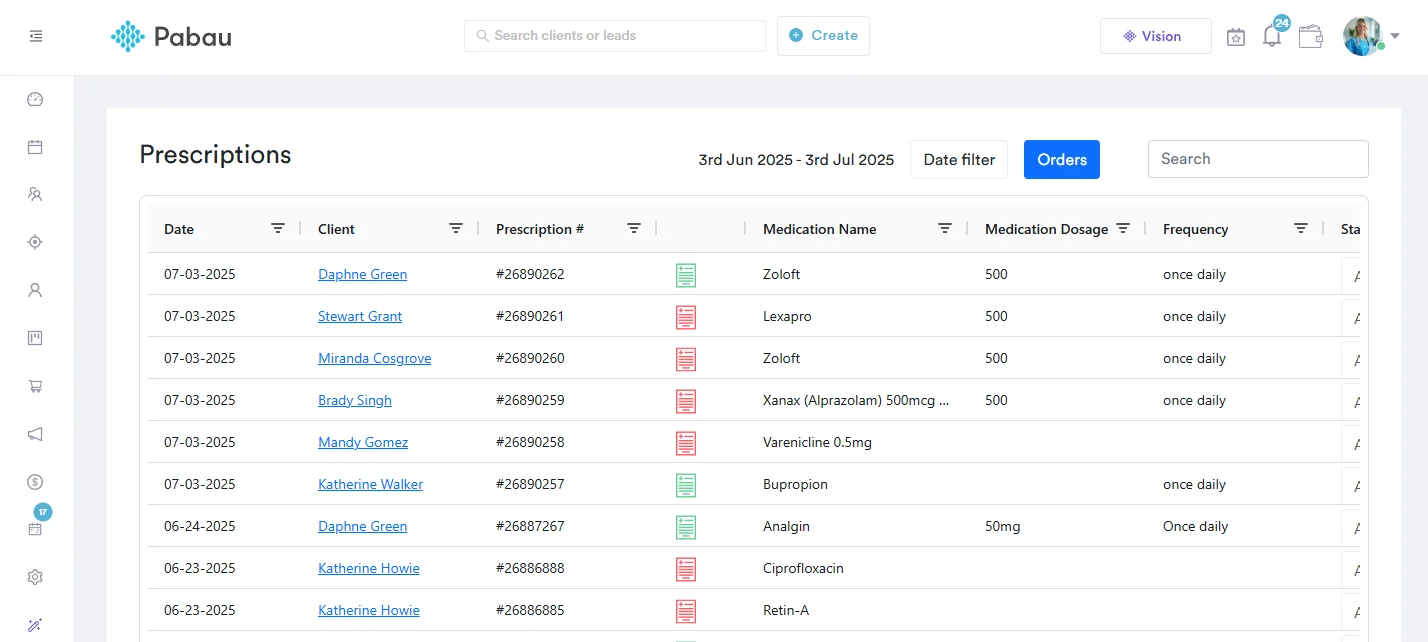
Pabau’s prescription management software centralizes prescriptions, drug interaction checks, and patient records within a single workflow, reducing toggling between systems.
Switching between your EHR, a standalone prescribing tool, and a pharmacy network to issue a single prescription wastes 5-10 minutes per patient encounter. Across 30 daily appointments, that’s up to five hours of compounded inefficiency every week. E-prescribing software is supposed to solve that problem, yet choosing the wrong platform creates new ones: disconnected records, EPCS certification gaps, or a tool that works for a hospital system but not a private clinic with 3 practitioners.
This guide covers the best e-prescribing software platforms for 2026, evaluated on EPCS compliance, PDMP integration, workflow fit, and pricing. Whether you are running an aesthetic clinic, a private GP practice, or a multi-specialty facility, one of the seven platforms below fits your prescribing model. According to Surescripts, the largest e-prescribing network in the US, e-prescribing adoption continues to accelerate as practices seek safer, paperless medication workflows that meet DEA and HIPAA requirements.
Found our content helpful?
Best E-Prescribing Software: Quick Comparison for 2026
Here is how the top platforms stack up before we go deep. Ratings are sourced from verified review platforms where available. Use this as your starting filter, then read the deep dives for context. For broader practice management software comparisons — or our roundup of the best medical spa software —the landscape is wide, but these seven represent the most relevant options for prescribing workflows.
Name
Best For
Standout Feature
Starting Price
Rating
Pabau
Aesthetic & private clinics needing an all-in-one platform
Prescriptions integrated with scheduling, billing, and clinical notes
Contact for pricing
4.7/5 (600+)
RXNT
Practices wanting flexible standalone or integrated prescribing
Cloud-based, works across web, iOS, and Android
Contact for pricing
4.3/5 (Capterra)
DoseSpot
Health IT vendors embedding e-prescribing into EHR platforms
Real-time prescription benefit (RTPB) at point of care
Custom (developer API pricing)
N/A
DrFirst
Hospital-adjacent practices and enterprise health systems
Strong mobile prescribing app and regulatory compliance focus
Contact for pricing
N/A
iPrescribe
Solo or highly mobile prescribers seeking a low-cost tool
Mobile-first iOS/Android app with EPCS support
$360/year (approx. £285/year)
N/A
AdvancedMD
Large multi-specialty practices with complex billing and prior auth needs
Prior authorization automation within e-prescribing workflow
Contact for pricing
N/A
CharmHealth
Practices that need highly customizable workflows and charting
Flexible charting templates and customizable clinical workflows
Free plan available; paid plans from custom pricing
4.4/5 (Capterra)
Pabau: Best E-Prescribing Software for Multi-Specialty Private Clinics
Most e-prescribing tools ask you to toggle between systems. You book in one platform, document in another, prescribe in a third, then reconcile billing somewhere else entirely. Pabau solves this by embedding prescribing within one of the best medical practice management software platforms that also handles scheduling, clinical records, invoicing, and patient communications. For aesthetic clinics, private GPs, wellness practices, longevity clinics, and multi-specialty facilities, this unified architecture reduces administrative friction at every point in the patient journey. Recorded vitals belong in the same place, so a blood pressure reading chart stays with the notes that inform each prescription.
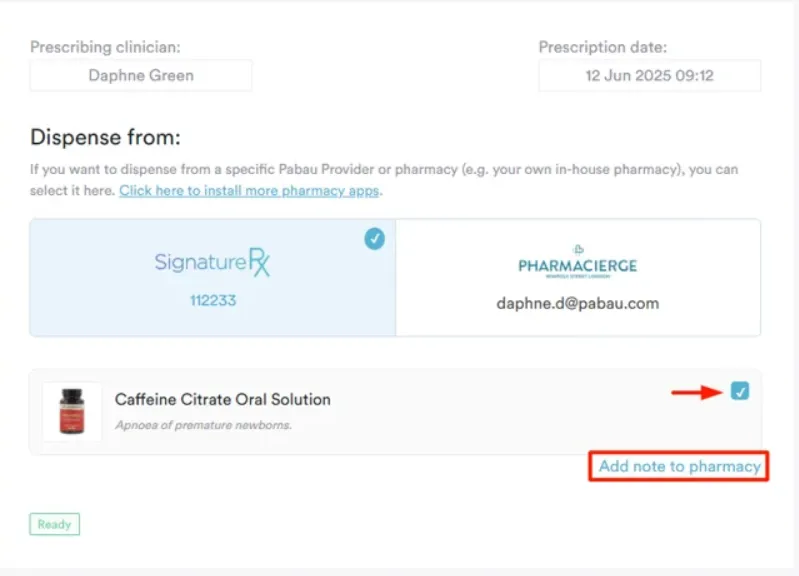
Pabau’s prescription management software connects directly to patient records. When a clinician issues a prescription, it is automatically linked to the appointment, the clinical note, and the patient’s medication history. Drug interaction alerts surface in-context, not in a separate workflow step. Prescriptions can be sent directly to pharmacies, emailed to patients, or managed through the centralized prescription management hub for multi-practitioner oversight.
Key Features
Integrated prescribing workflow: Prescriptions created and signed within the patient’s clinical record, no tab-switching required
Drug interaction and contraindication alerts: In-line safety checks against the patient’s recorded medication list and known allergies
Centralized prescription hub: Multi-practitioner prescription management with full audit trail and status tracking
Direct pharmacy delivery: Prescriptions sent electronically to pharmacies or emailed to patients as PDF documents
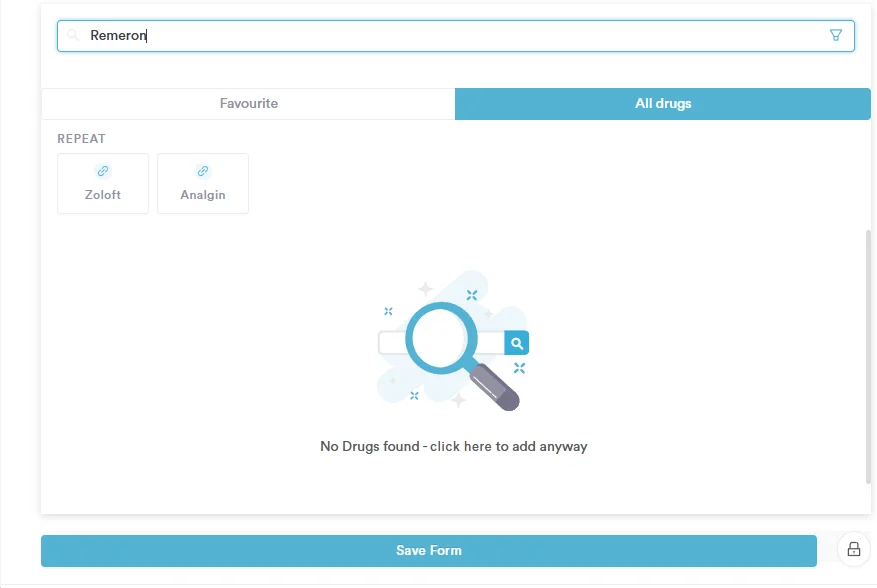
On-the-fly drug creation: Ability to create custom drug entries for clinic-specific formulations or compounds
HIPAA-compliant data handling: Patient prescription data secured under HIPAA compliance for clinic software
Full clinic management context: Prescriptions accessible alongside appointments, digital intake forms, treatment notes, and billing
Multi-industry support: Built for aesthetic clinics, medical spa software workflows, private GP practices, HRT clinics, and more
Pricing
Plan
Price
Who It’s For
Key Features
Full Platform
Contact for pricing
Clinics needing all-in-one practice management
Prescriptions, scheduling, billing, CRM, digital forms, clinical notes
Where Pabau Shines
Unified clinic operations: No separate prescribing subscription needed. Prescribing capability is built into the same system handling bookings, records, and payments
Aesthetic and private practice fit: Purpose-built workflows for skin clinics, med spas, HRT providers, longevity practices, and GP-level private medicine
Audit trail and compliance: Every prescription is logged with prescriber identity, timestamp, and linked clinical record, supporting CQC, HIPAA, and regulatory audit readiness
Multi-prescriber oversight: The centralized hub lets practice managers see all prescriptions across the team from a single view
Patient journey integration: A patient can book online, complete digital intake forms, attend their appointment, receive a prescription, and pay, all within one connected system
Where Pabau Falls Short
Learning curve at setup: The breadth of features means onboarding takes longer than a standalone prescribing tool. Some users note it takes 2-4 weeks to become fully comfortable with the platform
Not purpose-built for EPCS-only use cases: Practices that only need DEA-controlled substance e-prescribing as a single module may find Pabau’s full-platform model broader than required
Customer Reviews
According to Capterra reviewers, Pabau earns 4.7 out of 5 based on over 600 verified reviews. Positive themes cluster around the all-in-one clinic management capability and strong scheduling and CRM features. A recurring note from reviewers: “Everything we need is in one place, which saves us from jumping between systems.” On the critical side, occasional reporting limitations and the initial onboarding complexity are the most common friction points cited.
Who Pabau Is Best For
Aesthetic and cosmetic clinics that prescribe topicals, injectables, or post-treatment medications
Private GP and wellness practices looking for a single platform to replace multiple disconnected tools
HRT clinics, longevity practices, and functional medicine providers needing prescribing tied to detailed clinical records
Multi-practitioner clinics where prescription oversight and audit trail matter for regulatory compliance
Aesthetic clinics comparing full platforms before committing can see Pabau versus Portrait Care on charting, scheduling, and pricing.
See Pabau’s prescribing workflow in action
Pabau combines e-prescribing with scheduling, clinical records, and billing in one platform. Book a demo to see how it fits your clinic’s workflow.
RXNT: Flexible Standalone and Integrated E-Prescribing
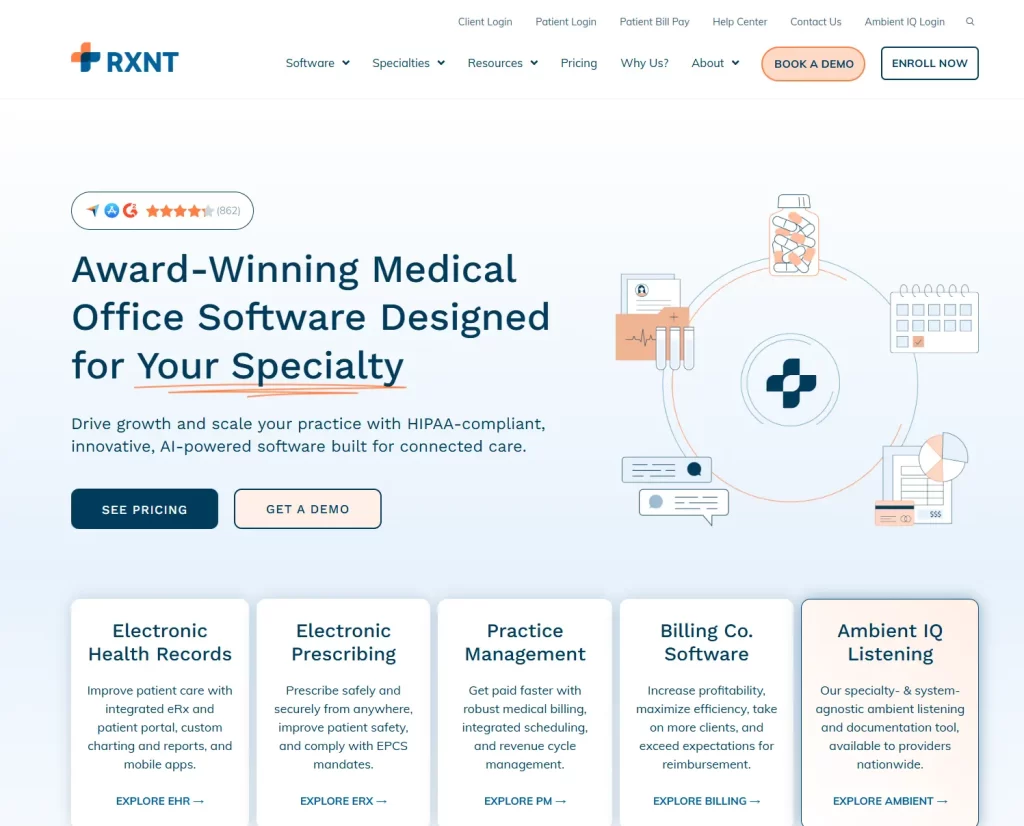
RXNT offers cloud-based e-prescribing that functions both as a standalone module and as part of a broader EHR and practice management suite. Prescribers access it from web browsers, iOS, or Android devices, making it practical for multi-location practices or providers who move between facilities. The platform references EPCS capability on its product pages, though practices should verify current certification status directly with RXNT before deploying for controlled substance prescribing.
Key Features
Cloud-based prescribing: Web, iOS, and Android access for prescribers across locations
EPCS support: Electronic Prescribing for Controlled Substances capability (verify current status with RXNT directly)
EHR integration: API-based connections with third-party EMR platforms for practices with an existing EHR
Drug database access: Formulary checks and medication history at point of prescribing
Pricing
Plan
Price
Who It’s For
Key Features
E-Prescribing Module
Contact RXNT for pricing
Independent practices and multi-location providers
Standalone prescribing, EPCS, drug database, cross-device access
Where RXNT Shines
Reliable cross-device access suits practices where prescribers work from multiple locations or devices
Standalone module option works for practices already committed to a preferred EHR that lacks prescribing
Reviewers consistently cite ease of use and responsive customer support as key strengths
Where RXNT Falls Short
Limited advanced EHR features when compared to full-suite practice management platforms
Pricing can increase as you add modules, which reduces the standalone cost advantage over time
Customer Reviews
According to Capterra reviewers, RXNT holds a 4.3 out of 5 rating based on 488 verified reviews. Users specifically praise its reliability across web and mobile platforms. One commonly cited quote from reviewers: “I have tried three e-prescribing software programs and RXNT is by far the best. I use it at work, at home, and on my iPhone and iPad.”
Who RXNT Is Best For
Practices already using a preferred EHR that needs standalone e-prescribing added
Multi-location providers needing reliable cross-device access to prescribing tools
DoseSpot: E-Prescribing for Health IT Vendors and EHR Platforms
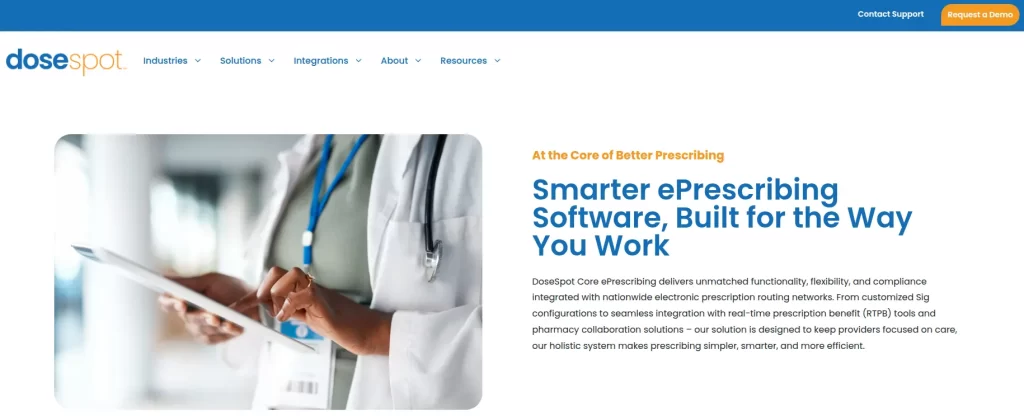
DoseSpot operates differently from most entries on this list. Rather than selling directly to practices, it is primarily a white-label prescribing engine embedded by EHR and health IT companies into their own platforms. If you use a software product that includes e-prescribing, there is a reasonable chance DoseSpot powers it under the hood. Its headline feature is real-time prescription benefit (RTPB) data at the point of prescribing, which surfaces covered medication costs and alternatives without leaving the prescriber’s workflow. For a broader look at EHR for private practice options that include integrated prescribing, the comparison extends well beyond standalone tools. Before and after photos are only comparable when lighting, angle and distance are consistent, which the record should enforce. Before and after photos are only comparable when lighting, angle and distance are consistent, which the record should enforce.
Key Features
White-label integration: Embedded into EHR and health IT platforms via API
Real-time prescription benefit (RTPB): Covered cost and formulary alternative data at point of prescribing (according to DoseSpot’s product documentation)
PDMP integration: State-level prescription drug monitoring program data access within the prescribing workflow
Controlled substance prescribing: EPCS-capable (verify current certification status with DoseSpot)
Pricing
Plan
Price
Who It’s For
Key Features
Developer / Vendor API
Custom pricing. Contact DoseSpot for vendor rates
Health IT companies and EHR vendors
RTPB, PDMP, EPCS, white-label embedding
Where DoseSpot Shines
RTPB capability provides genuine patient value: prescribers can see what a medication will cost a patient before sending it
Strong integration track record makes it a reliable embedded component for health IT companies
Where DoseSpot Falls Short
Not a direct-to-practice product. Clinics cannot simply subscribe and start prescribing through DoseSpot independently
End-user experience varies depending on the host EHR. Community feedback on platforms like Reddit’s r/Dentistry has described the end-user interface as “painful to use” in some integrations
Customer Reviews
No public Capterra, G2, or Trustpilot profile is available for DoseSpot as of 2026. Gartner Peer Insights covers DoseSpot within the ePrescribing Software market segment, where its RTPB feature draws positive mentions from platform developers.
Who DoseSpot Is Best For
Health IT companies that want to embed RTPB-capable prescribing into an existing EHR or practice management product
Developers building clinical software that needs a certified, scalable prescribing engine
DrFirst: Enterprise E-Prescribing for Hospital-Adjacent Practices
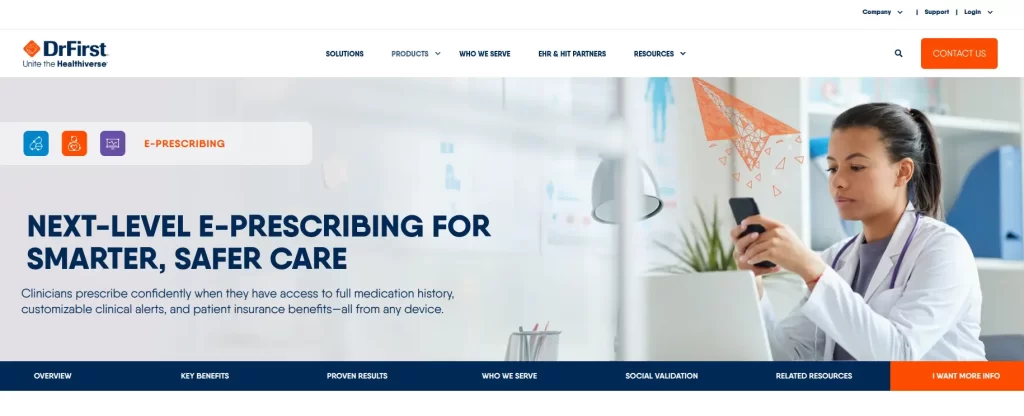
DrFirst has built its reputation serving hospitals, health systems, and the EHR vendors that support them. Its e-prescribing platform covers both standard and controlled substance prescribing, with a strong mobile app for prescribers who need to issue prescriptions from multiple care settings. The platform’s regulatory compliance focus, including DEA EPCS requirements and PDMP connectivity, is its primary differentiator for enterprise and hospital-adjacent workflows.
Key Features
Mobile e-prescribing app: Full prescribing capability on mobile devices for on-call or multi-site prescribers
Regulatory compliance focus: Built to meet DEA EPCS requirements and facilitate state PDMP integration
EHR and HIT partner integrations: Designed for embedding into hospital and health system EHR workflows
Patient safety features: Drug interaction alerts and medication history access at point of prescribing
Pricing
Plan
Price
Who It’s For
Key Features
Enterprise / Partner
Contact DrFirst for pricing
Hospitals, health systems, EHR vendors
Mobile prescribing, EPCS, PDMP, regulatory compliance
Where DrFirst Shines
Widely adopted across hospitals and health systems, giving it credibility in enterprise regulatory environments
Mobile prescribing app supports prescribers who cover multiple sites or provide out-of-office patient care
Where DrFirst Falls Short
Enterprise orientation means the platform can feel oversized for small private practices with fewer than 10 prescribers
No public pricing transparency makes it difficult to evaluate value without engaging their sales team
Customer Reviews
DrFirst does not have a public Capterra or G2 review profile as of 2026. Industry feedback from healthcare IT professionals highlights its strength in regulatory compliance workflows but notes the complexity can be significant for smaller practice teams.
Who DrFirst Is Best For
Hospital-based or hospital-affiliated practices where existing EHR infrastructure already uses DrFirst
Multi-site health systems needing centralized prescribing governance and mobile access
Pro Tip
Before committing to any e-prescribing platform for controlled substances, confirm EPCS certification status directly with the vendor and verify that their identity proofing process meets current DEA two-factor authentication requirements. EPCS certification should also be confirmed for your specific state, as PDMP integration requirements vary by jurisdiction.
iPrescribe: Mobile E-Prescribing Software for Solo Prescribers
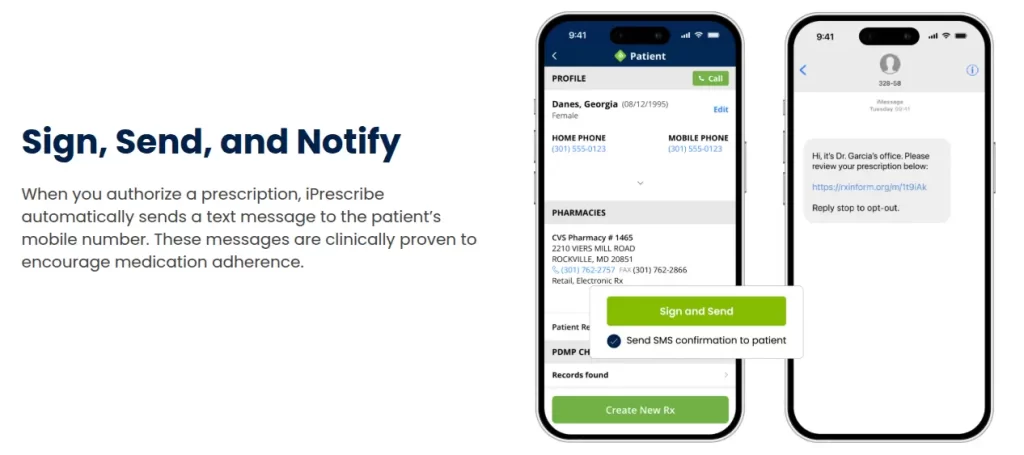
iPrescribe, a DrFirst product positioned for solo prescribers who want a lighter-weight alternative to DrFirst’s enterprise platform, has carved a clear niche: the best e-prescribing software for individual prescribers who need a low-cost, mobile-first solution (now available on both mobile and desktop) with EPCS capability. At $360/year (approximately £285/year) as of January 2025, according to iPrescribe’s published pricing, it is the most affordable standalone option on this list. The iOS and Android apps handle both standard and controlled substance prescribing, with prescriptions routed via the Surescripts network to virtually any pharmacy in the US.
Key Features
Mobile-first design: Native iOS and Android apps built around the individual prescriber experience
EPCS support: Controlled substance prescribing meeting DEA and HIPAA requirements (as stated on iprescribe.com)
Surescripts network routing: Prescriptions reach virtually any US pharmacy electronically
Affordable flat-rate pricing: $360/year ($30/month equivalent) per prescriber
Pricing
Plan
Price
Who It’s For
Key Features
Annual Subscription
$360/year (approx. £285/year) per prescriber
Solo prescribers and individual practitioners
Mobile e-prescribing, EPCS, Surescripts network, iOS/Android
Where iPrescribe Shines
The most affordable EPCS-capable standalone option currently available, at under $1 per day per prescriber
Highly rated mobile app experience (iOS/Android) cited positively by nursing practitioners and physicians in published reviews
Where iPrescribe Falls Short
Prescribing only. There is no scheduling, billing, clinical notes, or patient record functionality, meaning it always requires a parallel system
Some historical app stability issues noted in user reviews, including past version-related crashes
Customer Reviews
iPrescribe does not have a public Capterra profile as of 2026. Published user feedback on its App Store page and in healthcare professional communities highlights the mobile prescribing experience as a clear strength, with nurse practitioners and physicians specifically calling out its simplicity for both standard and controlled substance prescribing.
Who iPrescribe Is Best For
Solo prescribers (MDs, DOs, NPs, PAs) who primarily prescribe on mobile and need EPCS without a full EHR
Practitioners whose existing clinic system lacks e-prescribing but do not need a full platform replacement
AdvancedMD: E-Prescribing Within a Full Medical Practice Suite
AdvancedMD targets larger medical practices, including multi-specialty facilities and practices with significant insurance billing complexity. Its e-prescribing module sits within a comprehensive platform covering EHR, practice management, and revenue cycle management. The platform’s notable differentiator is prior authorization automation: when a prior auth is required before a prescription can be dispensed, AdvancedMD can automate elements of that process to reduce the manual back-and-forth between the practice and the payer. This is particularly relevant for practices prescribing specialty medications where prior auth is routine.
Prior authorization automation is a genuine time-saver for practices where specialty prescriptions regularly trigger PA requirements
Comprehensive platform covers EHR, practice management, and billing in one system for larger practices
Where AdvancedMD Falls Short
Oriented toward larger multi-specialty practices. A three-provider aesthetic clinic will likely find it over-engineered and priced beyond what is warranted
Implementation complexity is higher than lighter-weight tools
Customer Reviews
AdvancedMD has a public Capterra profile. User feedback highlights the platform’s billing and coding depth as a core strength, while smaller practices sometimes note the learning curve and cost structure as challenges when compared to simpler alternatives.
Who AdvancedMD Is Best For
Multi-specialty practices with 5 or more providers where prior authorization and insurance billing complexity justifies a full RCM platform
Practices already using AdvancedMD for EHR and billing who want to consolidate prescribing within the same system
CharmHealth: Best E-Prescribing Software for Customizable Clinical Workflows
CharmHealth positions itself around flexibility. According to Software Advice’s analysis, it is the most requested platform for customization among its tracked e-prescribing tools, driven by its adaptable charting templates and configurable clinical workflows. Practices that have struggled with rigid EHR systems that do not match their specialty-specific documentation requirements often find CharmHealth’s configurability valuable. The platform includes e-prescribing as part of its broader EHR offering, with a free plan available for low-volume practices. For practices evaluating broader EMR software options across categories, CharmHealth’s free entry point is worth noting.
Key Features
Highly customizable charting templates: Flexible form and documentation configuration suited to specialty-specific workflows
E-prescribing included: Prescription functionality within the broader CharmHealth EHR
Free plan for low-volume practices: Entry-level access for practices with limited monthly encounter volume
Telehealth integration: Video visit capability built into the platform
Pricing
Plan
Price
Who It’s For
Key Features
Free
$0
Solo practitioners, low encounter volume
Basic EHR, e-prescribing, charting
Paid Plans
Contact CharmHealth for current pricing
Growing practices with higher encounter volumes
Full EHR, advanced charting customization, telehealth, e-prescribing
Where CharmHealth Shines
Charting template flexibility suits practices with non-standard documentation requirements that do not fit generic EHR templates
Free plan provides a genuine low-barrier entry point for solo practitioners or new practices evaluating e-prescribing options
Where CharmHealth Falls Short
Significant setup time is required to unlock the customization benefits. Practices that need a day-one ready system may find the configuration overhead frustrating
Support responsiveness has been inconsistently rated by reviewers, with some practices noting delayed resolution times
Customer Reviews
According to Capterra reviewers, CharmHealth earns a 4.4 out of 5 rating based on 119 verified reviews. Reviewers consistently praise its customizable workflows and adaptable templates. One recurring theme: practices say the platform “allows clinics to efficiently match the software to their unique processes” once the initial configuration is complete.
Who CharmHealth Is Best For
Solo practitioners or small practices that want a free entry-level EHR with e-prescribing included
Specialty practices with documentation requirements that do not fit standard EHR templates
How to Choose the Best E-Prescribing Software for Your Practice
The right e-prescribing platform depends on four variables that differ significantly between practice types. Work through these criteria before booking any demos.
Standalone vs. integrated: Do you need prescribing only, or does your practice currently lack a broader management platform? A solo prescriber with an existing EHR may do well with iPrescribe at $360/year. A clinic that still manages scheduling and billing on separate systems should prioritize an all-in-one option like Pabau that absorbs prescribing within a unified workflow and eliminates redundant subscriptions.
EPCS and PDMP requirements: If you prescribe Schedule II-V controlled substances, EPCS certification is not optional in most states. Verify the specific platform’s current DEA-certification status and two-factor authentication method (identity proofing) before signing. PDMP requirements are state-level and variable, so confirm integration coverage for your state specifically. The DEA’s EPCS regulations page provides the official compliance requirements.
Practice size and complexity: Solo prescribers skew toward iPrescribe or CharmHealth’s free tier. Three-to-ten provider clinics with diverse specialties fit Pabau or RXNT’s model. Multi-specialty practices with significant prior auth volume and insurance billing complexity align with AdvancedMD. Hospital systems and EHR vendors building internal prescribing capability should evaluate DoseSpot or DrFirst at the integration level.
Prior authorization frequency: If your prescribing patterns regularly trigger PA requests from payers, platforms with built-in ePA automation (AdvancedMD, Veradigm) directly reduce staff time on phone-based prior auth. For practices with minimal PA exposure, this feature carries less weight in the decision.
Integration with existing clinical systems: Switching prescribing tools is disruptive. If your practice is already deep into an EHR ecosystem, check whether the prescribing platform connects via NCPDP SCRIPT-standard transactions before committing. For a comprehensive view of EMR software options across specialties, integration compatibility is a consistent decision variable.
For aesthetic clinics, private GP practices, and multi-specialty facilities that have not yet consolidated onto a unified platform, Pabau’s all-in-one architecture makes the most operational sense. Physical therapy clinics face the same consolidation question, and our guide to physical therapy EMR platforms works through it by practice size. Prescribing is one function among many, and keeping it inside the same system as your scheduling, notes, and billing removes the integration overhead that standalone tools inevitably introduce.
Continue your research
Need more than a pulse oximeter reading?Arterial blood gas test guide covers the procedure, normal values, and how to interpret respiratory and metabolic results.
Interpreting an abnormal complement result?C4 complement blood test guide explains what the test measures and how to interpret abnormal complement levels.
Explaining a CO2 result to a patient?Carbon dioxide blood test guide clears up what an abnormal CO2 level on a lab panel means.
E-prescribing rarely stands alone, so our roundup of the best medical software covers the wider systems it plugs into.
Final Verdict: Choosing the Best E-Prescribing Software
E-prescribing software is not a single category. A hospital network, a solo NP on a mobile device, and an aesthetic clinic with five practitioners all need different things from their prescribing tool. The platforms reviewed here cover that full range, but the split is clear: standalone tools like iPrescribe optimize for cost and simplicity; enterprise tools like DrFirst and AdvancedMD optimize for institutional workflows; platforms like Pabau optimize for clinics that want prescribing as one part of a fully integrated operational system.
For aesthetic clinics, private GP practices, and multi-specialty private medicine, the prescribing tool you choose should connect to your clinical records, your scheduler, and your billing in one place. Pabau’s prescription management software does exactly that, and its centralized hub gives multi-practitioner practices the oversight they need for regulatory compliance. See how it fits your prescribing workflow by booking a demo.
Frequently Asked Questions
What is the best standalone e-prescribing software for physicians?
iPrescribe is the strongest standalone option for individual physicians at $360/year (approximately £285/year), offering mobile EPCS-capable prescribing on iOS and Android via the Surescripts network. RXNT is a close second for practices that want web access in addition to mobile. Neither provides scheduling, billing, or clinical records, so a parallel system is always required.
What is EPCS certification and which software supports it?
EPCS (Electronic Prescribing for Controlled Substances) is a DEA-mandated security framework that requires two-factor authentication and identity proofing before a prescriber can issue electronic controlled substance prescriptions. RXNT, iPrescribe, AdvancedMD, DoseSpot, and DrFirst all reference EPCS capability in their product documentation, but certification status should be verified directly with each vendor before deploying for Schedule II-V prescribing in your state.
Can e-prescribing software integrate with existing EHR systems?
Most platforms support integration via the NCPDP SCRIPT standard, the national transaction format for electronic prescribing. RXNT offers API-based EHR connections, DoseSpot is specifically designed for white-label embedding into existing EHRs, and platforms like Pabau include prescribing natively within their own EHR so no external integration is needed.
What is the best free e-prescribing software for small practices?
CharmHealth offers a free plan that includes e-prescribing alongside basic EHR and charting for low-volume practices. It is the only platform on this list with a genuinely free tier. Note that the free plan has encounter volume caps and that unlocking advanced customization requires a paid upgrade.
How does e-prescribing reduce medication errors?
E-prescribing eliminates illegible handwriting, reduces transcription errors at the pharmacy, and surfaces drug interaction and formulary alerts at the point of prescribing. The American Psychiatric Association notes that the Surescripts network, which routes the majority of US e-prescriptions, also enables real-time medication history review, giving prescribers context on what a patient is already taking before adding a new drug.