Tanja Lepcheska
Sugar-free diet food list
Download your free sugar-free diet food list A two-page checklist of sugar-free ...

1
Last Updated: Nov 2, 2026
Free PDF 1 page, print-ready Clinician-reviewed
A visual scanning worksheet measures how efficiently someone finds and identifies targets across their visual field. Occupational therapists, neurologists, and special education teachers use it to spot visual perception problems and to steer rehabilitation.
The raw score only takes you so far. What guides treatment is where the misses cluster, how long the search took, and whether the person worked in an order or wandered. This page covers administration, scoring, and the move from tabletop practice to daily life.
A printable letter-search page with space to set the target letters, record the completion time, and add clinical notes. It also carries the practitioner name and signature fields, so the finished sheet can go straight into the client record.
Start from scratch, or upload this PDF or any form you already use, and Pabau's AI Form rebuilds it with tick boxes, text fields and a signature. Attach it to the treatment once, and every patient gets it on time.
AI Form rebuilds the consent, history and aftercare forms you already use. You review each one, then publish.
Patients complete forms on their phone before they arrive, so the front desk stops retyping paper.
Every signed form is versioned and attached to the treatment record, ready when you need it.
Set how long a consent stays valid. Returning patients skip forms they have already signed.
Supports HIPAA and GDPR compliance AES-256 encryption 4.8 on G2 4.7 on Capterra Trusted by 4,000+ practices worldwide

A visual scanning worksheet measures how quickly and how systematically a person finds named targets across the visual field.
Occupational therapists use it to pick up visual neglect, field loss, and eye movement problems after a stroke or brain injury.
Where the misses sit tells you more than the raw score, because one-sided misses and scattered misses need different treatment.
Common formats include cancellation tasks, letter and symbol searches, and figure-ground exercises that step up in difficulty.
Practice management software like Pabau files each scored worksheet in the client record, so progress is easy to compare between sessions.
A visual scanning worksheet presents organized visual stimuli, usually letters, symbols, numbers, or shapes. They sit in a grid or a scattered array, and the person marks every instance of a named target.
The clinician watches how the search unfolds. Missed items, hesitations, and the route the eyes take across the page each point toward a specific processing difficulty.
These pages do two jobs. As assessment tools they surface visual neglect, hemianopia, and oculomotor tracking deficits. As treatment tools they give graded practice that builds a systematic search habit.
Practices that run digital forms can score the worksheet during the appointment and save the result to the patient record on the spot. That removes the paper-to-spreadsheet step and keeps scoring consistent between therapists.

Clinicians refer for scanning assessment when someone keeps losing visual information. The common red flags are:
Recording these observations on a structured assessment form gives you a baseline to measure against once treatment starts.
Teams using software to manage patient records can pull up prior scores before every reassessment.
Formats vary by what they load and who they suit. The two most used in therapy are cancellation tasks and letter or symbol searches.
A cancellation task fills a page with repeated shapes, letters, or symbols. The person crosses out or circles only the target. A typical version scatters 50 letters across the page and asks for every letter A.
Cancellation is the most sensitive format for detecting visual neglect, particularly left-side neglect after a right-hemisphere stroke. You can grade the difficulty by changing stimulus density, target layout, or how closely the distractors resemble the target.
A letter search lays out tidy rows or columns and asks the person to mark every instance of one letter. Symbol versions swap in numbers, shapes, or pictures. Both train a left-to-right search route and build search fluency.
Searches are gentler than cancellation tasks. The organized rows cut the cognitive load, which makes them a better starting point for children and for anyone with moderate processing difficulty. The downloadable worksheet above uses this format.
In pediatric settings, scanning tasks support reading readiness and address the visual processing side of learning and attention difficulties.
School-based therapists use them to find children who lose their place while reading or cannot hold attention across a whole page. Catching that early helps reading fluency, handwriting legibility, and classroom confidence.
Children do better with larger print, fewer distractors, and pictures they care about. Animals, vehicles, and familiar objects hold attention far longer than abstract symbols do.
Stroke and traumatic brain injury commonly damage scanning ability. A person may develop visual neglect, hemianopia, or oculomotor dysfunction, and the three look different on the page.
Neglect means one side of space stops being attended to. Hemianopia means half the visual field is genuinely gone. Oculomotor dysfunction means the eyes struggle to go where the person intends. Screening cognition alongside vision is worth the extra ten minutes.
Worksheets anchor the early phase of therapy. Treatment then moves out to reading mail, preparing meals, walking hallways, and eventually driving. According to the American Occupational Therapy Association, systematic scanning practice combined with functional activity gives adults the best recovery of visual attention. An EMR built for physical therapy keeps exercise prescriptions and outcome measures in the same record.
Consistent administration is what makes two sessions comparable. Keep these five steps identical every time.
Uploading the marked page to clinical documentation software alongside the scoring notes keeps every attempt together. Comparing session four with session one then takes seconds rather than a hunt through a paper chart.

Score three things: omissions, commissions, and time. Omissions are targets the person never marked. Commissions are non-targets they marked anyway. Two people can miss the same number of targets and still need completely different treatment.
The shape of the errors is what separates them. Use this read across the marked page before you plan the next session.
Difficulty follows accuracy. Few errors means adding distractors, shrinking the print, or lowering the contrast. Frequent errors means the opposite: simplify the array and make the targets stand out more.
Track error counts and completion times side by side across sessions. Better accuracy or a faster finish is your signal to move on to functional activities.
Improvement on paper only counts if it shows up at home. Once someone works through the worksheet cleanly, shift the same search demand into real tasks.
Watch balance as mobility tasks come in, since a person scanning the floor is not scanning ahead. The functional reach test takes a couple of minutes and flags anyone who needs a slower progression.
Scanning and tracking are related skills with separate assessment tools. Mixing them up sends therapy after the wrong target.
Most assessments cover both. A person can search a static page well and still lose a moving object, or the reverse. A full visual perception workup checks each skill separately.
The paper version of this workflow is familiar. You print the worksheet, score it by hand, and file it in the chart. Then you copy the numbers into a spreadsheet to watch the trend. Three places to look, and one of them is usually out of date.
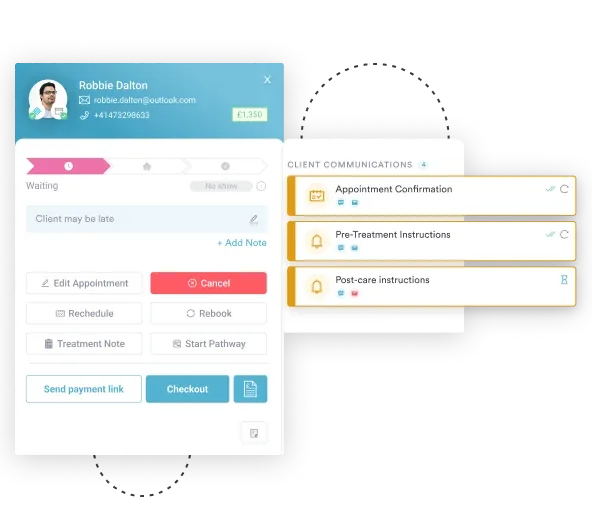
Practice management software like Pabau collapses that into a single record. Scores go into a digital form during the session, and a photo or scan of the marked page attaches to the same client file. Every previous attempt sits on one timeline.
That changes what you can do at the next visit. Pull March’s page up next to today’s, check whether the left-side omissions dropped, and show the patient the difference on screen. Reminders handle home practice, and reassessment visits go on the calendar on a set interval.
When the case moves to a wider team, the same stored data feeds the case management note without anyone retyping the history.

Pabau’s digital forms capture worksheet scores during the session and file them straight into the client record. Progress between sessions stays visible without a separate spreadsheet or a paper chart hunt.

A visual scanning worksheet is only as useful as the reading you give it. The count of missed targets sets the baseline. The position of those misses on the page is what decides the next treatment step.
So take a clean baseline, keep the administration identical every time, and let the error pattern pick the next task. Then get the practice off the table and into reading, cooking, and moving around the house. That transfer is the point of the whole program.
Book a demo to see how Pabau stores each scored worksheet in the client record and tracks scanning progress across a course of therapy.

Measuring how hard a patient is working? Borg RPE scale tracks perceived exertion with the 6-20 scale or the Modified CR10 dyspnea variant.
Worried about falls once scanning practice gets mobile? The functional reach test scores balance in a couple of minutes and flags who needs a slower progression.
Assessing consciousness after a brain injury? Coma Recovery Scale worksheet scores auditory, visual, motor, and communication function to track neurobehavioral recovery.
Running a full neurological exam? cranial nerve examination checklist turns a scattered cranial nerve exam into a systematic, consistently documented process.
It measures how efficiently a person locates targets across the visual field. Therapists also use it as graded practice to build a more systematic search strategy.
It gives structured, repeated practice in searching left to right. Therapists raise the difficulty in steps and pair the pages with functional activities, so attention returns to the neglected side.
A cancellation task fills a page with repeated shapes or letters and asks the person to mark only the target. It is the most sensitive format for detecting visual neglect, and difficulty is graded by target density and distractor similarity.
Yes. Versions with larger print, fewer distractors, and engaging pictures pick up the visual processing and attention difficulties that often sit behind reading or writing delays.
Visual scanning is locating stationary targets. Visual tracking is following a moving object. Occupational therapy usually addresses both, but each one has its own assessment method and treatment approach.
It anchors the early phase of neglect or field loss rehabilitation. Treatment then moves from tabletop pages to functional tasks such as reading, meal preparation, and navigating a room.