







WIC referral form
A WIC referral form is the document a licensed provider signs to certify that a ...

5
Last Updated: Sep 18, 2026


Setmore reviews average 4.6 out of 5 on Capterra and 4.5 out of 5 on G2. Users praise the free plan, the clean interface, and responsive 24/7 support.
The free plan covers up to four users and 200 appointments a month. The Pro plan adds unlimited users, SMS reminders, online payments, and a signed HIPAA business associate agreement.
Setmore reviews often mention limited flexibility, since it has no per-service booking rules. Other complaints include thin package management and a lower-rated Android app at 3.8 out of 5.
Setmore is a strong scheduling tool for small service businesses. Medical and aesthetic practices that need clinical records, consent, and billing in one place often outgrow it.
Setmore is a well-liked appointment scheduling tool built for small service businesses. It scores 4.6 out of 5 on Capterra and 4.5 out of 5 on G2. Most reviews point to the same strengths: it’s free to start, easy to learn, and quick to set up.
This review pulls together what real users say across Capterra, G2, Google Play, and community forums. You’ll get the ratings, the pricing, the features that earn praise, and the limits that show up once a business grows.
The short version? Setmore does one job well and keeps it simple. If you run a solo practice or a small team and mostly need a booking page and reminders, it’s a genuinely good pick. If you run a medical or aesthetic practice, there are limits worth knowing about before you commit. We’ll cover those too.
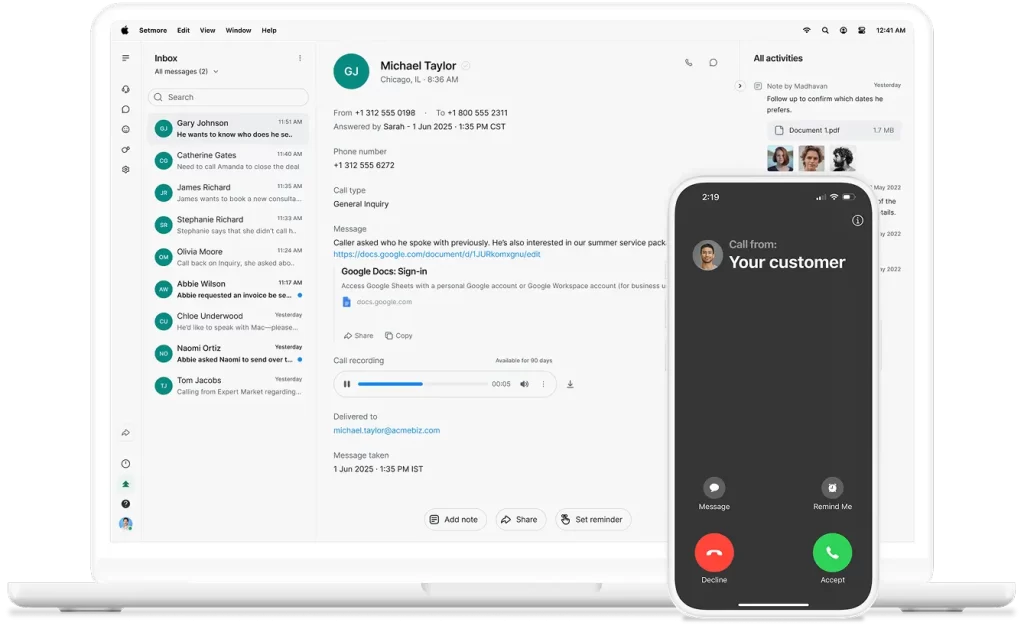
Setmore is scheduling software that gives a business a bookable online page, a shared staff calendar, and automated appointment reminders. Clients pick a time, book themselves in, and pay online if you turn on payments. Your team sees it all in one calendar.
It’s aimed at service businesses of all kinds – salons, coaches, trainers, tutors, and small wellness studios. Roughly 95% of its reviewers are small businesses, and a healthy share sit in health, wellness, and fitness. That tells you who it’s built for: teams that want bookings handled without a heavy system to run.
Setmore is one of the more heavily reviewed tools in its category. Here’s how it scores across the main platforms at the time of writing.
The pattern is consistent. Setmore rates highly on the desktop and web experience, and lower on its Android app. If your team runs the business mostly from phones, the app rating is the one number to check for yourself before you rely on it.
Setmore keeps its feature set tight and focused on getting appointments booked. Here’s what you actually work with day to day.
You get a branded booking page clients can use to self-schedule, plus a shared calendar for multiple staff members. Two-way sync with Google Calendar and Microsoft 365 keeps everything in one view, so you don’t double-book a room or a therapist.
Automated email reminders come with every plan, and SMS reminders unlock on Pro. Reminders are the single most effective way to cut no-shows, so this is the feature most small businesses lean on hardest.

Setmore takes payments through Square, Stripe, PayPal, and LawPay, including online, in-person, and Tap to Pay. Clients can pay when they book, which helps with deposits and reduces last-minute cancellations. Both the free and Pro plans support payments.
Beyond calendars and payments, Setmore connects to Zoom for video calls and lets clients book straight from Facebook and Instagram. For a business that runs on social media, that direct-booking link is a real draw. Pro also opens up API access for custom setups.
Setmore also sells a Live Receptionist service for $99 a month, currently US only. A real person answers calls and books appointments for you. It’s a niche extra, but a useful one for solo operators who can’t take calls mid-appointment.
Pricing is the headline in most Setmore reviews, and for good reason. The free plan is unusually capable, which is what draws so many small businesses in.
One update worth flagging: Setmore’s Pro plan now includes a signed business associate agreement (BAA). This is a building block for HIPAA compliance in the US. Older reviews often said Setmore’s HIPAA posture was unclear, so this is a genuine step forward.
If HIPAA matters to you, confirm the current terms directly at setmore.com/pricing before you rely on it.
Pricing does shift, and some review sites still list older figures. Always check the live pricing page for the current rate and any payment processing fees before you budget.
Across verified platforms, the praise in Setmore reviews is remarkably consistent. On Capterra, it holds 4.6 out of 5 from 958 reviews, with customer service and value for money both scoring 4.7. These are the strengths that come up again and again.
The same reviewers who praise the support are honest about the drawbacks, and a few Setmore review complaints come up again and again. On G2, where Setmore holds 4.5 out of 5 from around 268 reviews, users flag friction once a business grows past simple booking.
One more thing worth verifying: some community users (Reddit r/smallbusiness, December 2025) reported new application fees on Stripe payments. Confirm the current payment terms yourself before you model your processing costs.
Setmore is a strong fit if you run a solo practice or a small team and your main job is filling a calendar. Coaches and trainers, tutors, salons, and small wellness studios get real value from the free plan and the clean booking experience. Comparing free-tier booking tools? Our Fresha review covers the other big name in that space.
It’s a weaker fit if you run a medical or aesthetic practice. Once you need consent forms tied to a patient record, treatment notes, before-and-after photos, and billing in one place, a scheduling-only tool falls short. You end up stitching several systems together instead. That’s the point where many reviewers start looking for something built for clinical work.
If a booking page is all you need, Setmore is hard to beat on price. But if you run a clinical practice, it’s worth knowing where a purpose-built alternative fits. Practice management software like Pabau starts from a different place: the patient record, not just the calendar.
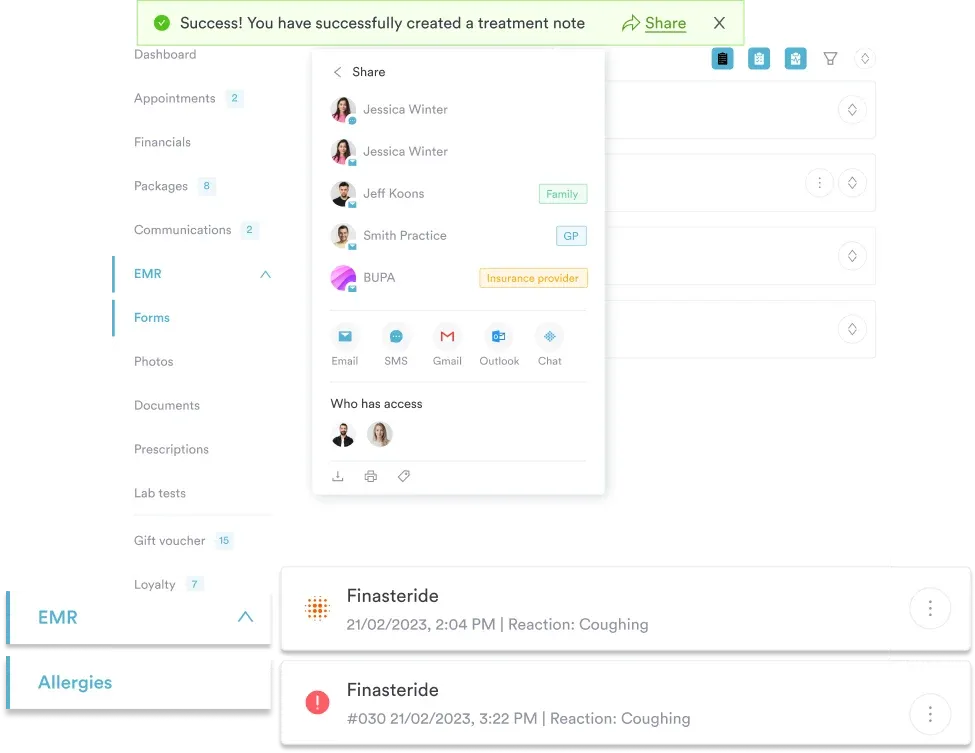
Setmore books the appointment. Pabau books the appointment and carries everything around it. That includes the consent forms sent before arrival, the treatment notes written during the visit, and the before-and-after photos.
It also links the prescription and the invoice to that same patient record, with lead management tracking every inquiry before it becomes a booking. So your team stops copying data between a booking tool, an EHR, and a spreadsheet. Skin With Bea Esthetics, a solo med spa, made this move to get automated consent forms and personalized reminders in one system.
The pricing models differ too. Setmore charges per user, with a free tier to start. Pabau scales with your users and locations, and every subscription includes every feature – there’s no starter tier that locks clinical tools behind a higher plan. Pabau pricing starts at $62 a month, with monthly or annual billing.
There’s no free trial. Because the platform is powerful, Pabau sets practices up with a demo and structured onboarding instead. This configures the system around your workflow from day one. Setmore wins on speed to start. Pabau wins on depth once you’re running clinical work at scale.
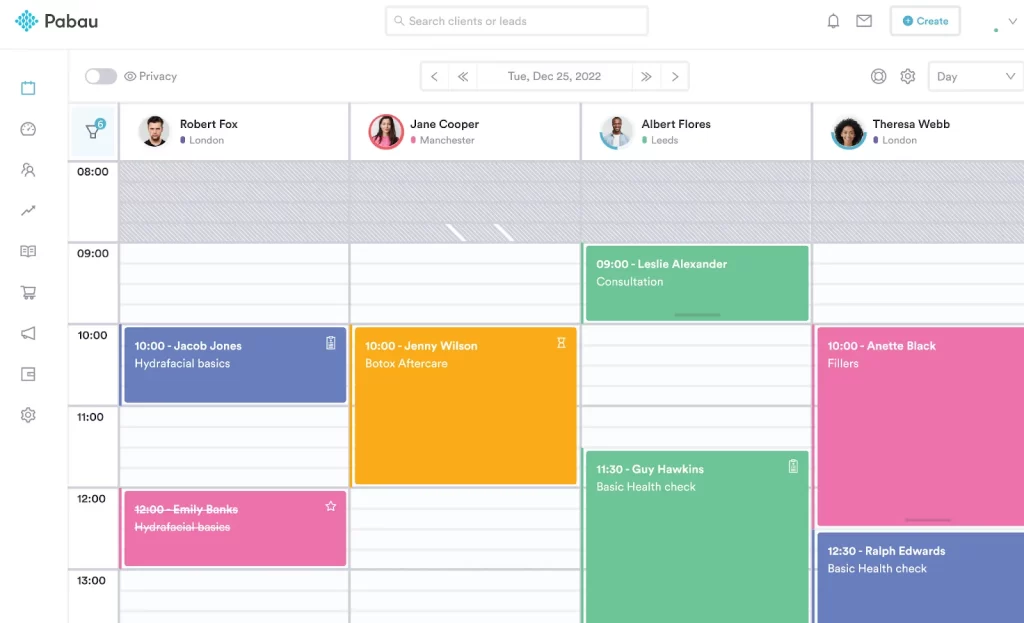

Pabau brings online booking, patient records, consent, treatment notes, and billing into one system built for medical and aesthetic practices. Book a personalized demo to see how it maps to your workflow.

Not every practice needs all of that. If you’re a solo, non-clinical operator, Setmore’s free plan may be all you’ll ever want. If you’re running consent, records, and billing across a growing practice, that’s where a platform like Pabau earns its place. For the wider category, see our guide to practice management software.
So, there you have it. Setmore reviews describe a product that does its job well and doesn’t overreach. For small, non-clinical service businesses, it’s an affordable scheduling tool with a strong free plan and support people actually praise. That reputation is well earned.
The limits show up when a practice needs clinical documentation, deeper compliance, and integrated billing – things Setmore was never built to do. If that’s your world, weigh a purpose-built platform like Pabau before you commit. To see how it maps to your practice, book a demo with Pabau.

Comparing Setmore against another booking-first tool? Setmore vs Fresha breaks down how the two stack up for service and wellness businesses.
Weighing Zenoti against Vagaro? Zenoti vs Vagaro comparison compares features, pricing, and the pros and cons of each practice management platform.
Managing bookings across several sites? Pabau Multi-Location shows how shared records and cross-site reporting work in one place.
Yes. Setmore scores 4.6 out of 5 on Capterra from 958 reviews and 4.5 out of 5 on G2. Users praise its free plan, ease of use, and 24/7 support. It’s a strong choice for small service businesses that mainly need online booking and reminders.
Setmore has a free plan for up to four users and 200 appointments a month, including a booking page, email reminders, and payments. The Pro plan costs about $5 per user per month billed annually (around $12 billed monthly) and adds unlimited users, SMS reminders, and more. Check setmore.com/pricing for current rates.
Setmore now offers a signed business associate agreement (BAA) on its Pro plan, which is a key requirement for HIPAA compliance in the US. Healthcare practices should still confirm the current terms directly with Setmore. It’s worth remembering that the platform doesn’t store clinical records, so it isn’t a full clinical system on its own.
The most common complaints are limited flexibility. You can’t set different minimum booking notice per service, package management is thin, and user management gets fiddly for larger teams. Its Android app also rates lower, at 3.8 out of 5. Setmore stores no clinical notes, consent forms, or prescriptions.
For medical and aesthetic practices, practice management software like Pabau is a closer fit. It combines online booking with an integrated patient record, consent forms, treatment notes, and billing. Cliniko and Jane are alternatives aimed at allied health. The right choice depends on whether you need clinical documentation alongside scheduling.