Massage Gift Card Template
A massage gift card template is a fill-in-the-blank certificate you customize wi...

23
Last Updated: Sep 11, 2026
Pabau Scribe is the set of AI agents built into Pabau, an all-in-one practice management system for aesthetic and healthcare practices. Pabau Scribe listens to the consultation and drafts the treatment note, checks prescriptions for contraindications and summarizes the patient record. The same agents draft letters, write service descriptions and suggest replies to online reviews.
Pabau Scribe launched as Echo AI, so older support pages still use that name for the same AI note taker. Every draft lands in the patient record and waits for the practitioner to review and save it. The Pabau Scribe feature page lists the agents. This guide shows where each one fits in a single appointment, what it costs, and what stays your job.

Pabau Scribe is a set of AI agents inside Pabau that drafts treatment notes, letters, record summaries, prescription checks and service copy.
The appointment timeline runs from the AI client summary before the consult to the Content agent’s review replies between visits.
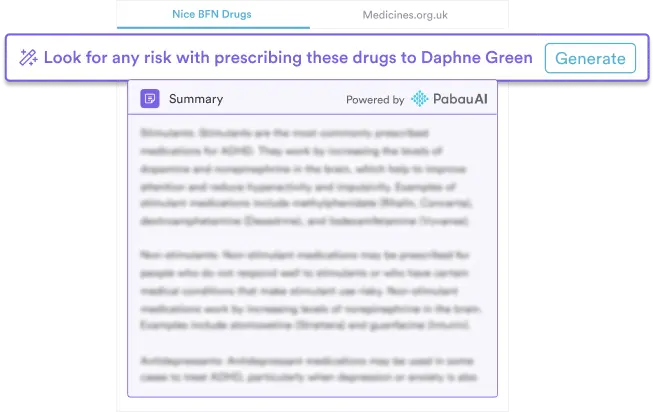
The ambient AI scribe turns the consultation into a structured treatment note, and the practitioner reviews it before saving.
Every Pabau subscription includes Pabau Scribe, with usage billed in credits, or unlimited with the Care Plus add-on.
There is no separate login, because Pabau Scribe runs inside your Pabau account and in Pabau GO, our iOS app.
Pabau Scribe is five AI agents, and each one takes a single documentation or admin job off the practitioner or the front desk. All five work inside Pabau, so a draft never has to be copied into the chart from a separate tool.
| Agent | What it does | When it runs | What you still do | Where it runs |
|---|---|---|---|---|
| AI client summary | Summarizes medical history and previous treatments from the patient record | Before the consult | Check the summary against what the patient tells you today | Pabau, on the client card |
| Ambient AI scribe | Turns the consultation into a structured treatment note and plan, or transcribes dictation word for word | During the consult | Get consent to record, then review, edit and save the note | Pabau on desktop and Pabau GO on iPhone and iPad |
| Drug agent | Analyzes the patient record and flags allergies and contraindications before each prescription | During the consult, before prescribing | Make the prescribing decision | Pabau |
| AI letter agent | Pulls details from the record into personalized letters, including your macro text | After the consult | Check and approve each letter before it goes out | Pabau |
| Content agent | Writes treatment and product descriptions and drafts replies to online reviews | Between visits | Edit for accuracy, tone and advertising rules | Pabau |
The AI client summary was listed as coming soon when Pabau Scribe first launched. It now appears on Pabau’s feature page alongside the other four agents.
Pabau Scribe acts in four stages of one appointment: before the consult, during it, after it, and between visits. We call this the appointment timeline. Picture a returning patient booked for an anti-wrinkle top-up a few months after their first treatment.
The diagram below shows which agent acts at each stage, and which decisions stay with the practitioner the whole way through.
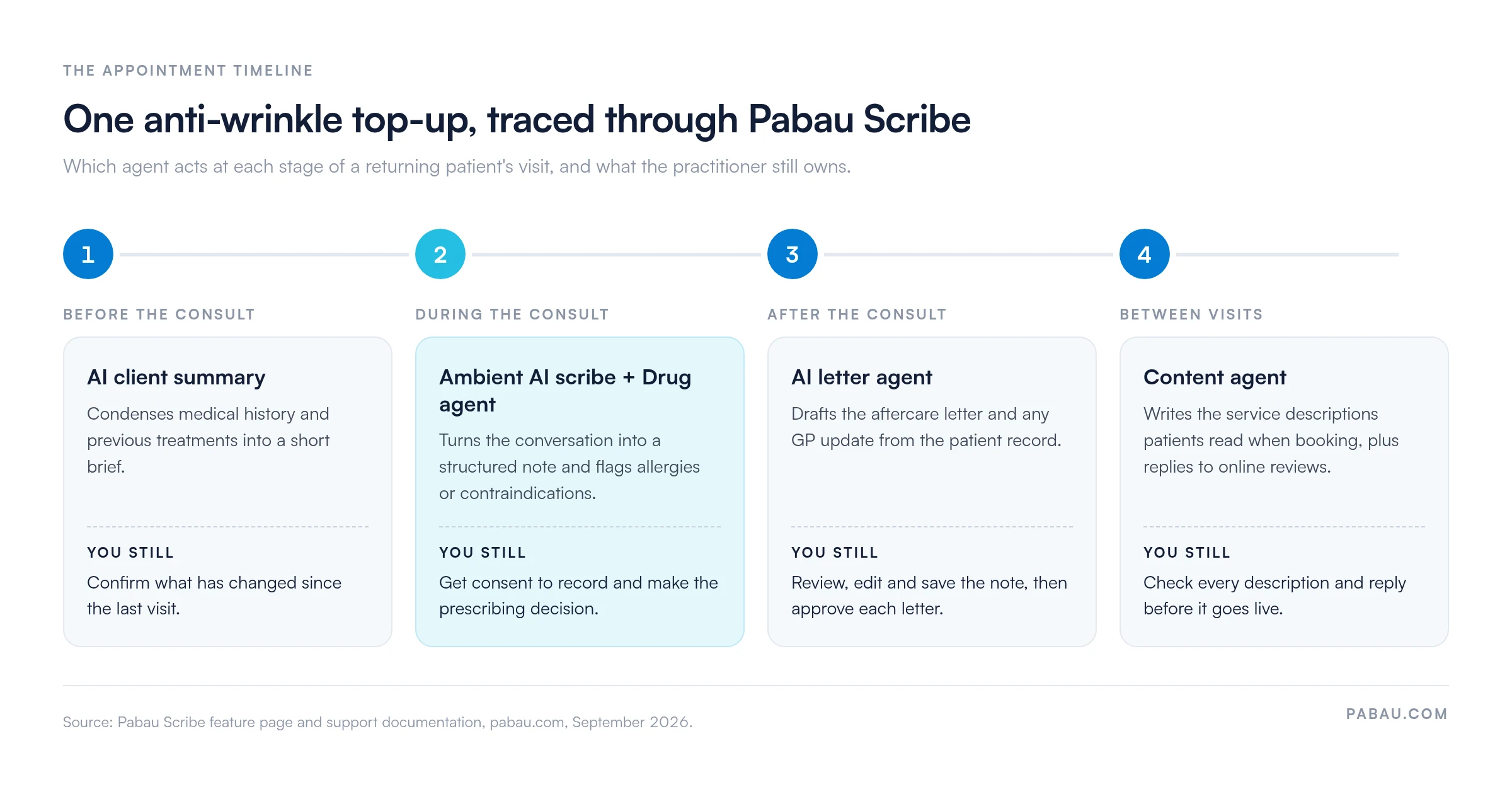
Before the patient sits down, the AI client summary condenses their medical history and previous treatments into a short brief on the client card.
For the top-up patient, that brief surfaces past treatments, preferences and relevant medical history without a scroll through months of notes. Pabau Scribe draws that information straight from the patient record, so the summary is only as current as the record behind it.
Ask what has changed since the last visit before you rely on it. A new medication, a procedure done elsewhere or a pregnancy won’t be in the record until someone adds it.
The ambient AI scribe listens during the consultation and turns the conversation into a structured treatment note and plan with a single click.
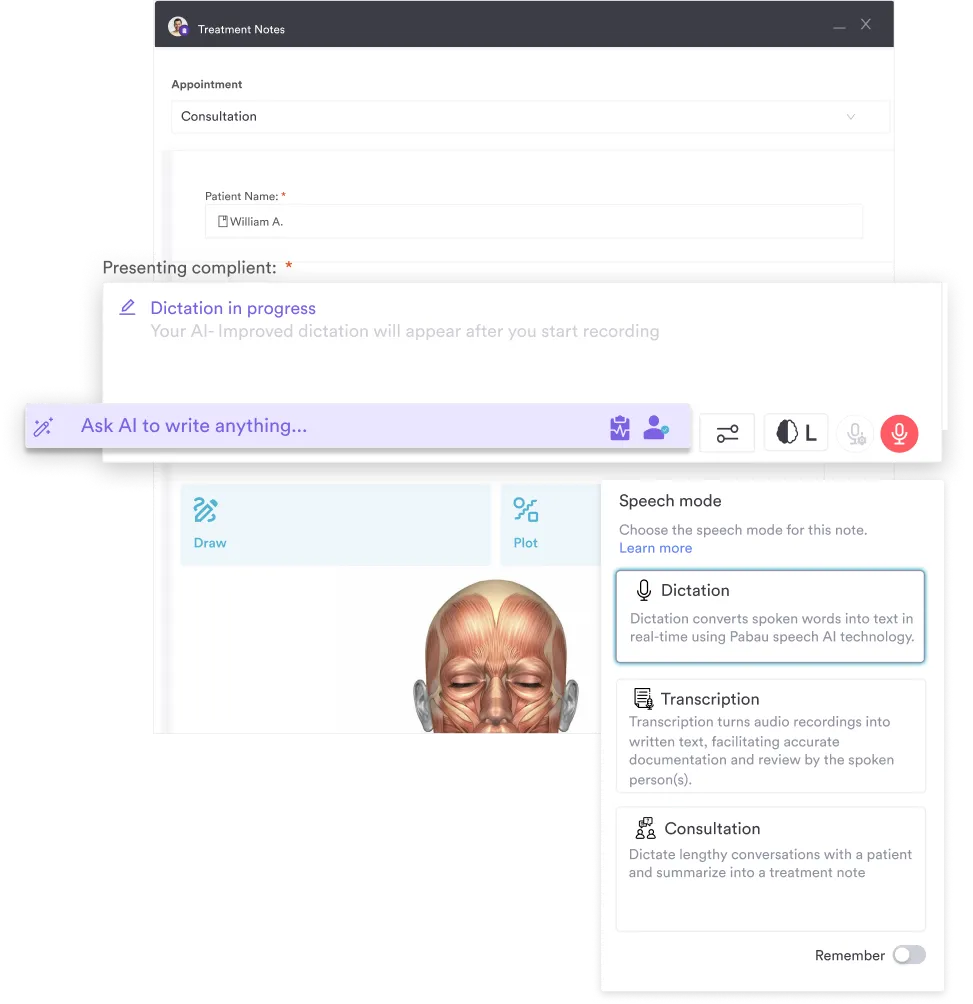
Instead of typing while the patient talks, you keep your attention on them and finish the note in the same sitting. Pabau Scribe offers three speech modes inside the treatment form:
You can then refine the draft through the “Ask AI to write anything” field. Ask for a shorter plan, say, or add a missing batch number. In Pabau GO, the audio isn’t stored and can’t be replayed, according to Pabau’s support guide.
When we walk practices through Pabau Scribe in a demo, the first question is usually whether the note saves itself. It doesn’t. The draft stays open for you to read and edit until you save the form.
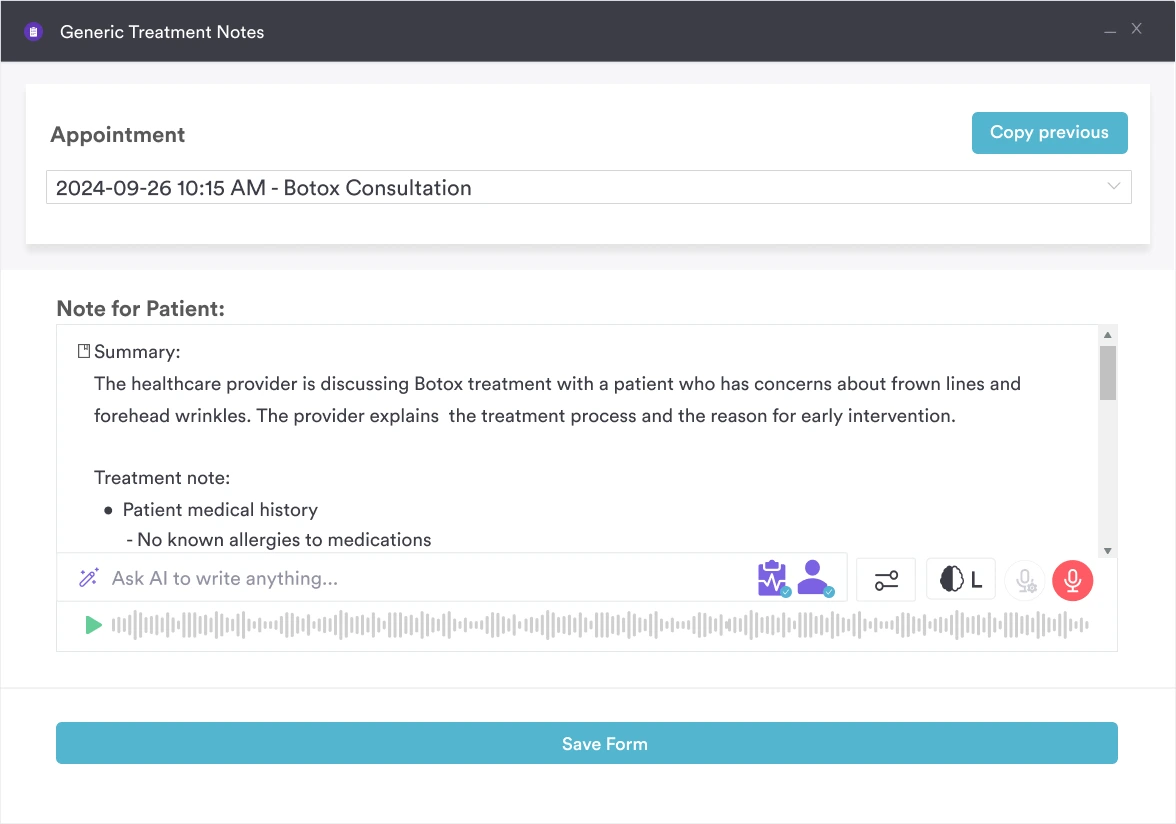
Before any prescription, the Drug agent analyzes the patient record in real time and flags allergies, drug interactions and other contraindications.
That matters for the top-up patient because botulinum toxin is a prescription-only medicine. An allergy logged in an intake form two years ago is exactly what a busy prescriber can miss.
Treat each flag as a prompt. The prescriber still weighs it against the patient in front of them and makes the final prescribing decision.
Once the note is saved, the AI letter agent pulls the right details from the patient record into a personalized letter in seconds. For the top-up patient, that is usually an aftercare letter.
A private practice updating a dozen GPs on recent treatments gets more from it. Templates cover letters to patients, GPs and consultants, and the agent can drop in your pre-written macro text so key wording stays consistent.
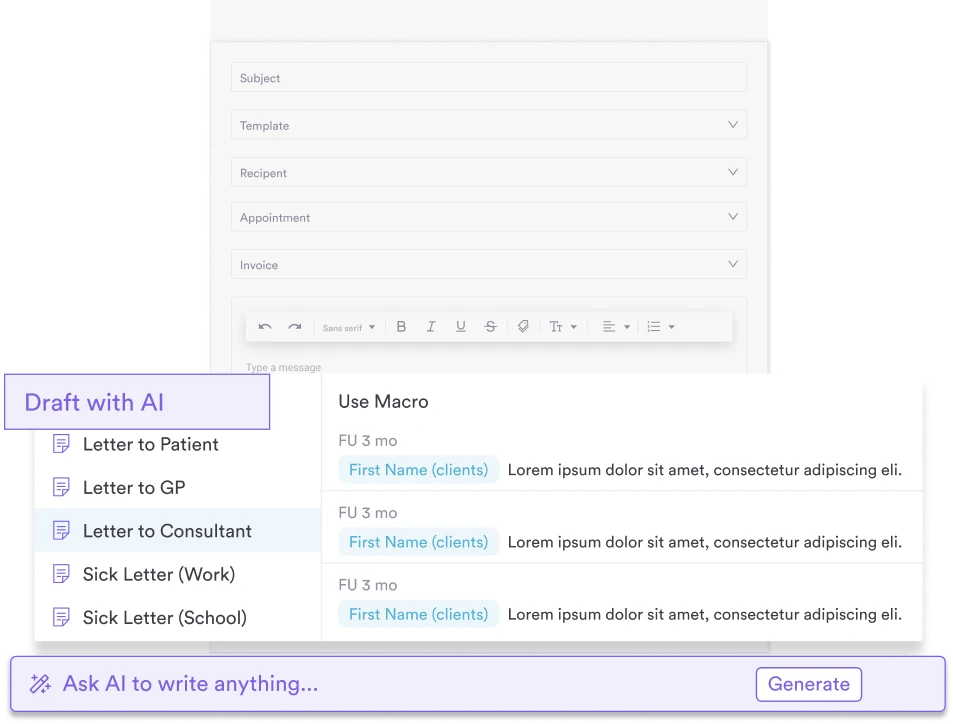
The Content agent writes the treatment and product descriptions patients read when they choose a service to book. Each one arrives in seconds, focused on the benefits and key selling points of the treatment.
The same agent drafts replies to online reviews in your own style and tone. A run of late-night reviews gets a considered reply the next morning without an hour of writing.
Check every description before it goes live. In the UK, public copy can’t name a prescription-only medicine such as Botox, so the agent’s draft may need “anti-wrinkle injections” instead.
Yes. Pabau Scribe follows HIPAA and other regulatory standards, and the notes it drafts are stored in the patient record inside Pabau.
Pabau’s HIPAA page says patient data is encrypted, access is controlled by user authentication, and audit trails log user activity. For UK practices, Pabau also publishes its GDPR commitments.
Software alone won’t make a practice compliant, and Pabau’s own HIPAA page says so. Your practice still needs its own policies. Run through this checklist before the first recorded consultation:
Most published Pabau Scribe reviews come from Pabau’s user community, where practitioners praise the AI setup and its record-keeping.
One practitioner posted this in the Pabau User Group on Facebook after trying Pabau Scribe:
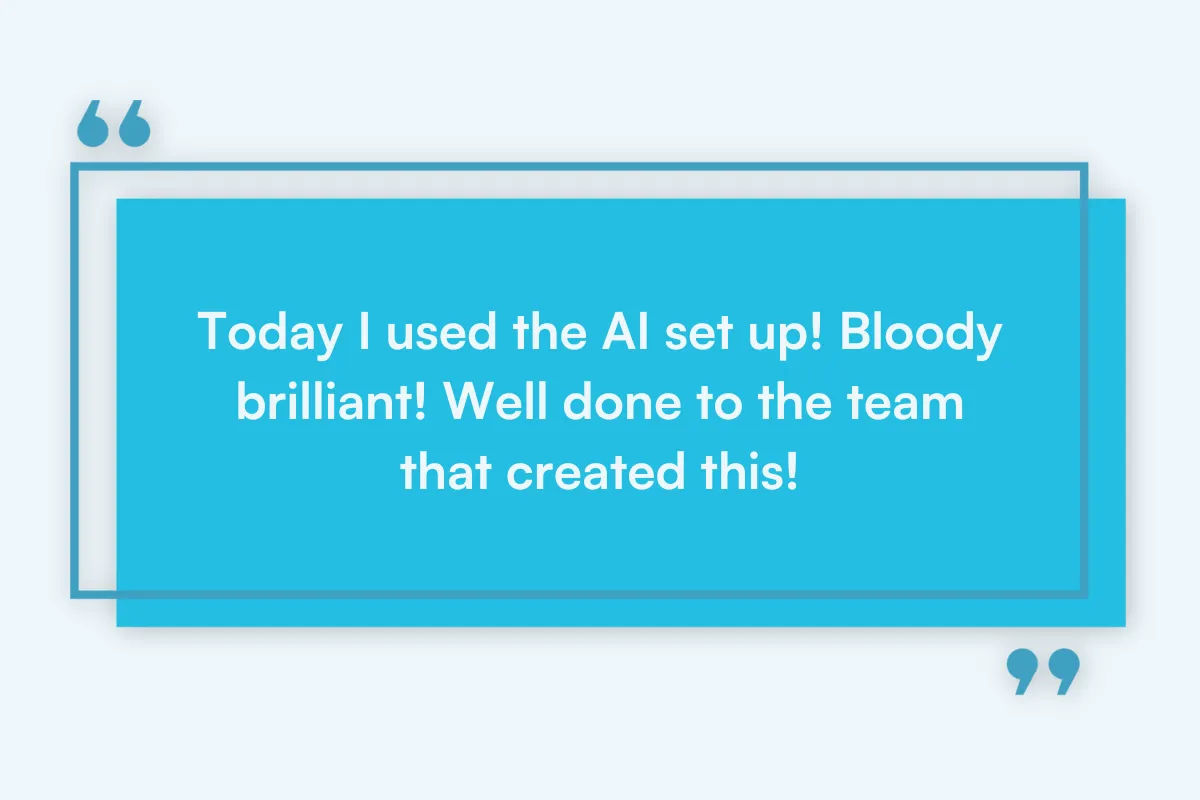
Dr. Zainab Al Mukhtar, owner of Harrow on the Hill clinic for dental and facial aesthetics, shared her reaction to Pabau Scribe’s patient record-keeping.
View this post on Instagram
Source: Pabau on Instagram
Testimonials only go so far. The quickest way to judge the notes is to watch Pabau Scribe draft one from a consultation like yours.
Pabau Scribe is included in every Pabau subscription, and each AI task uses Pabau credits unless you add Care Plus, which makes Scribe use unlimited.
Pabau subscriptions start at $104 a month for one user, according to Pabau’s pricing page, and scale with location and team size. Every plan includes the full platform, Pabau Scribe included.
On credits, each task has a fixed cost. These figures come from Pabau’s support documentation:
| Pabau Scribe task | Credits per use |
|---|---|
| Dictation, transcription or consultation summary | 5 |
| “Ask AI to write anything” in a treatment note, including each follow-up edit | 5 |
| Letters | 5 |
| Service descriptions | 5 |
| Review responses | 2 |
Each follow-up prompt in the same note costs another 5 credits, so three edits add 15 credits to the first draft.
Care Plus, our specialist patient care add-on, gives unlimited Pabau Scribe use at no credit cost, plus pre-built AI prompts for notes and records.
There’s no free trial. Pabau sets new practices up through structured onboarding instead, because the notes Pabau Scribe drafts depend on treatment forms built for your services.
Pabau Scribe needs no separate login, because it runs inside your Pabau account on desktop and in Pabau GO, our iOS app.
If your practice is on Pabau 2, the current version of the platform, Pabau Scribe already sits in your treatment forms. To record a consultation in Pabau GO, follow the steps from Pabau’s support guide:
New to Pabau? Treatment forms, templates and team permissions are set up during structured onboarding, with a dedicated Client Coordinator guiding your practice through it.
Most practices start with the note typed after the patient leaves, or pasted in from a separate transcription app. Pabau Scribe removes that step because it runs inside the same practice management system as your calendar, forms and patient records.
A patient books through online booking, and the appointment lands in the Pabau calendar. The AI client summary reads the record that booking is attached to, and the ambient AI scribe saves the note back to it.
The aftercare letter goes out from the same client card, and payment can be taken on Pabau Pay, our card terminals. You finish the note before the next patient, and your team never re-types it.

Pabau Scribe drafts treatment notes, letters and prescription checks inside the patient record, so your notes, bookings and payments stay in one system.

Pabau Scribe pays off most for practices that run bookings, forms and records in Pabau, or are ready to move them there. Every agent reads and writes the same patient record, so the value compounds across the appointment timeline.
A practice that only wants transcription on top of another EMR will get less from it. In that setup the note has nowhere to land, and the summary and Drug agent have no record to read.
For injector-led practices with a steady flow of returning patients, the AI client summary does as much work as the scribe itself. Book a demo to see Pabau Scribe draft a treatment note from a consultation like yours.

Recording consultations on an iPhone? The latest version of Pabau GO, our iOS app explains what practitioners can run from an iPhone or iPad.
Want unlimited Pabau Scribe use? Introducing Care Plus covers the add-on that removes credit costs from Pabau Scribe.
The aesthetic clinic software with the best AI features writes into the same patient record as your bookings, forms and payments. Look for an ambient AI scribe, prescription checks and letter drafting working from that one record. Pabau covers all three with Pabau Scribe, and every subscription includes it.
Yes. Echo AI was the earlier name for Pabau Scribe, the AI note taker built into Pabau. Some support articles still use the old name, but the features and the steps are the same.
Yes. Pabau Scribe runs in Pabau GO, our iOS app, on iPhones and iPads running iOS 17 or later. Pabau GO has no Android version.
No. Pabau Scribe sits inside your Pabau account, and Pabau GO takes the same credentials as the desktop system. Your credits, or a Care Plus add-on, decide how much you can use it.
No. Pabau Scribe drafts the note, and the practitioner reads, edits and saves it before it joins the patient record. The clinical judgment in that note stays with the practitioner.